

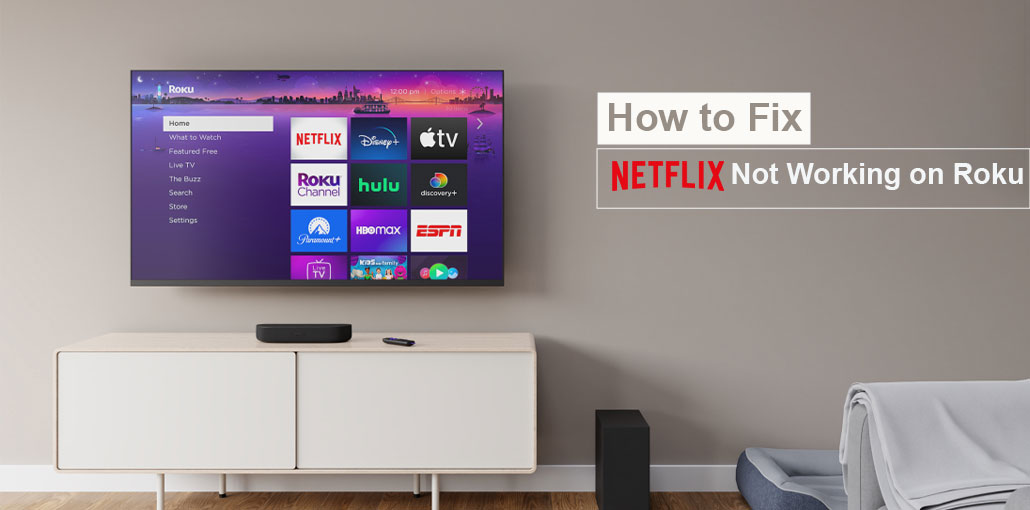
Are you watching Netflix on Roku Tv? It’s the most popular streaming app with an extensive selection of TV and film shows from major production houses and original content. While Netflix is accessible across various smart TVs, some users have issues accessing the application on Roku. If you are experiencing the same issues, such as Netflix not working on Roku, here are the solutions to resolve the issue.
Common Reasons for the Netflix App Not Working on Roku
Here are the short and simple reasons why Netflix not working on Roku:
- Internet connection problems
- Outdated Roku or Netflix app
- Corrupted app cache
- Roku system glitches
- Netflix server outages
Also read: How to Fix AirPlay Not Working on Roku: 9 Easy Tips
How to Fix Netflix Not Working on Roku
1. Check Network Connection
Before trying other options, be sure you check the internet connection on Roku. It is recommended to check the Wi-Fi signals and internet speed on Roku.
- Go to Roku Home and click on Settings.
- Select Network and then open About.
- Check Wi-Fi signal strength and speed.
2. Check Netflix Plan
If your Netflix plan has expired, you could face issues with Netflix not working on Roku. You must utilize Netflix’s web version to update your payment details and upgrade your subscription.
- Visit Netflix on the internet and sign in using your account information.
- Select your profile photo in the top-right corner, then open Account.
- Check your plan under the Membership and Payment menu. Choose the Manage Payment Information.
- Edit the payment method in the menu above.
3. Check Your Netflix Device Limit
Netflix’s most expensive plan allows you to stream content to up to four devices simultaneously. If you share your Netflix account password with family members and friends, you may exceed the device limit on your Netflix account. It is important to review the devices linked to the Netflix account. Here’s steps you need to do
- Go to your Netflix account online (check the steps previously).
- Select Manage access and devices.
- Click Sign Out on unknown devices, and you’re all set.
4. Disable Any Virtual VPN
Another reason why Netflix not working on Roku is the fact that it isn’t built to support VPN applications. But you can install a VPN on your office or home router and then use your smartphone or computer as a wireless hotspot to connect to Roku. If you try any of these methods to connect to the VPN for Roku, Netflix may not work as you expected. It is recommended to disable your virtual VPN and then try again.
5. Restart Roku
You can restart Roku and troubleshoot the most common Netflix problems without wasting time. Most people keep the Roku streaming devices in sleep mode to ensure that they are ready for use within a few minutes.
- Go to Roku Settings and scroll down to Systems.
- Select Power and hit Restart.
6. Check Netflix Servers
If Netflix servers go down, you can not access the Netflix app on Roku devices. You can go to the Downdetector website and check Netflix to determine the cause. There are high outage graphs and user feedback about the same issue. It is important to wait for Netflix to address server-side issues.
7. Update Netflix on Roku
An old Netflix version could be the primary reason Netflix keeps crashing on Roku. It’s time for you to update Netflix to the most recent version.
- Find Netflix on Roku and click the star button on Roku.
- Select Check for updates from the channel info and download the latest version.
Also read: Roku Remote Not Working? 7 Easy Fixes to Try Today
8. Get an Ethernet Adapter
Most Netflix shows are available in 4k resolution. You will require a fast internet connection for Roku to stream movies without issues. If your Roku device has issues with Wi-Fi, then you need to purchase an Ethernet adapter to get the full internet speed. You can utilize Wi-Fi mapping software to scan dead Wi-Fi zones at home or in the office.
9. Reinstall Netflix
A temporary app glitch may be the cause of Netflix not working on Roku. You can uninstall Netflix and then try the service on Roku without issue.
- Go to Roku Home and click on streaming channels.
- Select Netflix. Click to delete channels.
- Go back and launch the Netflix menu once more.
Install Netflix and sign in using your account details, and play your preferred Netflix titles.
10. Update RokuOS
An outdated RokuOS version can cause problems with Netflix not working on Roku TV or other Roku devices.
- Go to System in the Roku Settings (check the steps in the previous paragraph).
- Select Software Update and install the most recent RokuOS version.
11. Reset Roku
In the end, if Netflix not working on Roku TV, then there’s only one option: to reset the Roku and start streaming.
- Open the System menu within Roku settings.
- Open Advanced System Settings.
- Select Factory reset and then follow the on-screen instructions to finish the process.
Ending Notes
We’ve provided the reason Netflix not working on Roku TV and offered the best solutions to resolve this issue. If you would rather watch Netflix films using your Roku device without having to deal with these difficult troubleshooting procedures
You can change to your smartphone, tablet, or laptop to enjoy your preferred Netflix film or show. However, before you settle for an unsatisfactory streaming experience on a tiny screen, try the tips below to get your Netflix back on Roku.
FAQs: Netflix Not Working on Roku
Why does Netflix keep crashing on Roku?
Netflix keeps crashing on Roku because of corrupted app data, an outdated app, or system issues. Try restarting Roku or reinstalling the Netflix app.
Why is the Netflix app not opening on my Roku TV?
If the Netflix app is not opening on Roku TV, your device may need a software update or the app may need to be reinstalled.
Why does Netflix get stuck at 0% or 24% on Roku?
This happens when the app can’t properly connect to Netflix servers or the internet temporarily fails to load video data.
Can a Roku factory reset fix Netflix problems?
Yes, a factory reset can fix Netflix not working on Roku or the Netflix app not opening on Roku TV, but it should be the last option.





Leave a comment