

If you’re worried about your Spectrum router blinking red light issue, then read this article now! Here are the probable causes and troubleshooting techniques. Additionally, it lists commonly used Spectrum router status indicators and their significance.
What Do Spectrum Router Status Lights Mean?
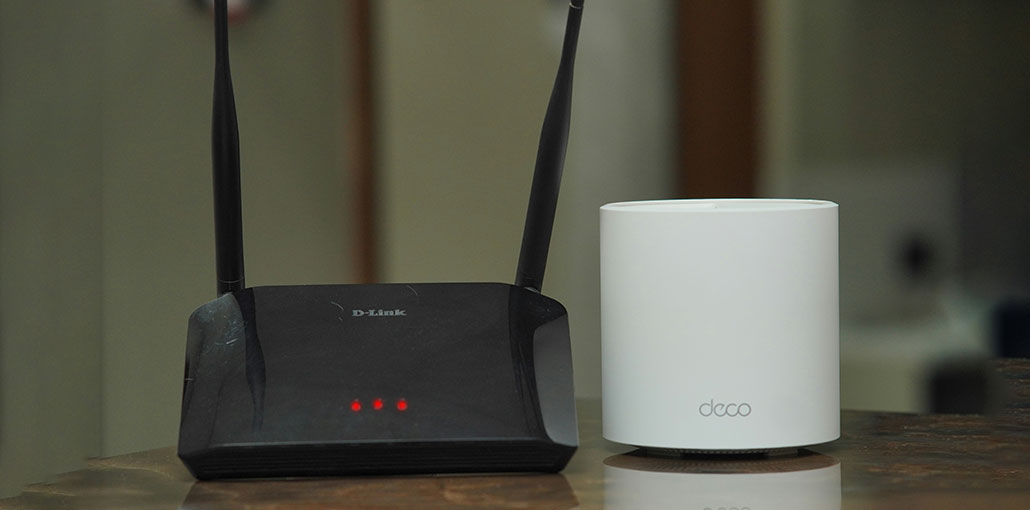
The reflection shows different kinds of Spectrum router status lights. For example, if you see a solid red light on the Spectrum router, it indicates that the router ran into a major error. This doesn’t necessarily mean the issue is internet-related. However, it’s important enough to inform you.
A red light flashing in the background suggests that something is blocking the Spectrum router from connecting to the Internet. It could be due to a problem with the router. For example, there’s an outage at Spectrum’s end.
Why Is My Spectrum Router Blinking Red?
There are common reasons behind the Spectrum router blinking red light. In this section, you will learn about the warning signs of trouble. Flashing solid, blinking light – each of these terms is associated with a different meaning. Let’s look at various reasons:
- There is an internet service outage in your area.
- The cables are loose or damaged.
- A firmware update is in progress or has failed.
- The router or modem is overheating.
- The hardware is faulty or malfunctioning.
- There is an account or service activation issue.
Also read: Best Router for Spectrum: Top 5 Picks for Every Internet Plan
How to Fix Spectrum Router Blinking Red Light
In the technological world, in this moment, a day without internet access seems impossible. In this instant, if your Spectrum router not working, this can impact your work, education, and more. In this section, you’ll learn some fantastic methods to fix the Spectrum router blinking red light issue.
1. Check for Spectrum Service Outage
This is our primary option since it is the easiest and simplest of all. If network issues are the problem that is causing problems for your router, just begin with these steps:
- Visit: https://www.spectrum.net/support
- Click “Check Outages”
- Enter your ZIP code or log in to your account
If there’s a service disruption identified, please wait until it is resolved. Very soon, the Spectrum router blinking red light will stop.
2. Reboot your Modem
You may see the spectrum modem red light; it is now time to reboot the modem only. Below is the procedure you need to follow:
- The power cord disconnects the modem or gateway, and then the batteries should be removed.
- Allow the device to rest for 60 seconds to cool, and then plug the batteries in and reconnect the power cable to the device.
- Wait a few minutes so your modem can power up. The Spectrum modem red light should cease when it comes back on. The light would slowly return to show that it’s functioning in connection to the web.
- Check the internet to determine whether it’s functioning.
If the spectrum modem red light goes away, it will begin to function normally.
3. Perform Full Network Restart
It is commonly believed that restarting your network and starting fresh will fix the issue. For this reason, you must reboot each Spectrum router and the modem. Follow these steps:
- Separate the Spectrum Modem cable from the power source. Also, take out the batteries.
- Next, disconnect the power cable connected to Spectrum’s Router.
- Let both equipment pieces cool. It should take at least 120 seconds, but it could take longer.
- After both devices have been cooled down, add the batteries and connect the modem power cord to the back of the power source. It should take at least 2 minutes to begin the reboot process.
- After a couple of minutes, connect your router to the power outlet and wait 120 seconds until it stabilizes.
If you notice your Spectrum router flashing red light and then turns to blue, that’s a sign the issue is fixed.
4. Inspect Cables & Power Connections
Make sure your Ethernet cable is securely connected to the Ethernet port on the modem, and the other one is connected to the WAN/internet port on the Spectrum router. Also, verify that the cable to the modem and the router are connected to the power outlet.
Also read: AirPods Flashing Orange Light: Causes and Easy Fix Guide in 2026
5. Contact Spectrum Customer Support
With the above techniques, if you’re still unsuccessful in solving the Spectrum red light issue with your router, you can get in touch with Spectrum Customer Service by either of the two methods listed:
Just copy and paste this link in the URL Bar – https://www.spectrum.net/contact-us/ of the web browser and hit enter.
You can also reach the ISP at 855.860.9068 to get assistance from a support representative to resolve all technical and troubleshooting issues.
Final Word
All the above solutions can be tried to fix the Spectrum router blinking red light issue.
We truly hope that your internet connection is up and running and you can get back to watching Netflix or playing Fortnite.
Another thing that could cause a problem for your router is overheating. Sometimes, you need to allow the router cool down, and then it will start working.
FAQs: Spectrum Router Blinking Red
Is the red light on my Spectrum router a serious problem?
Not always. In most cases, it’s a temporary connection issue that can be fixed by restarting the modem and router or checking cables.
Why is my Spectrum modem red but the router is working?
If the modem shows red, there may be a signal issue from the ISP. Contact Spectrum support if the problem continues.
Why is my Spectrum router blinking red after a power outage?
Power surges can interrupt signal synchronization. Perform a full power cycle to restore the connection.
How can I fix my Spectrum router blinking red easily?
Unplug both modem and router, wait 60 seconds, plug the modem back in first, then the router. Most issues resolve after a full reboot.






Leave a comment