

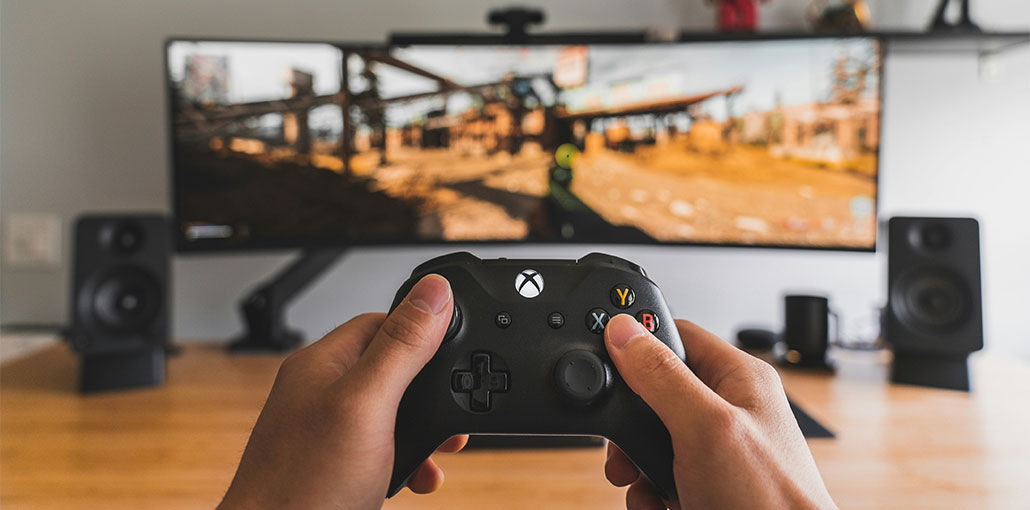
Many people are wondering how to Game Share on Xbox. If you have a question, you’re in the right spot. We provide all the information about Xbox games in this article.
What Is Xbox Game Sharing?
Xbox Game Sharing is the best feature in the gaming world over the last decade. Xbox Gameshare lets you share games, and the benefits of your Game Pass and Xbox Gold subscriptions with users on your main Xbox. This is a great way to enjoy a broader selection of games at a lower cost.
You can allow an individual you can trust access to your game library that you downloaded using the Xbox game sharing feature.
Xbox One, Xbox One S, and Xbox One X make game sharing effortless. However, there are certain limitations you need to know before using your Xbox. For more information, continue reading the article on how to Game Share on Xbox.
Also read: How to Game Share on PS5: A Ultimate Guide to Share Games
What you should know before Game Sharing on Xbox
While game sharing can offer advantages, it is not without risk, either. After game sharing, your friend will be able to trade deals through your account through the Xbox Store. So, it is imperative to be aware of the data saved on your Xbox account.
In addition, you won’t be able to access your online game library after losing your Internet connectivity unless you’ve designated the Xbox One as your home Xbox. If your console isn’t the home Xbox, the other players on your console won’t be able to access the games or your Xbox Live Gold membership.
In addition, you must repeat the entire game sharing process each time you upgrade to a new Xbox One or upgrade to an Xbox One X. You can only switch your house Xbox five times a year before Microsoft stops you from making any further modifications.
This prevents you from constantly changing accounts with your friends. If you don’t want to be locked out of your accounts for changing your home Xbox, choose one friend to regularly switch with before changing your settings.
We explore the answer: how do I share games on Xbox One? This article will guide you through step-by-step how to Game Share on Xbox Series X and Xbox One.
How to Game Share Xbox
To share Xbox games with friends, you and your friend must have your own Xbox One systems and accounts. After you’ve put them together, sharing games is easy. Here is a guide for how to Game Share on Xbox.
Step 1: Open the User Account Menu
From the Xbox home screen, select the profile icon located in the lower-left corner of the screen. This will open the user account menu.
Step 2: Add a New Account
Next, choose the option to Add New. Enter the login details for your friend’s Xbox account. This will allow both accounts to be connected to the same console.
Step 3: Set the Console as the Home Xbox
Now you need to set your friend’s console as your Home Xbox.
To do this:
- Go to Settings
- Select Personalization
- Choose My Home Xbox
- Select Make This My Home Xbox
This step registers the console as the main device for your account.
Once this is done, your friend will be able to access your digital game library.
Step 4: Access the Game Library
After completing the setup, go to the Game Library section by selecting:
My Games & Apps → Ready to Install
Here, you will see all available games connected to the accounts on that console.
This includes:
- Your personal games
- Your friend’s games
- Shared Game Pass titles
Game sharing also allows players to share certain multiplayer benefits associated with Xbox Live Gold.
Also read: Xbox Won’t Connect to WiFi? 10 Easy Fixes to Get Back Online
How To Remove Someone From Xbox Game Sharing
If you’d like to block anyone from sharing your games, you’ll have to switch your “Home” console to the one that you’re currently using. The games will be stored on the other console, but no one else will be able to play them. If you’re both on the same console, you continue to access the games.
Wrap up
How to Gameshare Xbox? If you’re still searching for a solution, take a look at this post right now. It will provide you with the complete information.
FAQs: How to Game Share on Xbox
Can you share Xbox Game Pass with game sharing
Yes, in many cases you can share Xbox Game Pass with the person using your Home Xbox. This allows them to download and play many games included in the Game Pass library.
Can you share physical Xbox games?
No, game sharing only works with digital games purchased from the Xbox Store. Physical disc games cannot be shared digitally.
How to game share on Xbox Series X or Series S?
The process to game share on Xbox Series X or Series S is the same as other Xbox consoles. Sign in to the other console, go to Settings → Personalization → My Home Xbox, and set it as your Home Xbox to share games.
How to stop game sharing on Xbox?
To stop game sharing on Xbox, go to Settings → Personalization → My Home Xbox and set your current console as your Home Xbox again. This will remove access from the other console.





Leave a comment