

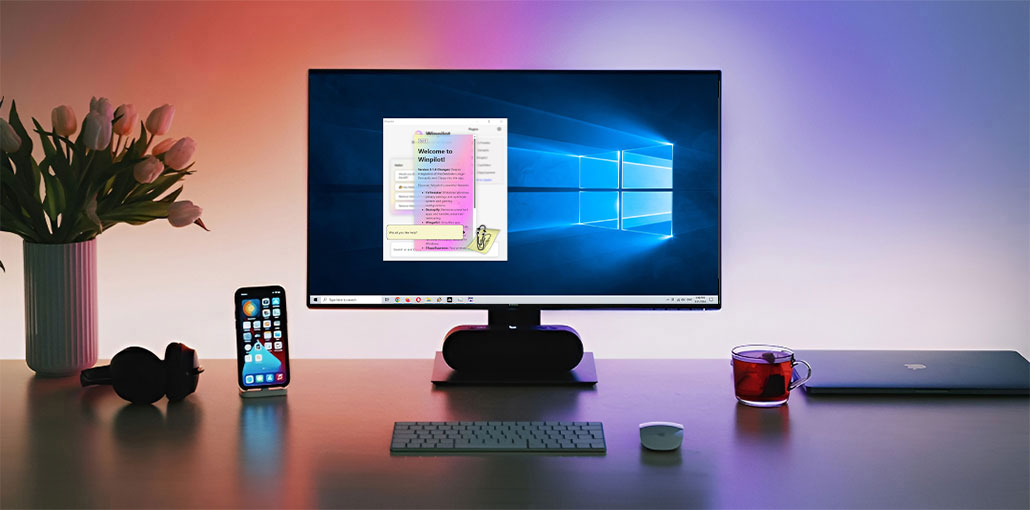
Windows 11 debloater tools are now essential for anyone who wants a clean, efficient, and fast PC. Modern Windows systems are loaded with numerous unnecessary preinstalled applications, also known as Bloatware, which slows down performance and eats up disk space.
If you’re looking for a lightweight and debloated Windows 11 setup or to remove clutter from your Windows 10 PC, the right Windows debloater software will transform your PC experience. This article reviews the most effective 5 Microsoft Windows 11 debloater software for 2026. They will assist you in removing unnecessary software and improving your system.
Why Debloat Windows 11?
Removing unnecessary apps and services can significantly improve your Windows experience.
Benefits of Debloating Windows 11
- Improve system performance and responsiveness
- Reduce startup times
- Free up valuable disk space
- Improve privacy by limiting telemetry and tracking
- Remove unwanted Microsoft apps and features
- Create a cleaner and more organized desktop experience
- Reduce background resource consumption
While Windows 11 is better optimized than previous versions, removing unnecessary software can still make your PC feel faster and more efficient.
Also read: Top 10 Tips and Tricks for Windows 11
Windows 11 Debloater Software Comparison
| Tool | Best For | Key Features | Ease of Use | Free/Open Source |
|---|---|---|---|---|
| Chris Titus Tech WinUtil | Overall Windows optimization | Debloating, privacy tweaks, software installation, system maintenance | Moderate | Yes |
| WinHance | GUI-based customization | App removal, performance tweaks, ISO customization, and personalization | Easy | Yes |
| Win11Debloat (Raphire) | Lightweight debloating | Remove bloatware, privacy tweaks, and undo functionality | Moderate | Yes |
| WinPilot | Privacy & AI feature management | Copilot control, privacy settings, system optimization, plugins | Easy | Yes |
| O&O AppBuster | Built-in app removal | Remove hidden apps, restore support, bulk uninstall | Very Easy | Yes |
5 Best Windows 11 Debloater Tools in 2026
Below are the best Windows 11 debloater software for 2026. Each one has been tested for usability, safety, and performance impact.
1. Chris Titus Tech Windows Utility (WinUtil)
Chris Titus Tech’s Windows Utility (WinUtil) is an extremely powerful script-based Windows 11 debloater tool for advanced users and system administrators. It lets users remove, modify the settings, troubleshoot, and manage Windows installations using a single PowerShell script. With flexible components, it gives extremely precise control of the system’s services, updates, and telemetry. It’s perfect for users who require transparency, flexibility, and a well-documented open source solution.
Pros
- Comprehensive all-in-one solution
- Frequently updated
- Strong community support
- Highly customizable
- Free and open source
Cons
- Can feel overwhelming for beginners
- Some advanced tweaks require technical knowledge
2. WinHance
WinHance is an extremely powerful Windows 11 x64 optimization tool designed to debloat, customize, and improve performance. It gives users full control over their application, system settings, and personalization options via an intuitive interface. With modules for software management and privacy tuning, UI modification, WinHance delivers a clean, organized, efficient Windows experience. Perfect for casual and advanced users who want to simplify and organize their systems quickly.
Pros
- Beginner-friendly interface
- No PowerShell knowledge required
- Extensive customization options
- Supports both Windows 10 and Windows 11
Cons
- Larger download size than script-based tools
- Advanced settings may confuse some users
3. Win11Debloat (Raphire)
Raphire’s Win11Debloat is an open-source script-based Windows 11 debloater tool that removes unnecessary apps and improves your system performance. It’s built using PowerShell by the developer Jeffrey (Raphire). It is designed for simplicity and clarity. It can be run by a single command or a batch file with undo and a variety of customizable modes. It’s light, fast, and perfect for those looking for a more efficient Windows experience without unnecessary software overhead.
Pros
- Lightweight and efficient
- Completely free
- Safe default settings
- Easy to reverse changes
- Regularly maintained
Cons
- No graphical interface
- Requires PowerShell execution
4. WinPilot
WinPilot is an alternative to Bloatynosy, a powerful Windows software for optimization and automation tool designed for advanced users. It lets users perform actions with a single click, such as uninstalling bloatware and other software, changing the system settings, adjusting privacy options, and deactivating AI features. Its Clippy assistant provides chat-based control for system tasks, and plugins such as CoTweaker and Decrapify allow the most powerful customization and cleanup. WinPilot is a great choice for high-tech users who need full system control.
Pros
- Modern and user-friendly interface
- Excellent privacy controls
- Lightweight and fast
- Useful advanced customization options
- Regular updates
Cons
- Some features may be overwhelming for beginners
- Certain plugins are still evolving
Also read: Windows 11 Media Creation Tool: A Complete Guide to Download and Install
5. O&O AppBuster
O&O AppBuster is a free Windows 11 debloater that allows users to uninstall locked or hidden Windows apps with ease. Created specifically for Windows 11, it uninstalls built-in programs that Microsoft blocks from uninstallation by default. With features such as System Restore integration and mass removal options, AppBuster provides a clean, organized, and safe environment for managing both the user and native applications, without the need for PowerShell commands.
Pros
- Extremely easy to use
- Portable and lightweight
- Safe removal process
- Supports app restoration
- No technical knowledge required
Cons
- Limited to app removal only
- Lacks advanced performance optimization features
Important Tips Before Debloating Windows 11
Before using any Windows debloater tool, follow these best practices:
- Create a System Restore Point.
- Avoid removing Microsoft Store.
- Keep Windows Security (Defender) enabled.
- Be cautious when removing Microsoft Edge.
- Avoid permanently disabling Windows Update.
- Read each tool’s recommendations before applying tweaks.
These precautions help ensure system stability and compatibility with future Windows updates.
Conclusion
While individual Windows Bloatware Removal tools may seem harmless, they can collectively consume performance, privacy, and storage. Using a Windows 11 debloater is the simplest way to gain control. Tools such as WinPilot and Windows10Debloater manage deep cleaning, while O&O AppBuster and FreeTimeTech Debloater have an easy-to-use interface for removing bloatware from Windows 11.
FAQs: Windows 11 Debloater
Is it safe to use a Windows 11 debloater?
Yes, most reputable Windows 11 debloat tools are safe when used correctly. Before making changes, create a System Restore Point and avoid removing essential components such as Microsoft Store, Windows Security (Defender), or Windows Update services.
Does debloating Windows 11 improve performance?
Yes. Removing unnecessary apps, background services, and startup programs can reduce resource usage, improve boot times, free up storage space, and make Windows 11 feel more responsive.
Which Windows 11 debloater is best for beginners?
WinHance is one of the best options for beginners because it provides a user-friendly graphical interface and allows users to customize Windows without needing PowerShell knowledge.
Do Windows 11 debloat tools work on Windows 10?
Many debloat tools, including WinUtil, WinHance, and O&O AppBuster, support both Windows 10 and Windows 11. However, some tools are specifically optimized for Windows 11.






Leave a comment