

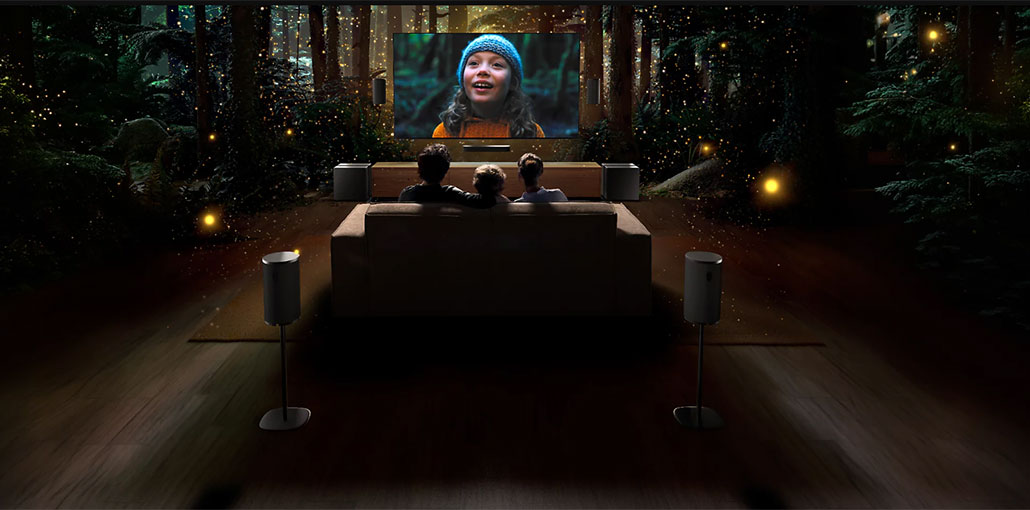
Explore the top Sony Smart TVs in India in 2026 and compare their prices, screen sizes, picture quality, and sound technologies. Find the right model for your home and buy it on Easy EMIs with Bajaj Finance.
A bigger screen can make movies and matches more immersive, but screen size alone does not make a great TV. What you notice every day is how naturally faces look, how clearly you can follow fast-moving action, and whether dialogue sounds like it belongs to the scene. That is where Sony TVs stand apart. X-Reality PRO sharpens and upscales lower-resolution content, TRILUMINOS PRO produces a wider range of colours, and Acoustic Multi-Audio on select models helps sound follow the action on screen. With Google TV bringing apps, recommendations, casting, and voice search together, Sony focuses on making everyday viewing look and sound better.
If these features make a higher-end Sony TV worth considering, Bajaj Finance can help make the upfront cost easier to manage. You can shop from over 1 million products across 550+ brands, including Sony TVs, and spread the cost through Easy EMIs. The Insta EMI Card offers a limit of up to Rs. 3 lakh, while the Easy EMI Loan covers higher-value purchases of up to Rs. 5 lakh. Both can be used at 1.5 lakh+ partner stores across 4,000+ cities, including Reliance Digital, Croma, and Vijay Sales, giving you more flexibility to choose the screen size and features that suit your viewing needs.
What makes Sony TVs worth the premium in 2026?
Sony focuses on picture processing, colour reproduction, sound positioning, and smart features. These four technologies explain where the difference can become noticeable during everyday viewing.
- X-Reality PRO: Analyses and upscales lower-resolution content to improve detail and clarity. It is particularly useful for older films, streaming content, and channels that are not available in native 4K.
- TRILUMINOS PRO: Reproduces a wider range of colours, helping skin tones look natural while improving shades, gradients, and colour detail in supported content.
- Acoustic Multi-Audio: Uses strategically positioned speakers on select models to make sound better match the action on screen, creating a more immersive experience than conventional downward-firing audio.
- Google TV: Brings major streaming apps, recommendations, casting, and voice search into one interface, making it easier to find content without navigating individual apps separately.
Also read: Mastering the Smart TV Experience: Tips and Tricks for Users
What screen size Sony TV should you buy?
Screen size should primarily match your viewing distance and content preferences, rather than room size alone.
| Screen size | Ideal viewing distance | Best for |
| 32-inch | 4–6 feet | Bedrooms, guest rooms, kitchens |
| 43-inch | 6–8 feet | Medium living rooms, home offices |
| 55-inch | 8–10 feet | Primary living rooms, family viewing |
| 65-inch | 10–12 feet | Large living rooms, home theatre setups |
Pro tip: Sony’s picture processing can become more noticeable on larger screens, where lower-resolution content has to be scaled across more pixels. If your viewing distance and budget allow, moving to a larger screen can make features such as upscaling and enhanced colour reproduction easier to appreciate.
Top Sony TV models to explore in August 2026
Sony Smart TVs cover everything from compact 32-inch models to premium 65-inch 4K options. Compare screen size, resolution, price, and features below:
| Model | Size | Resolution | Price | Best for |
| Sony BRAVIA KD-32W825 | 32-inch | HD Ready LED Google TV | Rs. 28,990 | Bedrooms, guest rooms, compact spaces |
| Sony BRAVIA 2 43-inch | 43-inch | 4K LED Google TV | Rs. 36,860 | Best value Sony 4K entry point |
| Sony BRAVIA 2 II 55-inch | 55-inch | 4K LED Google TV | Rs. 60,990 | Primary living room, family viewing |
| Sony BRAVIA 2 65-inch | 65-inch | 4K LED Google TV | Rs. 78,990 | Large rooms, most accessible Sony 65-inch |
| Sony BRAVIA X82L | 65-inch | 4K LED Google TV | Rs. 84,990 | Step-up 65-inch, enhanced processing |
| Sony BRAVIA 3 K-65S30 | 65-inch | 4K LED Google TV | Rs. 97,960 | Premium 65-inch, best Sony has to offer |
Disclaimer: Each model’s features, availability, and pricing are subject to change and may vary. For the most accurate and up-to-date information, please visit the official website.
Limited-time offers on televisions
Sony is also running discounts at Bajaj Finance partner stores. Check current offers before visiting a store.
| Brand | EMI starting from | Tenure | Discount | Price range |
| Sony | Rs. 720/month | Up to 16 months | Up to 50% Off | Rs. 11,600 – Rs. 9,89,900 |
Terms and conditions apply. Check with your store for details.
Also read: How to Hack Your TV Budget?
What are my financing options to buy a TV on EMI?
You can finance almost any television in this guide. Bajaj Finance offers two ways to do this:
| Financing option | Loan limit | Tenure | Best for |
| Insta EMI Card | Up to Rs. 3 lakh | 3 to 60 months | Buying across categories over time |
| Easy EMI Loan | Up to Rs. 5 lakh, basic KYC, CIBIL 650+ | 3 to 60 months | A single higher-value purchase |
How to buy a Sony TV from Bajaj Finance partner store?
Buying a TV with Bajaj Finance’s in-store financing options is quick and convenient. The process usually takes just 10–15 minutes at the store. Follow these steps:
- Browse Bajaj Mall first: Compare Sony TV models by screen size, resolution, and price before visiting a store
- Find a partner store: Head to a nearby Reliance Digital, Croma, or Vijay Sales
- Check in person: Ask the store executive to demonstrate X-Reality Pro upscaling and Acoustic Multi-Audio on your shortlisted model. The difference is most visible and audible in person
- Choose your EMI option: Ask about the Insta EMI Card or Easy EMI Loan, and check zero down payment offers on select models
- Complete your purchase: Once financing is approved, take your TV home or schedule delivery and installation
The right Sony TV comes down to matching the screen size, viewing distance, and picture features to how you watch at home. Compare your options, experience the picture quality at a Bajaj Finance partner store, and use Easy EMIs to spread the cost across flexible tenures.






Leave a comment