

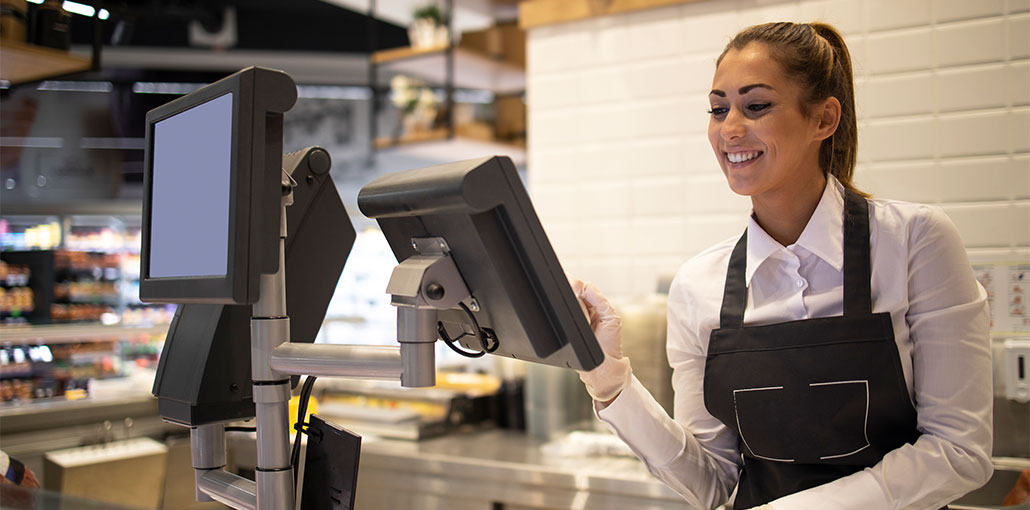
The right point-of-sale (POS) system can streamline your transactions and help make running a small-scale business simpler. A variety of features are the hallmarks of a good POS system. But one thing that is always the most important is cost. We all know that the best price is free. Let’s look at the most popular free POS system and include the features.
What Is POS Software?
Point-of-sale software integrates with POS equipment (cash registers, card readers, and contactless payment scanners, etc.) to process transactions using any method of payment.
The most effective systems provide an inventory control for customer data storage and sales reporting. Using POS systems in the retail business can calculate commissions and send paperless receipts to customers, while restaurant POS software allows staff to distribute tips.
7 Best Free POS Systems for Small Business Owners
These free POS systems for small businesses offer all the features you’d like. Certain systems provide additional capabilities; however, you’ll need pay for them. Although even a cost-free POS system may charge for transactions, you’ll not find less expensive solutions to manage sales or help manage your small business.
1. Square POS
Square is a popular payment processor and POS system, and it’s a good reason.
You can securely accept checks, cash, credit cards, and gift cards with this system’s free POS system app. If you purchase the POS apparatus ($199), it comes with an electronic reader for chip and contactless transactions and a display for employees to navigate through the software.
Square is a perfect match for all the other features we utilize to assess the best POS software, and much more.
Pros
- No monthly fees
- Free POS with essential small business features
- Free magstripe card reader included at signup
Cons
- Transaction fees may be higher for low-volume sellers
- Advanced inventory and reporting tools require paid upgrades
Also read: What is POS Experience: 10 Smart Ways to Improve POS Experience
2. Stripe
Stripe is a different major player in the field of payment processing. You can sign up for a free POS system that offers payment processing for credit cards. When you use Stripe’s Terminal in-person POS, you’ll be charged processing fees of 2.7 percent and 5 cents per transaction, and the card reader hardware is available at a price. Its Stripe Dashboard allows managing payment devices remotely. It accepts all major credit cards, and the terminal supports Apple Pay and Google Pay.
Stripe Terminal also offers unified reports for online payments. The Stripe platform began with an internet-based payment processor that can be used to create an online shopping experience for your consumers.
Pros
- Free POS with pay-per-transaction pricing
- Supports multiple payment methods
- Easy eCommerce integration
Cons
- Limited in-person POS hardware options
- Fewer management features than Square
3. Imonggo
It is easy to use the Imonggo program if you are connected to a web browser. You can also use this free POS software on PC, Mac, Android, Windows, and iOS devices.
The things it doesn’t hinder its ability to function. There’s a limit of 100 transactions a month when using the free POS system. It could be limited in the event of larger sales. It’s also a good option if most of your transactions occur in cash, but it’s not the most efficient free POS system that supports credit cards.
Pros
- Free POS software works across multiple operating systems
- Built-in inventory management and sales analytics
Cons
- Credit card processing can feel cumbersome
- Free plan limited to 100 transactions per month
4. Vend
Another basic, but limited app is Vend. Vend does not offer many additional features that lised on apps, but it covers the essentials efficiently.
Vend provides a free POS system for Mac, iPad, and PC. The free plan accepts cash and card payments linked to payment processors such as Shopify, Square, or PayPal.
The app is cloud-based, but it will continue to function even if you’re offline. It will restore the sync when you reconnect to the Internet.
If your company has a lot of sales or a growing business, Vend might not be the right choice for you. The free plan permits just one register, one user, and up to 10 product options. This is a great choice for small-sized businesses with low-volume sales.
Pros
- Works across multiple operating systems
- Integrates with popular payment processors
Cons
- Low inventory limit on the free plan
- Free plan allows only 1 user and 1 register
5. Loyverse
Loyverse provides iOS and Android POS software free of charge, which turns your tablet into a POS Hardware system.
With Loyverse, you have all the essentials of a free POS system to manage inventory, accept cash, check, and credit card payments, and even create discounts by clicking an icon.
Additionally, you can get a lot when you use Loyverse for “Loyalty Universe.” Build loyalty programs and track customers’ profiles in the application. Track your employees’ time and sales to pay their commissions properly.
Loyverse can also allow you to make products from ingredients, ensuring that you’re never short of ingredients. This makes one of the most effective, fully-service free restaurant POS software systems.
Pros
- Includes POS and back-of-the-house management features
- Works on Android and iOS tablets and smartphones
Cons
- Best suited for small businesses
- May not scale well for teams or businesses with 3+ locations
Also read: 15 Mobile Payment Apps for Business
6. Floreant
While Loyverse serves a wide range of small companies and can be a great choice for restaurants, Floreant was created specifically for restaurants.
It was designed to assist the staff at a Denny’s restaurant. This open-source POS software has been downloaded and is used at more than 122,000 restaurants.
The user-friendly interface lets employees at any restaurant, including food trucks, fast-casual, and fine-dining, create and accept payments for checks from customers. Other functions include ticket numbering, floor plan management for waitstaff, and ingredient tracking. There is also a “pizza builder” function that allows you to modify your order to suit the preferences of any patron.
This free POS system can be used to operate mobile food trucks without WiFi. The open-source structure of the point-of-sale software is modular, which means you download or modify the code to suit your company’s requirements.
Pros
- Built specifically for food-service and restaurant businesses
- Open-source software allows deep customization
Cons
- Runs only on Linux or Raspberry Pi devices; requires Java 8 support
- Not suitable for businesses outside the restaurant industry
7. uniCenta
The free point-of-sale software is updated regularly, permitting you to add new features to your business. You can utilize it with the POS equipment to accept cash, credit card and check payments.
The uniCenta platform comes with a complete range of tools for tracking. Employees can monitor breaks, time, sales, and commissions. It is possible to create customer profiles that record previous transactions and loyalty program discounts, percentages, credit limits, and tax categories. Keep track of your inventory by preventing stock loss, managing inventory levels, multiple warehouses, and supplier accounts.
You can use the report capabilities to analyze the trends in sales, employee performance, customer behaviour, and more.
Pros
- Offers comprehensive features for small business owners
- Open-source software with no limits on users or locations
Cons
- Customization can be challenging without technical expertise
Key Things to Consider in a Free POS System
- Employee management: Shift scheduling and time tracking (Square, PayAnywhere)
- Sales analytics & reports: Detailed sales, profit, and expense reporting (Toast, PayPal)
- Customer data: Track contacts and purchase history for marketing (SpotOn, Square)
- Mobile ordering: Delivery and curbside order support for restaurants (Toast)
- Payment methods: Accept cards, tap to pay, QR codes, Apple Pay, Venmo (PayPal, Square)
- Appointment booking: Online scheduling for service businesses like salons or tutors (Square)
- Inventory & menu management: Real-time tracking, low-stock alerts, and automatic reordering (Toast, SpotOn, PayAnywhere)
Bottom line
If all you require is an entry-level POS system, there are free options that can do the task. These are my top choices for picking up a free POS system. They’re great to start with. They might be all you need. If not, they have more advanced features through upgrade options or add-ons for affordable costs.
FAQs: Free POS Systems
Are free POS systems good for startups?
Yes! Free POS systems are ideal for startups with low budgets, offering essential features like sales tracking, inventory management, and payment processing.
Do free POS systems work on mobile devices?
Yes, many free POS systems work on tablets and smartphones, allowing businesses to manage sales anywhere and even offer mobile ordering or curbside pickup.
Which free POS systems are best for small retail vs. restaurants?
Retail: SpotOn, PayAnywhere, Square (great inventory and payment options) Restaurants: Toast, Square (mobile ordering and menu management features)
Are there limits on transactions with free POS systems?
Some free POS plans have monthly transaction or user limits. Always check the provider’s restrictions before choosing a system for your business.






Leave a comment