

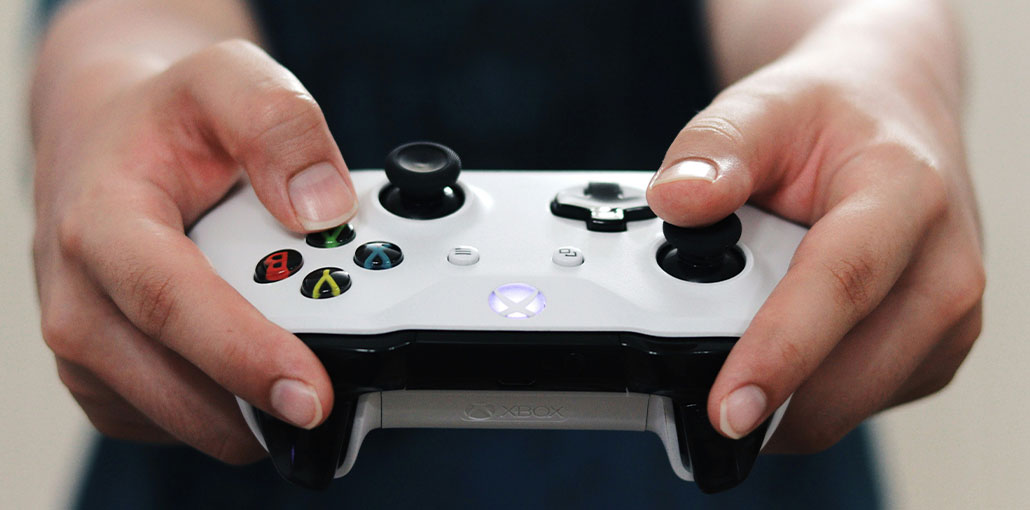
There aren’t many things that are more irritating or inflamed than relaxing for a thrilling gaming session with a headset on with a controller, only to be stopped at the last moment by a WiFi connection problem. We’ve all experienced it at some point, but it’s typically a minor issue that resolves within a short period.
Sometimes, however, it can be an issue and requires some time to identify and fix. I’m going provide some insight in this article on common issues that could be the reason why your Xbox won’t connect to WiFi. I’ll provide some troubleshooting tips to fix the Xbox WiFi connection issue.
What Can Stop an Xbox from Connecting to WiFi?
There are several reasons your Xbox won’t connect to WiFi or the Xbox Live server.
- Server Issues (Xbox Live)
- ISP/Network Issues (Incoming WiFi)
- Distance From Router or Signal Interference
- Wrong Password/Credentials/Security Protocol (Security Credentials)
- Router Not Broadcasting SSID (Can’t Find Router)
- Software Issues (Xbox software)
- Hardware Fault (Router/Xbox)
While you are trying to figure out the Xbox won’t connect to WiFi issue. It could be caused by an insufficient distance between the Xbox and your router, interference with other equipment, issues with the Xbox software, or a problem in your router. In some cases, you enter the incorrect password for your WiFi router. Certain faults, however, show particular warning indicators.
Common Reasons for Xbox Not Connecting to WiFi
I have outlined some of the common causes why an Xbox won’t connect to WiFi in the previous paragraphs. After we’ve determined if the issue is related to the Xbox, Router or Xbox Live. Let’s break down the problems into more specific issues, along with some details about how to recognize them.
- Weak or unstable WiFi signal
- Incorrect WiFi password
- Router or modem problems
- Xbox network settings errors
- System software needs an update
- Network outages or ISP issues
Also read: Xbox Controller Blinking or Flashing? 7 Simple Fixes That Work
How to Fix Xbox won’t Connect to WiFi Issue
Let’s discuss the best ways to fix the Xbox not connecting to WiFi.
1. Turn Off Competing Devices
If the issue occurs only when other devices are active or overlapped. Try turning the other devices off or moving them to a different location. Also, try making sure that your Xbox is in line of sight with your router to reduce interference. It is also possible to change the channel that your router is using to one that’s not competing against other gadgets. Further details on this will be forthcoming.
2. Disconnect Wireless Headsets
These devices work on the same WiFi frequency as routers, and if one develops an issue, it may disrupt the connection. After you have removed all headsets, try connecting to the WiFi again. After the connection has been established, you can switch on the headsets, one at a time, until you pinpoint the one responsible for the issue. If you have only one headset, then there’s no need to change it since you already know the cause!
3. Move Your Xbox or Router
Reduce the space between your Xbox and router. Ideally, there should be as few floors or walls as you can between your router and the console.
4. Move Any Obstructions That You Can
If there are solid furniture or heavy objects on the walls that are between the router you use and the Xbox, it may be the reason the Xbox won’t connect to WiFi. Is it possible to move them? Set up your space with as few obstructions as possible, and reduce interference and signal loss.
5. Try Changing Your WiFi Channel
Another device or router in the vicinity may operate on this same wireless channel, disrupting or reducing the signal. Certain channels are more effective than others, and there may be reasons why Xbox won’t connect to WiFi. To switch to a different WiFi channel, you’ll be required to access the administrator console for your WiFi router or hub.
There must be information about the IP address and the admin password you’ll need to enter for this on your router. This password differs for each ISP. You’ll need an internet connection to finish this procedure. You can visit your ISP’s site for guidance on the exact steps to switch the channel on your particular router. After that, you can configure and test your network connection using your Xbox.
6. Update Your Xbox
Xbox will release firmware and software updates for its devices to enhance performance or fix any security issues. But ISPs can also send updates to update the firmware of your router. Therefore, software issues can occur on any device.
7. Restart Your Xbox
Sometimes a simple restart can solve the Xbox won’t connect to WiFi problem. Hold the power switch on the Xbox for 10 seconds, allowing it to close, and then turn it on. If this doesn’t work, you may have to make a more complex reset. We’ll discuss this in the future.
Also read: UPnP Not Successful Xbox Error: Fix It in 5 Steps
8. Power Cycle Your Router
Unplug the router from the power for around 10-30 seconds before plugging it back in.
Sometimes a simple refresh is sufficient to eliminate minor glitches and restart your device. If it’s not, you need to look at the following issues.
9. Reset Your Xbox
There are several ways to attempt to solve the Xbox won’t connect to WiFi, which could be hindering the connection. The first step is to begin by doing a full reset before proceeding to the more severe factory reset
If these steps are not followed, you might have to restart your Xbox. Here’s how:
- Turn the Xbox on
- Click the Xbox button to open the guide.
- Click on ‘ Settings’, then click on ‘ Console Info.’
- Select ‘Reset Console’ from here.
10. Factory Reset Your Xbox
If none of the above fixes solve the Xbox won’t connect to WiFi issue, it is possible to perform a factory reset. This will erase all data on your Xbox and restore it to the original settings. steps to follow:
- Go to Settings > System > Console Info
- Select Reset Console
- Choose Reset and remove everything
Wrap Up
After trying everything, but your Xbox won’t connect to WiFi, then it may be time to get in touch with Xbox Support and your Internet Service Provider. They can help you in resolving any remaining issues.
FAQs: Xbox won’t connect to WiFi
Why won’t my Xbox connect to WiFi?
Your Xbox may not connect to WiFi due to a weak signal, incorrect password, router issues, outdated system software, or network outages. Checking your network settings and restarting your devices usually fixes the problem.
How do I know if the problem is my internet or my Xbox?
Try connecting another device to the same WiFi. If it also doesn’t work, the issue is likely your internet or router. If other devices work fine, the problem may be with your Xbox settings.
What WiFi frequency works best for Xbox?
Both 2.4 GHz and 5 GHz work with Xbox. 2.4 GHz: Better range but slower speeds 5 GHz: Faster speeds but shorter range Choose the one that provides the most stable connection.
Is it better to use a WiFi extender for Xbox?
If your Xbox is far from the router, a WiFi extender or mesh system can improve signal strength and connection stability.
Why does my Xbox say it can’t connect to wireless network?
If your Xbox won’t connect to WiFi and shows a connection error, it could be due to network interference, incorrect security settings, or temporary internet issues.



Leave a comment