


If you’re an iPhone user, you’re likely to know one thing: the iPhone is definitely an extremely durable phone. If you purchase an iPhone at one time, it’s likely to be around for many years to come. This makes it an honest and worthwhile investment.
Why is this issue sudden? What do you do if you notice your iPhone’s touchscreen isn’t working, but your phone is turned on? This article will discuss the main reasons for this and solutions to fix the iPhone black screen.
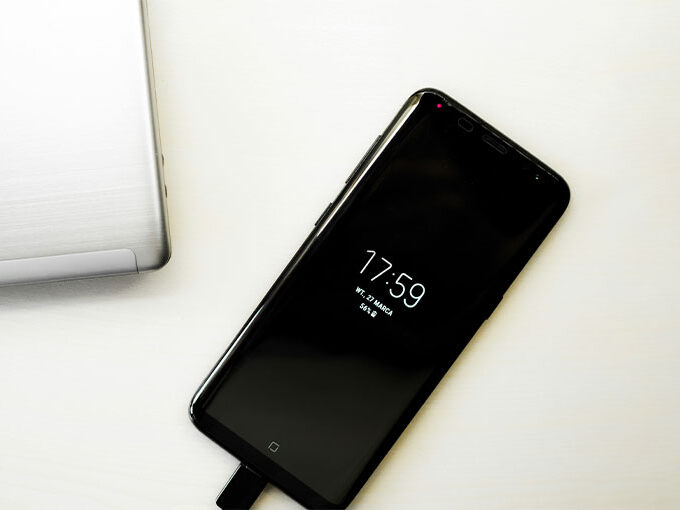
Another issue that occasionally arises can be the iPhone black Screen of death. The iPhone screen goes black, but it is still running. At times, your screen may be off, and no matter what you do to turn it off, the screen is still black. As we’ve witnessed,d this problem isn’t at all common and can occur due to a variety of reasons. What’s the reason why is my iPhone screen black? A few of the possible causes are:
Common Causes of iPhone Black Screen Issue
- Hardware problems
- Software Issues
- Breakage
- A problem with a specific application
- Low battery
Fortunately, there’s no need to panic. In many cases, this issue can be fixed at home.
If you are beginning to lose your focus and get stressed out, there are several options to fix the issue from home. While there’s a good chance that there’s a hardware problem while playing, we suggest trying some troubleshooting. If nothing else, you’ll get an idea of what’s wrong with this iPhone Black Screen of Death.
Also read: Spotify Black Screen: 9 Easy Fixes to Get Your Music Playing Again
How to Fix iPhone Black Screen of Death
1. A Drained Battery
It’s likely to be the first and least obvious idea that popped into your mind, and you’ve done it earlier. However, it’s important to know. It’s usually the case, even if it’s not only the screen, but the phone is turned off completely. If you’re experiencing this issue, it isn’t as difficult as it appears. You can plug your iPhone into a charger and click the home button. If you see an Apple logo displayed, it’s safe, and you’ve avoided a very unpleasant experience.
2. Software problems
If you’re facing an issue where the iPhone’s screen is black, but the iPhone is still functioning, there’s a solution you can try. It will be obvious that your iPhone is activated as you’ll receive notifications from calls or text messages. However, the screen will appear black and dark, and will also not be responsive. This isn’t a rare issue, and it is reported by numerous iPhone X users in particular. The issue has been reported on other iPhone models.
If the iPhone screen is black but your iPhone continues to work, a possible reason for this issue could be a software problem. This issue makes your iPhone slow or freeze. The best thing you can do is restart your device. It’s even better that restarting your iPhone is a simple task that has almost no difficulty. Restarting your iPhone depends on the model that you have.
3. Problems with a Specific App
If you’re seeing the iPhone screen black but it still works, there’s a good chance that it’s an isolated software problem in the application you’re using. Another possible scenario is that your app might load something. This is a common issue when using streaming apps such as Netflix or YouTube, especially if a slow internet connection. In such a case, the best thing to do is the following:
- Close the app, exit it, then go to the home screen.
- Access the App Store and then tap the update section. If there are updates specifically for your application that are crashing, download them.
- Restart your phone.
- In most cases, doing this fixes the problem. If the issue continues to persist, it is recommended that you remove the app to maintain your device’s health.
4. DFU recovery mode
A DFU (Device Firmware Update) restore is a more complex troubleshooting process that can solve the iPhone black screen issue. Here’s how to perform a DFU restore to fix the black screen on your iPhone: DFU restore to resolve your iPhone black screen issue:
- Connect your iPhone to the Computer via an extension cable.
- Set Your iPhone in DFU Mode: Press the volume up button. Press and release the volume down button quickly. Hold the side button till the screen turns black. Continue holding the Side button, and then start pressing the button to turn down the volume for five minutes.
- iTunes and Finder will find the iPhone operating in recovery and ask the user to reset or upgrade. Choose “Restore.”
- If the DFU restore is successful, your iPhone will no longer be stuck with the black screen.
Also read: iPhone 11 Black Lines on Screen: Here’s How to Fix It
4. Use an iPhone system repair tool
If you’re still struggling to find out the reason the iPhone screen is black, but the phone is working, or the display is blank, and your phone isn’t functioning at all, it’s time to utilize an exclusive device to repair your system and fix the problem. If you’re not interested in searching and using tools available on the internet to solve the iPhone black screen issue, iOS System Recovery is the perfect solution.
It’s a simple and reliable tool that can do exactly what it says. It analyzes your iOS device and can fix most issues with your system. It can fix all iOS screen problems (black blue, red white line, etc.) without erasing any data stored on your phone.
5. Repair the iPhone
In this case, the iPhone Black Screen of Death is most likely caused by an internal hardware issue. This can happen if the phone was dropped, causing the screen cable to loosen, or if the display itself is damaged. Water damage can also cause this problem.
In such cases, it’s best to contact a professional repair expert. Many technicians offer affordable repairs, and some even provide doorstep service, fixing your iPhone within an hour. This saves time and keeps your data safe.
6. Contact Apple Store
After you’ve tried all the previously mentioned methods, if the iPhone displays a dark screen and the phone remains on the screen, it could be a hardware problem. The display connector of the device or cable could be out of alignment, or other hardware issues.
You can visit the closest Apple Store and have it examined by certified Apple employees to address the problem.
How to Prevent iPhone Black Screen Issues
- Always update iOS from official sources
- Avoid installing suspicious apps
- Keep battery health above 80%
- Use original charging cables
- Avoid overheating and water exposure
Final Thoughts
We acknowledge that this article can not be a magic trick in solving your iPhone black screen because the problem is, in most cases, driven by a hardware fault. We hope you find this article useful.
FAQs: iPhone Black Screen
Why is my iPhone screen black but the phone is still on?
This usually happens due to a software crash or a display issue while the phone continues running in the background.
Does a black screen mean my iPhone is dead?
No, a black screen does not mean your iPhone is dead. The device may still be powered on and working.
Is the iPhone black screen problem a hardware issue?
If software fixes fail, the issue is most likely due to internal hardware damage.
Is DFU mode safe for fixing black screen issues?
Yes, DFU mode is safe, but restoring the device may erase data if no backup exists.
Can overheating cause the iPhone screen to turn black?
Yes, overheating can force the iPhone to shut down or disable the display temporarily.








Leave a comment