

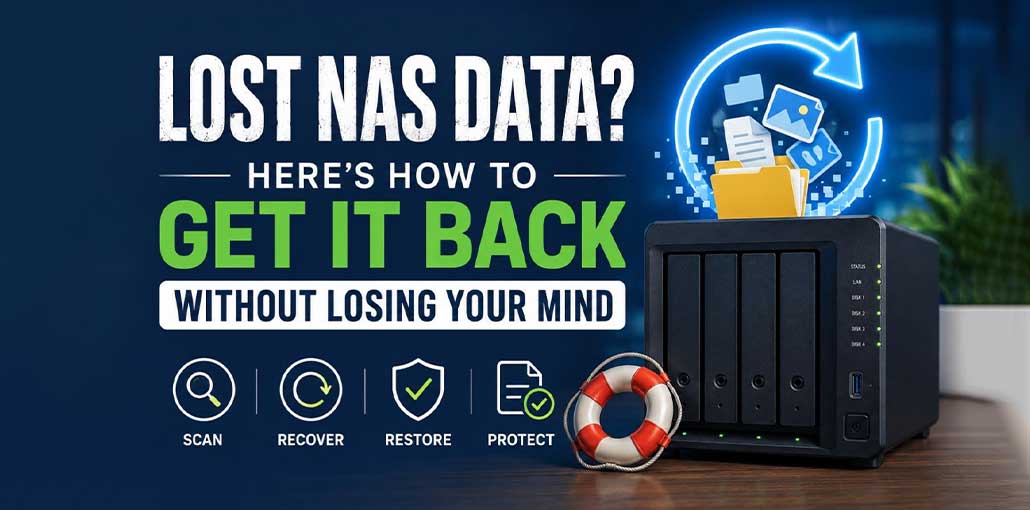
Your NAS is supposed to be the safe place the one drive that holds every project file, every family photo, every backup of a backup. So when you open a shared folder and the files just aren’t there, it hits differently than a missing file on your laptop. There’s more at stake, and usually more drives, more RAID configuration, and more confusion about what actually went wrong.
The good news: most NAS data loss is recoverable, provided you handle the first few minutes correctly and pick the right NAS data recovery tool for the job.
Why NAS Data Disappears in the First Place
Before you can plan a NAS recovery, it helps to know what you’re dealing with. A few usual suspects account for almost every case:
- Human error an accidental delete, a botched volume reform at, or a misconfigured RAID rebuild
- Drive failure bad sectors, a dying disk in a RAID array, or a full-blown mechanical failure
- Software or firmware issues a failed update, a corrupted file system, or a crashed RAID controller mid-rebuild
- Power and environmental events a surge, an unexpected shutdown, or overheating that takes a drive down mid-write
The tricky part isn’t identifying the cause after the fact it’s that NAS data loss is rarely a simple “one file, one drive” problem. It’s often several drives working together in a RAID array, so a standard recovery tool built for a single Windows or Mac drive won’t know what to do with it. That’s exactly why NAS recovery is treated as its own category of software rather than an afterthought bolted onto a generic undelete tool.
Step One: Stop Making It Worse
Before you touch anything else:
- Stop writing to the NAS. Every new file, every rebuild attempt, every “let me just try reformatting it” increases the chance of overwriting recoverable data.
- Don’t rebuild the RAID yourself unless you know exactly what you’re doing. A rebuild on a degraded array is one of the most common ways people turn a recoverable situation into an unrecoverable one.
- Check the obvious first: recycle bin, snapshots, and any recent backup. If one of those has what you need, you’re done and you didn’t even need to read the rest of this.
If none of that works, it’s time for real NAS data recovery software and this is where most generic tools fall short, because they weren’t built to understand RAID.
Also read: Lost and Found: Your Guide to Data Recovery on Windows
Why NAS Data Recovery Needs a Different Kind of Tool
A typical file-recovery app can undelete a photo off a USB stick. It has no idea what to do with a four-bay NAS running RAID 5, where your files are striped and parity-checked across multiple physical disks. Effective NAS data recovery software needs to:
- Understand the RAID level, stripe size, disk order, and start sector or work them out when they’re unknown
- Rebuild the array virtually, without touching the original disks
- Read NAS-native file systems like BTRFS and Ext4, not just NTFS or APFS
- Fall back to a raw, signature-based scan if the array can’t be rebuilt at all
That’s a much narrower set of tools than general “delete recovery” software and it’s exactly the gap Stellar Toolkit for Data Recovery is built to fill, with dedicated NAS data recovery capability baked in rather than tacked on.
What Stellar Toolkit for Data Recovery Actually Does?
Stellar’s toolkit is built for exactly the scenario described above: a NAS or RAID setup that’s gone inaccessible and needs more than a recycle-bin restore. It’s one of the few tools that treats NAS data recovery as a first-class feature instead of an edge case.
RAID reconstruction, not guesswork. It rebuilds inaccessible RAID 0, 5, and 6 arrays using disk order, stripe size, and start sector and if you don’t know those parameters, it can work out probable values instead of forcing you to find them manually.
Synology, QNAP, and ASUSTOR support. This is the core of its NAS data recovery capability: it reads BTRFS and Ext4 file systems directly, across RAID 0, 1, 5, 6, 10, and SHR the configurations most home and small-business NAS boxes actually run. You can perform NAS data recovery over the network using the NAS IP address if the device is still accessible, or pull the drives and connect them straight to a Windows PC if it isn’t.
A safety net when the RAID can’t be rebuilt. If reconstruction isn’t possible, the toolkit can create a virtual drive from the array and run a raw, file-signature-based scan to pull data out anyway a last resort that still beats a blank NAS. It’s this fallback that makes Stellar’s NAS data recovery approach more resilient than tools that give up the moment RAID metadata is missing or damaged.
It goes beyond NAS, too. The same license covers recovery from crashed or unbootable Windows and Mac systems (via bootable media), virtual machine images (VMDK, VDI, VHD, VHDX), and standard HDDs, SSDs, and external drives useful if the NAS incident is part of a bigger IT headache involving a downed server or VM.
Preview before you commit. You can preview recoverable documents, photos, videos, and archives before choosing what to restore, so you’re not recovering blind or paying for files you don’t actually need back.
A Few Ground Rules Before You Start NAS Data Recovery
If you’re about to attempt NAS data recovery yourself, a couple of precautions matter:
- Recover to a different drive than the one you’re recovering from never write the recovered files back onto the same NAS or array.
- If you need to enable NAS network access (like SSH) for recovery, turn it off again immediately afterward, and update your NAS password once you’re done.
- All member drives matter. If you’re reconstructing a RAID array, you’ll generally need every drive from the original array missing disks make reconstruction far less reliable.
Also read: 4 Best Practices for Data Security and Backup Planning
When to Call In a Professional Instead
Software-based NAS data recovery gets you a long way, but there’s a line where DIY recovery stops making sense multiple failed drives in the same array, physical/mechanical damage, or a RAID that’s failed mid-rebuild. In those cases, forensic imaging and cleanroom handling from a data recovery lab are worth the cost, because a second recovery attempt on physically damaged media can destroy what’s left. If you’re not sure which category you’re in, it’s worth previewing what the software can find first it costs you nothing but time.
Don’t Wait for the Next One
Recovering the files is the fire drill. The fix is making sure you don’t need to do this again:
- Follow the 3-2-1 rule — three copies of your data, two on different local devices, one off-site
- Automate backups so recovery isn’t dependent on remembering to do it
- Test restores periodically — a backup you’ve never restored from is a guess, not a plan
- Monitor drive health with S.M.A.R.T. reporting and swap out drives at the first warning sign, before they take the rest of the array down with them
A NAS failure is stressful mostly because of the uncertainty will the files come back, or are they gone for good? In the large majority of cases, especially when you stop using the device immediately and reach for RAID-aware software, the answer is: they come back. Stellar Toolkit for Data Recovery is built specifically for that job free to download and scan, so you can see exactly what’s recoverable before you decide on anything else.
NAS Data Recovery FAQs
What is NAS data recovery?
NAS data recovery is the process of restoring lost, deleted, corrupted, or inaccessible files from a Network Attached Storage (NAS) device. It often involves recovering data from RAID arrays and NAS file systems such as BTRFS or Ext4.
What causes data loss on a NAS?
Common causes include accidental deletion, RAID failure, hard drive failure, file system corruption, firmware updates gone wrong, power outages, and failed RAID rebuilds.
Can I recover data from a failed RAID array?
In many cases, yes. If the RAID metadata or member disks are still intact, specialized NAS recovery software can virtually reconstruct the RAID and recover your files without modifying the original drives.
Does NAS data recovery software support Synology and QNAP?
Many professional NAS recovery tools support popular NAS brands such as Synology, QNAP, and ASUSTOR, along with RAID configurations like RAID 0, 1, 5, 6, 10, and SHR.
How can I prevent NAS data loss in the future?
Follow the 3-2-1 backup rule, automate backups, monitor drive health with S.M.A.R.T. tools, replace failing drives promptly, and test your backups regularly to ensure they can be restored.








Leave a comment