
Have you ever thought about what your most loved Characters or Original Characters (OCs) might think in a hilarious, chaotic scenario? An incorrect quote generator is the best solution for writer’s block and the most effective weapon for meme creators. These tools read the names you input and then insert them into pre-written, frequently used online dialogue templates. While these tools provide generators, the trend in 2026 is massively towards transforming that text into visual art using generative AI. In this article, we will look at the top incorrect quotes generators.
What Is an Incorrect Quotes Generator?
An incorrect quotes generator is an online tool that creates funny, random, and often completely unexpected conversations between two or more characters. The generated dialogue is usually intentionally out of character, which is what makes these quotes entertaining.
These tools are especially popular with fandom communities, writers, content creators, and people who enjoy creating memes featuring their favorite characters.
Instead of spending time thinking of dialogue from scratch, you can enter character names and let a generator create a humorous conversation for you.
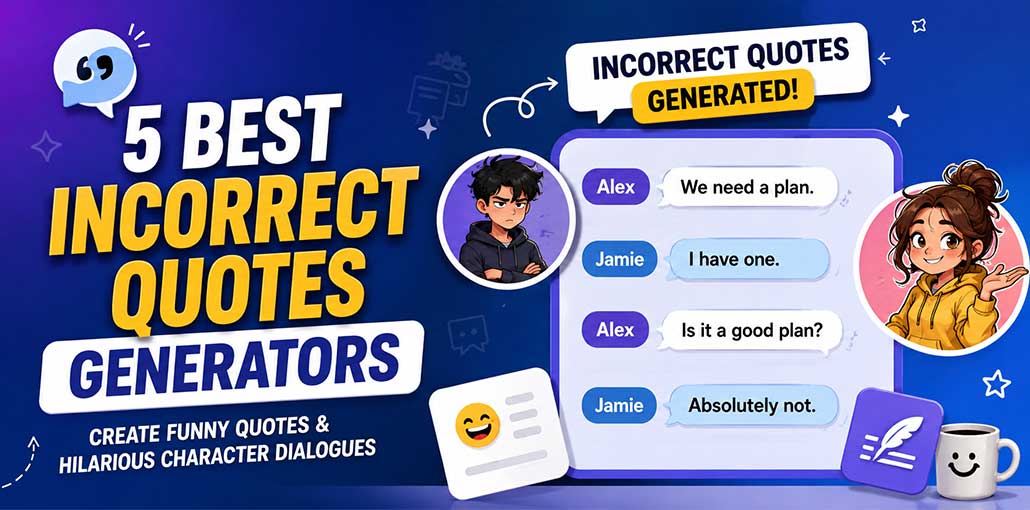
For example:
Alex: We need a plan.
Jamie: I have one.
Alex: Is it a good plan?
Jamie: Absolutely not.
The unexpected interaction between characters is the main appeal of incorrect quotes.
You can use an incorrect quotes generator to create content for social media, fan fiction, writing inspiration, character development, memes, or simply for fun.
Also read: 7 Best Curved Text Generators to Create Curved Text Online
5 Best Incorrect Quotes Generators
There are several websites that can generate random character conversations. The best option depends on whether you want simple random quotes, character-based prompts, or more creative combinations.
Here are five tools worth trying.
1. ScatterPatter Incorrect Quotes Generator
ScatterPatter is a simple option for creating random incorrect quotes. It is useful when you want quick and entertaining conversations without writing every line yourself.
You can provide character names and generate dialogue that places them in unexpected situations.
The randomness is part of the fun. You can keep generating new results until you find a conversation that fits your characters.
Pros:
- Easy to use
- Creates quotes quickly
- Good for random character conversations
- Useful for fandom content
Cons:
- Limited customization
- Some results may feel random or repetitive
- Not ideal for detailed character prompts
Best for: Quick and simple incorrect quotes.
2. Perchance Incorrect Quote Generator
Perchance is a platform that offers many community-created generators, including tools for generating random quotes and character interactions.
It can be useful for fandom content and original characters because different generators can produce different styles and results.
If the first generated conversation isn’t interesting, you can generate another one and continue experimenting.
Pros:
- Free to use
- Offers many different generators
- Good for creative ideas
- Can create unexpected conversations
Cons:
- Results can vary in quality
- Some generators may be confusing for beginners
- Limited control over the final quote
Best for: Exploring different types of random character dialogue.
Also read: What is Perchance AI Story Generator? Features, Benefits and Best Tips
3. Technicat Incorrect Quotes Generator
Technicat offers an incorrect quotes generator designed to create humorous conversations between characters.
It can be a useful choice for people who want a straightforward way to generate dialogue without complicated settings.
You can use the generated conversations as writing prompts, meme ideas, or inspiration for character interactions.
Pros:
- Simple interface
- Quick quote generation
- Easy for beginners
- Good for casual character interactions
Cons:
- Fewer customization options
- Generated quotes may need editing
- Not suitable for complex conversations
Best for: Simple character-based quote generation.
4. Ship Prompt Generator
The Ship Prompt Generator is particularly useful when your goal is to create interactions between two characters.
Relationship-based prompts can produce funny conversations involving couples, friends, rivals, or characters who have completely different personalities.
Even if the generated result isn’t technically an “incorrect quote,” it can provide an excellent starting point for creating your own humorous dialogue.
Pros:
- Good for character pairings
- Useful for couples and friendships
- Great for writing inspiration
- Can create interesting relationship scenarios
Cons:
- Mainly focused on character relationships
- Not designed only for incorrect quotes
- Some prompts may require additional editing
Best for: Character relationships and pairings.
5. CodePen Incorrect Quotes Generator
CodePen contains various community-created projects, including simple incorrect quote and random dialogue generators.
These tools can be useful for experimenting with random conversations and seeing different approaches to quote generation.
CodePen is also interesting for people who want to explore how simple web-based generators are created.
Pros:
- Simple and lightweight
- Easy to experiment with
- Useful for random dialogue ideas
- Good for users interested in simple web tools
Cons:
- Features depend on the individual project
- Some projects may not be regularly updated
- Customization can be limited
- Not every generator is beginner-friendly
Best for: Simple generators and experimentation.
Also read: 6 Best Caption Generator Apps 2023
Tips for Creating Better Incorrect Quotes
Creating funny incorrect quotes is easy when you follow a few simple tips.
Use Different Personalities
Put characters with different personalities together. A serious character and a funny character can create an entertaining conversation.
Keep the Conversation Short
Short quotes are easier to read and share. Try to use only a few lines and end with a funny or unexpected line.
Add Unexpected Situations
Put characters in unusual situations. For example, make a superhero try to cook or a villain work at a coffee shop.
Use Simple Language
Keep the dialogue natural and easy to understand. Simple words often make jokes clearer and more effective.
Try Different Ideas
Generate several quotes instead of using the first result. Pick the funniest one or mix your favorite lines together.
Add Your Own Creativity
A generator gives you ideas, but you can edit the quote to make it funnier. Change the words, add a punchline, or adjust the dialogue to match the characters.
Conclusion
An incorrect quotes generator is a fun way to create funny and unexpected character conversations. The tools above can help you quickly generate ideas for memes, stories, and social media. Try different generators, edit the results, and add your own creativity to make each quote more entertaining.
FAQs: Incorrect Quotes Generator
Are incorrect quotes generators free?
Yes, many incorrect quotes generators are available for free. Some may offer basic features for free while providing additional options through paid features.
Can I use an incorrect quotes generator for original characters?
Yes. You can use these generators for original characters, fictional characters, friends, or any character combination you want to explore.
Can I edit the generated quotes?
Yes. Editing the generated dialogue can make it more natural, funnier, and better suited to your characters.
Do I need writing skills to use an incorrect quotes generator?
No. Most generators are easy to use. You simply enter character names or prompts and generate a conversation.






Leave a comment