
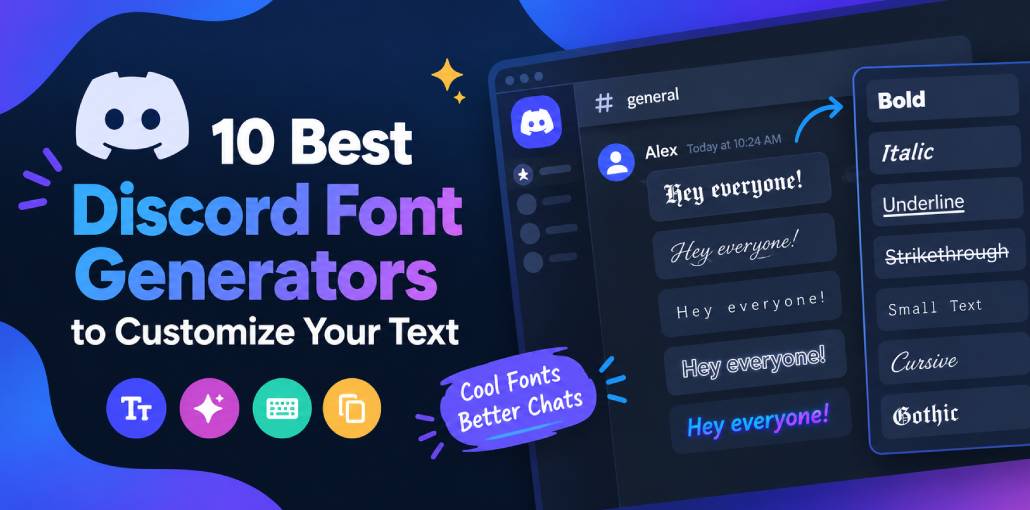
Discord is a popular platform that connects people with shared interests and enables them to communicate through various text-based and audiovisual features. However, text remains the primary mode of communication for most users, making the platform’s limitation to a single default font particularly frustrating.
Custom fonts can make your Discord messages more eye-catching and help you express your personality while chatting with friends. To get started, use a reliable Discord font generator to transform ordinary text into distinctive styles, unique letters, symbols, and decorative characters.
With so many online font generators available, choosing the right one can be challenging. We’ve put together a list of the best Discord font generators, highlighting the key features, advantages, and limitations of each tool to help you find the option that best fits your needs.
Best Discord Font Generators
Below is a comprehensive list of Discord font generators worth exploring. Each tool is easy to use and compatible with Discord, so choosing the Discord font generator depends on your personal preferences and the text styles you want to create.
1. Lingojam
This online font generator provides extensive customization options, a wide selection of text styles, and more than 100,000 special characters. Despite its versatility, the LingoJam Discord Font Generator is easy to use. Simply enter your text on the left side of the screen and explore the different styles displayed on the right. Options include Old English, medieval, Gothic, cursive, and double-struck text, making it easy to find a style that matches your preferences.
Pros
- Wide range of font styles.
- Instant text previews.
- Easy to use.
Cons
- Some characters may not display correctly.
- Limited formatting controls.
Also read: 7 Best Curved Text Generators to Create Curved Text Online
2. Font Generator Guru
This is another versatile Discord font generator that offers plenty of creative possibilities. Available on both desktop and mobile, it provides a solid collection of fonts and text effects. The tool uses Unicode characters to transform your text and lets you preview different styles before choosing your favorite. Once you’re happy with the result, simply copy the customized text and paste it into your desired Discord chat.
Pros
- Works on desktop and mobile.
- Offers various text styles and effects.
- Provides instant previews.
- Easy to copy and paste text.
Cons
- Some characters may not display correctly.
- Limited advanced customization.
- Some styles reduce readability.
3. Fontvilla
With its extensive character support, Fontvilla is a useful option for customizing text in a wide range of languages. It offers numerous styles, from Gothic-inspired lettering to small text, giving users plenty of ways to personalize their Discord messages. The tool also features a simple, intuitive interface, with its main options readily available on the homepage. This makes Fontvilla a great starting point for anyone new to Discord font generators.
Pros
- Supports multiple languages.
- Offers diverse text styles.
- Beginner-friendly interface.
Cons
- Limited advanced features.
- Some styles are difficult to read.
4. Exotic Fonts
Exotic Fonts is a convenient tool for Discord users who want to make their messages more distinctive. Its straightforward interface lets you customize text directly from the homepage, without complicated menus. With dozens of font styles available, you can preview your text in different variations before selecting your favorite. Once you’ve found the perfect style, simply copy the generated text and paste it into your Discord chat.
Pros
- Simple and intuitive interface.
- Offers multiple font styles.
- Provides text previews.
Cons
- Limited style variety.
- Some characters may not display correctly.
5. Fonts Pro Keyboard
Popular among gamers and Discord users, Fonts Pro Keyboard is a useful tool for adding a fresh look to your conversations. It offers an extensive collection of distinctive fonts, special characters, and text formatting effects, including bold and strikethrough styles, along with colored backgrounds. The tool is easy to navigate, making it simple for beginners to get started. Just enter your text in the designated field to explore customization options and choose a style that suits your preferences.
Pros
- Offers decorative fonts and symbols.
- Includes bold and strikethrough effects.
- Easy to navigate.
Cons
- Compatibility may vary across devices.
- Some styles reduce readability.
6. Stealthfonts
If you want a dependable Discord font generator with plenty of customization options, Stealthfonts is worth checking out. Creating stylized text is straightforward and involves just three steps: enter your text and generate different variations, browse the available styles to find your favorite, and copy and paste the customized text into your Discord chat. With dozens of font styles to explore, Stealthfonts makes it easy to give your messages a distinctive look.
Pros
- Simple three-step process.
- Offers multiple text styles.
- Easy text copying.
Cons
- Limited customization options.
- Some styles may be difficult to read.
7. Upside down text generator
Despite its quirky name, this Discord font generator is a practical tool for customizing your messages. It features 25 decorative font styles, offering a variety of options to suit different tastes and help your text stand out in Discord chats. To get started, enter your text into the field at the top of the page and browse the automatically generated variations. Once you find a style you like, simply copy it and paste it into Discord to give your messages a creative touch and surprise your friends.
Pros
- Offers unusual text styles.
- Generates variations automatically.
- Simple to use.
Cons
- Some styles are hard to read.
- Limited font selection.
8. Awesome Font Generator
If you use social media, this font generator is a handy tool to use. It offers 17 font styles for Discord, along with a variety of options for platforms such as Instagram, WhatsApp, and Twitter. You can experiment with different fonts and text effects until you find a style that matches your preferences. Once you’ve made your choice, simply copy the customized text and paste it into Discord to personalize your username or messages in chat.
Pros
- Supports multiple social platforms.
- Offers decorative text styles.
- Easy copy-and-paste process.
Cons
- Limited style selection.
- Compatibility varies by platform.
9. Discord Fonts
With its sleek design and user-friendly interface, Discord Fonts makes customizing your messages quick and effortless. The website offers an extensive collection of font styles, ranging from classic designs to quirky lettering, along with numerous text effects. Simply enter your text in the designated field to preview the available options, then copy and paste your favorite variation directly into Discord. Its combination of variety, simplicity, and convenience makes it a popular choice among users looking to personalize their chats.
Pros
- User-friendly interface.
- Offers diverse font styles.
- Provides instant previews.
Cons
- Some styles affect readability.
- Limited advanced formatting.
Also read: Discord File Size Limit: How to Send Large Videos Easily
10. Font Generator
Available for free on the Google Play Store, this Discord font generator offers plenty of features for customizing your text. It includes a diverse collection of fonts, text styles, and decorative elements, giving you the flexibility to create messages that reflect your personality. The app can also remember your preferences and display your favorite fonts at the top of the preview page, making them easier to access. Additionally, its Night Mode theme provides an alternative interface for users who prefer a darker appearance.
Pros
- Free to download.
- Offers fonts and decorative elements.
- Includes favorites and Night Mode.
Cons
- Requires app installation.
- Some characters may not display correctly.
Comparison of the Best Discord Font Generators
| Rank | Discord Font Generator | Platform | Key Features | Best For | Ease of Use | Cost |
|---|---|---|---|---|---|---|
| 1 | LingoJam | Online | Fancy text, cursive, bold, Gothic and Unicode styles | Overall Discord text customization | Very easy | Free |
| 2 | Font Generator Guru | Online | Multiple decorative text styles | Stylish Discord usernames and messages | Very easy | Verify current pricing |
| 3 | Fontvilla | Online | Fancy text, symbols and decorative styles | Creative Discord profile names | Very easy | Verify current pricing |
| 4 | Exotic Fonts | Online | Decorative fonts and unusual text styles | Unique Discord text | Easy | Verify current pricing |
| 5 | Fonts Pro Keyboard | Mobile app | Keyboard-based font styling | Styled text on mobile | Easy to moderate | Verify app pricing |
| 6 | Stealthfonts | Online | Special text styles for copying and pasting | Distinctive usernames and messages | Easy | Verify current pricing |
| 7 | Upside Down Text Generator | Online | Converts regular text into upside-down text | Funny Discord messages | Very easy | Verify availability |
| 8 | Awesome Font Generator | Online | Decorative Unicode text styles | Eye-catching Discord messages | Easy | Verify current pricing |
| 9 | Discord Fonts | Online | Text styles intended for Discord | Server nicknames and chat messages | Very easy | Verify current pricing |
| 10 | Font Generator App | Android app | Mobile text-style generation | Fancy text on Android | Depends on app | Verify app pricing |
Conclusion
Overall, the Discord font generators listed above are worth exploring if you want to personalize your messages. Since most of these tools offer similar features and serve the same purpose, the best way to find the right one is to experiment with a few options. Try different styles, explore their features, and choose the tool that feels easiest to use and best matches your preferences.
FAQs: Discord Font Generator
What is the best Discord font generator?
The best Discord font generator depends on the styles you want to use. Tools like LingoJam, Fontvilla, and other online generators can help you create decorative text for usernames, messages, and profiles. Try a few options to find the one that works best for you.
Are Discord font generators free to use?
Many online Discord font generators are free to use and do not require an account. However, some mobile apps may include advertisements, premium features, or in-app purchases.
Why does my fancy text appear as boxes or strange symbols?
This usually happens when a device or application cannot display certain Unicode characters. Try a simpler text style with more widely supported characters to improve compatibility.
Can other people see my generated Discord fonts?
Generally, yes. Other users can see the Unicode characters you send, provided their devices and applications support them. The appearance may vary between devices.





Leave a comment