

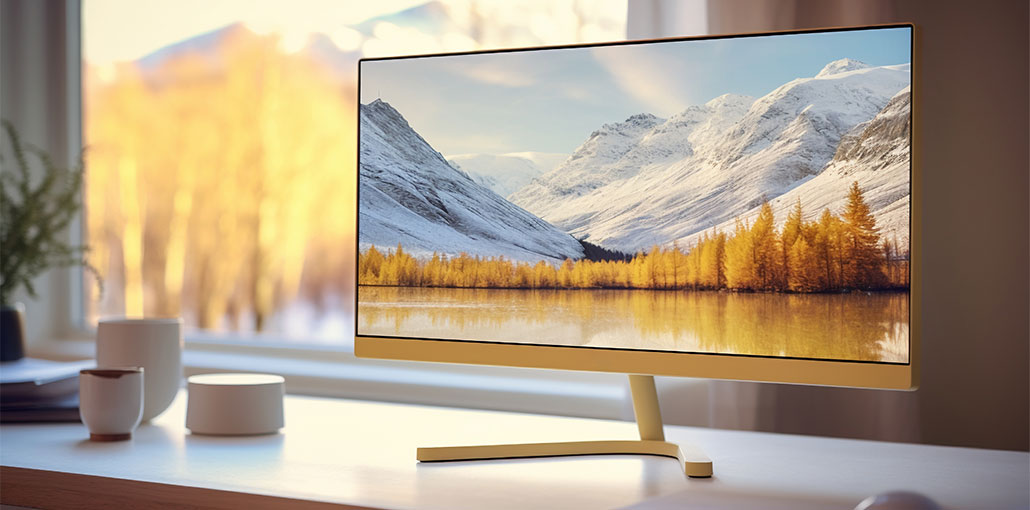
The best 4K monitor for gaming can make games look stunning. It’s a major upgrade to any monitor that showcases its full potential. Gaming is the most compelling case for the switch to 4K, highlighting that graphics can look high-resolution. However, the best 4k display will be impressive across all aspects. Whether what you’re viewing on a 4k display you’re using will look stunning.
Right now, the most popular and best 4k gaming monitor for pc gamers is the MSI MPG321URX. With a stunning OLED panel delivering a crisp 4K resolution for less cost than its competitors. It just makes sense to gamers on PC. The LG UltraGear 27GR93U is my best non OLED 4k monitor for gaming. It has the top IPS screen, it’s incredibly calibrated, and it distinguishes itself from all the other models.
Best 4K Monitor for Gaming in 2026
1. MSI MPG 321URX QD-OLED
Let’s consider the reasons why you buy this 32-inch panel size. It’s a 240-Hz refresh rate with a 0.03 millisecond response time, which is incredibly quick. 250 nits of brightness on the full screen, however, isn’t very bright; it’s not bad even for an OLED.
Did I forget to mention it? It’s an OLED display, which means that it’s not only blazingly speedy, but also beautiful to behold. It’s all the OLED stories you heard about were accurate: it is the most gorgeous-looking display technology you can find today. The color quality here is amazing, with media, games, and everything else you could throw at it, looking like you’ve never seen OLED displays.
It’s not different from other fantastic displays that use this panel. The thing that does is its cost. With an MSRP of $899, as opposed to the $1,100 to $1,300 that you’d have to pay for other models, it’s one of the most impressive exhibits I’ve experienced the pleasure of casting my eyes over for much lower than other competitors.
Reasons to Buy
- Stunning QD-OLED visuals with perfect blacks
- 240Hz refresh rate, 0.03ms response time
- Affordable compared to other 4K OLED monitors
Reasons to Avoid
- Limited full-screen brightness (~250 nits)
- Risk of OLED burn-in
- No DisplayPort 2.1
Also read: Best Monitor for Mac Mini in 2025: Top 6 Picks Tested
2. LG UltraGear 27GR93U
The LG UltraGear 27GR93U monitor is among the best non OLED 4K gaming monitors with its stunning IPS panel, which is beautifully calibrated straight out of the box. The combination of 27 inches and 4K gives you perfect pixel density, making it perfect for work, and the colour accuracy is best for creating content.
The biggest strength is in gaming. The pixel response speed and G-SYNC 144 Hz Compatible adjustable refresh rates are a perfect fit for all genres. The LG provides excellent clarity even when moving at a high speed. This is why it’s a fantastic choice for shooters in competition or any other sport that requires fast mouse motions.
When it comes to connections, you get two 48 Gbps HDMI 2.1 ports and a DisplayPort 1.4 connection, making it the best 4k monitor for gaming consoles and PCs. The panel’s HDR capabilities are limited to DisplayHDR 400, but the panel does a fantastic job of displaying SDR media in HDR mode.
Reasons to Buy
- Outstanding Crisp IPS panel with accurate colors
- 144Hz refresh rate with G-SYNC Compatible
- Dual HDMI 2.1 for console gaming
Reasons to Avoid
- Limited HDR (DisplayHDR 400)
- Contrast lower than OLED
3. Gigabyte M28U
The best 4K gaming display is the Gigabyte because of a simple reason: it’s a fantastic display, and it doesn’t cost you an arm and a leg, as 4K monitors did in the past.
The 28-inch IPS panel is awe-inspiring in clarity and depth of colour. Black levels are quite impressive, even though the lowest contrast ratio. Similar to most IPS gaming monitors of today, M28U’s specs are certified to DisplayHDR 400. It’s not a monitor that you would choose to play HDR content. Certain games, such as Cyberpunk 2077, will look great; however, that’s all they are.
Cheap 4K monitors typically come with 60 hz refresh rates. This monitor has a 144-Hz refresh rate with support for AMD’s FreeSync Premium. Due to the inclusion of two HDMI 2.1 ports making best 4k monitor for gaming, especially for PlayStation 5 and Xbox Series X owners. PC gamers should use the DisplayPort 1.4 connector.
Reasons to Buy
- 28-inch IPS panel with great clarity
- 144Hz refresh rate and FreeSync Premium
- Two HDMI 2.1 ports
Reasons to Avoid
- HDR is basic
- Average contrast
4. Gigabyte M32UC
Like its smaller sibling, the M28U Its IPS panel is luxurious and bright, with quick pixel response and a high 144 hz refresh rate. It’s not the best 4K monitor for gaming for HDR content, as its DisplayHDR 400 certification is among the lowest grades of certification. However, it’s adequate for other uses.
The larger size makes more connectivity, and there’s a lot of it for connectivity options: there’s a DisplayPort 1.4 connection and two HDMI 2.1, one USB Type-C, and 3 USB 3.2 Type-A, one USB 3.2 Upstream, and a 3.5 millimeter jack for headphones. It’s an ideal all-rounder for those looking for a monitor for gaming or working from home.
Although I’d still suggest the M28U for most gamers, those who want an impressively large display to expand their vision without breaking the bank will want to consider the Gigabyte M32UC The best budget 4K gaming monitor.
Reasons to Buy
- Large 32″ screen, great for immersion and multitasking
- Excellent connectivity (HDMI 2.1, DisplayPort, USB-C)
- Smooth gameplay with 144 Hz refresh
Reasons to Avoid
- HDR limited (DisplayHDR 400)
- Large size may not fit small desks
5. LG OLED Flex 42
There are 20 curve extremities that you can play around with, as the display can do the work for you. It’s still nerve-wracking to look at; we had no trouble testing them repeatedly in our test model.
This could be silly if the screen itself wasn’t of the best quality, and you’re getting an OLED display with 120 Hz, which really looks amazing. It comes with Nvidia G-Sync, AMD FreeSync, Dolby Vision IQ, HDR 10, and HLG with Dynamic Tone Mapping and a highly-specced display with excellent image quality that truly amazes.
You’re spoiled for choice with regards to HDMI ports as well, with the four HDMI 2.1 connectivity options to pick from. There’s no DisplayPort, however, but all of those fast HDMI connectivity options mean you’ll have no trouble making use of Flex 42 as a regular TV or as a stunning monitor.
Reasons to Buy
- Stunning OLED panel with excellent contrast
- Fun adjustable curvature for immersive viewing
- Supports G-SYNC, FreeSync, Dolby Vision IQ, HDR10
- Four HDMI 2.1 ports — perfect for multi-device setup
Reasons to Avoid
- Very large — takes up lots of desk space
- Expensive compared to standard monitor options
- No DisplayPort input
6. Acer Predator Z57
It’s a VA Panel, which is ok it’s not technically two displays, but rather a one-piece unit that’s comparable to two 32-inch 4K screens placed next to one another. However, here you’ll receive a sweeping 1000R curve, which puts you in the middle of a single screen, which is guaranteed to make everyone who comes across it be amazed by its size and scope.
This isn’t without merit, however. You’ll require a highly strong GPU to benefit from the 120 Hz frame rate at native resolution in high-end video games (although Frame Generation makes that job much easier); however, that somewhat ignores the idea. What about 4K gaming on one hand, and a bit of YouTube on the other?
Additionally, it’s extremely well-specced. This means DisplayHDR 1000 certification, 98 percent DCI-P3 color coverage, DisplayPort 1.4, along with HDMI 2.1 inputs, and the USB-C port with 90W power supply. The display also has picture-in-picture and picture-by-picture capabilities, which means it’s possible to split the screen into two parts using two different devices on one display. Darn useful, if you ask me for the best 4k monitor for gaming.
Reasons to Buy
- Massive curved panel for a cinematic gaming experience
- DisplayHDR 1000 and wide color gamut
- Picture-in-Picture & Picture-by-Picture modes
- Great for multitasking or ultra-immersive gameplay
Reasons to Avoid
- Requires a very powerful GPU
- VA panel has slower response times than IPS/OLED
- Very expensive and desk space-heavy
7. Alienware AW2725QF
This is the essence of Alienware 2725QF. It’s just a 27-inch IPS 4K monitor that has a 185 Hz refresh speed. With the click of one button, it can be converted to a 27-inch, 1080p screen with a 360 Hz refresh rate. Normally, using any 4K monitor at 1080p can result in rather horrendous blurring. But it’s not the case here. In fact, it’s executed so efficiently that when you’re in 1080p mode, it’s easy to think this was the native resolution of the monitor.
Like all IPS monitors, this is quite unreliable in HDR mode. Moreover, for a display of this price, the range of connectivity choices is a bit disappointing. The only USB Type-C port doesn’t have a display input; it’s an input for a USB Hub.
Reasons to Buy
- Unique “Dual Mode”: 4K 185 Hz or 1080p 360 Hz
- Strong IPS visuals with good color representation
- Amazing flexibility for gamers who want both clarity AND speed
- Premium build and Alienware aesthetics
Reasons to Avoid
- HDR performance is underwhelming
- USB-C doesn’t carry video
- Limited connectivity compared to price
Also read: Best Curved Monitors to Upgrade Your Setup in 2025
Best 4k Monitor for Gaming: Comparison Table
| Monitor | Panel Type | Refresh Rate | HDR | Best For | Approx. Use Case |
|---|---|---|---|---|---|
| MSI MPG 321URX QD-OLED | QD-OLED | 240Hz | HDR (OLED) | Best Overall | Premium PC gaming / movies |
| LG UltraGear 27GR93U | IPS | 144Hz | DisplayHDR 400 | Best Non-OLED | Competitive FPS / content creation |
| Gigabyte M28U | IPS | 144Hz | DisplayHDR 400 | Best Budget 4K | Consoles + PC gaming |
| Gigabyte M32UC | IPS (Curved) | 144Hz | DisplayHDR 400 | Best Mid-Range Big Screen | Gaming + work multitask |
| LG OLED Flex 42 | OLED (Large) | 120Hz | Dolby Vision IQ / HDR10 | Best Immersive OLED | Movies + single-player games |
| Acer Predator Z57 | VA (Ultra-Wide) | 120Hz | DisplayHDR 1000 | Best Ultra-Wide | Sim racing / multitasking |
| Alienware AW2725QF | IPS | 185Hz / 360Hz (1080p) | Limited HDR | Best Versatile Refresh | Esports + AAA games |
What to Look For in a 4K Gaming Monitor
When selecting the best 4k monitor for gaming, consider:
- Refresh rate: Aim for a 144Hz monitor or higher for smooth gameplay. OLED and the newest panels can even hit 240Hz+ at 4K.
- Response time: Lower is better — 0.3ms or under keeps motion crisp.
- Connectivity: HDMI 2.1 and DisplayPort 2.1 for full 4K120+ performance from modern GPUs & consoles
Panel type:
- OLED/QD-OLED: Best contrast and vibrant colors
- IPS: Excellent colors and wide viewing angles
- VA/Mini-LED: Great contrast and HDR if you want deeper blacks
Final word
Upgrade your setup with the best 4K monitor for gaming with ultra-clear visuals, smooth 144Hz gameplay, and vivid colors. No matter if you pick OLED for the best contrast, or an IPS monitor for performance and accuracy, the best 4K monitor can transform your console or PC gaming into a thrilling and next-level experience.
FAQs: Best 4k Monitor for Gaming
What is the best 4K monitor for gaming in 2026?
The MSI MPG321URX QD-OLED is the top OLED option, offering perfect contrast and 240Hz refresh, while the LG UltraGear 27GR93U is an excellent IPS alternative.
What refresh rate should I look for in a 4K gaming monitor?
Aim for 144Hz or higher for smooth gameplay, especially in competitive games. OLED monitors can go up to 240Hz at 4K.
OLED vs IPS for 4K gaming—which is better?
OLED offers perfect blacks and vibrant colors, while IPS panels provide fast response times, wide viewing angles, and better color accuracy for productivity.
Does HDR improve 4K gaming?
Yes, HDR enhances contrast and color depth. Monitors with DisplayHDR 600+ or OLED panels provide the best HDR experience.
What is response time, and why does it matter?
Response time measures how quickly a pixel changes color. Lower response time (1ms or under) reduces motion blur, essential for fast-paced games.
Are ultrawide 4K monitors good for gaming?
Yes, ultrawide monitors increase immersion. VA panels are best for contrast, IPS panels for speed and color.







Leave a comment