

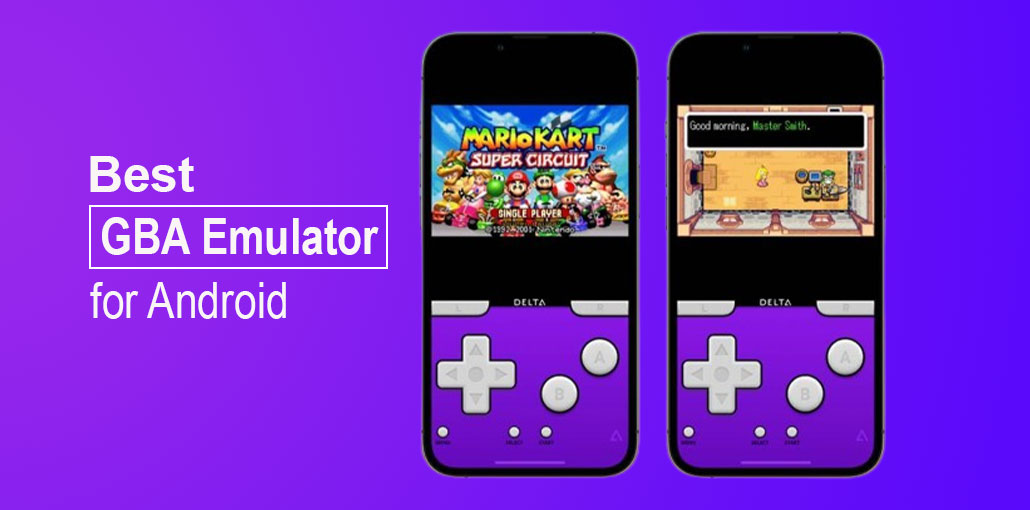
Love retro-style games? There is no need to buy physical consoles in the age of smartphones. Instead, you can play your favourite games directly through your smartphone by using the best GBA emulator for Android.
Although many applications claim to be the best GBA emulator for Android users, the results are often different. To help you save time, we’ve researched and examined the market to put together the best emulators available for GBA to ensure you have the most enjoyable gaming experience with no difficulty.
Best GBA Emulator for Android:
1. ClassicBoy Gold
ClassicBoy Gold is one of the best GBA emulators that allows users play games from various consoles, including Game Boy Advance, Game Boy, Game Boy Color, Sega Genesis, PlayStation, and NES. It is compatible with almost all games on each console. It allows users to utilize any external device to make the game experience more fun. ClassicBoy Gold Emulator allows users to change the settings in Gesture Control for a smooth experience.
Pros
- Supports multiple consoles (GBA, GB, GBC, NES, PS1, Sega Genesis)
- Excellent compatibility with most games
- Gesture control customization for smoother gameplay
- Supports external controllers
- Clean and modern interface
Cons
- Some advanced features require the paid version
- Interface may feel complex for beginners
- Slight learning curve for multi-console setup
Also read: iOS Emulator for PC: 10 Best Tools to Run iOS Apps
2. EmuBox
EmuBox is a newer and best GBA Emulator that supports multiple gaming consoles like SNES, Game Boy Color, Game Boy Advance, and PlayStation. EmuBox is limited to typical features such as saving states, loading states, and fast-forwarding. The program lets users connect hardware controllers for a better and more satisfying experience. Compared to other Android GBA Emulators, EmuBox is completely free, which means the user doesn’t have to purchase it to use its features. The user must download ROMs from the internet separately and then import them into EmuBox.
Pros
- Completely free to use
- Supports multiple consoles, including GBA and PS1
- Simple and beginner-friendly interface
- Save states and fast-forward support
- External controller compatibility
Cons
- Limited advanced features
- Requires manual ROM importing
- Occasional ads may interrupt gameplay
- Development updates are infrequent
3. GBA.emu
GBA.emu is among the most compatible and feature-rich Android emulators for GBA. It includes all the essential features required to play GBA games on Android devices with no restrictions. GBA.emu has options for rapid saves, BIOS emulation, cheat codes, saving and loading games at any time, and more. It also lets users connect to any external hardware for a better and more enjoyable experience. It supports cross-platform use, so you can utilize it on your computer without losing data or performance.
Pros
- Highly accurate and stable emulation
- BIOS emulation support
- Cheat code functionality
- Fast save and load options
- Cross-platform compatibility
Cons
- Paid-only app
- Interface looks outdated
- Not ideal for casual gamers
4. John GBAC
John GBAC is foutrh best GBA emulator for Android. It’s the perfect emulator for people who wish to keep things simple and easy. Similar to other emulators, it comes with all the essential features like loading and saving games at any given moment, SD card support, and turbo buttons. In contrast to other emulators, it comes up to a 16-times speed forward option and a 0.25 times slower down option. Through the Dropbox cloud, players can keep their progress synchronized and play it on any Android device.
Pros
- Simple and easy-to-use interface
- 16x fast-forward and slow-motion options
- SD card and cloud save support
- Good performance on low-end devices
Cons
- Ads in the free version
- Limited visual enhancements
- Fewer customization options compared to competitors
5. My Boy
My Boy is the most viewed GBA emulator available through Google Play. The reason behind its popularity is its speed and accuracy when operating GBA games on your Android smartphone. Many users are using it. It includes all the features, including high-game compatibility, fast forwarding and slowing down, cheat code support, and external hardware support. It’s not just limited to these capabilities.
It also offers its clients OpenGL rendering with BIOS emulation and Rumble Emulation. It offers better graphics than any other emulator due to its superior features. Overall, it’s a complete solution that gives you a fantastic gaming experience playing GBA games on your Android device.
Pros
- Extremely fast and accurate performance
- High game compatibility
- Cheat code and BIOS support
- OpenGL rendering for improved graphics
- Rumble and external controller support
Cons
- Paid version required for full features
- Free version has limitations
- No built-in ROM downloader
6. My OldBoy
The makers of My Boy develop my OldBoy, but it has many more options and features. It is the best GBA emulator to emulate Game Boy Color and other Game Boy emulators. It allows users to connect cables and emulate cheat codes, external hardware, and fast-forward and slow-down modes. Like My Boy, it also features OpenGL rendering as well as Rumble Emulation. It’s similar to My Boy and supports Game Boy and Game Boy Color, unlike My Boy.
Pros
- Excellent GB and GBC emulation
- Link cable emulation support
- Fast-forward and slow-down options
- OpenGL and Rumble emulation
Cons
- Does not support GBA games
- Paid app
- Limited to older Game Boy titles only
7. Nostalgia.GBC
Nostalgia.GBC isn’t the most popular GBA Emulator for Android. It is, however, one of the best GBA emulators
GBA Emulators that you will discover on Android. It offers all the important features like turbo buttons, high-game compatibility, and on-screen keyboards and hardware controls. Unlike other emulators, it enables users to rewind the game for a few seconds to play any segment. This creates Nostalgia.GBC is distinctive and distinct from other GBA emulators that are available for Android.
Pros
- Unique rewind gameplay feature
- Lightweight and smooth performance
- Turbo buttons and controller support
- Ideal for casual retro gamers
Cons
- Supports only GB and GBC (no GBA)
- Limited graphical enhancements
- Fewer updates compared to popular emulators
8. VGBAnext
VGBAnext is more than a GBA Emulator but has multiple emulators within it. It’s all in one GBA emulator that works with GBA, GBC, and NES. It is the top GBA emulator for Android that allows you connect a hardware controller from an external source for a smoother and more enjoyable gaming experience. In addition to supporting external hardware controllers, it also allows players to rewind their game in 16-second increments. The best GBA emulator comes with the Network play feature, which allows its players to play games in multiplayer with family members and friends without the need for a cable connection.
Pros
- Supports GBA, GBC, and NES
- Network multiplayer feature
- External controller compatibility
- Rewind functionality
Cons
- Interface feels outdated
- Paid app
- Multiplayer setup can be confusing for beginners
Also read: Best Windows Emulator for Mac (7 Free & Paid Options)
9. Pizza Boy GBA
Pizza Boy GBA is widely believed to be the best GBA Emulator for Android. It’s a brand new GBA emulator that has made it into this list of top GBA emulators available for Android. Although it is a new launch, it is packed with attributes that make it competitive and similar to other popular emulators. Apart from its speed and accuracy, the emulator also offers several skins you can choose from for a variety of experiences. Each time you enjoy your favourite GBA games. Comparing this emulator to other emulators, it offers the highest Image Quality and the best Sound Quality of all the emulators listed above.
Pros
- Excellent image and sound quality
- Very fast and accurate emulation
- Attractive skins and customization
- Free version available
- Actively updated
Cons
- Advanced features locked behind paid version
- No built-in ROM manager
- Newer app, so fewer tutorials available
10. RetroArch
RetroArch is a small app that assists in running various emulators. RetroArch isn’t an emulator. It is a single, integrated application that lets users connect via other emulators. It utilizes an interface called the Liberto developer interface. It allows users to install cores distinct for every platform. All platforms, including Game Boy, Game Boy Color, and Game Boy Advance, have cores that can be installed into RetroArch, allowing gamers to play a variety of games from the same App.
There aren’t as many options as other best GBA emulators. However, it’s extremely compatible with games. Beyond its compatibility, it’s an open source platform, which is unique and superior compared to other emulators.
Pros
- Open-source and completely free
- Supports many consoles via emulator cores
- Extremely high compatibility
- One app for multiple platforms
- Advanced customization options
Cons
- Steep learning curve
- Complicated setup for beginners
- Interface is not very user-friendly
Best GBA Emulator for Android: Quick Comparison Table
| Emulator Name | Price | Console Support | Key Features | Ease of Use ⭐ | Best Use Case |
|---|---|---|---|---|---|
| ClassicBoy Gold | Free – $5.99 | GBA, GB, GBC, NES, PS1, Sega Genesis | Gesture controls, save/load states, external controllers | ⭐⭐⭐ | All-in-one multi-console gaming |
| EmuBox | Free | GBA, SNES, GB, GBC, PS1 | Save states, fast-forward, controller support | ⭐⭐⭐⭐ | Beginners & casual gamers |
| GBA.emu | $4.99 | GBA | BIOS emulation, cheat codes, save/load | ⭐⭐⭐ | Advanced & power users |
| John GBAC | Free – $4.49 | GBA | 16× fast-forward, slow motion, cloud sync | ⭐⭐⭐⭐ | Simple & lightweight gameplay |
| My Boy! | $4.99 | GBA | OpenGL rendering, rumble, cheat codes | ⭐⭐⭐⭐ | Best overall GBA experience |
| My OldBoy! | $3.99 | GB, GBC | Link cable emulation, OpenGL, rumble | ⭐⭐⭐⭐ | Classic GB & GBC fans |
| Nostalgia.GBC | $1.49 | GB, GBC | Rewind gameplay, turbo buttons | ⭐⭐⭐⭐ | Casual retro players |
| VGBAnext | $2.99 | GBA, GBC, NES | Network multiplayer, rewind, controllers | ⭐⭐⭐ | Multiplayer retro gaming |
| Pizza Boy GBA | Free | GBA | High-quality graphics & sound, skins | ⭐⭐⭐⭐⭐ | Best free GBA emulator |
| RetroArch | Free | Multi-console (GBA, GBC, NES, SNES, PS1) | Emulator cores, shaders, customization | ⭐⭐ | Advanced multi-console users |
Bottom Line
Selecting the best GBA emulator for Android from our selection ensures that you can play your favorite classics with more capabilities. The emulators for GBA typically come with superior features such as Speed Forward, Cheat Codes, or Rewind, offering a gaming experience that rivals the original console.
FAQs: Best GBA Emulator
What is the best GBA emulator for Android?
The best GBA emulator for Android depends on your needs. My Boy! offers the best overall performance, Pizza Boy GBA is the best free option, and RetroArch is ideal for advanced users who want multi-console support.
Is it legal to use a GBA emulator on Android?
Yes, using a GBA emulator on Android is legal. However, downloading copyrighted GBA ROMs without owning the original game cartridge may violate copyright laws. Always use legally obtained ROMs.
Are there free GBA emulators for Android?
Yes, several free GBA emulators are available, including Pizza Boy GBA, EmuBox, ClassicBoy Gold (free version), and RetroArch.
Can I use cheat codes in GBA emulators?
Yes, many GBA emulators support cheat codes, including My Boy!, GBA.emu, and ClassicBoy Gold.
Which GBA emulator is best for beginners?
For beginners, Pizza Boy GBA and EmuBox are recommended due to their simple setup and user-friendly interface.







Leave a comment