

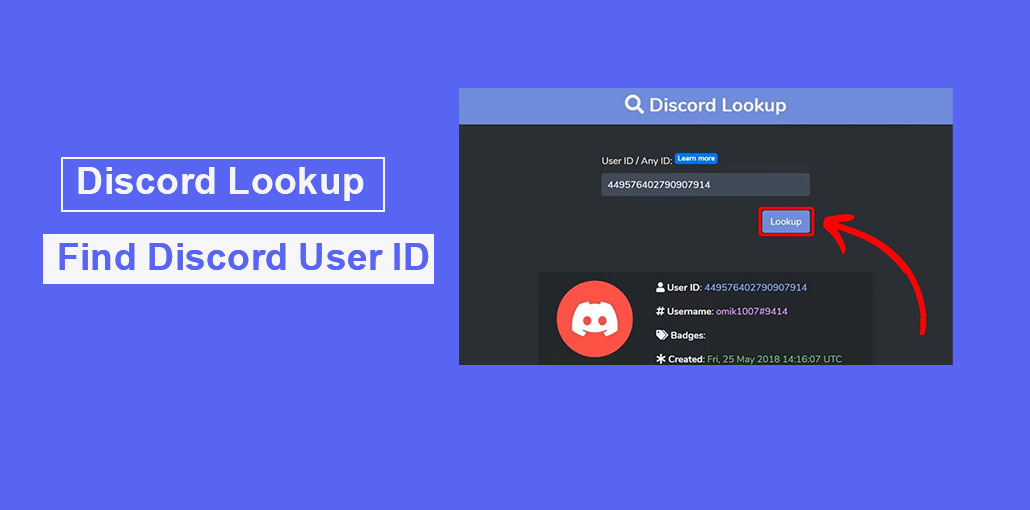
Discord is a popular group chat app for gamers and streamers. However, it is also used by many users for several purposes. According to estimates, over 150 million active users per month use this platform for chatting. It is a useful tool that can increase efficiency when used properly. Every user who joins Discord is assigned a unique ID. It is crucial in many aspects, including managing accounts, extending friend lists, and deploying bots. This article will discuss about Discord ID Lookup.
Here, we will discuss how to find and maintain a Discord ID. In addition, we will also provide information on the most reliable tools for Discord ID Lookup. We want to enhance your Discord experience to be safer and smoother. Be aware that, unlike the username, it cannot be changed for profiles, messages, or servers. This can help detect any security threats or malicious activity.
Let’s discuss this issue more thoroughly!
What Is Discord ID Lookup?
Discord ID Lookup means using a unique 18–19 digit Discord ID to identify a user, message, server, or channel. Unlike usernames, Discord IDs cannot be changed.
Why Discord ID Lookup Is Important?
Understanding Discord ID lookup is useful for several reasons:
- Many users can have the same display name, so IDs help in identification
- Usernames can be changed, but IDs remain permanent
- Helps in adding friends and managing contacts more accurately
- Useful for reporting suspicious or harmful activity
- Helps server admins control permissions and access
- Required for bots and automation tools
We hope you understand that the Discord Identification number is important. Let’s see how to check for your Discord ID.
Also read: Discord Messages Failed to Load? 6 Easy Fixes to Solve It Fast
How to Lookup Your Discord ID
If you want your Discord ID or the ID of a message, channel, or server, you should be in Developer mode. This mode is located in advanced settings, which reveal the additional features and allow you to copy the ID.
The steps to check IDs may differ for Windows, Mac, iOS, and Android. Here is how to verify your Discord ID.
How to Find Discord ID on PC (Windows / Mac)
The first step is to turn on your laptop or your workstation. After that, you can launch Discord using any browser, such as Chrome, Firefox, and so on.
- Log in to Discord
- Click your profile icon to open User Settings
- Go to Advanced Settings from the left menu
- Turn on Developer Mode
After enabling it, you can copy any Discord ID easily.
How to Find Your Personal Discord ID
- Go to User Settings → My Account
- Click the three dots near your profile details
- Select Copy ID
- Your personal Discord ID will be copied to the clipboard
How to Find a Friend’s Discord ID
- Open your Friends List
- Click on your friend’s profile
- Select Copy ID
- The Discord ID will be copied instantly
How to Find a Message ID
- Open the message you want to check
- Click the three dots (More options)
- Select Copy ID
- The message ID will be copied
How to Find a Server ID
- Open your server list on the left side
- Right-click on the server
- Click Copy ID
- The server ID will be copied to clipboard
How to Find Discord ID on iOS / Android Devices
If you want to access Discord ID via iOS/Android phone or tablet, follow these easy steps:
- Open the Discord app on your phone or tablet
- Tap your profile icon (bottom corner)
- Go to Appearance / Settings
- Scroll to Advanced Settings
- Turn on Developer Mode
How to Find Your Discord ID (Mobile)
- Open any chat or conversation
- Tap your profile
- Tap the three dots in the top corner
- Select Copy ID
How to Find a Friend’s Discord ID
- Open your Friends List
- Tap and hold your friend’s username
- A menu will appear
- Select Copy ID
How to Find a Message ID
- Open the chat (server, DM, or channel)
- Press and hold the message
- Tap Copy ID from the popup menu
How to Find a Server ID
- Open the server list
- Press and hold the server name
- A menu will appear
- Tap Copy ID
Also read: Discord Overlay Not Working? 7 Easy Fixes to Solve the Issue
5 Best Discord ID Lookup Tools
If you’re looking for comprehensive information on a user via their Discord ID, you can use a reliable Discord ID Lookup tool. They can assist you in verifying the user’s name, the account setup, profile pictures, and more. But it is essential to read reviews about the particular security tool.
Here are the top Discord ID Lookup tools that you can rely on.
1. Discord Lookup
Then, join the row Discord Lookup. This is a popular Discord user finder tool that provides all the essential information about a Discord user. With it, you can look up anyone’s username and account setup date. Discord Lookup is often used by moderators and developers to confirm other users are.
It is a web-based application that works with mobile and desktop browsers. It’s very simple to use. All you have to do is type a Discord ID into the search bar to get information about a specific Discord user ID. Results will show up within a few seconds.
Key Features
- Find detailed user information using the Discord ID
- Shows username and account creation date
- Fast results with a simple search interface
- Works on both mobile and desktop browsers
2. DiscordHub user search
Next is DiscordHub User Search. This tool provides two options to search a user’s profile: username and Discord ID. In addition, it also provides a bot and server listing. This means that DiscordHub is very beneficial for user engagement.
Using this Discord ID Lookup tool, you can check profile pictures, account creation dates, and all linked social accounts. The greatest thing with DiscordHub is that you don’t have to download anything, since it’s a web-based service.
Key Features
- Search users using Discord ID or username
- Displays profile picture and basic account details
- May show linked social accounts and server info
- Includes bot and server listing features
3. Discord.ID
Discord.ID is also a trusted Discord ID Lookup tool. It gives all the essential information, such as username and the date the account was created. If you are looking for quick and easy information about any Discord member, you should pick this. It is commonly used by moderators, members, and administrators for authenticating users. It works with mobile phones, tablets, and personal computers.
Key Features
- Provides quick and basic user information
- Shows account creation date and ID details
- No login or registration required
- Lightweight and works on all devices
4. Discord Bot List
If your primary goal is to check Discord bots and user information, the Discord Bot List will be an ideal choice. It provides the username, server info, and bot details if listed.
Like other Discord user finder tools, Discord Bot List is also a web-based platform used on any device. However, it can be somewhat difficult since it was designed to help identify bots in lieu of user lookup. Make sure you’re using an authenticated website before entering your information.
Key Features
- Large database for discovering Discord bots
- Shows bot details, servers, and listings
- Web-based and easy to access anywhere
- Useful for bot-related search and management
Also read: Best Video Compressor for Discord: 10 Free and Paid Tools
5. Discord Resolver
The fifth option is called Discord Resolver. It is a tool that can help you retrieve usernames from Discord ID and reverse the process. It also assists in retrieving the private details of some users and could not be genuine.
Discord Resolver is an online tool that is moderately challenging to operate. It also requires confirmations before it can give results. It is crucial to remember that only a handful of Discord Resolvers can be trusted. Therefore, it is essential to pick it wisely. Do not provide Discord login credentials if a software asks you to do this.
Key Features
- Reverse lookup of Discord IDs to usernames
- Provides limited user information
- Web-based tool with a simple interface
- May require verification before showing results
Final Thoughts
Understanding how to use Discord ID lookup is essential for a smooth experience on Discord. It will help you manage the list of friends, install bots, and also report any user when needed. With the Discord ID lookup tools listed above, you will be able to manage your Discord IDs efficiently and use the platform effectively.
FAQs: Discord ID Lookup
Do I need Developer Mode to find Discord ID?
Yes, Developer Mode must be enabled in settings to copy any Discord ID.
Is Discord ID Lookup safe?
Yes, using Discord ID inside Discord is safe. However, third-party lookup websites should be used carefully to avoid fake or unsafe platforms.
Can I change my Discord ID?
No, Discord ID is permanent and cannot be changed once assigned on Discord.
Which Discord ID Lookup tool is the most reliable?
Discord Lookup and Discord.ID are generally considered more reliable for basic public information on Discord.









Leave a comment