

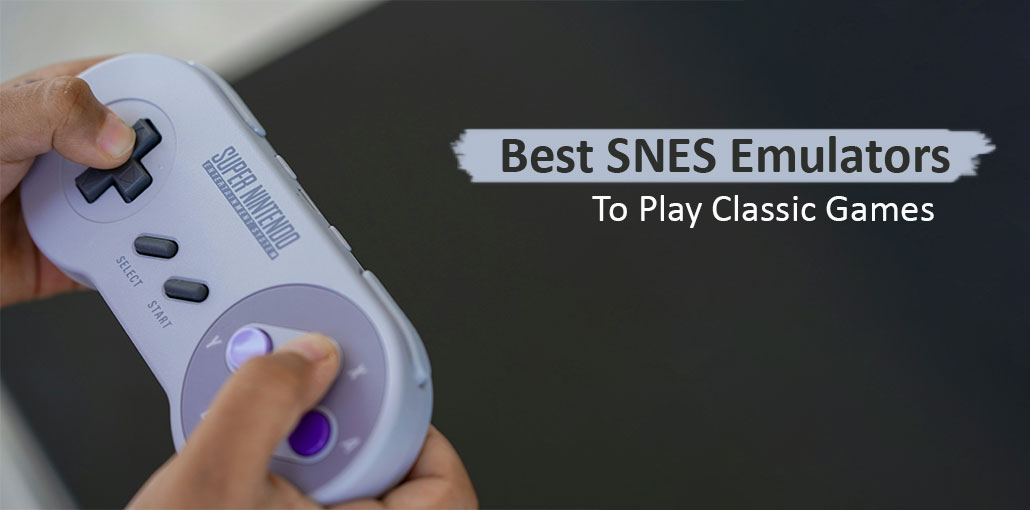
Want to play your favorite classic Super Nintendo games on a modern device? The best SNES emulator can bring the classic gaming experience to your PC, Mac, Android phone, or other supported platforms. From simple tools for beginners to advanced emulators with better compatibility, save states, and controller support, there are plenty of options to choose from. In this guide, we’ll explore the best SNES emulator options and what makes each one worth considering.
10 Best SNES Emulators to Play Classic Games
Here are some popular options to consider if you are looking for the best SNES emulator for your setup.
1. SNES9x
SNES9x is one of the most well-known choices for playing SNES games on modern computers. The SNES9x emulator focuses primarily on Super Nintendo emulation rather than trying to support dozens of different consoles.
The emulator is relatively lightweight and offers useful features such as save states, controller configuration, graphics options, and multiplayer support.
Its straightforward interface also makes it suitable for users who do not want to spend a lot of time configuring an emulator.
Key features:
- SNES-focused emulation
- Save states
- Controller support
- Multiple graphics options
- Lightweight performance
- Available for multiple platforms
Best for: Users who want a dedicated and straightforward SNES emulator.
Also read: 10 Best N64 Emulators to Play Classic Nintendo 64 Games
2. RetroArch
RetroArch takes a different approach. Instead of being designed only for SNES games, it provides a frontend for multiple emulation cores.
You can install the appropriate SNES core and manage your games through the RetroArch interface. It also includes features such as shaders, save states, controller configuration, screenshots, and customizable menus.
Because RetroArch has many settings, it can take longer to configure than simpler emulators. For users looking for the best SNES emulator for PC, its wide range of customization options can be useful.
Key features:
- Supports multiple systems
- Multiple SNES cores
- Save states
- Shaders and graphical customization
- Controller remapping
- Cross-platform availability
Best for: Users who want one application for several retro gaming systems.
3. Mesen
Mesen is known for accurate emulation and has become a popular choice among retro gaming enthusiasts. Its development has focused heavily on emulation accuracy and useful debugging and customization features.
For users who want more than basic game playback, Mesen can provide detailed configuration options and modern conveniences. It is also worth considering when comparing options for the best SNES emulator based on accuracy and advanced controls.
Key features:
- High emulation accuracy
- Save states
- Graphics customization
- Controller support
- Debugging features
- Modern interface
Best for: Users who prioritize accuracy and advanced features.
4. BizHawk
BizHawk is a multi-system emulator for accurate emulation. It supports multiple classic gaming platforms and includes features useful for speedrunning and game analysis.
It can be more complicated for beginners because of its large number of tools and settings. Advanced users looking for the best SNES emulator with additional gaming and analysis tools may find these features useful.
Key features:
- Multi-system support
- Save states
- Frame-by-frame controls
- Input recording
- Speedrun-focused tools
- Advanced configuration
Best for: Speedrunners and advanced retro gaming users.
5. Higan
Higan was designed with a strong emphasis on accurate emulation of several classic consoles, including the SNES.
It is particularly interesting for users who care about accurate reproduction of original console behavior. However, its interface and setup may feel less beginner-friendly than simpler alternatives.
Key features:
- Accuracy-focused emulation
- SNES support
- Multiple console support
- Advanced configuration
- Save functionality
Best for: Experienced users who prioritize accurate emulation.
6. OpenEmu
OpenEmu is designed specifically for macOS users who want a convenient way to manage games from multiple classic systems.
Rather than presenting a complicated emulator interface, OpenEmu provides a library-style experience. It can automatically organize compatible games and controllers.
For Mac users looking for a clean retro gaming experience, OpenEmu can be a convenient option and an alternative to consider when choosing the best SNES emulator for macOS.
Key features:
- macOS-focused design
- Library management
- Controller support
- Multiple system support
- Clean interface
Best for: Mac users who want a simple multi-console emulator.
7. Snes9x EX+
Snes9x EX+ brings the Snes9x experience to compatible Android devices. It provides a way to play SNES games on mobile hardware while supporting common emulator features.
For users searching for the best SNES emulator for Android, Snes9x EX+ is a dedicated option designed around SNES gaming.
Touchscreen controls are available, although a physical Bluetooth controller can provide a more traditional console-style experience.
Key features:
- Android support
- Save states
- Touch controls
- Gamepad support
- Lightweight design
Best for: Android users who want a dedicated SNES emulator.
8. bsnes
bsnes is another emulator associated with high-accuracy SNES emulation. It is designed to reproduce the behavior of the original hardware as accurately as practical.
Compared with lightweight emulators, accuracy-focused options may require more processing power, depending on the configuration and system. This makes it another option to consider when looking for the best SNES emulator for accuracy-focused gaming.
Key features:
- Accuracy-focused design
- SNES emulation
- Modern graphics options
- Save states
- Controller support
Best for: Users who want accuracy-focused SNES emulation.
9. Snes9xTYL
Snes9xTYL is a version of Snes9x associated with PSP hardware. It became popular among users who wanted to play SNES games on Sony’s handheld platform.
Because the PSP is older hardware, performance and compatibility can depend on the specific game and configuration.
Key features:
- Designed for PSP
- SNES-focused emulation
- Save states
- Portable gaming
- Controller support
Best for: Users interested in SNES emulation on compatible PSP setups.
Also read: Pokémon Emulator for iPhone: 4 Best iOS Apps to Play Now (2025)
10. ZSNES
ZSNES is one of the older and historically significant SNES emulators. It helped make SNES emulation accessible on PCs during the early days of emulation.
However, modern users should generally consider newer emulators when choosing software because older projects may lack the accuracy, compatibility, security maintenance, and modern features of newer alternatives.
Key features:
- Long history
- SNES-focused emulation
- Save functionality
- Classic PC emulator experience
Best for: Users interested in the history of SNES emulation.
How to Choose the Best SNES Emulator
The best SNES emulator for you depends mainly on your device and how you want to play. If you are specifically searching for the best SNES emulator for PC, check Windows, macOS, or Linux compatibility before installing one. For mobile users, platform support and touchscreen controls are especially important.
Check Platform Support
First, make sure the emulator works with your operating system. Some options are available on Windows, Linux, macOS, Android, or other platforms, while others are designed for specific devices.
Consider Accuracy
If accurate reproduction of original SNES hardware is important to you, look for an emulator with a strong focus on accuracy. This can be especially useful when comparing different choices for the best SNES emulator.
Look at Controller Support
A good controller can make retro games much more comfortable to play. Check whether your emulator supports USB, Bluetooth, or other controllers.
Check Performance
Older computers and mobile devices may benefit from lightweight emulators. More advanced emulators can offer additional features but may require more system resources.
Consider Extra Features
Features such as save states, shaders, rewind, fast-forward, screenshots, and customizable controls can make emulation more convenient. These features can also help you decide which best SNES emulator matches your gaming preferences.
Final Thoughts
Choosing the best SNES emulator depends on your device, performance needs, and preferred features. SNES9x is a simple option for dedicated SNES gaming, while RetroArch offers broader system support and customization. For Android users, Snes9x EX+ provides a dedicated mobile option, while PC and Mac users have several choices. Compare their features and compatibility to find the emulator that fits your retro gaming setup.
FAQs: Best SNES Emulator
Which is the best SNES emulator?
The best SNES emulator depends on your device and requirements. SNES9x is a simple choice for dedicated SNES gaming, while RetroArch offers broader system support and customization.
Is SNES9x emulator free?
Yes. The SNES9x emulator is available as free software and is designed specifically for Super Nintendo emulation.
Can I use an SNES emulator with a controller?
Yes. Many modern SNES emulators support USB and Bluetooth controllers, allowing you to play games with a more traditional console-style setup.
Do SNES emulators support save states?
Yes. Most modern SNES emulators support save states, allowing you to save your progress at almost any point and continue later without relying only on the game's original save system.






Leave a comment