
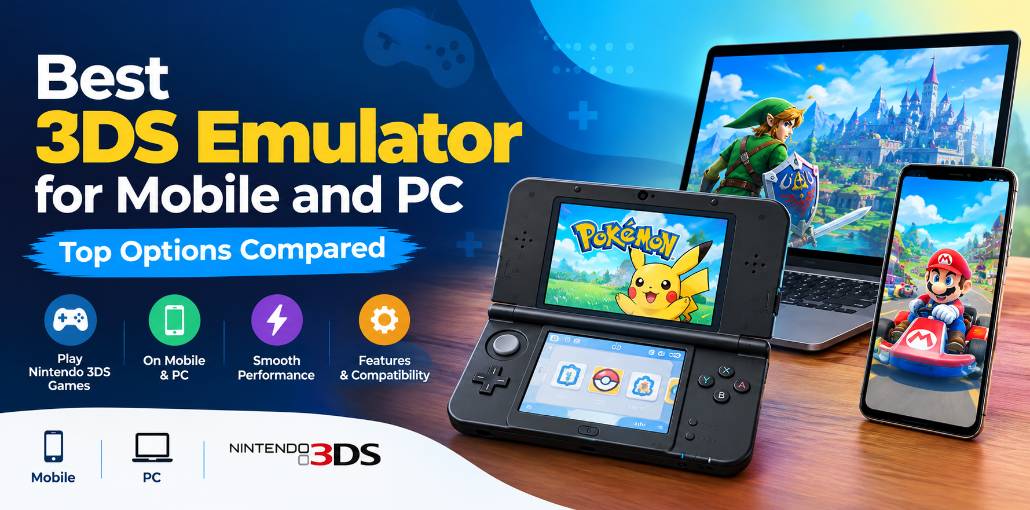
The Nintendo 3DS had one of the greatest handheld game libraries ever made. Pokémon, Zelda, Mario Kart, Fire Emblem — these titles still hold up. The console may be gone from shelves, but your favorite Nintendo 3DS games are still within reach on your phone or PC.
Finding the best 3DS emulator can feel confusing. Some tools are built specifically for 3DS. Others cover multiple systems, and a few have been abandoned. We’ve gone through the field so you don’t have to. Here are 10 best 3DS emulator options, with honest notes on what each one actually does.
Best 3DS Emulators for Mobile or PC
1. Azahar
Azahar is the best 3DS emulator available today. Born from a merger of two Citra-based projects, it’s actively developed and runs on Android, Windows, macOS, and Linux. You get resolution upscaling, custom screen layouts, and full controller support. Most popular titles run smoothly on mid-range hardware. It’s the top pick whether you need a 3DS emulator for Android or PC.
Pros:
- Actively developed with regular updates
- Works on Android and desktop
- Strong game compatibility
- Free and open-source
Cons:
- Heavy games may stutter on budget phones
- Some titles need minor tweaks
Why Choose Azahar? Install it, load your games, and play. It’s that simple.
Also read: 10 Best SNES Emulators to Play Classic Games in 2026
2. Citra
Citra is the second-best 3DS emulator on the list. It offers solid game compatibility, texture upscaling, cheat code support, and controller input. The downside is that official development ended in 2024. It still works for most games, but don’t expect new features or bug fixes. New users are better served by Azahar, which continues where Citra left off.
Pros:
- Wide compatibility with many games
- Texture upscaling and cheat support
- Controller-friendly
Cons:
- No longer officially maintained
- May lag on older devices
Why Choose Citra? Stick with it if your setup already works. Otherwise, start fresh with Azahar.
3. Citra MMJ
Citra MMJ is a modified build of Citra made specifically for Android. It brought performance tweaks and extra graphics settings to mobile, and many players once called it the best 3DS emulator for phones. Development has since stopped, but it still runs certain games better than other options on specific Android hardware.
Pros:
- Optimized for Android
- Faster performance in some titles
- Extra graphics controls
Cons:
- No longer updated
- Not on Google Play Store
- Struggles on budget phones
Why Choose Citra MMJ? Use it as a backup when other apps can’t run a specific game smoothly.
4. Panda3DS
Panda3DS is a newer open-source Nintendo 3DS emulator with a clean, beginner-friendly design. It runs on Android, Windows, macOS, and Linux. Game compatibility isn’t as broad as Citra-based options yet, but it’s improving steadily. If you want a lightweight, easy-to-use 3DS game emulator and don’t mind that some titles are still a work in progress, Panda3DS is worth trying.
Pros:
- Simple, user-friendly interface
- High-resolution rendering
- Actively developed
Cons:
- Lower game compatibility than Citra
- Struggles with demanding titles
Why Choose Panda3DS? Great for casual players who want something fresh and approachable.
5. RetroArch
RetroArch is a free, open-source frontend that runs dozens of systems through plug-ins called cores. It plays Nintendo 3DS games via a Citra-based core and adds extras like shaders, rewind, and multi-controller support. Setup can feel technical for first-timers, and 3DS performance trails dedicated apps. Still, it’s ideal if you want one app to manage your entire retro library.
Pros:
- Supports many gaming systems in one app
- Advanced shaders and rewind features
- Free and open-source
Cons:
- Steeper learning curve
- 3DS performance lags behind dedicated emulators
Why Choose RetroArch? Perfect for multi-system players who enjoy fine-tuning every setting.
6. Lemuroid
Lemuroid is the best 3DS emulator for Android that handles multiple systems behind a simple interface. It uses libretro cores under the hood — including one for 3DS — but hides all the technical clutter. Save states, cloud saves, and automatic game sorting are all built in. It’s the most beginner-friendly option on this list if you just want to pick up and play.
Pros:
- Very easy to set up
- Cloud saves and save states
- Free with no ads
Cons:
- Limited advanced settings
- 3DS performance varies by device
Why Choose Lemuroid? The best 3DS game emulator for casual mobile gamers with plug-and-play options.
7. melonDS
melonDS is technically a Nintendo DS emulator, not a 3DS one — so it won’t run Nintendo 3DS games. We included it because many 3DS fans still love the DS library, and melonDS is one of the most accurate ways to revisit those titles. It supports local Wi-Fi emulation and runs smoothly on most mid-range devices. Pair it with Azahar for full coverage of both generations.
Pros:
- Accurate DS emulation
- Local Wi-Fi support
- Open-source
Cons:
- No native 3DS support
- Some features need manual setup
Why Choose melonDS? Use it alongside a dedicated Nintendo 3DS emulator to cover the full Nintendo handheld era.
8. EmuBox
EmuBox is an Android emulator that covers classic systems like the NES, SNES, Game Boy, and DS. It doesn’t run 3DS titles, but it’s a clean, easy-to-use option for older Nintendo games. If you’re already using a 3DS emulator for Android and want one extra app for retro classics, EmuBox fits that role neatly — though be aware it does include ads.
Pros:
- Supports multiple retro platforms
- Simple controls and setup
- Customizable button layout
Cons:
- No 3DS support
- Contains ads
Why Choose EmuBox? A handy companion app for retro gaming sessions beyond 3DS.
9. 3DMOO
3DMOO is the best 3DS emulator for PC on Windows and Linux, developed around 2014. It’s now abandoned, runs only via the command line, and crashes on most commercial games. It holds historical interest as one of the first projects to attempt 3DS emulation, but it’s not a practical option for playing Nintendo 3DS games today.
Pros:
- Open-source
- Part of 3DS emulation history
Cons:
- Development abandoned
- Frequent crashes
- Can’t run most games
Why Choose 3DMOO? Only if you’re curious about the early days of 3DS emulation. For actual gaming, use a modern app.
Also read: 10 Best GBA Emulators for Android: Play GBA Games on Android
10. Project64
Project64 is the best 3DS emulator for PC — well, not exactly. It’s actually a Nintendo 64 emulator, not a 3DS one. We included it because many players searching for retro emulation also want to revisit N64 classics like Ocarina of Time, and Project64 is the go-to app for that. Reliable, straightforward, and easy to set up on Windows.
Pros:
- Smooth N64 emulation
- Save states and controller support
- ZIP file compatibility
Cons:
- No 3DS game support
- Some games may fail to launch
- Only download from the official site to avoid old malware-laden versions
Why Choose Project64? A great companion to your main Nintendo 3DS emulator setup if you also love N64 games.
Quick Comparison: Best 3DS Emulators for Mobile and PC
| 3DS Emulator | Supported Platform | Key Features | Best For |
|---|---|---|---|
| Azahar | Android, Windows, macOS, Linux (check current releases) | Active development, graphics settings, controller support | Best overall 3DS emulation option |
| Citra | Android, Windows, macOS, Linux | Resolution scaling, game compatibility, controller support | Existing Citra users |
| Citra MMJ | Android | Alternative performance optimizations, graphics settings | Android users testing alternative builds |
| Panda3DS | Multiple platforms; verify current support | Open-source development, 3DS emulation | Users exploring alternative emulators |
| RetroArch | Android, PC, other supported platforms | Multiple emulation cores, shaders, controller settings | Multi-system retro gaming |
| Lemuroid | Android | Simple interface, game library management | Beginner-friendly retro gaming |
| melonDS | Android, PC | Nintendo DS emulation, configurable controls | Nintendo DS games |
| EmuBox | Android | Multi-system emulation, customizable controls | Classic console games |
| 3DMOO | Windows, Linux | Older open-source emulation project | Historical research |
| Project64 | Windows | Nintendo 64 emulation, controller support | Nintendo 64 games |
How to Choose the Best 3DS Emulator
Choosing the best 3DS emulator involves more than just downloading the first option you find. Before getting started, consider these important factors to find the right emulator for your device and gaming needs.
- Device Compatibility: Choose a 3DS emulator that works on your Android phone or PC.
- Smooth Performance: Make sure your device can run games without lag.
- Game Compatibility: Check whether the emulator supports your favorite Nintendo 3DS games.
- Graphics Quality: Look for better graphics and resolution settings.
- Controller Support: Choose an emulator that supports external controllers for easier gaming.
- Easy to Use: Pick an emulator that’s simple to install and set up.
- Safe Download: Download the emulator from a trusted source to keep your device safe.
Conclusion
Playing Nintendo 3DS games on your phone or computer has never been easier. For most people, Azahar is the clear best 3DS emulator — it’s actively maintained, works across platforms, and runs the widest range of games. Citra and Citra MMJ still have their place for existing users. Panda3DS is a promising newcomer. RetroArch and Lemuroid work great for multi-system fans.
The remaining tools on the list either cover different console generations or serve as useful companions to your main setup. Pick the best 3DS emulator for your device, and start playing.
FAQs: Best 3DS Emulator
What is the best 3DS emulator for mobile and PC?
Azahar is a strong option to consider for Nintendo 3DS emulation on supported mobile and desktop devices. It offers active development and compatibility with many games. However, performance depends on your device and the game you want to play.
Can I play Nintendo 3DS games on my Android phone?
Yes, you can play compatible Nintendo 3DS games on supported Android devices using a suitable or best 3DS emulator. You will need a compatible phone and legally obtained game files. Performance varies depending on your phone's processor, graphics hardware, and the game.
Why do Nintendo 3DS games lag on my device?
Lag can result from limited processing power, graphics-driver issues, demanding games, or incorrect emulator settings. Try adjusting the resolution, checking compatibility reports, and closing background apps. Some games may require more powerful hardware.
Which 3DS emulator should beginners choose?
Beginners can start by investigating Azahar because it is actively developed and designed for Nintendo 3DS emulation. Check its official installation guide and supported platforms before downloading it to make sure it suits your device.





Leave a comment