
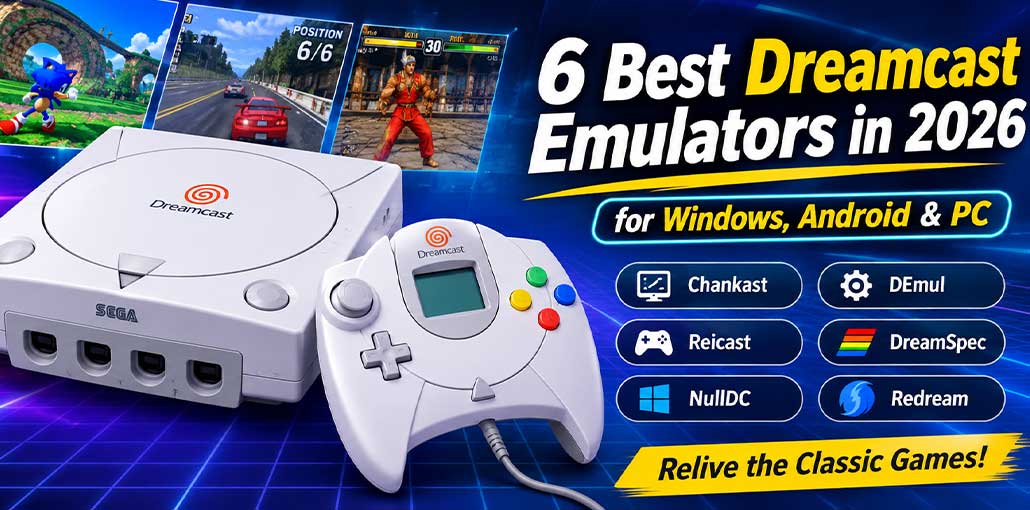
If you want to find some of the best Dreamcast Emulators of 2026, this is the page for you. We have listed some of the best Dreamcast Emulators below.
What is a Dreamcast Emulator?
The Dreamcast was released in 1998 and had a huge impact on gaming. However, it did not last long and has therefore become a nostalgic game console.
However, you can still play Sega Dreamcast games on a PC using a Sega Dreamcast emulator. Below we have listed some of the best emulators to try.
Best Dreamcast Emulator for PC & Android
1. Chankast
This is one of the first commercial Sega Dreamcast emulators. It originally supported Windows XP & Windows 2003; however, it can run on Windows versions 7, 8 & 10.
For this emulator to work properly on your PC, you need:
- 256 MB RAM.
- Pentium 4 processor (or Higher) with 1.6 GHz (or higher).
- Windows XP / 2003 / 7 / 8 / 10.
- Latest DirectX.
- Dedicated graphics card (NVIDIA / ATI).
- DC BIOS.
Also read: Which Is the Best 3DS Emulator? Compare Popular Options
2. DEmul
This is a very popular Dreamcast emulator. It allows you to play with almost all Dreamcast ROMs. With the Video & Audio output plugins, you can get the best gaming experience.
It uses virtual memory cards to allow for faster progression in games. Also, this emulator allows for almost all Sega games to be played with very few issues and lag. It runs smoothly on Windows systems from Version 7 onwards.
3. Reicast
Although this is considered the best Dreamcast emulator for Android devices, it can be used on Windows. It is very reliable and stable. As it is often updated, Windows users get an excellent experience.
In general, there are no issues; but you need a BIOS file for this emulator to work.
4. DreamSpec
DreamSpec is a spectrum-based Dreamcast emulator created by a group of BigBoy developers. It has many features such as full sound, a skinnable GUI, full speed, NTSC, and screen brightness.
With many games included in the program itself, you do not need to download or install them. The CDI image (which can be burnt) means that you can play immediately.
5. NullDC
NullDC is a PC based Dreamcast emulator, meaning that it is a free, open-source Dreamcast emulator for Windows. It allows you to play almost all Dreamcast games.
As well as Dreamcast games, it can also play games from the Naomi console. It is designed for Windows Operating Systems and has been in operation since 2006. NullDC has a great interface and provides the best graphics quality of Dreamcast games.
In order to run this emulator, you must have the latest version of DirectX and Visual C++. In addition, you must have an original BIOS from the console.
- Latest DirectX.
- Visual C++ Runtime.
- An original console BIOS.
Also read: 10 Best SNES Emulators to Play Classic Games in 2026
6. Redream
Compared to other Dreamcast emulators, Redream is fairly new. It can give you retro games with more advanced features than other options. It can be used on multiple systems, including Mac OS, Windows, Linux, and Android.
Using this emulator lets you play Dreamcast games in high quality (up to 1080p / 4k). It is compatible with many games from the Dreamcast library. To run this emulator, you will need:
- Windows 7 or above.
- x86 Processor.
- 512MB RAM.
- OpenGL 3.3 Graphics Support.
Final word
Try out one of these 6 best Dreamcast Emulators in 2026 to play some of your favourite games from the Sega Dreamcast platform. Whether you want to play them on PC, Windows, Android or elsewhere, try out Flycast, Redream, or whichever you like the most to get that retro gaming nostalgia!
FAQs: Dreamcast Emulator
Can I play Dreamcast games on my Windows PC?
Yes. You can play Sega Dreamcast games on a Windows PC using compatible emulators such as Redream, DEmul, NullDC, and Chankast.
Which is the best Dreamcast emulator for Android?
Reicast and Redream are options for Android users. You can also consider other compatible versions depending on your device and performance requirements.
Do Dreamcast emulators require a BIOS file?
Some Dreamcast emulators require original BIOS files to function correctly. Requirements vary depending on the emulator and its configuration.
Which Dreamcast emulator supports high-resolution graphics?
Redream is known for its high-resolution rendering capabilities. Depending on the edition and hardware, it supports resolutions up to 1080p and 4K.





Leave a comment