
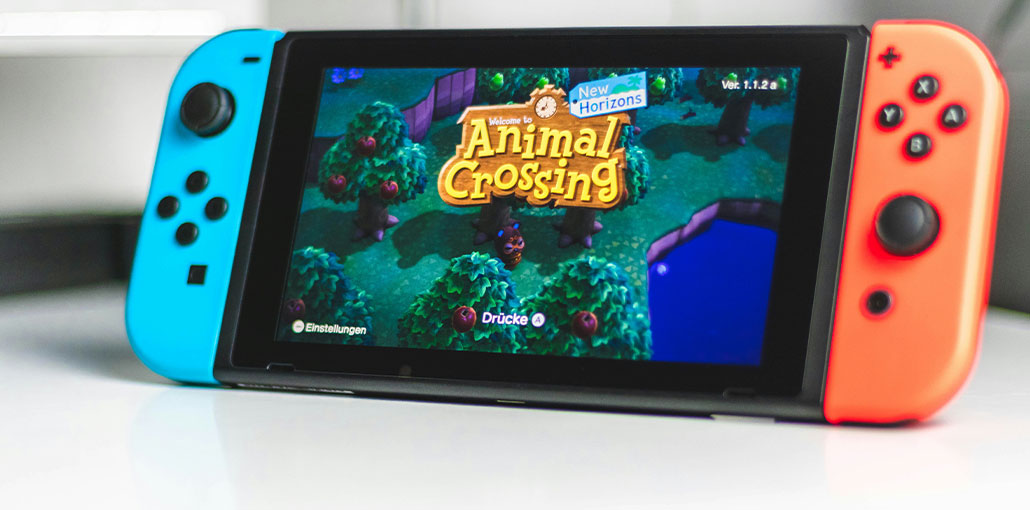
Nintendo Switch is known as a great handheld console for playing video games. It’s on par with other brands, like Xbox and PlayStation, even though it’s a portable device. However, since the console features a tinier screen, you can play your favourite games on a larger screen. Luckily, Nintendo Switch emulators are available, so you can play games on Windows, macOS, and other devices. Let’s take a look!
Is There a Switch Emulator
The answer is simple: yes. There are a variety of emulator applications on the online market, and most are completely free to download. Installing an app on your device mirrors Switch’s screen and includes controls for playing on your keyboard or mouse. An emulator’s compatibility with Android, PC, and Steam Deck devices may differ in features and system requirements.
Most apps can be downloaded and used on the Nintendo Switch. But remember that it is illegal to use the emulator to share copyrighted games or play unofficial games on the console. In other cases, the emulator application will be safe for use.
Quick Comparison
| Emulator | Platform Support | Price | Main Features | Best For |
|---|---|---|---|---|
| Ryujinx | Windows, macOS, Linux, Steam Deck | Free | Easy setup, strong compatibility, up to 60 FPS support | Beginners and general users |
| Yuzu | Windows, Linux, Android (community builds) | Free | High performance, large game support, open-source | Advanced users |
| Skyline | Android | Free | Designed for high-end Android gaming, smooth mobile gameplay | Android gamers |
| NSEmu | Windows | Free | Customizable settings, good graphics and audio controls | Technical users |
| Egg NS | Android | Free with paid subscription features | Supports popular Switch games, controller support | Mobile gaming enthusiasts |
| Cemu | Windows, Linux | Free | Advanced graphics settings, high-resolution rendering | Wii U and some Switch-related gaming |
| SwitchDROID | Android | Free | Fast gameplay, supports additional Nintendo platforms | Casual Android users |
Also read: 10 Best GBA Emulator for Android: Play GBA Games on Android
7 Best Nintendo Switch Emulators
Before downloading an emulator, make sure your device can mirror the Nintendo Switch and games. Consider the system on your device and select the most suitable emulator. practical tips you can apply in everyday life. Among the top emulators to play games on the Nintendo Switch.
1. Ryujinx Emulator
It is a popular emulator for beginner users and has easy-to-use controls. Ryujinx is available for download on Windows, Steam Deck, Mac, and other platforms. One of its greatest advantages is that it supports most of Switch’s games and can run them up to 60 FPS, depending on your system requirements. If you’re a Mac user, the Ryujinx emulator is an excellent option!
Pros
- Easy setup and beginner-friendly interface
- Supports Windows, macOS, Linux, and Steam Deck
- Excellent game compatibility
- Can run many games at up to 60 FPS
- Regular performance improvements from the community
Cons
- Requires a powerful system for best performance
- Some games may still experience glitches
- Initial shader loading can cause lag
2. Yuzu
Yuzu is the first Nintendo Switch emulator to exist and was developed by Citra. It’s a free and open-source Switch emulator that supports almost every game with high performance. If you’re a new user, the app provides complete instructions on how to use it and a list of popular games with performance. Yuzu is a bit more challenging than Ryujinx. However, you’ll learn the ropes following the tutorial.
Pros
- One of the most popular Nintendo Switch emulators
- High-performance gameplay
- Open-source project
- Supports many Nintendo Switch titles
- Offers advanced graphics settings
Cons
- Official development has stopped
- Setup can be difficult for beginners
- Some games may crash or have compatibility issues
3. Skyline Emulator
If you own a top-of-the-line Android device, then Skyline is a great choice for your next Nintendo Switch emulator. With references to Yuze, Ryujinx, and other emulators, the app is a work in development, and it’s set to become an open-source tool for Android. Skyline includes games like Cuphead, Shovel Knight, Sonic Mania, and more!
Pros
- Designed especially for Android devices
- Smooth performance on high-end phones
- Supports several popular games
- Lightweight and mobile-friendly
Cons
- Development status is uncertain
- Limited compatibility compared to PC emulators
- Requires a powerful Android device
4. NSEmu
NSEmu is a completely free Nintendo Switch emulator that can be customized according to users’ needs. If you’re a technical expert user, you can build fluid performances in this application with stunning audio and graphics. In addition to an easy-to-use interface, NSEmu is a great tool with minimal lag.
Pros
- Free to use
- Customizable settings for advanced users
- Good graphics and sound performance
- Simple and clean interface
Cons
- Smaller user community
- Fewer updates and support resources
- Compatibility is not as strong as Ryujinx or Yuzu
5. Egg NS
Egg NS is a great alternative to the Android emulator. In contrast to Skyline, the app isn’t well-known but is excellent for playing notable games on Nintendo Switch, including The Legend of Zelda: Link’s Awakening and Pokémon. The only issue with Egg NS is its user subscription, which enables locked features.
Pros
- Good Android gaming performance
- Supports popular Nintendo Switch games
- Controller support available
- Smooth gameplay on flagship devices
Cons
- Some features require a paid subscription
- May require specific controllers
- Not fully open-source
6. Cemu
Although it isn’t a complete Nintendo Switch emulator, Cemu is a fantastic application that runs games on Switch, Wii U, and other consoles. It lets you play with advanced features, including graphics modes, high-quality rendering, and resolution. Cemu gets regular updates from developers, enhancing the speed and adding new features to the application.
Pros
- Excellent graphics enhancement features
- High-resolution rendering support
- Stable and optimized emulator
- Frequent updates and improvements
Cons
- Mainly a Wii U emulator
- Not a complete Nintendo Switch emulator
- Some Switch content may not work properly
Also read: Pokémon Emulator for iPhone: 4 Best iOS Apps to Play Now (2025)
7. SwitchDROID
For fast-paced gaming, the Switch emulator is the most recommended application for Android users. It delivers decent frame rates with top graphics, while also supporting Nintendo 64 and Nintendo 3DS games. However, you might experience occasional lags when playing games on this site.
Pros
- Good frame rates for Android gaming
- Supports additional Nintendo platforms
- Easy-to-use interface
- Lightweight application
Cons
- Occasional lag and frame drops
- Limited game compatibility
- Performance depends heavily on device hardware
Ending Notes
In the end, Nintendo Switch emulators are not a problem if you use your personal backup games, and not copies of pirated games. The legal risk is actually very minimal. The 7 emulators mentioned here are “legitimate” choices, with no illegal operations associated. Beginners and veterans alike can play Nintendo emulator games with confidence.
FAQs-Nintendo Switch Emulator
What is the best Nintendo Switch emulator?
Ryujinx and Yuzu are considered among the best Nintendo Switch emulator options because of their strong performance, game compatibility, and advanced graphics support. Android users often prefer Skyline or Egg NS for mobile gaming.
Is a Nintendo Switch emulator free?
Yes, many Nintendo Switch emulators are completely free to download and use. Popular emulators like Ryujinx, Yuzu, Skyline, and Cemu are available without cost, although some apps may include optional paid features.
Is using a Nintendo Switch emulator legal?
In many countries, emulators themselves are legal. However, downloading or sharing copyrighted Nintendo Switch games without permission may violate copyright laws. Users should only use games they legally own.
Are Nintendo Switch emulators safe to download?
Nintendo Switch emulators are usually safe if downloaded from official or trusted sources. Users should avoid unofficial websites that may include harmful or modified files.






Leave a comment