

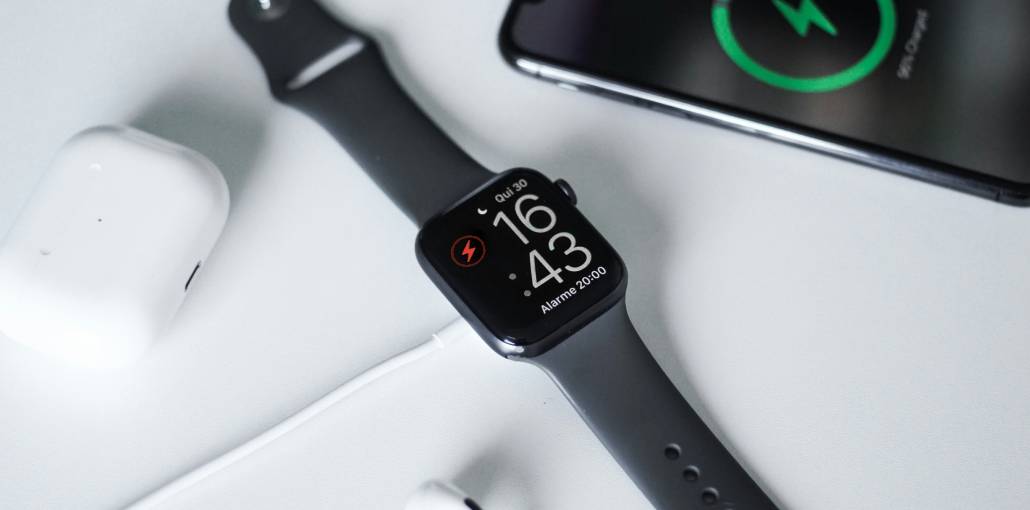
Sometimes, your Apple Watch won’t charge, or the green lightning bolt doesn’t appear when you place it on the charger. This can happen unexpectedly, and there could be several reasons behind it. It might be a loose charging cable, a dirty charging surface, or a software issue. If you’re unsure how to fix it, don’t worry! You’re in the right place.
In this guide, we’ll walk you through 10 simple and effective ways to fix Apple Watch not charging issues. Whether your watch is charging slowly, refusing to charge, or taking forever to turn on, these easy solutions can help. So, let’s get started and bring your Apple Watch back to life!
Why Is My Apple Watch Not Charging?
Before trying a solution, it helps to understand what may be stopping your watch from charging. If you’re wondering why is my Apple Watch not charging, here are some common reasons:
- The charging cable is not connected properly.
- Your watch is not placed correctly on the charger.
- Dust or dirt is blocking the charging surface.
- The power adapter or cable is damaged.
- Your Apple Watch is getting too hot.
- A software bug is affecting charging.
- The battery or charging hardware has a problem.
Sometimes, an Apple Watch charger not working can look like a problem with the watch itself. Try the following fixes one by one.
Also read: Why Is My iPhone Not Charging? 9 Easy Ways to Solve the Issue
10 Ways to Fix Apple Watch Not Charging
1. Check the Connection Between Cable and Power
If you’ve placed your Apple Watch on the magnetic charger but the lightning bolt doesn’t appear, check the connection between the charging cable and the power source. Your Apple Watch may not charge if the magnetic charging cable isn’t fully plugged into the USB power adapter or if the adapter isn’t securely connected to the wall outlet. This is one possible reason for Apple Watch not charging.
2. Reposition the Watch on the Charger
Your Apple Watch uses magnets to connect to its charger. If it is not placed correctly, charging may not start.
Remove your watch from the charging puck and place it back carefully. The magnets should pull it into the correct position.
Look at the screen for a green lightning bolt. This means your watch is charging. If you are using a protective case, remove it and try again. This may fix Apple Watch not charging if the case is blocking the connection.
3. Clean the Charger and Watch
Dirt or dust on your Apple Watch or charger can stop them from connecting properly, which may prevent your watch from charging. To fix this, use a slightly damp, soft cloth to gently clean the back of your Apple Watch and the magnetic charging puck. Also, remove any plastic protective coverings from the watch or charger, as they may interfere with the charging connection. Cleaning these surfaces may help if Apple Watch not charging is caused by dirt.
4. Use Another Charging Cable or Outlet
Sometimes, the problem may be with your charging cable or power outlet, not your Apple Watch. To find out, try using a friend’s charging cable and see if your watch starts charging. If it works, your original cable may be faulty and needs replacing. You can also plug the charger into a different wall outlet to check whether the power source is causing the problem. If your Apple Watch charger not working is the issue, trying another cable may help.
5. Check for Overheating
Did you leave your Apple Watch in direct sunlight or a hot room? High temperatures can affect charging.
Your watch may automatically pause charging when it gets too hot. This helps protect its battery from damage.
If your watch feels unusually warm, remove it from the charger and let it cool down naturally. Once it reaches a normal temperature, try charging it again. This can help resolve Apple Watch not charging caused by overheating.
6. Restart Your Apple Watch
If you think a software glitch is causing the charging problem, try force restarting your Apple Watch. Make sure your watch has some battery power left before doing this. To force restart it, press and hold the Digital Crown and side button together for at least 10 seconds. Release both buttons when the Apple logo appears on the screen. Restarting may help if Apple Watch not charging is caused by a temporary software issue.
7. Update watchOS
An older version of watchOS may have bugs that can be the reason for Apple Watch not charging. Updating your watch can help fix software problems and improve performance.
To check for an update:
- Open the Watch app on your iPhone.
- Tap General.
- Select Software Update.
- Download and install any available update.
You can also check directly on your watch by opening Settings > General > Software Update. Keep your watch on its charger and connected to Wi-Fi during the update.
8. Unpair Your Apple Watch
If your Apple Watch will not charge even after trying the previous fixes, you can try unpairing it from your iPhone.
Open the Watch app on your iPhone and tap All Watches. Select the information icon next to your watch and choose Unpair Apple Watch.
Follow the instructions on your screen. Your iPhone generally creates a backup before unpairing.
After that, pair your watch again and check whether the problem is fixed. This step may help if Apple Watch not charging is related to a software issue.
Also read: How to Charge Apple Watch Without Charger: 5 Easy and Safe Methods
9. Factory Reset Your Apple Watch
If nothing else works, a factory reset may help fix deeper software problems. However, remember that this will erase your personal data and settings from the watch.
To reset your Apple Watch:
- Open Settings on your watch.
- Tap General.
- Select Reset.
- Choose Erase All Content and Settings.
- Enter your passcode if needed.
- Confirm your decision.
Once the reset is complete, set up your watch again and check whether it charges normally. If your Apple Watch is not charging after the reset, the problem may be related to its hardware. Make sure you have a backup before doing this.
10. Contact Apple Support
If your Apple Watch still isn’t charging after trying everything, it’s time to contact Apple Support. Their team can help identify why your Apple Watch isn’t charging and suggest the right solution. You can also visit an Apple Authorised Service Provider to have a professional check your watch. They can help diagnose ongoing Apple Watch not charging problems.
Final Thoughts
An Apple Watch not charging can be frustrating, but the fix may be easier than you think! From checking the charger to restarting your watch, these 10 solutions can help get it working again. Try them today, and if nothing works, contact Apple Support to bring your Apple Watch back to life! These steps may also help with Apple Watch charging issues.
FAQs: Apple Watch Not Charging
Why is my Apple Watch not charging when connected to the charger?
Your Apple Watch may not charge because of a loose cable connection, dirty charging surface, faulty power adapter, or software glitch. Check the charging accessories, clean the back of your watch, and reposition it on the magnetic charger.
How long does it take to charge an Apple Watch?
Charging time depends on your Apple Watch model, battery level, and charging accessory. Newer models support faster charging when used with compatible charging equipment.
Does overheating affect Apple Watch charging?
Yes. Excessive heat can temporarily affect charging performance. Disconnect your watch, let it cool naturally, and keep it away from direct sunlight before trying to charge it again.
How do I know if my Apple Watch battery needs replacement?
Frequent shutdowns, unusually fast battery drain, reduced battery capacity, and persistent charging problems may indicate battery deterioration. Check Battery Health in Settings under Battery. If the battery requires service, contact Apple Support.







Leave a comment