

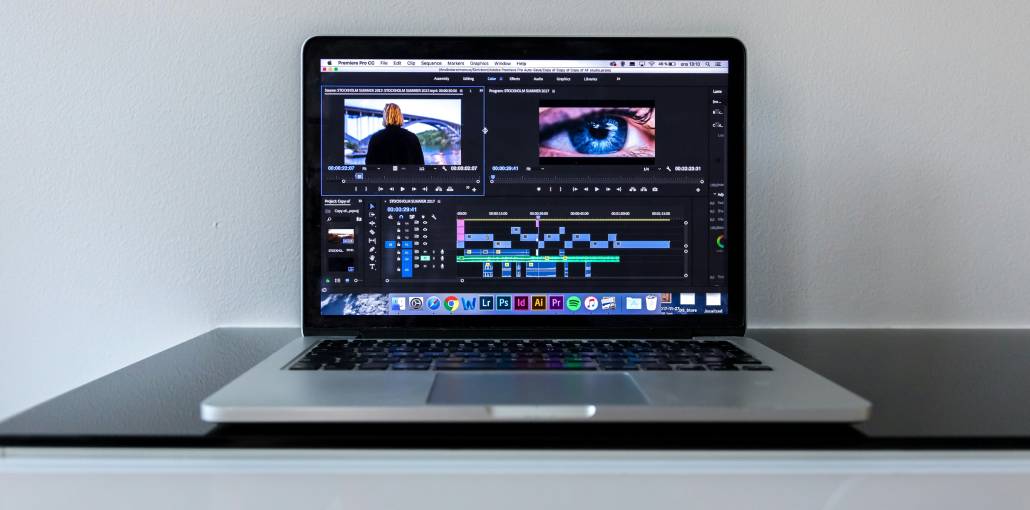
Whether you’re a professional content creator, a beginner, or someone who creates videos for work or personal use, choosing the right video editing software for Mac can make all the difference. From basic trimming and cutting to adding stunning effects, creative filters, animated titles, and smooth transitions, the right editing tool can turn ordinary footage into impressive videos. To help you find the perfect option, we’ve explored some of the best video editing software for Mac to suit different needs and skill levels. Take a look and choose the one that works best for you!
Let’s explore each option and find the right video editing software for Mac to suit your needs.
10 Best Video Editing Software for Mac
1. Filma – Best for Creative Video Editing
Filma is a promising video editing software for Mac that combines an interactive interface with a variety of creative editing tools. It is designed to help users create engaging videos without requiring extensive editing experience.
The software offers useful features such as green screen removal, video cropping, perspective adjustments, clip masking, and color grading. You can also enhance your footage using customizable filters and visual effects.
For more advanced projects, Filma supports multiple video, audio, and overlay tracks. This makes it possible to combine footage with text, images, stickers, emojis, and GIFs. Its built-in presets, templates, blend modes, and special effects can also help speed up your editing workflow.
Filma is particularly useful for creators interested in motion graphics and animation. It includes animation tools, visual simulations, transitions, face tracking, and motion tracking.
Key Features:
- Green screen removal and clip masking.
- Multiple video and audio tracks.
- Customizable filters and visual effects.
- Animation and motion tracking.
- Text, stickers, GIFs, and overlay support.
- Keyboard shortcuts for efficient editing.
Price: Free (In-app purchases start at $3.99).
Best For: Beginners and content creators looking for affordable video editing software for Mac.
Also read: Top 10 Video Frame Extractors to Capture Perfect Frames
2. Filmora – Best for Beginners and Content Creators
Filmora by Wondershare is a popular Mac video editing software known for its beginner-friendly interface and extensive collection of editing tools.
Its simple drag-and-drop functionality makes it easy to create videos without spending hours learning complicated editing techniques. The software also provides hundreds of visual effects and supports professional plugins such as Boris FX, NewBlue FX, and OpenFX.
Filmora includes several useful features, including speech-to-text conversion, speed ramping, automatic reframing, audio ducking, color correction, and video stabilization.
Its AI-powered tools can further simplify editing tasks. For example, the AI Portrait feature helps separate people from their backgrounds, allowing creators to achieve more polished visual results.
Although some advanced features may require additional purchases, Filmora offers a good balance between simplicity and functionality.
Key Features:
- Drag-and-drop editing interface.
- Extensive effects and transitions library.
- Speech-to-text functionality.
- AI-powered editing tools.
- Speed ramping and automatic reframing.
- Color correction and video stabilization.
Price: Free version available; paid plans and in-app purchases apply.
Best For: Beginners, YouTubers, vloggers, and social media content creators.
3. Apple Final Cut Pro – Best for Professional Mac Users
Apple Final Cut Pro is one of the most powerful video editing software for Mac options available. Developed by Apple, it is designed to deliver professional editing capabilities while taking advantage of macOS hardware optimization.
The software offers advanced editing tools, professional color grading, HDR support, and powerful media organization features. Its magnetic timeline makes arranging and managing clips easier, especially when working on complex projects.
Final Cut Pro also benefits from Apple’s Metal graphics technology, which helps improve rendering performance and supports demanding editing workflows.
It is particularly suitable for filmmakers, professional video editors, and content creators who regularly work with high-resolution footage. It is also an excellent option for those looking for professional video editing software for Mac.
Key Features:
- Advanced color grading.
- HDR video editing.
- Magnetic timeline.
- High-resolution video support.
- Professional audio and video editing tools.
- Optimized performance on Apple hardware.
Price: Approximately $299.99 (subject to regional pricing and changes).
Best For: Professional editors, filmmakers, and experienced Mac users.
4. Adobe Premiere Pro – Best for Professional Video Production
Adobe Premiere Pro is a widely used video editing software for Mac that offers a comprehensive set of tools for professional content production.
It supports demanding editing workflows, including high-resolution video and virtual reality projects. Its flexible timeline and extensive editing capabilities make it suitable for everything from social media videos to commercial productions and feature films.
One of its biggest advantages is its integration with other Adobe applications. You can work with Photoshop for graphics, After Effects for motion graphics, and Adobe Audition for audio editing.
Premiere Pro also includes AI-powered features that help simplify tasks such as transcription, captioning, and editing.
Key Features:
- Professional timeline editing.
- High-resolution video support.
- Advanced audio and color tools.
- Integration with Adobe Creative Cloud.
- AI-assisted editing features.
- Support for professional production workflows.
Price: Subscription-based, with pricing depending on the selected plan and region.
Best For: Professional video editors, filmmakers, agencies, and production teams.
5. Movavi Video Editor Plus – Best for Quick and Easy Editing
Movavi Video Editor Plus is designed for users who want to create attractive videos without dealing with complicated editing workflows.
Its straightforward interface makes it easy to cut, trim, merge, and rearrange video clips. You can also use its Chroma Key feature to replace backgrounds and create more creative video compositions.
The software includes animation tools, brightness and saturation adjustments, audio editing options, and a built-in collection of creative assets.
Users can also access music, backgrounds, titles, transitions, and stickers to enhance their projects.
Movavi is a practical choice for creating presentations, personal videos, tutorials, and social media content.
Key Features:
- Easy video trimming and cropping.
- Chroma Key background replacement.
- Built-in effects and transitions.
- Animated titles and stickers.
- Audio editing tools.
- Slideshow creation.
Price: Free trial or limited free access may be available; paid plans apply.
Best For: Best video editing software for Macbook Beginners, students, and casual video creators.
6. iMovie – Best Free Video Editor for Mac
iMovie is Apple’s free video editing software for Mac, making it an excellent starting point for anyone new to video editing. It is also suitable video editing software for Mac beginners.
Its clean interface allows users to create videos by simply arranging clips, adding transitions, and applying basic effects. It also supports 4K video editing, making it suitable for producing high-quality personal and social media videos.
One of iMovie’s biggest advantages is its integration with Apple’s ecosystem. You can begin editing a project on your Mac and continue working on a compatible iPhone or iPad.
The application also includes animated titles, cinematic filters, built-in sound effects, and voiceover recording.
Although it does not offer the advanced capabilities of professional editing software, iMovie is more than sufficient for everyday editing tasks.
Key Features:
- Free video editing.
- 4K video support.
- Animated titles and transitions.
- Built-in sound effects.
- Voiceover recording.
- Integration with Apple devices.
Price: Free.
Best For: Beginners, students, and casual Mac users.
7. VideoProc Vlogger – Best Free Video Editor for Vloggers
VideoProc Vlogger is a free video editing software for Mac that provides a range of creative tools for users who want to produce cinematic-looking videos without investing in expensive software.
It includes more than 60 transition presets, picture-in-picture editing, green screen support, and advanced speed controls.
One of its standout features is speed ramping, which allows users to create smooth slow-motion and fast-motion effects. It also offers motion editing, color grading, and audio adjustment tools.
The software includes several presets that help beginners get started quickly. More experienced users can customize these settings to achieve their preferred editing style.
Key Features:
- More than 60 transition presets.
- Speed ramping and motion editing.
- Picture-in-picture functionality.
- Green screen support.
- Color grading.
- Audio editing tools.
Price: Free.
Best For: Vloggers, beginners, travel creators, and budget-conscious editors.
8. Adobe Premiere Elements – Best for Automated Video Editing
Adobe Premiere Elements is designed for users who want to create polished videos without mastering complex editing techniques.
It offers guided editing features that help users complete common video editing tasks step by step. Its automated tools can organize footage, apply creative effects, and simplify the editing process.
The software also includes tools for creating time-lapse videos, adjusting video compositions, and working with different aspect ratios.
Its intelligent editing features make it a convenient option for people who want to spend less time on technical adjustments and more time creating content.
Key Features:
- Guided editing tutorials.
- Automated video organization.
- Creative video effects.
- Time-lapse video creation.
- Multiple aspect ratio support.
- Beginner-friendly interface.
Price: Paid license; pricing varies by region and version.
Best For: Beginners, families, and casual video creators.
Also read: 7 Best Video Watermark Removers for 2025 (No More Watermarks)
9. Lightworks – Best for Flexible Video Editing
Lightworks is a video editing software for Mac that combines a relatively straightforward interface with professional editing capabilities.
It provides a flexible timeline, visual effects, transitions, and access to royalty-free media resources. Its editing environment is designed to support both simple projects and more advanced video production.
The application also includes tutorial resources that help new users understand its tools and editing workflow.
Lightworks supports multiple export options, although available resolutions and formats may depend on the selected subscription plan.
Key Features:
- Flexible timeline editing.
- Visual effects and transitions.
- Royalty-free media resources.
- Multiple export options.
- Video editing tutorials.
- Professional editing workflow.
Price: Free version available; paid Pro plans apply.
Best For: Beginners and intermediate video editors.
10. Capto – Best for Screen Recording and Video Editing
Capto is a Mac application that combines screen recording, screenshot capture, and basic video editing tools. It can be a useful video editor for MacBook users.
It is especially useful for creating software tutorials, educational videos, presentations, and product demonstrations.
The application allows users to record their entire screen or select a specific area. It also supports audio recording, making it easier to create instructional videos with voiceovers.
After recording, users can trim, cut, combine, and arrange clips. Images can also be added to make tutorials and presentations more informative.
Its simple workflow makes it convenient for people who regularly need to capture and edit screen content.
Key Features:
- Full-screen and selected-area recording.
- Audio and voice recording.
- Video trimming and cutting.
- Clip merging and arrangement.
- Image integration.
- Screen capture tools.
Price: Paid application; pricing and available plans may vary.
Best For: Teachers, trainers, software reviewers, and tutorial creators.
Final Thoughts
These are some of the best video editing software for Mac options, offering a wide range of features, including 8K video editing, VR playback, automatic clip arrangement, advanced audio tools, and impressive visual effects. With Apple’s powerful hardware and well-optimized macOS, MacBooks provide a smooth and reliable editing experience, making them an excellent choice for content creators and video professionals.
So, which of these Mac video editing tools did you like the most, and which one are you planning to try? Share your thoughts and experiences in the comments section below!
FAQs: video editing software for Mac
What is the best video editing software for Mac?
Apple Final Cut Pro is one of the best video editing software for Mac users who need professional editing tools. Filmora and iMovie are also excellent options for beginners and casual creators.
Which video editing software for Mac is free?
iMovie and VideoProc Vlogger are popular free video editing options for Mac. Both offer useful editing tools for creating personal videos, vlogs, and social media content.
Is Final Cut Pro better than Adobe Premiere Pro for Mac?
Both offer professional editing capabilities. Final Cut Pro is optimized for Apple's ecosystem, while Premiere Pro offers excellent integration with Adobe applications such as After Effects and Photoshop.
What should I look for when choosing video editing software for Mac?
Consider ease of use, editing features, supported video formats, export quality, performance, pricing, and compatibility with your macOS version.






Leave a comment