

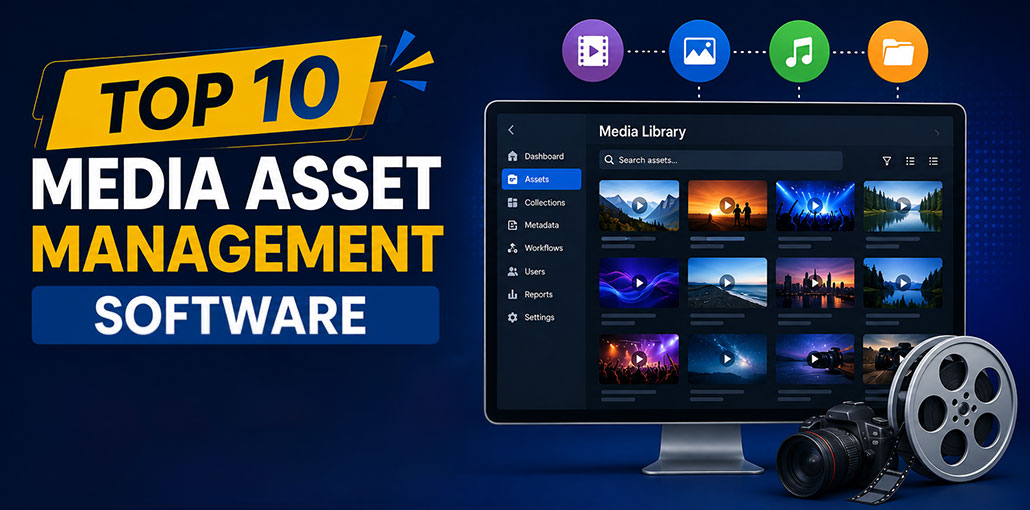
Do not confuse it with digital Asset Management Software (DAM) or media asset management (MAM) software, which assists media production teams in storing, managing, and accessing rich media digital assets effectively.
In particular, MAM software is used by teams and companies that handle multimedia files, including vocal tracks, video clips, animation, MP4 files, and more. These technologies are crucial for optimizing complex media production workflows and allow teams to manage large media libraries from a single central source. Companies can dramatically transform their media production workflows with the technology capabilities of specific media asset management software.
What Is Media Asset Management Software?
Media asset management software is a specialized system for storing, organizing, finding, managing, and distributing large collections of media files.
MAM platforms are commonly used by:
- Film and video production companies
- Broadcasters and news organizations
- Sports media teams
- Post-production studios
- Advertising and creative agencies
- Corporate video departments
- Streaming and entertainment companies
- Organizations managing large video libraries
A modern MAM system can help teams manage everything from raw footage and audio recordings to edited video, proxies, metadata, and finished content.
Best Media Asset Management Software Comparison Table
| Media Asset Management Software | Deployment | Best For | Key Features | Free Trial |
|---|---|---|---|---|
| Evolphin Zoom | Cloud & On-Premise | Enterprise creative teams | AI metadata, workflow automation, version control, Adobe integration | Contact Sales |
| iconik | Cloud & Hybrid | Remote production teams | Cloud collaboration, metadata search, proxy viewing, hybrid storage | Yes |
| IPV Curator | On-Premise & Hybrid | Broadcasters & video production | Video cataloging, metadata management, workflow automation | Contact Sales |
| CatDV | Cloud, Hybrid & On-Premise | Production studios | Asset cataloging, workflow automation, advanced search, metadata | Contact Sales |
| Tedial | Enterprise | Media enterprises | Media supply chain, workflow automation, archive management | Contact Sales |
| Mimir | Cloud | Distributed video teams | Cloud media library, AI search, collaboration, remote access | Contact Sales |
| Etere | On-Premise | Broadcast networks | Broadcast automation, media archiving, scheduling, asset management | Contact Sales |
| Dalet Galaxy | Enterprise | Newsrooms & broadcasters | Media ingest, newsroom workflow, production & asset management | Contact Sales |
| VidiCore by Vidispine | API-First / Hybrid | Developers & Enterprises | Custom MAM platform, REST API, metadata management, workflow integration | Contact Sales |
| Sony Ci | Cloud | Creative agencies & remote teams | Secure media sharing, cloud collaboration, review & approval | Yes |
10 Best Media Asset Management Software (Detailed Reviews)
1. Evolphin Zoom
Evolphin Zoom is an enterprise media asset management platform designed to help creative and media teams manage large collections of rich media assets.
The platform supports media-heavy workflows and provides tools for organizing, searching, versioning, reviewing, and collaborating on content. Its integrations with professional creative applications can help teams manage assets without completely disrupting existing production workflows.
Evolphin Zoom is particularly useful for organizations that need centralized control over large media libraries while supporting distributed creative teams.
Pros
- Strong media asset management capabilities
- Supports complex creative workflows
- Collaboration and version control
- Integrations with professional creative tools
Cons
- May be more than smaller teams need
- Pricing is not publicly transparent
- Enterprise features can require additional configuration
Best for: Enterprise creative teams, agencies, and organizations with complex media production workflows.
Also read: Top 10 Video Content Creation Tools
2. iconik
iconik is a cloud-based media asset management platform designed for teams that need to manage media across cloud and on-premises storage environments.
One of its notable capabilities is its approach to hybrid media management. Organizations can connect existing storage infrastructure while using iconik to catalog and search their media library.
Teams can also use collaboration and review capabilities to involve stakeholders in production workflows without requiring everyone to work from the same physical location.
Pros
- Strong cloud and hybrid-storage capabilities
- Good search and metadata management
- Supports distributed teams
- Useful collaboration and sharing features
Cons
- Advanced workflows can require setup
- Costs can increase with usage and scale
- Some organizations may need additional integrations
Best for: Distributed production teams and organizations managing media across multiple storage locations.
3. IPV Curator
IPV Curator is a media asset management solution focused on professional video workflows and media production environments.
The platform helps teams organize and catalog video content while making media easier to discover and reuse. It can support workflows involving production, post-production, content management, and distribution.
For organizations working with large video libraries, centralized media organization and metadata can make it easier to locate the right footage and reduce unnecessary duplication.
Pros
- Designed specifically around professional media workflows
- Strong media cataloging and metadata capabilities
- Useful for video production environments
- Supports content discovery and workflow management
Cons
- Primarily suited to professional media organizations
- May require implementation support
- Pricing is generally quote-based
Best for: Video production organizations, broadcasters, and teams managing extensive video libraries.
4. CatDV
CatDV is a professional media asset management platform designed for organizations working with video and other media content.
The platform provides tools for cataloging media, managing metadata, searching content, and supporting production workflows. By creating a searchable catalog of media, CatDV can help teams find existing footage without manually browsing through large numbers of files.
CatDV is also designed to work with professional production environments, making it suitable for teams that need media management alongside existing production systems.
Pros
- Powerful media cataloging
- Strong metadata and search capabilities
- Suitable for production and broadcast workflows
- Supports workflow automation
Cons
- Can have a learning curve for advanced features
- Configuration may require technical expertise
- Pricing depends on deployment and requirements
Best for: Production companies, broadcasters, post-production teams, and media archives.
5. Tedial
Tedial combines media asset management with workflow automation and media supply-chain capabilities.
The platform is designed for media organizations that need to manage content across multiple stages of production and distribution. Its workflow capabilities can help automate repetitive processes and connect different systems involved in the media lifecycle.
This makes Tedial particularly relevant to larger organizations where media management involves complex processes, multiple departments, and numerous integrations.
Pros
- Strong workflow automation
- Designed for complex media supply chains
- Enterprise-level scalability
- Supports media orchestration and integrations
Cons
- Better suited to larger organizations
- Implementation can be complex
- Pricing is not typically transparent
Best for: Broadcasters, media companies, and enterprises with complex content supply chains.
6. Mimir
Mimir is a cloud-native media asset management platform designed for modern video teams.
The platform focuses on making media accessible to distributed teams while supporting workflows such as media organization, collaboration, search, and content management.
Cloud-based MAM systems can be particularly useful for teams that need to access media from different locations without relying entirely on traditional on-premises infrastructure.
Pros
- Cloud-focused media management
- Supports remote production teams
- Useful search and media organization capabilities
- Designed for modern distributed workflows
Cons
- Cloud-centric approach may not suit every organization
- Advanced workflows may require configuration
- Pricing can depend on usage and requirements
Best for: Distributed video teams, production companies, and organizations adopting cloud-based media workflows.
7. Etere
Etere provides media management and workflow solutions for broadcast and media organizations.
Its capabilities are designed around environments where large amounts of broadcast content need to be managed across production, storage, scheduling, and distribution processes.
Etere can be particularly relevant to broadcasters looking for a broader media workflow environment rather than a basic file management system.
Pros
- Strong broadcast-oriented capabilities
- Supports media archiving and workflows
- Suitable for large media operations
- Integrates media management with broadcast processes
Cons
- More complex than basic media libraries
- Primarily aimed at professional broadcast environments
- Implementation may require specialist expertise
Best for: Broadcasters, television networks, and media organizations with complex broadcast workflows.
8. Dalet Galaxy
Dalet Galaxy is a media workflow and asset management platform designed for broadcast, news, sports, and other media-intensive organizations.
The platform supports workflows that involve ingesting, organizing, managing, editing, producing, and distributing media content.
Its focus on broadcast environments makes it a strong option for organizations that need media asset management integrated with broader newsroom and production workflows.
Pros
- Strong for news and broadcast workflows
- Supports media ingest and management
- Production and distribution capabilities
- Suitable for large media organizations
Cons
- Can be complex for smaller teams
- Enterprise-oriented platform
- Pricing and implementation typically require a vendor consultation
Best for: News organizations, broadcasters, sports media companies, and large media operations.
9. VidiCore by Vidispine
VidiCore by Vidispine takes a different approach to media asset management. Rather than being only a traditional end-user MAM application, it provides technology that organizations can use to build customized media management and workflow solutions.
This makes it useful for businesses that need to integrate media asset management into their existing content supply chain or build a more customized media platform.
Organizations with strong technical resources can use VidiCore to create workflows tailored to their specific media operations.
Pros
- Highly customizable
- API-first approach
- Suitable for building custom MAM solutions
- Strong integration possibilities
Cons
- Requires technical development resources
- Not necessarily a plug-and-play MAM application
- Custom development can increase implementation costs
Best for: Enterprises and technology teams building customized media management solutions.
Also read: Best Projection Mapping Software in 2026: 7 Free and Paid Options
10. Sony Ci
Sony Ci is a cloud-based media production and collaboration platform designed to help teams manage media workflows remotely.
Cloud-based collaboration is especially useful for modern production teams working across different locations. By providing centralized access to media, teams can share content and collaborate without depending entirely on physical media storage.
Sony Ci is suited to organizations looking for cloud-based tools to support production and media collaboration.
Pros
- Cloud-based media collaboration
- Supports remote teams
- Easy media sharing and review workflows
- Useful for distributed production environments
Cons
- Cloud-based model may not suit every workflow
- Advanced requirements may need additional integrations
- Pricing can depend on storage and usage
Best for: Creative teams, video producers, agencies, and distributed production organizations.
Key Criteria for Choosing MAM Software
There are a variety of MAM software options on the present market. Make sure you are aware of the features of your options in relation to specific requirements:
Features
The first step is to identify the issues your business is experiencing. Next, determine the essential features that can solve them. Finally, pick a MAM solution that provides these. The main function of the chosen MAM program is to help you manage your team’s inefficiencies; therefore, selecting a program with the appropriate features can aid you in this.
Cost
MAMs can be more costly than DAMs. Make a list of your qualified MAMs and then compare the costs of the solutions you have selected. Pick one that has a balanced cost with the features you want.
Customer Support
MAMs typically have a longer deployment cycle than a traditional DAM. Make sure the MAM has an efficient customer service system to help you resolve any workflow and technical problems you may encounter during rollout.
Proof of Concept
Deciding to invest in a new program for your team may be costly, so MAM software with an option to test concepts will allow you to try test before committing.
Configuration
Make sure that the prospective MAM software can be customized using built-in configuration options to suit your specific business requirements. The software must be flexible and effective in managing video and media files as part of your workflow, without the need for any additional software development from the system integrator you have chosen.
Final Thoughts
The best media asset management software depends on your organization’s media workflows, content volume, production environment, collaboration requirements, and technical infrastructure.
Evolphin Zoom, iconik, IPV Curator, CatDV, Tedial, Mimir, Etere, Dalet Galaxy, VidiCore by Vidispine, and Sony Ci each take different approaches to media management and production workflows.
FAQs About Media Asset Management Software
What is the difference between DAM and MAM?
Digital Asset Management (DAM) software manages general digital assets like images, documents, and marketing files, while Media Asset Management (MAM) software is specifically designed for managing rich media such as video, audio, and production workflows.
Is cloud-based MAM better than on-premise?
Cloud-based MAM offers easier collaboration, remote access, and reduced infrastructure costs, while on-premise solutions provide greater control, security, and customization for enterprise environments.
Can MAM software support video editing workflows?
Yes. Many media asset management platforms integrate with professional video editing and production tools, allowing teams to locate, access, review, and manage media without disrupting their existing workflows.
What should businesses consider before buying MAM software?
Businesses should evaluate media formats, storage requirements, search and metadata capabilities, integrations, workflow automation, collaboration, security, scalability, deployment options, customer support, and total cost.








Leave a comment