

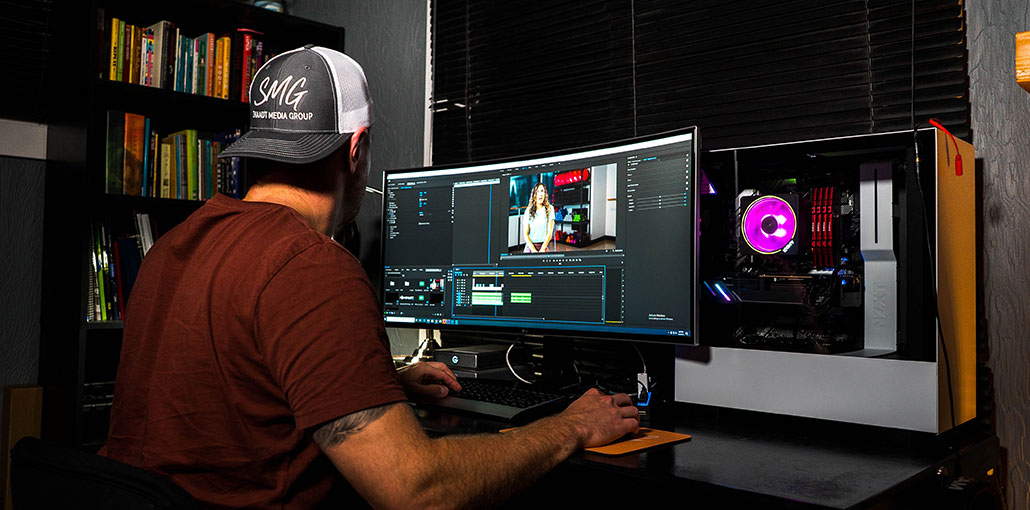
Video content creation is now the trend because it holds viewers’ attention longer than written or visual content does. If you are a beginner and not accustomed to video editing, obtaining free video editing software for beginners might be difficult.
We have listed 10 video editing software for beginners in this blog, explained each one’s key features, advantages, and drawbacks to help you find the best option for you.
Quick Comparison
| Video Editing Software | Best For | Platform | Beginner Friendly | Free Version |
|---|---|---|---|---|
| Filmora | Beginners & advanced editing | Windows, Mac | ⭐⭐⭐⭐⭐ | Yes |
| iMovie | Apple users | Mac, iPhone, iPad | ⭐⭐⭐⭐⭐ | Yes |
| Clipchamp | Simple online editing | Web, Windows | ⭐⭐⭐⭐⭐ | Yes |
| VSDC Free Video Editor | Free desktop editing | Windows | ⭐⭐⭐⭐ | Yes |
| CapCut | Social media videos | Web, Windows, Mac, Mobile | ⭐⭐⭐⭐⭐ | Yes |
| Quik | Quick video creation | Mobile, Desktop | ⭐⭐⭐⭐⭐ | Yes |
| Kapwing | Online video editing | Web | ⭐⭐⭐⭐⭐ | Yes |
| FlexClip | Templates & quick videos | Web | ⭐⭐⭐⭐⭐ | Yes |
| 123Apps Video Editor | Basic video editing | Web | ⭐⭐⭐⭐⭐ | Yes |
| Hippo Video | Tutorials & screen recording | Web | ⭐⭐⭐⭐ | Yes |
How We Selected the Best Video Editing Software for Beginners
We selected this video editing software for beginners based on the features that matter most to new editors. We looked at ease of use, editing features, free options, platform support, templates, export options, and overall value.
We considered the following factors:
- Ease of Use: Is the interface simple for beginners?
- Editing Features: Does it include trimming, transitions, text, audio, and effects?
- Free Options: Can beginners start without paying?
- Platform Support: Does it work on Windows, Mac, mobile, or web?
- Templates & Effects: Does it make creating videos easier?
- Export Options: Does it support common video formats and resolutions?
- Overall Value: Does it provide useful features for its price?
Top 10 Video Editing Software for Beginners
1. Filmora
Filmora is a beginner-friendly video editing software for beginners users looking for professional-looking results without an intimidating user interface. With its drag-and-drop workflow, trimming clips, adding transitions, and inserting text or effects is quick and seamless.
Key Features
- Drag-and-drop video editing
- AI-powered editing tools
- Effects, transitions, and filters
- Ready-made templates
- Audio and text editing
Pros
- Very easy for beginners
- Modern and intuitive interface
- Large effects and template library
- Offers advanced editing capabilities
Cons
- Free version may include a watermark
- Some features require a paid plan
- Can require more system resources than basic editors
Also read: Top 10 Green Screen Software for Video Editing
2. Apple iMovie
Apple iMovie is a video editing software for beginners. It is already installed on Mac devices. It has an intuitive interface, which makes it easy to use.
- Key Features
- Drag-and-drop editing
- Built-in transitions and effects
- Movie trailers and templates
- Audio and music editing
- 4K video support
Pros
- Easy for beginners
- Simple interface
- Convenient for Apple users
- Works across supported Apple devices
Cons
- Limited to Apple’s ecosystem
- Fewer advanced controls
- Less suitable for complex professional projects
3. Clipchamp
Clipchamp offers an online free video editor for beginners. Clipchamp can be used to create short videos for social media, advertising videos, and presentations. It is a feature that lets teams work together and edit video projects.
Key Features
- Browser-based video editing
- Ready-made templates
- Stock videos and audio
- Screen and webcam recording
- Text, transitions, and filters
Pros
- Easy for beginners
- Simple online workflow
- Useful templates
- Convenient for Windows users
Cons
- Some features require a paid plan
- Advanced editing controls are limited
- Performance can depend on your browser and computer
4. VSDC Free Video Editor
VSDC Free Video Editor is Windows-based video editing software without a subscription for its core version. Although its user-friendly interface may take time to get used to and offers trimming, transitions, effects, text, and basic color adjustments with greater control – perfect for users seeking free video editing software for beginners!
Key Features
- Non-linear video editing
- Video and audio effects
- Color correction tools
- Masking and blending
- Multiple format support
Pros
- Free version available
- Supports many formats
- Provides advanced editing controls
- Useful for desktop video editing
Cons
- Interface can take time to learn
- Windows-only
- Some advanced capabilities are available only in the Pro version
5. CapCut
CapCut is a free video editing software for beginners suitable for TikTok content creators. It was previously named Viamaker. CapCut is simple to use even for beginners and creates stunning videos by automatically cutting, reordering, or merging video recordings.
Key Features
- Automatic captions
- Ready-made templates
- AI-assisted editing tools
- Effects and transitions
- Mobile, desktop, and web editing
Pros
- Easy to learn
- Excellent for social media content
- Many templates and effects
- Available on multiple platforms
Cons
- Some features are premium
- Particularly focused on short-form content
- Feature availability can vary by region
Also read: 7 Best CapCut Alternatives for Video Editing
6. Quik
Quik is a free video editor designed for beginners, developed by GoPro. Quik can be described as an automatic video maker that blends videos, images, and music using several options.
Key Features
- Automatic video creation
- Music synchronization
- GoPro media integration
- Basic trimming and editing
- Templates and preset styles
Pros
- Very beginner-friendly
- Fast editing workflow
- Great for action-camera footage
- Reduces manual editing
Cons
- Less control than professional editors
- Better suited to quick edits
- Some features may require a subscription
7. Kapwing
Kapwing is a free online video editing software for beginners. The video editor was created for people who make, edit, and add subtitles to video content. Kapwing allows you to transform MP4 videos to any format and upload the edited file to the cloud.
Key Features
- Online video editing
- Automatic subtitles
- Video resizing
- Templates and media assets
- Collaborative editing
Pros
- No traditional desktop installation required
- Easy-to-use interface
- Useful for social media content
- Collaboration features
Cons
- Free plan has limitations
- Internet connection is required
- Some advanced features require payment
8. FlexClip
Flexclip is an online video editor and creator with the essential editing tools. FlexClip comes with a wide range of templates and presets to help you make videos in a short time. It is possible to create your own video from scratch, use templates, or save previously saved videos.
Key Features
- Video templates
- Stock videos and images
- AI video tools
- Text animations
- Music and transition effects
Pros
- Beginner-friendly interface
- Large template collection
- Useful stock media
- Browser-based editing
Cons
- Free plan has restrictions
- Advanced features require paid plans
- Online editing requires a stable connection
9. Online Video Cutter
The Online Video Cutter is an online video editor to edit videos. It is primarily used to trim videos into desirable dimensions. Video cutter online is a 123 programs that allow you to edit and convert various file formats. The video editor lets you cut, crop, and rotate videos. It also allows you to resize, rotate, and trim them.
Key Features
- Video trimming and cutting
- Video merging
- Cropping and resizing
- Video rotation
- Browser-based editing
Pros
- Simple to use
- No traditional software installation
- Useful for basic editing
- Good for quick projects
Cons
- Limited advanced features
- Not designed for complex productions
- Browser-based workflow has limitations
Also read: 10 Best Photo Editing Software for Beginners and Experts
10. Hippo Video
Hippo Video is another free online video editing software for beginners. Compatible with Macs, PCs, Android devices, iPhones, and iPads. Hippo is a complete platform for creating, recording, and editing videos across digital platforms.
- Key Features
- Screen recording
- Webcam recording
- Video editing
- Text and branding tools
- Video sharing and hosting
Pros
- Beginner-friendly
- Combines recording and editing
- Useful for educational and business videos
- Online workflow
Cons
- Some features require a paid plan
- Not designed for advanced cinematic editing
- Internet access is required
What Features Should Beginners Look For?
When researching video editing software for beginners, pay special attention to features that facilitate editing rather than selecting software with more tools than its peers.
Important features include:
Easy Interface
A clean interface makes it easier to find editing tools and understand the timeline.
Templates
Templates can help beginners create professional-looking videos without building every element manually.
Drag-and-Drop Editing
Drag-and-drop functionality makes it easier to move clips, images, music, text, and effects into a project.
Transitions and Effects
Basic transitions and effects can make videos smoother and more engaging.
Text and Captions
Titles, subtitles, and captions are essential for tutorials, social media videos, and other content.
Audio Editing
Good video editors should allow users to adjust music, voiceovers, sound effects, and volume levels.
Export Options
Check whether the software supports the resolution, file formats, and aspect ratios you need.
Final Thoughts on Video Editing Software for Beginners
Selecting an easy Video Editing Software for Beginners can make learning video editing much more straightforward. Find something suitable for your device, budget, and needs. Start with basic features like trimming, transitions, text, and music. With practice comes rapid improvement in your skills and the ability to create better videos.
FAQs: Video Editing Software for Beginners
What is the best video editing software for beginners?
The best option depends on your device and editing goals. Filmora, iMovie, Clipchamp, and CapCut are among the easier options for beginners because they provide accessible interfaces and straightforward editing workflows.
Which video editor is best for YouTube beginners?
Filmora, iMovie, and Clipchamp can be useful for YouTube beginners. The best choice depends on your device, budget, and the type of videos you plan to create.
What should beginners learn first in video editing?
Beginners should first learn how to import media, organize clips, trim and cut footage, add transitions, edit audio, insert text, use basic effects, and export a finished video.
Is free video editing software good enough for beginners?
Yes. Free software can be more than enough to learn basic editing and create simple videos. Beginners can start with free tools and move to paid software when they need additional features.





Leave a comment