

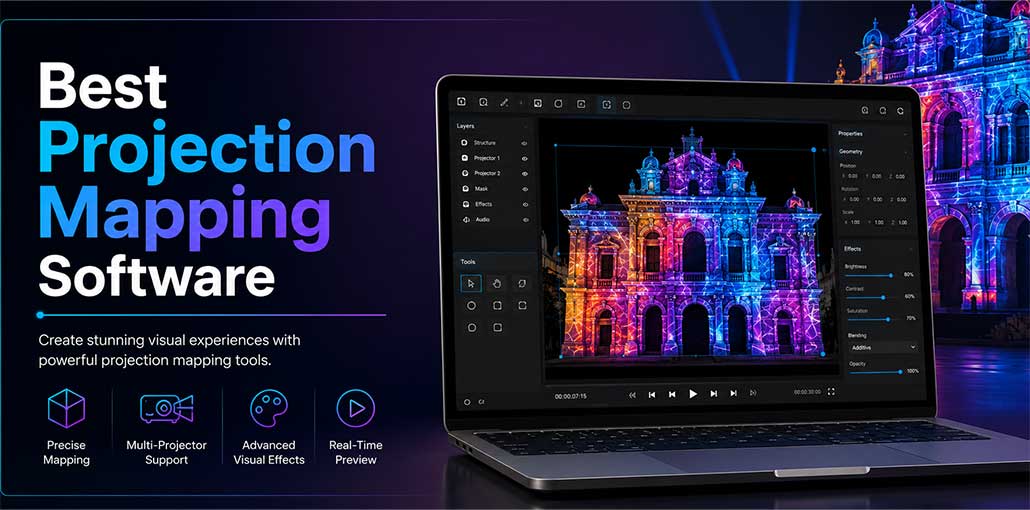
Video mapping is an ideal choice if you are looking to add a unique aspect to your next event. However, to ensure that the visuals are compatible with your intended surfaces and display correctly, you’ll need to find the ideal projection mapping software for your needs.
With so many projection mapping software options, finding the right projection mapping software may prove challenging. To help make your decision easy, we have selected seven of the best tools on the market – each providing its own specific set of advantages, features, and limitations. Take some time to compare pros and cons to find the projection mapping software that aligns with your needs.
Best Projection Mapping Software Compared
| Projection Mapping Software | Best For | Starting Price | Multi-Projector Support | 3D Mapping |
|---|---|---|---|---|
| MadMapper | Professional productions and architectural mapping | $399 | Yes | Yes |
| HeavyM | Beginners, events, and exhibitions | $259 | Yes | Limited |
| Resolume Arena | Concerts and live performances | $899 | Yes | Yes |
| Isadora | Interactive installations and theater productions | Free / $150 per year | Yes | Yes |
| TouchDesigner | Interactive experiences and digital art | Free for learning / $600 commercial | Yes | Yes |
| Mapping Matter | Architectural visualization and planning | $99/month | Yes | Yes |
| MapMap | Students, artists, and small projects | Free | Limited | Basic |
Best Projection Mapping Software in 2026
1. MadMapper
MadMapper remains one of the most powerful and widely used projection mapping software solutions available today. It is designed for professional creators who need flexibility and precision for complex projects.
The software supports unlimited video mapping surfaces and allows users to work with multiple projectors simultaneously. Real-time adjustments make it ideal for live productions where last-minute changes are common.
Key Features
- Ultra-fast video playback
- Multi-projector support
- Audio input compatibility
- Bezier masking and mesh warping
- 3D calibration and space scanning
- MiniMad hardware integration
Pros
- Highly customizable interface
- Excellent real-time controls
- Large user community
- Frequent software updates
Cons
- Steep learning curve
- Interface can feel overwhelming for beginners
Also read: Top 10 3D Modeling Software
2. HeavyM
HeavyM is one of the easiest projection mapping software solutions for beginners and event professionals. Its drag-and-drop interface and extensive visual effects library allow users to create impressive visual experiences without technical expertise. Built-in music synchronization automatically reacts to sound, making it perfect for concerts, exhibitions, and corporate events. HeavyM balances simplicity and performance, helping users create professional projections quickly and efficiently.
Key Features
- User-friendly drawing tools
- Built-in visual effects library
- Automatic music synchronization
- Multi-projection support
- Edge blending technology
Pros
- Simple and intuitive interface
- Fast setup process
- Excellent audio-reactive effects
- Compatible with most projectors
Cons
- Demo version cannot save projects
3. Resolume Arena
Resolume Arena is a popular video mapping software for DJs, concerts, festivals, and live performances that require real-time visual control. Users can manipulate videos like musical instruments by adjusting speed, direction, and synchronization with audio. The software includes advanced effects, edge blending, and multi-screen support for immersive experiences. Its high-performance rendering engine makes it a reliable solution for demanding live production environments.
Key Features
- Advanced audio and video effects
- Real-time rendering
- Edge blending support
- Audio analysis tools
- Third-party plugin compatibility
Pros
- Excellent performance during live events
- Easy-to-use interface
- Powerful visual controls
- Fast rendering speeds
Cons
- Premium pricing
- Limited use cases outside live performances
4. Isadora
Isadora combines projection mapping, media playback, motion tracking, and visual programming in a single platform. It supports interactive installations, theater productions, and educational projects that require audience engagement. Users can create dynamic visual experiences using drag-and-drop controls and multiple video layers. Its free version provides valuable features for beginners, while the premium edition unlocks advanced tools for professional productions and performances.
Key Features
- Multiple HD and 4K playback channels
- Unlimited video layers
- Motion tracking support
- Drag-and-drop media management
- Built-in projection mapping tools
Pros
- Beginner-friendly interface
- Real-time performance controls
- Supports interactive installations
- Free version available
Cons
- Advanced features require paid subscription
- Large projects may affect performance
5. TouchDesigner
TouchDesigner is a advanced projection mapping and visual programming software built for creative experimentation and interactive experiences. It offers real-time 3D rendering, custom component creation, and seamless integration with external applications and hardware. Artists, developers, and designers use it for immersive installations, digital exhibitions, and complex multimedia projects. Although it requires technical knowledge, its flexibility makes it one of the industry’s most powerful tools.
Key Features
- High-performance playback engine
- HD and 4K support
- Real-time 3D visualization
- Custom component creation
- Integration with external applications
Pros
- Extremely flexible platform
- Excellent third-party compatibility
- Powerful visual programming tools
- Suitable for large projects
Cons
- Requires technical expertise
- Learning curve can be challenging
6. Mapping Matter
Mapping Matter is a cloud-based video mapping projection software designed for architects, designers, and event planners who need accurate visual simulations. Users can create 3D projection studies directly in their web browser without installing software. Features such as brightness analysis, texture mapping, and automated documentation simplify project planning and client presentations. Its browser-based workflow improves collaboration and speeds up the design process significantly.
Key Features
- Cloud-based workflow
- Advanced 3D simulations
- Brightness analysis tools
- PDF documentation generation
- Extensive effects library
Pros
- No installation required
- Easy-to-use interface
- Fast client presentation creation
- Efficient project validation tools
Cons
- Limited 3D modeling functionality
Also read: Top 10 Lyric Video Makers to Create Music Videos in 2025
7. MapMap
MapMap is an open-source and free projection mapping software created for artists, educators, and small creative teams. It supports videos, images, and animated GIFs while providing simple mapping tools for shapes and surfaces. The lightweight interface allows new users to learn quickly and start creating projects within minutes. MapMap is an excellent choice for experimentation, educational purposes, and budget-friendly projection mapping projects.
Key Features
- Supports video, images, and GIF files
- Mesh and shape mapping
- Open-source platform
- Easy-to-use controls
Pros
- Completely free
- Fast learning process
- Ideal for beginners
- Supports multiple media formats
Cons
- Fewer advanced features compared to premium solutions
How to Choose the Best Projection Mapping Software
When selecting projection mapping software, consider the following factors:
- Ease of use and learning curve
- Multi-projector support
- Real-time editing capabilities
- Audio synchronization features
- Budget and licensing model
- Compatibility with your hardware setup
Beginners may prefer HeavyM or MapMap, while professionals handling large productions often choose MadMapper or Resolume Arena.
Final Verdict
Projection mapping software can transform ordinary spaces into extraordinary visual experiences, whether that means staging live performances, corporate events, art installations or architectural displays. Finding the appropriate projection mapping tool is key – for beginners, this may mean something as basic as HeavyM or MapMap, while professionals might opt for more complex platforms such as MadMapper, Resolume Arena, TouchDesigner, etc.
FAQs About Projection Mapping Software
Which is the best projection mapping software for beginners?
HeavyM and MapMap are considered some of the best projection mapping software options for beginners because they offer user-friendly interfaces and require minimal technical knowledge to get started.
What hardware is required for projection mapping?
Most projection mapping projects require a computer, a compatible projector, and projection mapping software. Large-scale projects may also need multiple projectors, powerful graphics cards, and specialized calibration equipment.
Can projection mapping software work with multiple projectors?
Yes, many professional projection mapping tools such as MadMapper, Resolume Arena, and HeavyM support multiple projectors and edge blending for seamless large-scale projections.
What is the difference between projection mapping and video mapping?
Projection mapping and video mapping are often used interchangeably. However, projection mapping typically refers to projecting visuals onto irregular surfaces, while video mapping focuses more on the content being displayed.



Leave a comment