

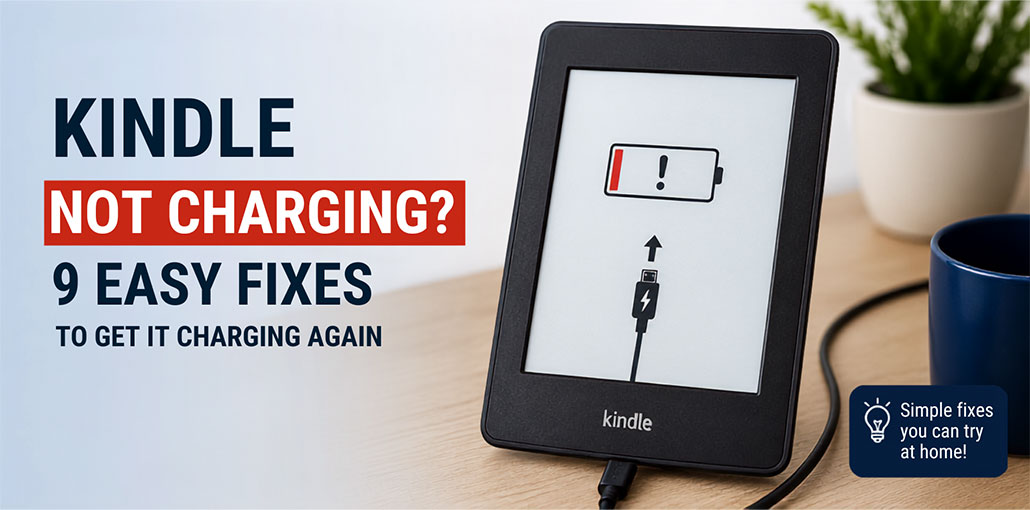
If Your Kindle not Charging After Plugging It In, Don’t Panic: Charging issues could be due to a damaged cable, power adapter, dirty charging port, drained battery, or temporary software issues. In this guide, you’ll discover simple yet effective techniques to troubleshoot the issue and get your Kindle back online.
Why Is My Kindle Not Charging?
There are several reasons why your Amazon Kindle not charging. Identifying the cause can make troubleshooting much easier.
Common causes include:
- A damaged charging cable
- A faulty power adapter
- A damaged wall outlet
- Dust or debris inside the charging port
- A loose connection
- A completely drained battery
- A temporary software problem
- A damaged charging port
- An aging or defective battery
Before assuming that your Kindle needs a repair, work through the solutions below.
Also read: Kindle Gift Card: How to Buy and Redeem in 2025
How to Fix Kindle Not Charging Issue
1. Check the Charging Cable
One of the first things to check when dealing with a Kindle not charging is the charging cable.
USB cables can become damaged after repeated use. The connectors may also become loose or worn, preventing the Kindle from receiving power properly.
Try another compatible USB cable. Ideally, use a cable that you know works with another device.
If your Kindle starts charging with the replacement cable, the original cable is likely the problem.
2. Try a Different Power Adapter
Sometimes the Kindle itself isn’t the problem. The power adapter may be faulty or may not be providing a reliable connection.
Connect your Kindle to a different compatible adapter and wall outlet. You can also try charging it through a computer’s USB port.
If the device starts charging with a different power source, you may have found the cause of the problem.
3. Inspect the Kindle Charging Port
A dirty charging port can prevent the cable from making proper contact.
If you’re wondering why is my Kindle not charging despite using a working cable, inspect the charging port for dust, lint, or other debris.
Turn off the Kindle and carefully check the port. If you notice debris, clean it gently without forcing anything into the connector.
Avoid using sharp metal objects because they can damage the charging contacts.
4. Leave Your Kindle Connected to Power
If your Kindle battery has been completely depleted, it may take some time before the device responds.
Connect the Kindle to a reliable power source and leave it plugged in for at least 30 minutes. Then try turning it on again.
A deeply discharged battery may not immediately display a normal charging screen.
5. Restart Your Kindle
A temporary software glitch can sometimes cause a Kindle not charging problem.
Try performing a restart:
- Press and hold the power button.
- Keep holding it for approximately 20–40 seconds.
- Release the button.
- Wait for the Kindle to restart.
- Connect it to the charger again.
If the issue was caused by a temporary software problem, restarting the device may restore normal charging behavior.
6. Check for a Loose Connection
A loose connection is another reason your Kindle won’t charge properly.
Connect the charging cable firmly to the Kindle and check whether the charging indicator appears.
If charging repeatedly starts and stops when the cable moves, try another cable first. If the same problem occurs with multiple cables, the charging port itself could be loose or damaged.
7. Try Charging Your Kindle From a Computer
If your wall charger isn’t working, connect the Kindle to a computer using a compatible USB cable.
This is a useful troubleshooting step because it allows you to test another power source.
If your Kindle charges when connected to the computer but not with your wall adapter, the problem may be with the adapter, outlet, or charging setup.
8. What If the Kindle Shows a Charging Light but Doesn’t Charge?
Sometimes users notice that the Kindle displays a charging indicator but the battery percentage doesn’t increase.
If this happens, first check the charging cable and adapter. A weak or inconsistent power connection may allow the Kindle to recognize the charger without charging normally.
Try a different cable and power source, then leave the Kindle connected for a while.
If the battery percentage still doesn’t increase, the battery or charging hardware may require further inspection.
Also read: iPad Not Charging? 9 Proven Fixes That Work Instantly
9. Check Your Kindle for Physical Damage
If your Kindle not charging after you’ve tried different cables and power sources, inspect the device for physical damage.
Pay particular attention to the charging port.
Look for:
- A loose charging connector
- Bent contacts
- Cracks around the charging port
- Signs of liquid damage
- Unusual heat while charging
If the Kindle becomes unusually hot, stop charging it and seek professional assistance.
Conclusion
A Kindle not charging problem can be frustrating, but it’s often easy to fix. I hope this article has helped you address the root causes of this problem easily and fast. Most of the time, simple things, such as warming the device up, cleaning the socket, and evaluating the charging cable, should work.
FAQs: Kindle Not Charging
How long should I charge a dead Kindle?
Leave a completely drained Kindle connected to a reliable power source for at least 30 minutes before trying to turn it on. A full charge can take several hours depending on the model and charger.
Why is my Kindle showing a charging light but not charging?
A charging light with no increase in battery level may indicate a faulty cable, adapter, charging port, or battery. Try another compatible cable and power source to identify the issue.
Can a Kindle battery be replaced?
Battery replacement depends on the specific Kindle model. If basic troubleshooting doesn't resolve the problem, contact official Kindle support to determine the appropriate repair or replacement options.
Can a Kindle charge with a phone charger?
A compatible USB power adapter can generally be used, but charging performance may vary depending on the Kindle model and charger.







Leave a comment