

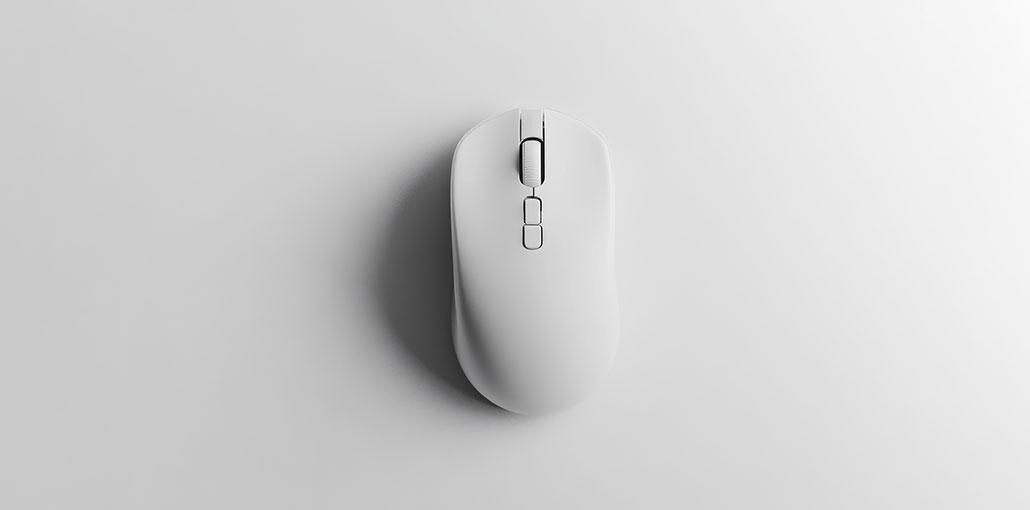
Finding the best Mouse for MacBook can make everyday work more comfortable and productive. Although the built-in trackpad is excellent, a dedicated mouse can provide better precision, extra buttons, faster scrolling, and improved ergonomics.
In this guide, we compare the 10 best Mouse for MacBook for different needs, including productivity, travel, ergonomics, quiet workspaces, and budget-friendly use.
Quick Comparison: Best Mouse for MacBook
| Mouse | Best For | Connectivity | Key Feature |
|---|---|---|---|
| Apple Magic Mouse | Apple Users | Bluetooth | Multi-Touch Surface |
| Logitech MX Master 3 | Productivity | Bluetooth / USB Receiver | Advanced Controls |
| Logitech M720 Triathlon | Multiple Devices | Bluetooth / USB Receiver | Easy Device Switching |
| Logitech MX Anywhere 2S | Travel | Bluetooth / USB Receiver | Compact Design |
| Logitech MX Ergo | Trackball Users | Bluetooth / USB Receiver | Adjustable Angle |
| Logitech MX Vertical | Ergonomics | Bluetooth / USB Receiver | Vertical Design |
| Logitech M510 | Everyday Work | USB Receiver | Extra Buttons |
| Logitech M330 Silent Plus | Quiet Workspaces | USB Receiver | Silent Clicks |
| Logitech M570 | Trackball Users | USB Receiver | Thumb-Controlled Trackball |
| TECKNET 3 | Budget Users | Wireless Receiver | Affordable Design |
1. Apple Magic Mouse — Best for the Apple Ecosystem
The Apple Magic Mouse is a natural choice for users who want a minimalist mouse that works closely with the Apple ecosystem. Its Multi-Touch surface supports scrolling and swiping gestures that feel familiar to Mac users.
Its slim design and rechargeable battery also make it easy to pair with a portable setup. For users looking for the best Bluetooth mouse for MacBook, its direct wireless connection and macOS-focused features make it a straightforward option.
Best for: Users who prefer Apple’s design and Multi-Touch gestures.
Pros:
- Excellent macOS integration
- Multi-Touch gestures
- Slim design
- Rechargeable battery
- Wireless connectivity
Cons:
- Low-profile shape
- Limited physical buttons
- Charging design may not suit everyone
Also read: 10 Best MMO Mouse Options in 2026 for Faster Gameplay
2. Logitech MX Master 3 — Best for Productivity
The Logitech MX Master 3 is built for users who spend long hours working at a desk. It combines an ergonomic shape with customizable buttons, a thumb wheel, and fast scrolling.
For demanding office and creative workflows, it can be the Best Mouse for MacBook because it offers extensive control and customization. It is especially useful for spreadsheets, documents, creative applications, programming, and multitasking.
If you’re looking for the best mouse for MacBook Pro for productivity-heavy work, its additional controls and ergonomic design make it a practical choice.
Best for: Professional productivity and customization.
Pros:
- Ergonomic design
- Multiple customizable buttons
- Horizontal thumb wheel
- Fast scrolling
- Multi-device support
- Rechargeable battery
Cons:
- Relatively large
- Primarily designed for right-handed users
- Less convenient for travel
3. Logitech M720 Triathlon — Best for Multiple Devices
The Logitech M720 Triathlon is a practical choice if you regularly switch between a MacBook and other computers.
It can connect to multiple compatible devices and lets you switch between them with a dedicated button. Its additional controls and comfortable shape also make it suitable for everyday work.
Best for: Users who work across multiple computers.
Pros:
- Multi-device connectivity
- Bluetooth and receiver support
- Customizable buttons
- Long battery life
- Comfortable design
Cons:
- Larger than compact travel mice
- Less minimalist than Apple’s mouse
4. Logitech MX Anywhere 2S — Best for Travel
The Logitech MX Anywhere 2S is designed for users who frequently carry their laptop between different locations. Its compact body takes up little space in a laptop bag while still offering useful productivity controls.
For travelers, this can be the Best Mouse for MacBook Air when portability is more important than having a large ergonomic design.
Best for: Travel and mobile work.
Pros:
- Compact and portable
- Rechargeable battery
- Bluetooth connectivity
- Customizable buttons
- Works across different surfaces
Cons:
- Smaller body
- May not suit large hands
- Fewer controls than larger productivity mice
5. Logitech MX Ergo — Best Trackball Mouse
The Logitech MX Ergo uses a trackball instead of requiring you to move the entire mouse across your desk. You control the cursor with your thumb while keeping the mouse in one position.
Its adjustable hinge also lets you change the mouse angle for a more personalized setup.
For people with limited desk space, it can be the best mouse for MacBook to a traditional mouse.
Best for: Trackball users and small desks.
Pros:
- Minimal desk movement
- Adjustable angle
- Multiple buttons
- Rechargeable battery
- Bluetooth and receiver support
Cons:
- Requires an adjustment period
- Larger than conventional mice
- Primarily designed for right-handed users
6. Logitech MX Vertical — Best Ergonomic Mouse
The Logitech MX Vertical uses an upright design that positions the hand in a more handshake-like orientation than a conventional mouse.
This design can appeal to users who want an alternative hand position during extended computer use. It also includes multiple controls and rechargeable power.
For users focused on ergonomic design, the MX Vertical can be the best mouse for MacBook among vertical-style options.
Best for: Users who prefer an ergonomic vertical design.
Pros:
- Vertical orientation
- Ergonomic design
- Multiple controls
- Rechargeable battery
- Bluetooth and receiver support
Cons:
- Requires an adjustment period
- Larger than standard mice
- Not suitable for every user
7. Logitech M510 — Best for Everyday Work
The Logitech M510 is a straightforward wireless mouse for everyday computer use. Its additional buttons can make browser navigation and other common tasks easier.
Its traditional shape is familiar and comfortable for users who don’t want a trackball or vertical design.
If you need a practical mouse for MacBook for general office work, browsing, and everyday tasks, the M510 is a simple option.
Best for: Everyday productivity.
Pros:
- Familiar shape
- Additional buttons
- Long battery life
- Wireless operation
- Comfortable for general use
Cons:
- Older design
- Uses a wireless receiver
- Less portable than compact models
8. Logitech M330 Silent Plus — Best Quiet Mouse
The Logitech M330 Silent Plus is designed for environments where clicking noise can become distracting.
Its quiet-click design makes it useful for shared offices, libraries, classrooms, and other quiet spaces. It has a simpler feature set than premium productivity mice.
For users who work around others, it can be the Best Mouse for MacBook when quiet operation is the main priority.
Best for: Quiet offices and shared environments.
Pros:
- Quiet clicks
- Comfortable shape
- Wireless operation
- Long battery life
- Simple setup
Cons:
- Limited buttons
- Few customization options
- Uses a wireless receiver
9. Logitech M570 Wireless Trackball — Best Compact Trackball
The Logitech M570 Wireless Trackball lets you control the cursor without moving the entire mouse across the desk.
Its thumb-controlled trackball can be useful when desk space is limited. The mouse stays in one position while your thumb handles cursor movement.
If you prefer this style of control, the M570 can be the Best Mouse for MacBook with a traditional trackball design.
Best for: Users who prefer thumb-controlled trackballs.
Pros:
- Minimal desk movement
- Compact footprint
- Thumb-controlled trackball
- Long battery life
- Comfortable design
Cons:
- Learning curve
- Older design
- Primarily designed for right-handed users
Also read: Why Is My Mouse Lagging? 5 Quick Fixes to Stop Cursor Delay
10. TECKNET 3 — Best Budget Option
The TECKNET 3 targets users who want a simple wireless mouse without paying for premium features.
It offers multiple buttons, a familiar shape, and long battery life, making it suitable for browsing, office work, and general computer use.
For budget-conscious buyers, it can be a practical Best Mouse for MacBook option.
Best for: Budget-conscious users.
Pros:
- Affordable
- Multiple buttons
- Comfortable shape
- Long battery life
- Simple wireless setup
Cons:
- Fewer premium features
- Limited customization
- Wireless receiver may require an adapter
How to Choose the Best Mouse for MacBook
Choosing the Best Mouse for MacBook comes down to a few important factors:
- Connectivity: Bluetooth keeps your MacBook ports free, while a wireless receiver provides another connection option.
- Comfort: Consider the size, shape, weight, and grip, especially if you use a mouse for long hours.
- Battery life: Decide between rechargeable and replaceable batteries.
- Buttons: Extra programmable buttons can improve productivity.
- macOS compatibility: Check whether advanced features and customization software support your macOS version.
- Portability: Compact models are easier to carry, while larger ergonomic mice can be more comfortable at a desk.
Final Thoughts
The Best Mouse for MacBook depends on your workflow, comfort, and budget. The Apple Magic Mouse focuses on Apple’s design and gestures, while the MX Master 3 offers extensive productivity controls.
The other options cover travel, ergonomics, trackball control, quiet operation, and affordability. Consider how you work and choose the model that best matches your everyday needs.
FAQs: Best Mouse for MacBook
Is Bluetooth better than a USB receiver for a MacBook?
Bluetooth can be more convenient because it doesn't require a receiver or adapter. A USB receiver can provide another reliable connection option, especially for users who already use compatible peripherals.
Does every mouse work with a MacBook?
Most modern USB and Bluetooth mice work with MacBooks, but advanced features such as customizable buttons or gesture controls may depend on macOS compatibility and supporting software.
Can I use a gaming mouse with a MacBook?
Yes, many gaming mice can connect to a MacBook. However, you should check macOS compatibility if you want access to advanced configuration or customization features.
What is the best mouse for MacBook Air?
A compact model such as the Logitech MX Anywhere 2S can be a practical choice for MacBook Air users who prioritize portability and travel-friendly design.








Leave a comment