

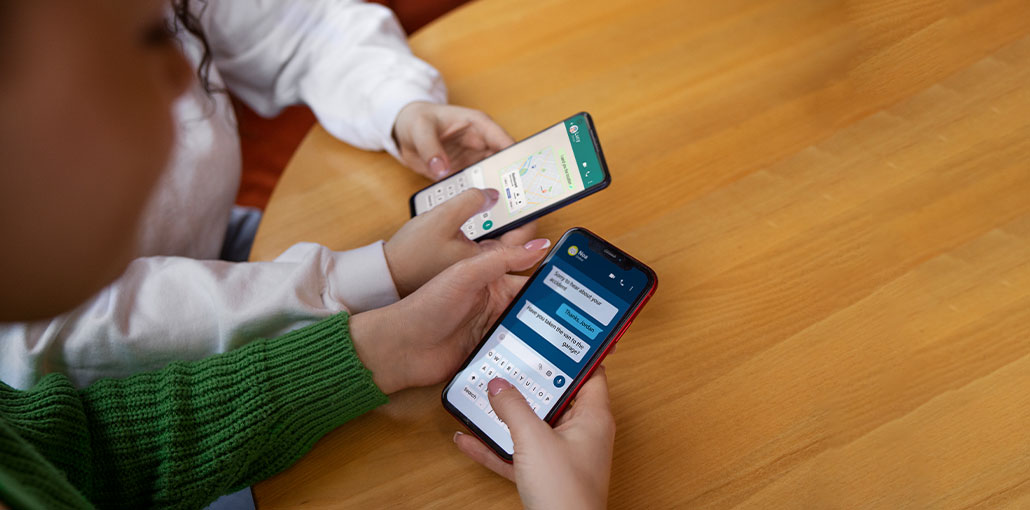
Although regular texting is out of style, every once in a while, everyone will find themselves in a situation where sending an SMS is an ideal option. Sometimes the connection isn’t sufficient for online messaging apps. But the best texting app for Android can send a text message that can attract the recipient’s attention when they turn on their mobile.
Android is home to a wide range of stylish multi-functional Android messaging apps. Some feature stunning interfaces, and some feature rock-solid encryption. They all have seamless functions that make messaging as pleasurable as its more popular counterpart, chat on the go (or web chat).
To help our readers, we’ve reviewed and created the best texting app for Android. We considered many factors, like popularity, functionality, and interface. This list of the best texting app for Android at present is as follows.
Best Texting App for Android
1. Mood messenger
Its Mood Messenger app offers an edge over competitors with its impressive features and many customizable options. Without annoying advertisements, this app is designed for users who desire a smooth, effortless experience.
The app includes an indicator for typing (to know when a contact is typing), chat encryption, and private conversations to hide messages and secure them with a password, spam blocking to blacklist unwanted messages, and an animation GIF library.
Why you should use it:
- Highly customizable interface
- Built-in privacy features (password protection)
- Spam blocking and GIF support
- Smooth, ad-free experience
Why you shouldn’t use it:
- Not as popular as other apps (smaller user trust base)
- Limited updates compared to big brands
- Lacks advanced ecosystem features (like web sync)
Also read: How to Identify a Fake Text Message: 7 Easy Ways
2. Pulse
The Pulse SMS app is an attractively appealing, next-generation SMS and MMS application that is extremely fast and safe. Pulse seamlessly syncs messages across all devices for users who have the application installed. With Pulse, you can receive and send text messages and SMS via the phone number actually used.
Another best texting app for Android, this app includes: a variety of themes for conversations, both per-conversation and global, password protection for private conversations, the possibility to remove spammers from blacklisting, a delayed sending feature that allows users the opportunity to edit or delete messages, automated replies in response to keywords, contacts, and driving/vacation modes.
Why you should use it:
- Syncs messages across phone, tablet, and PC
- Great for multi-device users
- Strong privacy options
- Scheduling and auto-replies
Why you shouldn’t use it:
- Premium features require payment
- No RCS support (important for modern messaging)
- The interface may feel basic to some users
3. Signal
Signal Private Messenger is the most secure SMS app for Android, as it uses an advanced encryption end-to-end protocol that ensures complete privacy for every message, every time. With Signal, the user can chat instantly, without paying SMS costs, create groups to chat with several people simultaneously, and send files or other media in total confidentiality.
To enhance security protocols used by Signal, the server is not granted access to any users’ communications and does not store any user data.
Why you should use it:
- Industry-leading end-to-end encryption
- No user data storage
- Open-source and highly trusted
- Great for privacy-focused users
Why you shouldn’t use it:
- Smaller user base than WhatsApp/Telegram
- Limited customization options
- Requires internet (not ideal for pure SMS use)
4. Textra
Textra is the best text messaging app for Android with numerous customizable features and a clean interface. The user can change themes and colors, notifications, and signatures ( LED color, vibration, sound privacy, reminders, and muting), and that too per contact. More than 2700 Android, Twitter, Emoji One, and iOS design emojis are included.
Textra can be fully integrated with Pushbullet, MightyText, Android Wear, and Android Auto (car), with improved notifications and fast responses. Textra supports dual-SIM devices for both MMS and SMS for Android 5.1.
Why you should use it:
- Extremely customizable (themes, colors, notifications)
- Lightweight and fast
- Supports scheduled and delayed messages
- Great emoji support
Why you shouldn’t use it:
- Some features are paid
- No built-in cloud backup or sync
- No RCS support (big limitation)
5. Google Messages
Google Messages brings the same high-quality experience as other Google applications. The simple and clean interface includes many seamless features, such as immediate notifications, intelligent responses, easy sharing, and richer conversations. Integration with Google Pay allows for the sending and receiving of payments.
In this best texting app for Android, you can see messages on your PC via this app with the help of the ‘Messages for web feature, which is an excellent reason to choose the app instead of other apps on this list. To activate, launch the app, click the three dots menu in the upper right corner, and select the “Messages for Web. Follow the instructions to set it up and start seeing your text messages on PC at https://messages.android.com webpage.
Why you should use it:
- Best RCS support (read receipts, typing indicators)
- Clean and simple interface
- Pre-installed on most Android phones
- Web version for PC texting
Why you shouldn’t use it:
- Limited customization
- Some features depend on carrier support
- Can feel too basic for power users
6. SMS Organiser
SMS Organiser is the best texting app for Android for those who strive to live an orderly and organized life. Built by Microsoft, SMS Organiser automatically organizes users’ SMS inbox into the Personal, Transactional, and Promotional categories, which helps clear your SMS Inbox.
Other useful features are also available, including the ability to quickly read unread messages (previously read messages), smart reminders, smart assist, smart backup, and intelligent personalization.
Why you should use it:
- Automatically sorts messages (spam, transactions, personal)
- Smart reminders for bills, flights, etc.
- Great for productivity
- Backup and restore options
Why you shouldn’t use it:
- Not focused on chatting features
- Limited customization
- No cross-device sync
7. IamHere
IamHere is an essential Android texting app that connects with other residents in your area who share your interests. It is also possible to connect with NGOs, businesses, and professionals within your community. It’s different from standard SMS applications, but it offers a unique concept for social marketing. You will, however, encounter fewer users on this platform than on other apps.
Why you should use it:
- Connects with local people and communities
- Useful for networking and discovering nearby services
- Unique concept compared to traditional SMS apps
Why you shouldn’t use it:
- Not a true SMS app
- Smaller user base
- Limited messaging features
8. SmartSMS
SmartSMS can be used as an alternative to Android texting apps, with a broader list of features. In addition to the list of banking smart features, which allow the ability to access smart coupon codes, the ability to schedule messages, and to customize the application in terms of the theme, background, color, and much more.
But the spam protection option isn’t sufficient to offer reliable protection. It emphasizes privacy and allows users to safeguard their private chats with a password.
Why you should use it:
- Smart banking and OTP management
- Message scheduling
- Custom themes and personalization
- Privacy features (chat lock)
Why you shouldn’t use it:
- Weak spam protection
- Not widely popular
- Limited advanced messaging features
Also read: Top 10 Privacy Apps for Android Phones
9. Samsung Messages
If you own a Galaxy and you’re familiar with this particular. This “One UI” design is excellent because it places all the buttons on the screen, where your thumb can reach them. It is compatible with RCS and syncs with Windows, although many Galaxy users are moving slowly towards Google Messages to ensure compatibility with phones that aren’t Samsung.
Why you should use it:
- Optimized for Samsung devices
- Easy one-hand use (One UI design)
- Supports RCS
- Good integration with the Galaxy ecosystem
Why you shouldn’t use it:
- Limited to Samsung users
- Fewer updates compared to Google Messages
- Compatibility issues with non-Samsung phones
10. Telegram
Telegram is a monster and the best texting app for Android. It has support group channels and allows you to transfer files of up to 2GB. It’s cloud-based, which means your chats will be available across all devices. Make sure to be aware that “Secret Chats” are encrypted; however, standard chats don’t use E2EE as a default. It’s incredibly speedy, and also the labels are top-tier.
Why you should use it:
- Cloud-based (access chats anywhere)
- Huge group and channel support
- Fast and feature-rich
- Large file sharing
Why you shouldn’t use it:
- Not all chats are end-to-end encrypted by default
- Requires an internet connection
- Can feel complex for basic users
Best Texting App for Android – Comparison Table
| App Name | Best For | Key Features | Works Without Internet | Privacy Level |
|---|---|---|---|---|
| Mood Messenger | Customization lovers | Themes, GIFs, private chats, spam block | ✅ Yes (SMS) | Medium |
| Pulse SMS | Multi-device users | Sync across devices, scheduling, and auto-replies | ✅ Yes (SMS) | High |
| Signal Private Messenger | Privacy & security | End-to-end encryption, no data storage | ❌ No | High |
| Textra SMS | Customization | Themes, emojis, scheduling | ✅ Yes (SMS) | Medium |
| Google Messages | Best overall | RCS, smart replies, web messaging | ✅ Yes (SMS) | High |
| Microsoft SMS Organizer | Organization | Smart sorting, reminders, backup | ✅ Yes (SMS) | Medium |
| IamHere | Local networking | Community connect, local discovery | ❌ No | Low |
| SmartSMS | Smart features | Banking insights, scheduling, chat lock | ✅ Yes (SMS) | Medium |
| Samsung Messages | Samsung users | One UI, RCS, smooth performance | ✅ Yes (SMS) | High |
| Telegram | Advanced users | Cloud sync, large files, groups | ❌ No | Medium |
Final Thoughts on Best Texting App for Android
The Android ecosystem is huge, and that’s the greatest aspect about it. There isn’t a single method of operation.
You may require the Fort Knox security of Signal or the worldwide coverage of Telegram, or you are just looking for Google Messages since it can handle RCS like a pro. Select the best texting app for Android according to your needs. If you use your smartphone to work, make sure you back it up. If you don’t like those default colours, install an app to customize your phone.
FAQs: Best Texting App for Android
What is the best texting app for Android in 2026?
The best texting app for Android in 2026 depends on your needs. Google Messages is great for overall use with RCS support, while Signal Private Messenger is ideal for privacy-focused users.
Are there free texting apps for Android?
Yes, many texting apps are completely free, including Telegram, Google Messages, and Signal Private Messenger.
Which texting apps work without internet?
SMS-based apps like Textra SMS and Google Messages can send messages without an internet connection using your mobile network.
Can I use texting apps on multiple devices?
Yes, apps like Pulse SMS and Telegram allow you to sync messages across multiple devices, including phones and PCs.




Leave a comment