

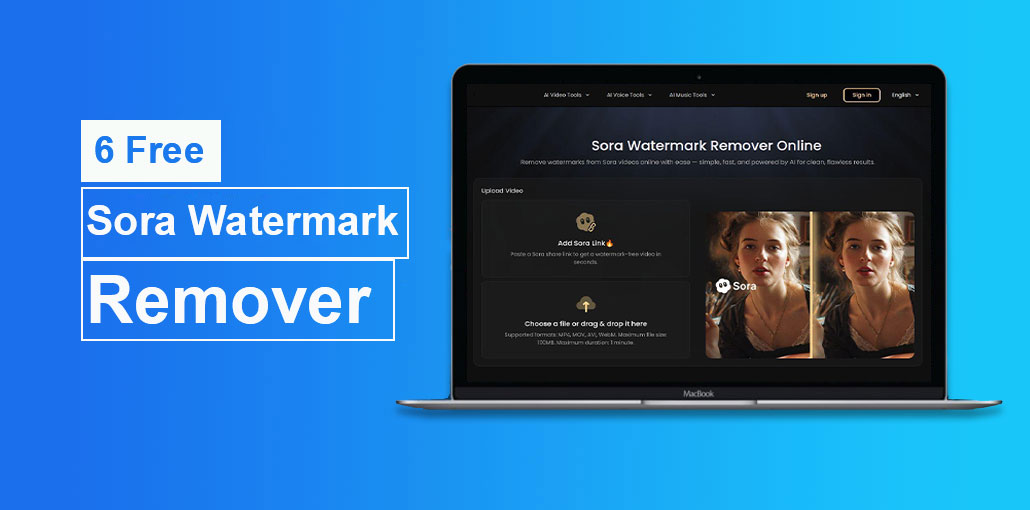
You’ve just created something amazing using Sora 2. But that cartoon cloud watermark appears right in the middle of your video. The free and standard Sora plan will stamp it on your video. A Sora watermark remover can remove it in just a few seconds, and most are free to use.
In this article, we explore the top six free Sora watermark remover tools, what to know before hitting “download,” and how to remove Sora watermark.
How Sora Watermark Remover Tools Work
Most Sora watermark removal tools make use of a technique known as AI inpainting. Here’s a simple explanation: it detects the watermark and erases it, and then reconstructs the area behind it by analyzing the surrounding pixels and motion across frames.
Imagine it as digital patching. The AI examines the colors, textures, and movements around the watermark. Then, it fills in the gaps to ensure it appears natural.
3 Common Methods to Remove Sora Watermarks
- AI-based painting is considered to be the standard. It recreates the missing space frame-by-frame. The results are clear, and the majority of software uses this method.
- Cropping is an easy option that removes the text and watermark from the frame. It works; however, you lose a portion of the video and change the aspect ratio.
- Blur or overlay a watermark by covering it with a shape, logo, and blur. Fast, but evident that something was present.
For the best results, you need AI inpainting. Every tool mentioned in this guide uses it.
Also read: How to Remove Text From Images Online? 6 Reliable Tools
Quick Compare
| Tool | Ease of Use | Speed | Quality | Free Limit | Best For | Rating |
|---|---|---|---|---|---|---|
| Bylo.ai | Very Easy | Fast | Good | Limited | Simple removals | ⭐⭐⭐⭐☆ |
| FliFlik | Very Easy | Very Fast | Medium | Free | Quick edits | ⭐⭐⭐⭐☆ |
| EzRemove.ai | Easy | Very Fast | Good | File limits | Short clips | ⭐⭐⭐⭐☆ |
| Reel.money | Easy | Fast | Good | Daily limit | Batch processing | ⭐⭐⭐⭐☆ |
| BasedLabs | Medium | Medium | High | Limited features | Manual control | ⭐⭐⭐⭐⭐ |
| Magic Eraser | Medium | Slow | Very High | Daily limit | HD videos | ⭐⭐⭐⭐⭐ |
6 Free Sora Watermark Remover Tools
After testing the available options, the following six best Sora watermark removers are used for being quick, free, and producing clean results. There is no requirement to install software.
1. Bylo.ai
Bylo is among the most popular sora watermark remover tools currently. Simply upload the video, wait a few seconds, and then download the original version. It uses AI reconstruction to cover the watermarks without cutting.
Price: Free tier available
Registration required: No
Best for: Simple one-time removals
Limits: Free plan has usage limits; paid plans offer more usage
The interface is minimal in a positive manner. You upload it, process it, and then you download. No annoying upsells or jarring settings.
2. FliFlik
FliFlik is a free Sora watermark remover online that runs entirely in your browser and doesn’t require an account or download. Upload your video, or paste an image, and the tool will detect Sora watermarks and remove them.
Price: Free
Registration required: No
Best for: Users who want the least friction
Limits: Depends on the internet speed for processing
FliFlik is a great option if you’re looking to remove sora watermark in a few seconds without even thinking about it. Upload, wait, done.
3. EzRemove.ai
EzRemove precisely what the name implies. You upload your Sora video, and in moments, you have a fresh version available for downloading. No signup, no hidden costs.
Price: Free
Registration required: No
Best for: Fast, simple processing
Limits: File size and duration limits on free tier
The results are good for the standard 1080p Sora outputs. When your footage is brief (under twenty seconds), this is among the most efficient options for a free Sora watermark remover video.
4. Reel.money
Reel.money offers 10 free watermark removals each day, even without creating an account. Create a free account, and it increases up to 20 daily. For most users, 10 hours is sufficient.
Price: Free (10/day without account, 20/day with account)
Registration required: Optional
Best for: Batch processing multiple videos
Limits: Daily usage cap
If you’re producing a lot of Sora videos each day and you need to get them cleaned up, the daily allowance is more than most of your competitors.
5. BasedLabs
BasedLabs provides a Sora 2 watermark remover with mask and motion tracking tools, giving you greater control than most single-click solutions. You can control what is removed in case the auto-detection doesn’t work as expected.
Price: Free
Registration required: No
Best for: Users who want manual control
Limits: Export quality may vary on the free tier
The masking tools in BasedLabs make it an excellent backup option if another tool struggles with tricky watermark placement.
6. Magic Eraser
Magic Eraser supports up to 2K resolution. It employs frame-by-frame analysis to remove sora watermark without blurring or artifacts. It can handle semi-transparent logos effectively; that’s exactly what the Sora watermark does.
Price: Free (with daily export limits)
Registration required: No
Best for: High-resolution video outputs
Limits: Daily export restrictions apply
If you’re using higher-quality Sora outputs or you plan to play videos on a larger monitor, the Magic Eraser’s high-resolution support makes it a good option.
Also read: 5 TikTok Watermark Remover: Easy Way to Remove Watermarks
How to Remove a Sora Watermark in Seconds (Step-by-Step)
The procedure is similar across all the tools listed above. This is the basic process:
Step 1: Get your video file. Download your Sora video from OpenAI. Be sure to have the original .mp4 file saved on your device. Certain tools will also allow a URL to a video directly.
Step 2: Upload to the removal tool. Open any of the tools mentioned above, click the upload button, or drag your file to the uploader. Most of the tools will detect the Sora watermark right away. There is no need to make a manual selection.
Step 3: Download the clean Version. The AI processes your video in just a few seconds to a few minutes, based on the length. After that, it is time to save the watermark-free .mp4.
Things to Know Before Using a Sora Watermark Remover
Before using a Sora watermark remover, here are a few tips to know.
OpenAI’s Terms of Service
The OpenAI usage guidelines don’t specifically prohibit watermark removal from your own content. You own the rights to output to the videos you make using Sora in accordance with the terms of service. However, the watermark serves to prove the source of the content and to assist users in identifying AI-generated content.
Make your own judgment. Removing the watermark on your own project or portfolio work is different than taking it off to disguise AI content as actual footage.
C2PA Metadata Might Still Be There
Removal of the visible watermark does not necessarily remove the invisible C2PA metadata. Certain tools only deal with the visible layer. Anyone who checks the file metadata with a C2PA validator could identify it as AI-generated.
If full provenance removal matters to you, then re-encoding the video with a standard editor (like Handbrake or FFmpeg) after removing the visible watermark will strip the metadata. However, you should consider whether you really require this.
Legitimate Use Cases
The majority of people who remove Sora watermarks fall into one of a handful of groups:
- Content producers employing Sora clippings in bigger projects when watermarks disrupt the visual flow
- Marketers developing ad concepts or mockups using AI video
- Researchers and students making use of AI-generated video in their presentations
- Portfolio builders showcase their capabilities using AI tools
UC Berkeley professor Hany Farid noted that watermark removers were introduced “within hours” of Sora’s announcement and called the trend predictable. This demand exists and is widely distributed.
Final Thoughts
Removing the Sora watermark takes about 30 seconds using the right Sora watermark remover. The options listed above will cover all scenarios with quick one-click fixes, batch processing, and more detailed requirements.
What’s the bigger picture? It shouldn’t be necessary to contend with watermarks, signups, or paywalls to accomplish simple tasks. This is the same principle that drives everything we create.
FAQ – Sora Watermark Remover
What is a Sora Watermark Remover?
A Sora Watermark Remover is an AI tool that removes the watermark from Sora-generated videos and reconstructs the missing area to make the video look clean and natural.
Is it legal to remove Sora watermark?
You generally own the content created with Sora, but the watermark is used to identify AI-generated content. You should always use watermark removal tools responsibly and for legitimate purposes like editing, presentations, or personal projects.
Can I remove Sora watermark for free?
Yes, many tools like Bylo.ai, FliFlik, and EzRemove.ai offer free plans with basic watermark removal features, though some have usage limits.
Do these tools work on long videos?
Most free Sora Watermark Remover tools work best on short videos. Longer videos may require premium plans or have file size limits.
Do I need to install any software?
No, most Sora Watermark Remover tools are web-based and work directly in your browser without installation.








Leave a comment