

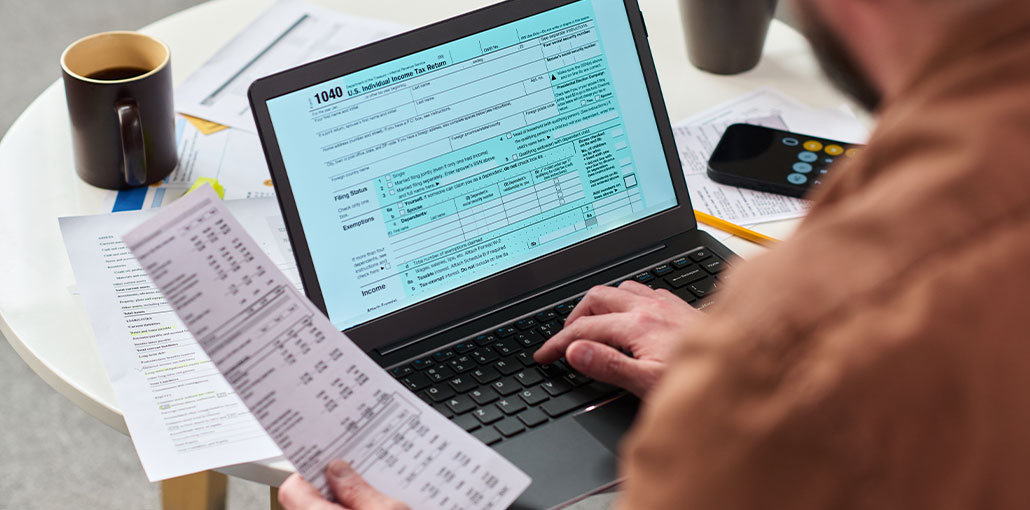
Finding the right bank statement generator can be confusing because different tools serve very different purposes. Some are designed for creating editable financial document templates, while others are PDF editors, form platforms, or accounting systems that turn imported transactions into statement-ready reports.
In this guide, we compare 10 popular bank statement generators and statement-reporting tools based on their intended use, features, advantages, and limitations.
10 Best Bank Statement Generator Software Tools in 2026
| Tool | Best For | Type |
|---|---|---|
| Bank Statement Generator | Dedicated statement-style document creation | Generator |
| SwifDoo PDF | PDF creation and editing | PDF/AI Tool |
| UPDF | AI-assisted PDF creation and editing | PDF/AI Tool |
| airSlate | Document and workflow automation | Automation |
| FormsPro.io | Editable financial templates | Forms/Templates |
| TemplateLab | Ready-made statement templates | Template Platform |
| USLegalForms | Form and document templates | Forms Platform |
| Adobe Acrobat | Professional PDF editing | PDF Editor |
| PDFSimpli | Online PDF editing | PDF Editor |
| QuickBooks Online | Accounting-based statement reports | Accounting Software |
1. Bank Statement Generator
Best for: Users looking for a dedicated bank-statement-style document generator.
Bank Statement Generator is a dedicated generator and describes it as a tool for producing three-month bank statements using information entered through forms. Its workflow includes entering information, applying customization options, generating the document, and downloading the result.
Pros
- Dedicated statement-generation workflow
- Simple form-based approach
- Supports statement-style financial documents
- Designed specifically around bank-statement generation
Cons
- It is not a bank or official financial institution
- A generated document should not be represented as an official bank-issued statement
- Less suitable than accounting software for genuine bookkeeping and reconciliation
Verdict: Among the tools covered by these three comparison articles, this is the clearest example of a dedicated bank statement generator rather than an accounting or general PDF application.
Also read: Top 3 Free Banking Apps for Startup Business & Entrepreneurs
2. SwifDoo PDF
Best for: Creating and editing PDF-based financial documents.
SwifDoo PDF is presented as an AI-powered tool that can create bank-statement templates and edit existing PDF, Word, or Excel documents. Its workflow uses a blank document, AI-generated template content, and PDF editing features.
Pros
- AI-assisted document creation
- PDF editing capabilities
- Supports editable PDF, Word, and Excel workflows
- Annotation, signing, and editing features
- Useful when working with existing document templates
Cons
- Primarily a PDF/document tool rather than a banking platform
- Requires manual document editing for customized layouts
- Does not produce an official bank-issued statement
Verdict: A strong option for bank statement templates and PDF editing, but it is better classified as a document-generation/editing solution than a banking statement system.
3. UPDF
Best for: AI-assisted PDF creation and financial-document editing.
UPDF’s own comparison article includes it among bank statement generators and describes a workflow based on creating a blank PDF, generating statement content with AI, and then editing the resulting document.
Pros
- AI-assisted content creation
- PDF editing tools
- Useful for modifying document layouts
- Supports templates and editable documents
- Suitable for users already working with PDF files
Cons
- Not a banking or accounting platform
- Users still need to structure and review the document
- More appropriate for document creation than transaction reconciliation
- Generated documents are not official bank statements
Verdict: UPDF is best considered a PDF and AI document generator that can support bank-statement-style documents.
4. airSlate
Best for: Document automation and business workflows.
airSlate is a cloud-based workflow automation platform that can also be used for creating and editing bank statement documents. It includes templates, document editing, signatures, and sharing capabilities.
Pros
- Cloud-based workflow automation
- Document templates
- E-signature capabilities
- Useful for business document workflows
- Can automate repetitive document processes
Cons
- More complex than a simple statement generator
- Primarily designed around workflow automation
- Not specifically a banking platform
- Custom document workflows may require additional setup
Verdict: airSlate is a good choice when bank statement documents are part of a larger business workflow, rather than when you simply need a standalone statement tool.
5. FormsPro.io
Best for: Editable forms and financial-document templates.
FormsPro.io is a form and document platform with templates for bank statements and other financial documents. Its workflow involves selecting a template, entering information, and saving or sending the completed document.
Pros
- Large template-oriented workflow
- Editable forms
- Useful for multiple document types
- Simple template-based process
- Suitable for customized business documents
Cons
- Template-focused rather than accounting-focused
- Not a bank transaction reconciliation platform
- Advanced functionality may require a paid plan
- Does not produce official bank-issued statements
Verdict: A useful bank statement template and form solution, particularly for users who need editable documents.
6. TemplateLab
Best for: Free bank statement templates.
TemplateLab takes a simpler approach. describes it as a template-based solution where users can search for bank statement templates, select an appropriate design, and download it.
Pros
- Easy to find statement templates
- Simple template-based workflow
- Useful for document design and formatting
- Multiple template styles
Cons
- Not a full accounting system
- Limited automation
- Requires more manual work
- Templates should not be confused with official bank documents
Verdict: TemplateLab is better categorized as a bank statement template resource than as a fully automated bank statement generator.
7. USLegalForms
Best for: General forms and document templates.
USLegalForms among its bank-statement-related alternatives. Its primary value is its broader collection of legal and business forms rather than banking or accounting functionality.
Pros
- Large document/template library
- Useful for business and legal forms
- Template-based workflow
- Can be useful for document preparation
Cons
- Not a dedicated banking platform
- Limited accounting functionality
- Not designed for bank-feed reconciliation
- Templates are not equivalent to bank-issued records
Verdict: Consider it a form/template alternative, not a dedicated bank statement generator.
8. Adobe Acrobat
Best for: Professional PDF editing and document management.
Adobe Acrobat appears in a comparison of bank statement generator alternatives. Its main strength is professional PDF creation, editing, conversion, signing, and document management rather than generating banking data.
Pros
- Powerful PDF editing
- Excellent document conversion
- Digital signatures
- Professional document management
- Widely used PDF ecosystem
Cons
- Not specifically designed for bank statement generation
- Requires users to provide or create the underlying content
- No banking transaction reconciliation
- More expensive than basic PDF tools for some users
Verdict: Choose Adobe Acrobat when your requirement is professional PDF editing, not dedicated bank statement generation.
Also read: 10 Best Financial Reporting Software: Top Picks for 2025
9. PDFSimpli
Best for: Online PDF editing and document conversion.
PDFSimpli is included as another alternative for creating and editing bank-statement-style documents. Its broader purpose is online PDF manipulation rather than banking or accounting.
Pros
- Browser-based PDF workflow
- PDF editing capabilities
- Document conversion
- Convenient for basic document tasks
- No dedicated accounting setup required
Cons
- Not a dedicated bank statement platform
- Limited banking-specific functionality
- No bank-feed reconciliation
- Users must provide the source information/document
Verdict: PDFSimpli is best for online PDF editing, particularly when the primary requirement is document modification rather than financial reporting.
10. QuickBooks Online
Best for: Genuine accounting-based bank transaction reports.
QuickBooks Online is where the definition changes significantly. GITNUX ranks it #1 in its 2026 bank statement generator software list, but the platform works primarily through bank feeds, transaction categorization, reconciliation, and accounting reports. GITNUX explicitly notes that its output is more report-centric than raw statement-document generation.
Pros
- Automated bank-feed imports
- Transaction categorization
- Bank reconciliation
- Account and date-range reporting
- PDF and CSV export options
- Strong accounting ecosystem
Cons
- Not a dedicated statement-template generator
- Output is more report-oriented
- Imported transactions may need cleanup
- Custom bank layouts can require additional work
Verdict: QuickBooks Online is an excellent choice for legitimate accounting and statement-ready reporting, but it should not be categorized as the same type of tool as a dedicated statement generator.
Which Bank Statement Generator Should You Choose?
The right choice depends on what you actually need.
For dedicated statement-style document creation:
Bank Statement Generator is the closest match among the reviewed tools.
For PDF creation and editing:
SwifDoo PDF, UPDF, Adobe Acrobat, and PDFSimpli are more appropriate.
For templates:
TemplateLab, FormsPro.io, and USLegalForms are better suited.
For workflow automation:
airSlate is the stronger option.
For legitimate accounting records and transaction reporting:
QuickBooks Online is substantially more appropriate because it works with bank feeds, categorization, reconciliation, and accounting records.
In the End
When you need to generate a bank statement in a completely new way or using a template, there are many bank statement generator sites and tools you can use. They are all fast and easy to use, but they also have their advantages and disadvantages.
FAQs: Bank Statement Generator
What is a bank statement generator?
A bank statement generator is software or an online tool that can create or format a statement-style financial document. Different tools work differently: some focus on templates and PDFs, while accounting platforms generate reports from transaction data.
Can I create a bank statement PDF online?
Some PDF and document tools allow users to create or format financial-document templates as PDFs. However, a generated PDF is not the same as an official statement issued by a bank.
What is the difference between a bank statement generator and accounting software?
A statement generator generally focuses on creating or formatting a statement-style document. Accounting software such as QuickBooks focuses on transactions, bank feeds, categorization, reconciliation, and financial reporting.
Are bank statement templates the same as bank statement generators?
No. A template provides a predefined document layout, while a generator typically provides a workflow for producing a completed document. Some tools combine both functions.









Leave a comment