

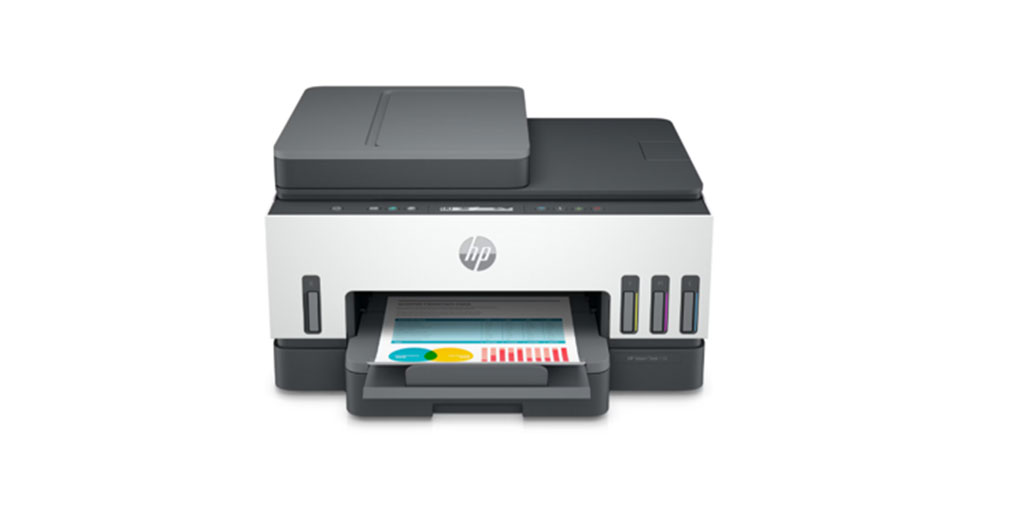
A home printer can turn a downloaded activity into something a child can write on, cut out or use in a game. The right model depends on the material you print and how often learning happens on paper.
For regular colour activities, the HP Smart Tank 585 is a practical starting point. The DeskJet Ink Advantage 2989 suits lighter use, while other models address longer documents, batch scanning or frequent black-and-white printing.
Here, “best” means the best fit for a particular home learning routine. This guide focuses on five HP printers and the tasks that make each relevant.
Start With The Activities Your Family Actually Uses
Before comparing specifications, collect a few examples of the material your child uses. A folder containing drawing outlines, reading passages and science sheets tells you more than a long feature list.
Ask these questions:
- How many pages will you print? Count a normal week, include every child and estimate the monthly total.
- Does colour carry information? A colour sorting game needs colour, while handwriting practice usually does not.
- Will children write or cut on the page? Those activities may work better on separate sheets than in a bound pack.
- Do you need to save completed work? A scanner can create digital copies of drawings and handwritten exercises.
Use HP’s recommended monthly page volume to assess routine workload. The maximum duty cycle is a capacity specification, not a suggested monthly target.
Also read: Top 10 Free Learning Websites for Kids
Home Learning Printer Comparison
This table connects each model to a specific requirement. The sections below explain the practical differences.
| Printer | Home Learning Requirement | Main Feature |
| HP DeskJet Ink Advantage 2989 | You print occasional worksheets and creative pages. | It combines colour printing, scanning and copying. |
| HP Smart Tank 585 | You regularly prepare colourful learning material. | It uses refillable ink tanks. |
| HP Smart Tank 720 | You produce longer reading and practice packs. | It prints both sides automatically. |
| HP Smart Tank 750 | You save batches of completed loose sheets. | It includes a 35-sheet document feeder. |
| HP LaserJet M208dw | You mainly print black-and-white study documents. | It provides monochrome laser printing. |
1. HP DeskJet Ink Advantage 2989 For Occasional Activities
The DeskJet Ink Advantage 2989 fits a home where printed activities supplement books and play. HP recommends 50 to 100 pages per month and lists printing, scanning and copying among its functions.
A parent might print a tracing sheet on Saturday, a drawing outline during the week and an occasional picture for a school task. That pattern makes this model more relevant than a printer intended for much heavier use.
Its flatbed scanner also lets you save an individual page without buying a separate scanning device.
Considerations: Frequent large activity packs may exceed its intended routine workload. Two-sided printing requires manual page turning, and borderless printing is unavailable.
2. HP Smart Tank 585 For Regular Colour Learning
The Smart Tank 585 suits families whose learning sessions regularly involve printed colour material. Its refillable ink system accompanies print, scan and copy functions, with a recommended monthly volume of 400 to 800 pages.
Colour has a clear purpose in activities involving identification and grouping. Children can sort pictures of fruit, match objects to coloured labels or identify different parts of a plant.
The model supports borderless printing up to A4. This removes the white edge on supported output, which can be useful for a full-page visual display.
Considerations: It lacks automatic two-sided printing and an automatic document feeder. Those limitations matter if document handling occupies much of your preparation time.
3. HP Smart Tank 720 For Longer Learning Packs
The Smart Tank 720 adds automatic duplex printing, meaning it prints both sides of a sheet without asking you to turn the paper over. HP recommends 400 to 800 pages per month.
This can help when a child progresses from individual exercises to longer reading passages, comprehension questions and chapter practice. A ten-page document can occupy five sheets if its layout suits two-sided output.
Keep activities that require cutting or heavy colouring on single-sided pages. Automatic duplex is an option, rather than a setting every learning task needs.
Considerations: The scanner is flatbed-only. Parents who regularly scan several loose pages together may prefer a model with a document feeder.
4. HP Smart Tank 750 For Saving Completed Work
The Smart Tank 750 includes a 35-sheet automatic document feeder, usually called an ADF. It feeds suitable loose pages through the scanner, reducing the need to place each sheet individually on the glass.
That becomes useful when parents keep digital records of weekly exercises or prepare a collection of completed work. Organising scans by date and subject makes individual pages easier to find later.
HP also lists colour printing, scanning, copying, automatic duplex printing and a recommended monthly volume of 400 to 800 pages.
Considerations: Occasional single-page scanning gives the ADF little purpose. Automatic two-sided printing should also not be confused with automatic two-sided scanning.
5. HP LaserJet M208dw For Text And Maths Practice
The LaserJet M208dw addresses learning material that does not depend on colour. It is a monochrome, print-only model with automatic duplex printing and a recommended monthly volume of 200 to 2,000 pages.
HP lists an A4 print speed of up to 29 pages per minute. That makes it relevant to homes producing substantial amounts of reading material, spelling exercises, arithmetic questions or practice tests.
It is particularly useful when an older child’s workload consists mainly of text and simple line drawings.
Considerations: It cannot produce colour pages, scan documents or make copies. A family needing those functions should choose an all-in-one instead.
Turn Printed Pages Into Learning Activities
A useful printable should give the child something clear to do. Match the activity to their current ability, with enough space to complete it comfortably.
Build Reading Practice Around A Short Story
Print a short passage with readable text. Ask the child to underline unfamiliar words, answer a few questions and draw a scene. Keep answers on a separate page so they do not interrupt the exercise.
Make Maths Visible With Everyday Examples
Create a shopping list with simple prices or print a blank clock face. Children can calculate totals, draw clock hands or record measurements. Use familiar objects so the instructions are easy to follow.
Create A Sorting Or Matching Game
Print pairs of pictures and words for children to match. Leave enough space between pieces for cutting. An adult can handle scissors for younger children, then store the pieces in an envelope for another session.
Also read: Who Has the Most Versatile Printer for Print-on-Demand (POD)?
Check Paper, Print Settings And Running Costs
Good preparation prevents avoidable reprints. Before printing a whole set, check one page for text size, missing edges and enough writing space.
- Use suitable paper: Ordinary worksheets generally need plain paper. For thicker cards or craft sheets, check the model’s supported paper types and weights first.
- Check the scale: Activities involving rulers, measurements or exact shapes may need printing at actual size. A “fit to page” setting can change their dimensions.
- Choose colour deliberately: Use black and white for text exercises, but retain colour when it helps explain the task.
- Check supply costs: Include compatible ink bottles, cartridges or toner in your budget. A purchase price alone does not show ongoing printing expenses.
Ink yield figures also need context. A page containing large colour pictures may use more ink than a lightly printed worksheet, so advertised page yields should not be treated as a guaranteed activity count.
Place the printer where an adult can manage paper loading and supplies. Leave the clearance specified by HP for trays, scanning and access.
Check How You Will Send Activities To The Printer
Think about where your activity files arrive. A worksheet sent to a phone needs a practical route to the printer, while a saved PDF on a laptop may follow a different process.
Check the chosen model’s supported devices, software and connection requirements before purchase. Wireless printing still needs compatible equipment and correct setup. After installation, print a sample from the device you normally use before making multiple copies, then save the settings for the next session.
Final Thoughts
The best printer for learning activities at home should make preparation easier and suit the pages your family uses. Start with a realistic workload, then identify the function that removes a recurring difficulty.
Explore HP home printers with those requirements in mind. A useful choice leaves room for the activities themselves, whether that means a reading session, a homemade game or a set of maths exercises.
FAQs
Can One Printer Serve Children Of Different Ages?
Yes. Add both children’s printing needs before estimating volume. Younger children may need picture activities, while older children use reading exercises. A colour all-in-one can accommodate that mixture if its recommended workload matches the household’s use.
Do Flashcards Require Borderless Printing?
No. Most flashcards can include cutting space around the design. Borderless output matters more when the image must reach the paper’s edge. Check the template rather than assuming every creative activity needs this feature.
Should Every Worksheet Be Printed On Both Sides?
No. Two-sided printing works well for reading packs, but children may need a blank reverse side for drawing or rough work. Cutting activities also need separate sheets so one task does not destroy another.
Can A Scanner Save A Child’s Artwork?
Yes, if the artwork fits the scanner and is suitable for placement on its glass. Flat drawings are straightforward. Keep wet paint, loose glitter and bulky craft projects away from the scanning surface.






Leave a comment