

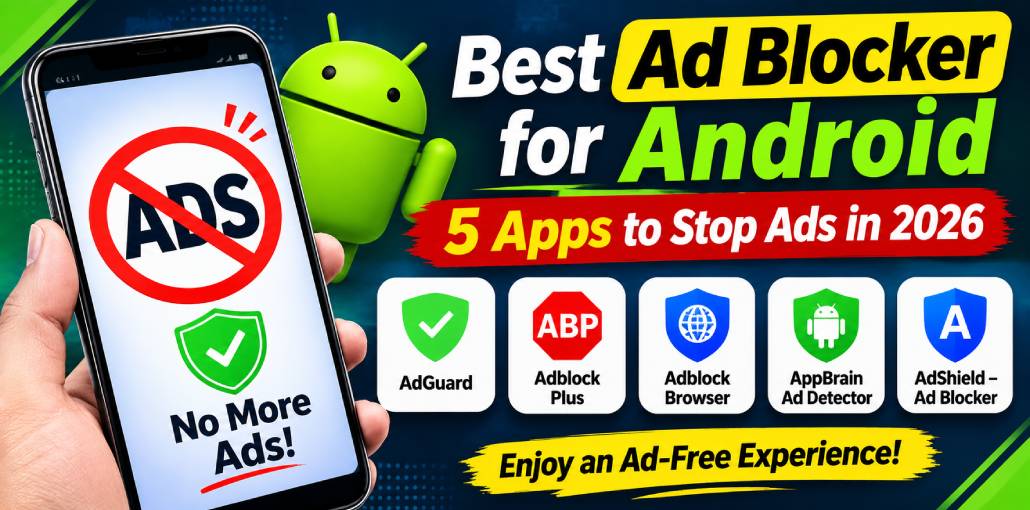
Ads can make Android browsing frustrating. Pop-ups, banners, autoplay videos, and misleading promotions interrupt websites, games, and apps, slow page loading, and use mobile data. Choosing the best ad blocker for Android can reduce interruptions and improve privacy.
Some tools block ads only in a particular browser, while others filter content across supported apps. Here are five options among the ad blocker apps for Android. Check compatibility before installing. This helps you choose the best ad blocker for Android for your needs.
Best Ad Blocker for Android
1. AdGuard
AdGuard offers customizable ad and tracker filtering in supported browsers and apps. Users can choose filter lists, adjust privacy settings, and create personal rules. It is a strong contender for the best ad blocker for Android.
DNS filtering can also prevent connections to some known advertising and tracking domains. System-wide features may depend on the Android version and download source. For advanced filtering, many users consider it the best ad blocker for Android.
Key Features:
- Filters many ads on supported websites and apps.
- Offers tracking and privacy protection.
- Supports custom rules and filter lists.
- Includes DNS filtering options.
Pros:
- Flexible filtering controls.
- Useful privacy and tracker-blocking features.
- Can cover more than one supported browser.
Cons:
- Some advanced features require payment.
- Setup may feel complicated for beginners.
Best For: Users who want detailed filtering and additional privacy controls.
Also read: 10 Best AdBlock VPNs for Fast, Secure, and Ad-Free Browsing
2. Adblock Plus
Adblock Plus (ABP) is a familiar name in ad blocking. On Android, functionality depends on the browser. For example, Samsung Internet supports compatible content-blocking extensions that use Adblock Plus filters.
It uses filter lists to identify common advertisements. The best ad blocker for Android should also match your browser. It may suit people looking for free ad blockers for Android, as long as their browser is compatible.
Key Features:
- Filters many common website advertisements.
- Uses regularly updated filter lists.
- Offers some customizable preferences.
- Works with supported Android browsers.
Pros:
- Straightforward to set up.
- Helps clean up many webpages.
- Supports filter-list customization.
Cons:
- Browser compatibility is limited.
- Does not block ads across every Android app.
Best For: Users who mainly want to reduce ads while browsing supported websites.
3. Adblock Browser
Adblock Browser is a mobile browser with built-in ad-filtering technology. Developed by eyeo, the company behind Adblock Plus, it reduces many intrusive banners, pop-ups, and website advertisements without separate extensions.
You can adjust its filtering preferences, but protection applies only inside this browser. It does not automatically remove ads from other apps. It can be the best ad blocker for Android for users who want a simple web-browsing solution.
Key Features:
- Built-in website ad blocking.
- Helps filter many pop-ups and banners.
- Provides ad-filtering preferences.
- Offers a dedicated browsing experience.
Pros:
- No separate extension is needed.
- Simple option for everyday browsing.
- Reduces many intrusive webpage elements.
Cons:
- Filtering is limited to its browser.
- Some ads may still get through.
Best For: Users who are happy to use a separate browser with built-in ad blocking.
4. AppBrain Ad Detector
AppBrain Ad Detector is an analysis tool, not a conventional ad blocker. It identifies advertising networks and related components associated with installed applications.
This can help investigate apps connected to unwanted advertising or promotional notifications. Detection is not blocking, so do not expect real-time ad removal. Review unfamiliar apps and their permissions.
Key Features:
- Identifies advertising networks used by apps.
- Detects some advertising-related components.
- Helps investigate promotional notifications.
- Provides information about app advertising behavior.
Pros:
- Helps identify advertising technologies.
- Useful for investigating suspicious app behavior.
- Provides insight rather than simply filtering webpages.
Cons:
- Does not provide comprehensive real-time ad blocking.
- May need to be paired with another protection tool.
Best For: Users who want to investigate which apps may be responsible for advertising.
Also read: How to Block YouTube Ads on PC & Mobile (Step-by-Step Guide)
5. AdShield – Ad Blocker
AdShield – Ad Blocker is another option for reducing unwanted advertisements. Its advertised features focus on filtering promotional content, but capabilities may vary by version.
Before installing, review its Google Play listing, developer, permissions, reviews, and privacy policy. Confirm what it blocks and whether it uses a local VPN or DNS configuration. Check these details before trusting an Android ad blocker with network activity.
Key Features:
- Advertises filtering for unwanted ads.
- May offer settings for managing blocking preferences.
- Focuses on reducing intrusive content.
- Features depend on the current version.
Pros:
- Another option to investigate.
- May offer adjustable filtering settings.
- Can be compared with other Android tools.
Cons:
- Capabilities may vary by version.
- Effectiveness and privacy practices should be checked.
Best For: Users willing to review an alternative carefully before installing it.
Final Verdict
The best ad blocker for Android depends on where ads appear and how much control you need. AdGuard offers flexible filtering, Adblock Plus works with compatible browsers, and Adblock Browser has built-in filtering. AppBrain identifies advertising components rather than blocking them, while AdShield needs careful checking.
To block ads Android users commonly encounter, decide whether you need browser-only filtering or broader protection. Compare cost, compatibility, and privacy policies; no tool blocks every ad. Ultimately, the best ad blocker for Android is the one that fits your device and browsing habits.
FAQs: Best Ad Blocker for Android
What is the best ad blocker for Android?
AdGuard is one of the popular ad-blocking options for Android. It helps block ads, trackers, and unwanted website content.
Are there any free ad blockers for Android?
Yes. Adblock Plus, Adblock Browser, and other apps offer free ad-blocking features. Some also provide optional premium features.
How can I block ads on my Android phone?
You can install a trusted ad-blocking app, use an ad-blocking browser, or enable Private DNS on supported Android devices.
Do Android ad blockers block ads in all apps?
No. Some ad blockers work mainly in browsers, while others can filter traffic across multiple apps. Their capabilities depend on the app and Android version.









Leave a comment