

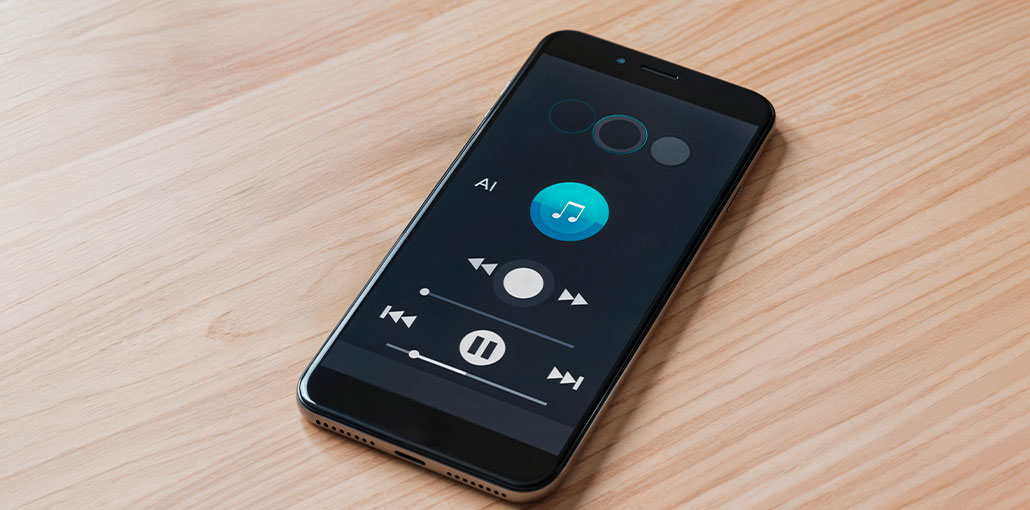
Music player apps remain an integral part of the Android experience, even in a market that is dominated by streaming. While streaming services such as Spotify are the most popular and focus on, many users still depend on local music files. For those who listen to music, using the best music player for Android could make all the difference. The apps offer a user-friendly interface to navigate music files on your device. They offer options like playing individual tracks, creating playlists, organizing music by albums, genres, or categories, and adjusting audio settings such as volume and equalization.
There are myriad music player apps on the Google Play Store, each boasting unique features and listening experiences, and finding the best Android music player is difficult. So, we’ve made this list to help you choose the best music player for Android.
Best Music Player for Android: 10 Free & Paid Apps
1. AIMP
AIMP is the best music app for Android. It can support a variety of music file formats, such as FLAC, MP3, MP4, and more. Additionally, you can avail a range of customizable options, theming, and other cool stuff. The app features a simple user interface; it was easy to use, and there was no trouble getting around or enjoying music. It is simple and has an acceptable Material Design interface.
We also liked its excellent equalizer feature, HTTP live stream, and the ability to adjust volume. It’s certainly a step up from the standard music player applications. It also has a desktop version in case you’re looking to take care of two birds with just one application. The only drawback is the compatibility issues of MIUI and EMUI devices.
Pros:
- Supports many formats like MP3, FLAC, MP4
- Strong equalizer and sound controls
- Lightweight and smooth performance
- Desktop version available
Cons:
- UI feels outdated compared to newer apps
- May have compatibility issues on some devices
Also read: Top 5 Free Music Download Apps
2. jetAudio
jetAudio has been in and out of this list for a while and appears to be a good time currently. This is the best music player for Android to listen to downloaded songs. It supports all kinds of audio, and with audio effects included, the upgraded version comes with a 20-band equalizer, which is hard to come by. Apart from the standard features, there are many plug-ins and in-app purchases. These include audio enhancers, visualization, and many other features. It’s user-friendly, does its job well, and sounds pretty good.
However, some users have expressed concern about the app’s inefficiency in sorting and managing playlists, and this could be a drawback.
Pros:
- 20-band equalizer (premium)
- Supports almost all audio formats
- Plugin support for enhancements
- Great sound quality
Cons:
- Playlist management can feel clunky
- Interface looks slightly outdated
3. Music Player & MP3 Player
Music Player is the best MP3 player for Android for playing local music. It is awash with positive feedback on the Play Store. It comes with a clean and modern interface and an in-built equalizer that is extremely helpful. It supports a wide variety of audio formats, such as MP3, WAV, FLAC, and more. It supports features like loop shuffle and customization, allowing you to control the music you listen to. We also love the lock screen controls, sleep timers, and the option to make songs ringtones. We would definitely suggest you give this a shot!
Pros:
- Modern, user-friendly design
- Built-in equalizer
- Supports multiple formats (MP3, WAV, FLAC)
- Extra features like ringtone cutter
Cons:
- Contains ads
- Lacks advanced customization
4. Musicolet
Musicolet is an excellent music player application. It offers several appealing features, including many features that aren’t usually associated with music apps. This includes an entirely online experience, a light user interface, and a tiny APK size. Furthermore, the app offers multiple queues (another rare feature) and an equalizer, a tags editor with the ability to embed lyrics, widgets, folder browsing, and more.
Its straightforward approach is refreshing. It is the best music player for Android for those who want a player for music that can play music with no additional features.
Pros:
- Completely offline (no internet permission)
- No ads at all
- Multiple queues feature
- Lightweight and fast
Cons:
- UI is very basic
- Lacks streaming or cloud integration
5. Omnia Music Player
Omnia is a solid music player with features useful to many users. It can play a variety of audio files, and comes with other features such as ReplayGain audio balancing, Android Auto, Chromecast support, and lossless audio. The app comes from the new series of audio players, which means that the UI is minimal and customizable, yet it offers enough features to be excellent. The premium version can be purchased for one $3.99 cost and is enjoyable to use.
Pros:
- Supports lossless audio formats
- Chromecast & Android Auto support
- Clean and customizable UI
- ReplayGain volume normalization
Cons:
- Some features locked behind paid version
- Less popular, smaller community
6. Oto Music
Oto Music is a stylish, user-friendly player with good navigation and supports devices such as Chromecast and Android Auto. In addition, the app has five widgets that allow gapless playback, a lighter dark design, tag editing, and support for both normal and synced songs. The app comes with all that in a package of approximately 7 MB. There’s even a Discord server if you’d like to contact the creator.
The entire app is completely free; you can also help out the creator with a variety of optional donations from $0.99 to $13.99 if you’d like to. It’s attractive, and it performs well, and there’s nothing negative about it. It’s a solid choice in this particular market.
Pros:
- Stylish and modern UI
- Lightweight (small app size)
- Chromecast & Android Auto support
- Completely free
Cons:
- Limited advanced audio controls
- Fewer features compared to premium apps
7. Plexamp
Plexamp is the best music player for Android to play music you don’t have on your mobile, but it also isn’t streaming like Spotify. It is possible to set up a Plex server at home, and then use this application to stream music from computers to phones. The app has a simple user interface, with a nice design, and it allows you to download your music to your phone for offline use.
The app also offers gapless playback, loudness leveling, smooth transitions, an equalizer, an amplifier, and additional nice features for audiophiles. Plex is charged $4.99 per month for access to the app, as it needs the ability to bounce off Plex servers to function. It’s nevertheless cheaper than a streaming music service, and it is enough to cover the costs for normal Plex (video media) and Plexamp.
Pros:
- Stream music from your own Plex server
- High-quality audio features (gapless, loudness leveling)
- Offline download support
- Great for large libraries
Cons:
- Requires Plex server setup
- Subscription required
- Not beginner-friendly
8. Pulsar Music Player
Pulsar is a top free music player app for Android. Its features include stunning Material Design tags, tag editing, gapless playback, smart playlists, a sleep timer, and Last.fm with scrobbling. Pulsar also comes with Chromecast support and some of the top Android Auto support we’ve seen in the apps on our list. It’s not as feature-packed as some of the premium options; however, that doesn’t suggest that it’s not worth the investment. It’s an excellent choice for those who are looking for something light, simple, and attractive.
Pros:
- Clean Material Design UI
- Gapless playback
- No ads
- Lightweight and smooth
Cons:
- Limited advanced features
- Some features require premium version
Also read: Top 10 Unblocked Music Sites You Can Access Now
9. Simple Music Player
Simple Music Player does exactly what its name suggests. It’s a simple offline music player for Android focused on playing local files with no extra clutter or background service. If you’re looking for the best music player for Android to play music you already have on your smartphone, this app is refreshingly simple.
The application lets users browse their library by albums, songs, folders, and genres, and provides basic playlist management, such as adding and removing tracks. It also comes with dark themes and home screen widgets, headset controls, and a sleep timer. Basic equalizer support, playback speed controls, and Android Auto compatibility. Tag editing is available, which can help clean out messy libraries. It doesn’t offer analytics or tracking, which might be appealing to privacy-conscious users.
Pros:
- Extremely lightweight
- No tracking or unnecessary permissions
- Easy navigation and basic controls
- Good for low-end devices
Cons:
- Very limited features
- Basic design and audio controls
10. YouTube Music
YouTube Music is technically a music streaming service, but you can also use it as a local music player. It will prompt you to choose to browse the music stored on your device when you start it. The UI is not great to say the least, while most of its functions revolve around its streaming platform.
Although there are many advantages to using YouTube Music, the app isn’t ideal, and definitely not a great native music service like the other apps listed. But, with its 100,000 songs, it competes well with programs similar to Plexamp that let you listen to local music without downloading it directly to your phone.
Pros:
- Access to massive music library
- Supports local file playback
- Smart recommendations
Cons:
- UI focused more on streaming
- Not ideal for offline/local music users
- Ads in free version
Best Music Player for Android – Comparison Table
| App Name | Best For | Key Features | Ads | Offline Support | Rating (User Choice) |
|---|---|---|---|---|---|
| AIMP | Audio quality lovers | Hi-res audio, strong equalizer, multi-format support | No | Yes | ⭐⭐⭐⭐☆ |
| jetAudio | Advanced audio control | 20-band EQ, plugins, sound effects | Yes (Free) | Yes | ⭐⭐⭐⭐☆ |
| Music Player & MP3 Player | Casual users | Clean UI, equalizer, ringtone cutter | Yes | Yes | ⭐⭐⭐⭐☆ |
| Musicolet | Offline listening | No ads, multiple queues, lightweight | No | Yes | ⭐⭐⭐⭐⭐ |
| Omnia Music Player | Balanced features | Lossless support, Chromecast, ReplayGain | No | Yes | ⭐⭐⭐⭐☆ |
| Oto Music | Best UI design | Modern UI, lightweight, Chromecast | No | Yes | ⭐⭐⭐⭐☆ |
| Plexamp | Personal streaming | Server streaming, offline sync, gapless playback | No | Yes | ⭐⭐⭐⭐☆ |
| Pulsar Music Player | Simple experience | Material UI, no ads, smart playlists | No | Yes | ⭐⭐⭐⭐☆ |
| Simple Music Player | Lightweight use | Minimal UI, privacy-focused, fast | No | Yes | ⭐⭐⭐☆☆ |
| YouTube Music | Streaming + local | Huge library, recommendations, local playback | Yes | Limited | ⭐⭐⭐⭐☆ |
Final Remarks: Best Music Player for Android
We reviewed our top picks for the Best Music Player for Android. We also compared a few of them and then provided an in-depth review of each.
We say that YouTube Music and Plexamp are the top-rated music player for Android. Plexamp Player has an excellent music player. Most of them offer an initial free trial, which is beneficial when you’re looking to determine whether the service is suitable for you.
FAQs: Best Music Player for Android
Which is the best music player for Android?
The best music player for Android depends on your needs. Musicolet is best for offline listening, AIMP offers excellent sound quality, and Oto Music stands out for its modern design.
Which Android music player has the best sound quality?
AIMP and jetAudio are known for the best sound quality. Both provide powerful equalizers and advanced audio controls for better listening.
Can I play local music files on Android without internet?
Yes, most apps like AIMP, Musicolet, and Omnia Music Player allow you to play local music files offline without internet.
Which is the best music player for Android with an equalizer?
The best music player for Android with an equalizer includes AIMP and jetAudio. These apps offer advanced equalizer controls, allowing you to customize bass, treble, and sound effects.





Leave a comment