

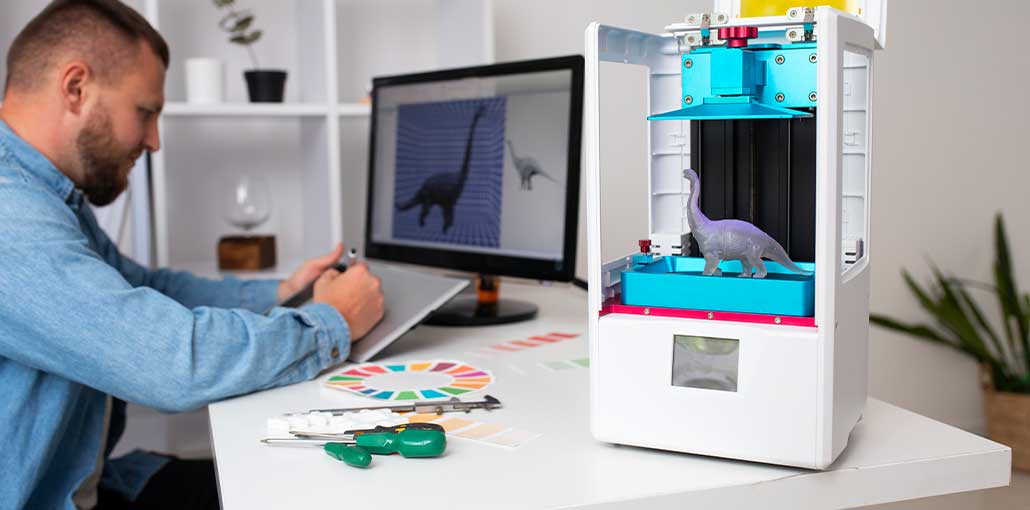
Fused Deposition Modelling (FDM) is a very popular 3D printing method. With it, you can create a wide variety of objects, including household items, décor, prototypes, and engineering parts. FDM 3D Printers are among the most popular choices for hobbyists, professionals, and businesses looking for the Best 3D Printers.
Picking the Best FDM Printers can be tricky, as there are many models with varying capabilities, print speeds, print area size, and material compatibility.
Depending on your requirements, some FDM 3D Printers have been designed to be low-cost, while others offer fast printing capabilities, large-scale printing, or printing with advanced engineering materials.
In this article, we have picked out 5 FDM 3D Printers to consider. We compare each printer’s key features, printing ability, benefits, and drawbacks to allow you to choose the best one for your budget and needs.
5 Best FDM 3D Printers in 2026:
1. Anycubic Kobra – Super Budget Pick
In 2022, the Anycubic Kobra was very popular with budget users, new users, enthusiasts, and media groups. It is an affordable 3d printer for beginners exploring FDM 3D Printers.
With great auto-leveling, a direct drive extruder, and a great PEI printing surface, this printer offers features for twice its price. It offers great value. The only real places where corners have been cut are in the plastics of the print head housing and spool holder, and even here, Anycubic has focused on the least important areas.
Other than its features, the Kobra has a great print quality at this price point. It is also easy to assemble. Although best used for printing with PLA, using Flexibles such as TPU is made easy with the direct-drive extruder.
Key Features
- Automatic bed levelling for easier calibration.
- Direct-drive extruder for improved filament control.
- PEI-coated build plate for better print adhesion.
- Supports common materials such as PLA, PETG, ABS, and TPU.
- Beginner-friendly assembly and operation.
Pros
- Affordable entry-level FDM printer.
- Good print quality for its price.
- Automatic bed levelling.
- Direct-drive extrusion system.
- Easy to assemble.
Cons
- Some external components use plastic construction.
- Not as fast as newer high-speed printers.
- Advanced materials may require additional tuning.
Also read: Best 3D Printing Software in 2026: Which Tool Should You Choose?
2. Creality K1 – Super Fast Enclosed Large CoreXY
Like many Creality printers, the K1 is an affordable way to gain access to relatively new technology. However, you may have to spend take time fiddling with this printer compared to similar devices like the Bambu P1P. It is one of the high-speed FDM 3D Printers worth considering.
Thanks to using CoreXY mechanics, this printer can achieve very fast print speeds. Typically, this printer can achieve 300mm/s, with a travel speed of 800mm/s, although depending on circumstances, you should expect to get very fast speeds from this printer.
In addition to printing quickly, features such as its enclosed build space, automatic levelling without manual input, dual cooling fans, LiDAR, and an inbuilt camera ensure reliable printing. The LiDAR allows users to check on their printing in real time. In combination with the self-diagnosing functions, it provides a very thorough way to ensure a reliable print.
Key Features
- CoreXY motion system for high-speed printing.
- Fully enclosed printing chamber.
- Maximum advertised printing speed of 600 mm/s.
- Automatic bed levelling.
- Dual cooling fans.
- Built-in camera and LiDAR-based monitoring.
Pros
- Very fast printing performance.
- Enclosed design.
- Automatic calibration.
- Advanced monitoring features.
- Supports a variety of filament materials.
Cons
- May require initial tuning.
- Cooling fans can be noisy.
- High-speed printing requires proper filament and slicer settings.
3. Ender 3 V2 – Customizable and Cheap FDM Printer
This is an extremely popular 3D printer and can be purchased for under $300. It is a kit, so it does take some time to build (less than 45 minutes); however, even beginners should find it easy. It is also an affordable 3d printer for hobbyists interested in FDM 3D Printers.
It is great for printing common materials such as PLA, ABS, or flexible materials such as TPU. If anything runs into trouble, there are many support groups online (Facebook, Reddit, etc.) that can be very helpful.
Creality has released different versions of this printer, including the V2 Neo and V3 KE. We fully tested the V2 Neo and found that it is a great improvement over the original V2. With automatic leveling and faster print times, it makes a much more modern option.
The V3 KE will be slightly more expensive than the basic version. However, it offers a filament detection system, a more durable hotend, improved cooling, and even uses the better Klipper firmware.
In general, this printer is great for printing occasional useful items and is very capable for any common projects. You can make this printer as powerful as you wish!
Key Features
- Affordable desktop FDM 3D printer.
- Build volume of 220 × 220 × 250 mm.
- Supports PLA, PETG, ABS, and TPU with suitable settings.
- Customizable hardware and firmware.
- Large online community and upgrade ecosystem.
Pros
- Budget-friendly.
- Easy to modify and upgrade.
- Widely available replacement parts.
- Strong community support.
- Suitable for everyday printing projects.
Cons
- Requires manual calibration.
- Slower than modern high-speed printers.
- Additional upgrades may increase the overall cost.
4. Qidi Tech X-Plus 3 – Best Enclosed Under $1K
Thanks to the Klipper firmware and CoreXY mechanics, it is very fast. It can produce great quality FDM prints quickly. For example, this 3DBenchy was printed in only 17 mins! It is one of the Best FDM Printers for users interested in enclosed printing.
Large build volume, easy-to-use direct drive extruder, and automatic bed levelling mean printing with this printer is very easy. The spring steel bed and hotend capable of reaching 350 °C mean that I can try out various materials.
Although there are some software and interface issues, the speed at which high-quality FDM prints can be made on this printer easily makes up for it.
Key Features
- CoreXY motion system.
- Klipper firmware for high-speed printing.
- Build volume of 280 × 280 × 270 mm.
- High-temperature hotend reaching 350°C.
- Direct-drive extruder.
- Automatic bed levelling.
- Enclosed printing chamber.
Pros
- Fast and accurate printing.
- Large build volume.
- Supports a wide range of materials.
- High-temperature printing capability.
- Convenient automatic bed levelling.
Cons
- Software and interface can be improved.
- May require some initial adjustments.
- Advanced features can take time to learn.
5. Neptune 4 Max – Best Budget Large FDM Printer
While large printers with more special use cases (such as cosplay and figures) are expensive, the Elegoo Neptune 4 Max tries to strike a balance between high build volume and price. It is an affordable 3d printer option for users who need large-format FDM 3D Printers.
With a generous build volume (420x420x480mm), fast printing speeds (with Klipper!) and the ability to print at high nozzle temperatures (300C), there is little not to like with this printer. However, being cheap and new to the market, we had some reliability issues. You will likely need to tinker with this printer to get reliable results.
This printer is absolutely not plug-and-play despite us loving the printer in testing.
However, Elegoo has excellent support. If you have time to troubleshoot issues but cannot get the build volume you require with any other printer, then this is a good option for you. Otherwise, if you want to take fewer risks, consider the Neptune 3 Max.
Key Features
- Large build volume of 420 × 420 × 480 mm.
- Klipper-based firmware.
- Maximum advertised printing speed of 500 mm/s.
- Hotend temperature up to 300°C.
- Automatic bed levelling.
- Suitable for large models and functional components.
Pros
- Very large printing area.
- High-speed printing capabilities.
- High-temperature hotend.
- Suitable for oversized projects.
- Competitive features for its price category.
Cons
- Requires initial tuning.
- Reliability can vary.
- Not ideal for users looking for a completely plug-and-play experience.
- Requires considerable workspace.
Also read: Best Printer For Learning Activities At Home
Buyer’s Guide – How to Choose the Best FDM 3D Printers
Before buying FDM 3D Printers, consider your printing requirements, available workspace, and budget. Here are the most important factors to look for when comparing the Best 3D Printers.
1. Print Quality
Choose a printer with a lower layer height (50–100 microns) for smooth surfaces and fine details.
2. Build Volume
Check the printing area to ensure it can handle your models and project sizes.
3. Bed Levelling
Automatic bed levelling makes setup easier and improves first-layer adhesion.
4. Filament Compatibility
Look for support for PLA, ABS, PETG, TPU, and other materials based on your printing needs.
5. Enclosure
An enclosed 3D printer helps maintain stable temperatures, especially when printing ABS and ASA.
6. Extruder
Direct-drive extruders are ideal for flexible filaments, while dual extruders support multi-colour and multi-material printing.
7. Budget and Printing Needs
Compare the printer’s features, performance, and maintenance costs to find the best affordable 3d printer for your budget.
Final Verdict: Which Are the Best FDM 3D Printers?
The Best FDM 3D Printers depend on your experience, printing requirements, material preferences, and budget. Choosing the right FDM 3D Printers can help you achieve better printing results.
Here is a quick recommendation based on the five printers reviewed:
- Anycubic Kobra: Best for beginners looking for an affordable printer.
- Creality K1: Best for users who want high-speed enclosed printing.
- Creality Ender 3 V2: Best for budget-conscious hobbyists who enjoy customization.
- Qidi Tech X-Plus 3: Best for enclosed printing and advanced materials.
- Elegoo Neptune 4 Max: Best for large-format printing on a budget.
Overall, no single FDM 3D printers are perfect for everyone. Before you buy, consider your project requirements, build volume, material compatibility, and maintenance expectations when choosing among the Best 3D Printers.
FAQs: FDM 3D printers
What are FDM 3D Printers?
FDM 3D Printers are machines that create objects by melting thermoplastic filament and depositing it layer by layer. They are widely used for prototyping, DIY projects, household items, and functional components.
Which FDM 3D printers is best for beginners?
The Anycubic Kobra and Bambu Lab A1 are options for beginners. They offer user-friendly features, straightforward setup, and good print quality.
Which materials can FDM 3D Printers use?
Most FDM printers support PLA and PETG. Depending on the printer's specifications, they may also support ABS, ASA, TPU, nylon, and other engineering materials.
What is the difference between FDM and resin 3D printing?
FDM printing uses melted filament to build objects layer by layer, while resin printing uses light to cure liquid photopolymer resin. FDM is generally better for larger functional parts, while resin printing is preferred for fine details and smooth surfaces.







Leave a comment