

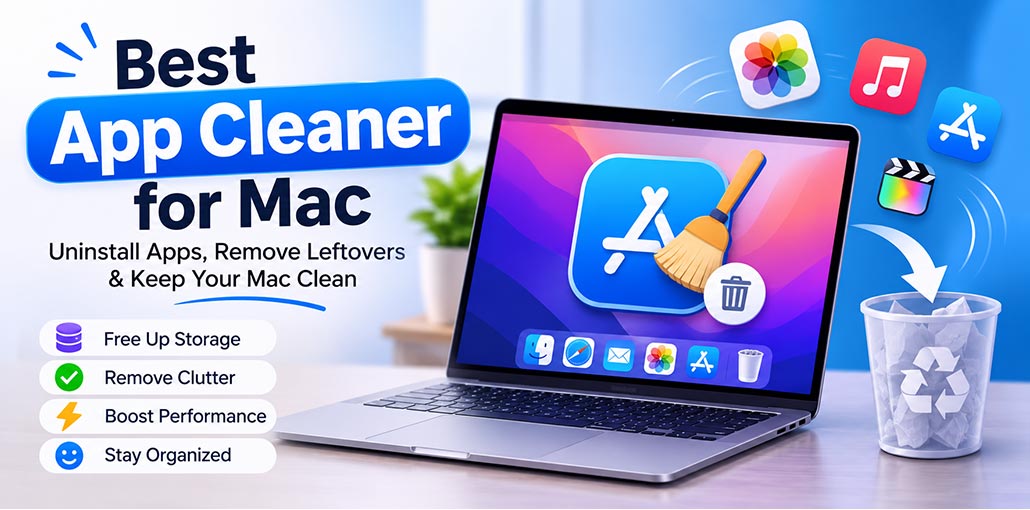
If you want to remove unnecessary software from your Mac, deleting the application itself is not enough. You also need to remove hidden files and other data associated with it. Finding these leftover files manually can be time-consuming, and some may easily go unnoticed. That’s why you use an app cleaner for Mac. This dedicated software makes uninstalling applications easier, faster, and more convenient. But which one should you choose? Keep reading to explore the best app cleaner for Mac.
Why Do You Need an App Cleaner for Mac?
Using an app cleaner can make application management easier and help keep your Mac organized.
Here are some important benefits of using an app cleaner for Mac:
- Free Up Storage: Remove unwanted apps and their leftover files.
- Complete Uninstallation: Delete app-related files that remain after uninstalling.
- Improve Organization: Keep your Mac free from unnecessary clutter.
- Save Time: Uninstall multiple apps and remove residual files easily.
- Maintain Performance: Keep your Mac clean and organized.
Also read: Top 10 MacBook Memory Cleaner to Improve Mac Speed Instantly
Best App Cleaner for MacBook to Remove Unwanted Apps
1. CleanMyMac
CleanMyMac is an all-in-one Mac maintenance application developed by MacPaw. It offers an app uninstaller that helps users remove unwanted apps along with their associated files. Besides uninstalling applications, it includes tools for cleaning system junk, managing storage, identifying large files, and checking for potential security threats.
Its Applications feature makes it easier to review installed software and find leftover files. CleanMyMac is a suitable option for users who want an app cleaner for Mac with additional maintenance features in one place.
- Key Features:
- Complete application uninstallation
- Leftover file detection and removal
- System junk cleanup
- Large and old file detection
- Malware scanning
- Application update management
Pros:
- Offers multiple Mac maintenance tools in one application.
- Easy-to-use interface suitable for beginners.
- Helps identify leftover application files.
- Includes additional security and storage management features.
Cons:
- Paid subscription required for full functionality.
- Some features overlap with built-in macOS tools.
- May offer more features than users need for basic app removal.
2. AppCleaner
AppCleaner is a free and lightweight application designed to uninstall unwanted Mac apps. It searches for related files, including preferences and support folders, allowing users to remove them together with the main application. Its simple interface makes it accessible to beginners who want a straightforward uninstallation experience.
Users can drag an application into AppCleaner to find its associated files before deleting them. It is a practical choice for anyone looking for a free app cleaner for MacBook without unnecessary additional features.
Key Features:
- Application removal
- Associated file detection
- Drag-and-drop functionality
- Leftover file cleanup
- Lightweight application design
Pros:
- Free to use.
- Simple and beginner-friendly interface.
- Helps locate associated application files.
- Does not require a paid subscription.
Cons:
- Limited features compared with all-in-one cleaning tools.
- Does not provide comprehensive Mac maintenance features.
- Basic interface with fewer customization options.
3. AppZapper
AppZapper is a dedicated Mac uninstaller that helps users remove unwanted applications and their associated files. Its drag-and-drop functionality makes application removal convenient, while its file detection feature helps identify components connected to an application before removal. It is designed for users who prefer a focused uninstallation utility.
The application provides a convenient way to identify files that may remain after deleting software manually. AppZapper is worth considering if you want a simple tool to uninstall apps on Mac and remove their related data.
Key Features:
- Drag-and-drop application removal
- Associated file detection
- Application cleanup
- File selection before deletion
- Simple uninstallation process
Pros:
- Easy-to-use drag-and-drop interface.
- Helps identify application-related files.
- Focuses on application uninstallation.
- Allows users to review files before removal.
Cons:
- Limited additional Mac cleaning features.
- Paid software after the available free trial.
- Less comprehensive than all-in-one maintenance applications.
4. Hazel
Hazel is a Mac automation utility developed by Noodlesoft. Unlike traditional app cleaners, it focuses on organizing files and automating folder management through customizable rules. Users can configure it to move, rename, organize, or delete files automatically based on specific conditions, helping maintain a more organized Mac.
Although Hazel is not primarily an application uninstaller, it offers useful file management automation. It is a good option for users who want to reduce manual work and manage everyday files more efficiently.
Key Features:
- Automatic file organization
- Custom folder management rules
- Folder monitoring
- Automated file deletion
- File management workflows
Pros:
- Saves time through file management automation.
- Offers customizable rules.
- Helps keep folders organized.
- Useful for managing unnecessary files automatically.
Cons:
- Not a dedicated application uninstaller.
- Requires time to configure automation rules.
- Paid software after the free trial.
- May be unnecessary for users who only want to uninstall apps.
5. TrashMe
TrashMe is a Mac cleaning utility designed to help users uninstall applications and locate associated files. It can identify application-related data that may remain after removing software, making it easier to manage unwanted files. Its additional cleaning capabilities also help users maintain better control over their Mac’s storage.
TrashMe is worth considering if you want an app cleaner for Mac with additional cleanup features. Before deleting anything, review the files identified by the application to avoid removing data you still need.
Key Features:
- Application uninstallation
- Leftover file detection
- Removal of widgets and plugins
- Preferences pane cleanup
- Additional Mac cleanup tools
Pros:
- Helps remove application-related files.
- Supports removal of additional components.
- Offers more than basic app uninstallation.
- Provides a convenient application cleanup process.
Cons:
- Paid application after the available free uninstallation.
- Some advanced features may be unnecessary for basic users.
- Users should carefully review files before deleting them.
6. CCleaner
CCleaner is a popular cleaning utility available for multiple operating systems, including macOS. It helps users remove unnecessary files and manage system clutter. Its Mac version includes features such as browser cleanup, junk-file removal, duplicate file detection, and application management, making it useful for general Mac maintenance.
CCleaner can be an option for users who want an app cleaner for Mac with more than basic application removal. However, check the available features and macOS compatibility before choosing a version for your Mac.
Key Features:
- Junk file cleanup
- Browser data and cookie cleanup
- Duplicate file detection
- Large file identification
- Application uninstallation
- Startup item management
Pros:
- Offers multiple cleaning features.
- Provides application management capabilities.
- Includes browser cleanup tools.
- Has a free version with basic cleaning features.
Cons:
- Some features require a paid subscription.
- Not all features are focused on application uninstallation.
- Users need to review cleaning suggestions before removing files.
Also read: 9 Best Duplicate Photo Finder & Cleaner Software
7. App Cleaner & Uninstaller
Developed by Nektony, App Cleaner & Uninstaller helps Mac users remove applications and their associated files. It can identify leftover data, manage startup programs, and provide tools for handling application extensions. Its dedicated interface makes reviewing installed software and managing unwanted applications more convenient.
If you want a dedicated Mac app uninstaller with greater control over application removal and startup management. The tool can help simplify Mac maintenance by bringing several application management features together.
Key Features:
- Complete application uninstallation
- Leftover file detection
- Startup program management
- Application extension management
- Remaining file removal
- Application update management
Pros:
- User-friendly interface.
- Helps locate application leftovers.
- Includes startup and extension management.
- Provides dedicated application management tools.
Cons:
- Some features require a paid subscription.
- Update management may not detect every available update.
- Removing remaining files requires careful review.
Quick Comparison of the Best App Cleaner for Mac
| App Cleaner | Best For | Pricing | Free Version / Trial |
|---|---|---|---|
| CleanMyMac | All-in-one Mac cleaning and optimization | From $9.95/month* | 7-day free trial |
| AppCleaner | Free app uninstallation | Free | Completely free |
| AppZapper 3000 | Quick app removal | From $18 | 3 free zaps |
| Hazel | Automated file organization and cleanup | $42 | Free trial |
| TrashMe 3 | Removing apps and leftover files | ₹1,499 | No free version confirmed |
| CCleaner | Mac cleanup and app management | $44.95 (Professional) | Free version available |
| App Cleaner & Uninstaller | Advanced app and extension removal | From $14.95/year | 2-day free trial |
How to Choose the Best App Cleaner for Mac
Before installing an app cleaner for Mac, consider the following factors:
- Uninstallation capabilities: Choose a tool that can identify application-related files instead of simply deleting the main application.
- Ease of use: A simple interface makes application removal easier, especially for beginners.
- Safety: Review the files selected for deletion before confirming the operation. Avoid removing files whose purpose you do not understand.
- Pricing: Compare free and paid versions to determine whether the additional features justify the cost.
- macOS compatibility: Check whether the application supports your current macOS version and Apple Silicon or Intel Mac.
Wrap Up
Want to remove unwanted apps and reclaim valuable storage space on your Mac? Choosing the right app cleaner for Mac can make all the difference. Whether you prefer a free tool like AppCleaner or an advanced solution like CleanMyMac, the right choice depends on your needs. Compare these app cleaner for Mac to keep your Mac clean and organized.
FAQs: App Cleaner for Mac
Is there a free app cleaner for Mac?
Yes. AppCleaner is a free app cleaner for Mac that helps uninstall apps and remove their associated files.
Are Mac app cleaners safe to use?
Generally, reputable Mac cleaning tools are safe when downloaded from their official websites. Review the files they identify before deleting anything, especially system files.
Can I uninstall apps on Mac without using third-party software?
Yes. You can drag supported apps from the Applications folder to the Trash. However, this may leave associated files behind, which you might need to remove separately.
What is the difference between an app cleaner and a Mac uninstaller?
A basic uninstaller removes an application, while an app cleaner may also scan for related files, caches, and extensions left behind after removal.








Leave a comment