

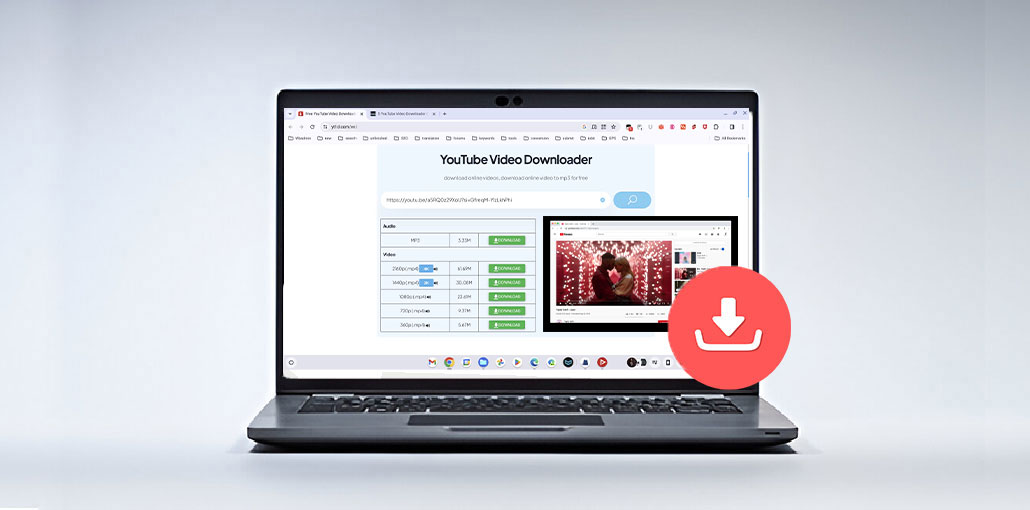
Watching YouTube videos online can lead to issues such as ads, video buffering, and high data consumption. In most situations, you’ll need to download videos to watch offline. There are many ways to do this, but using an online YouTube video downloader can be the easiest and speediest method. Here, we’ve listed the top online video downloaders on the market to help you choose the right YouTube downloader to save YouTube videos and watch them offline at any time, from anywhere.
Quick Comparison of the Top 10 Downloaders
| Tool | Best For | Video Quality | Audio Download | Registration Required | Supported Formats |
|---|---|---|---|---|---|
| Y2Mate | Quick downloads | Up to 1080p | Yes | No | MP4, MP3 |
| Online Video Converter | Video conversion | Up to 1080p | Yes | No | MP4, AVI, MOV, WEBM, MP3 |
| YTOffline | Free downloading | Up to 1080p | Yes | No | MP4, WEBM, M4A, 3GP |
| YouTubeMP4.to | MP4 downloads | Up to 1080p | No | No | MP4 |
| KeepVid Pro | Multi-platform downloads | Up to 4K | Yes | No | MP4, WEBM, MP3 |
| SaveFrom | Fast video saving | Up to 1080p | Yes | No | MP4, MP3 |
| SaveClipBro | Multiple format support | Up to 1080p | Yes | No | MP4, MP3, WAV, AVI, WMV |
| YT5s.io | HD downloads | Up to 1080p HD | Yes | No | MP4, MP3 |
| YTB Download | Unlimited downloads | Up to 1080p | Yes | No | MP4, MP3 |
| YTBVideoLy | Video and audio conversion | Up to 1080p | Yes | No | MP4, MP3 |
10 Online YouTube Video Downloaders in 2026
1.Y2Mate
The first tool on our list is Y2Mate, one of the most popular online YouTube video downloaders
Simply copy and paste the YouTube video URL manually, so it downloads the video and lets you select the resolution you want. The second alternative is to download the video using “pp” after the word “YouTube” in the video URL, and you’ll be instantly directed to the download.
Since no registration or subscription is required, users can download videos quickly and conveniently without any additional steps.
Pros
- Easy-to-use interface
- Free to use
- Supports audio extraction
- Works on desktop and mobile devices
Cons
- Frequent advertisements
- Some download options may occasionally become unavailable
Also read: 10 Best YouTube Shorts Downloader Tools to Easily Download Videos
2. Online Video Converter
YouTube Video Converter is a powerful tool that lets you save and transform YouTube videos simultaneously.
The most appealing aspect of this streaming video software is that it doesn’t require any time to convert the format you need for your favorite videos, regardless of whether it’s MP4, MKV, AVI, FLV, MOV, or WEBM.
It is a browser-based downloader; you do not need to install or download any software. It can also allow you to only download the audio from videos by choosing an Audio format such as MP3, AAC, OGG, M4A, or any other format listed on this site.
Pros
- Multiple output formats
- Fast conversion process
- Simple user interface
Cons
- Ad-supported platform
- Performance may vary depending on server load
3. YTOffline
YTOffline is a free online YouTube video downloader and converter. It lets you easily save YouTube music and videos to your phone, computer, or tablet, and watch offline! It’s quick, secure, and cost-free to use, and does not require registration. YTOffline allows downloading high-quality videos or converting to MP4, WEBM, 3GP, and M4A formats. Since the site operates in browsers, it doesn’t require installing or downloading any program to work.
Pros
- Completely free
- Supports multiple file formats
- Easy navigation
Cons
- Limited advanced features
- Interface feels outdated compared to competitors
4. YouTubeMP4.to
If you’re looking to download your YouTube videos in MP4 format, this easy and user-friendly website is for you.
YouTubeMP4 is an online YouTube video downloader to download YouTube videos for free without installing or downloading any application. Copy and paste your URL, then click Convert to make your video download-ready without ads or a payment.
Pros
- Beginner-friendly
- Fast downloads
- No account required
Cons
- Limited format options
- Primarily focused on MP4 downloads only
5. iTubeGo
iTubeGo is a straightforward online YouTube video downloader that allows users to download not just YouTube but also download videos from Dailymotion, Lynda, Facebook, VEVO, Vimeo, and Netflix, and many more websites.
It’s easy to download an online video. Simply copy and paste the URL of your video, and you’ll have a variety of download options, including various resolutions and formats such as MP4, WEBM, and more. The only site that allows you to download videos without audio.
Pros
- Supports numerous websites
- Flexible format choices
- Reliable download speeds
Cons
- Some premium features may require payment
- Certain websites may have download restrictions
6. Savefrom
Another online YouTube video downloader, allowing you to download any video you want from the internet by copying and pasting the URL inside the white box it has.
Savefrom lets you download videos directly from YouTube, Vimeo, Facebook, Instagram, Twitter, VK, Dailymotion, and more. Additionally, you can download audio files from sites like Soundcloud.
An online YouTube video downloader gives you a variety of options to download videos. The first option involves copying and pasting the URL into the box. Another option is to include “sfrom.net” or “savefrom.net “, the third is to replace” YouTube.com “with” ssyoutube.com,” and the final option is to download a browser plug-in that is designed for Google Chrome to download your favourite videos with a single click.
Pros
- Supports many websites
- Easy URL modification shortcuts
- Fast downloads
Cons
- Availability may vary by region
- Advertisements can be distracting
7. SaveClipBro
SaveClipBro is an online YouTube video downloader with an easy-to-use interface that supports various websites, including YouTube, Dailymotion, Vimeo, Vine, Facebook, Instagram, Freesound, and many more.
You can use the online video downloader for free to download any audio or video from any supported site by choosing the appropriate format for your files from a variety of formats like AAC, WMA, WAV, MP3, MP4, AVI, WMV, and more.
The procedure for using SaveClipBro is easy. You copy and paste the URL of the audio or video in the blank area, then hit “start”, and you will be presented with a variety of options, including resolution options and formats.
Pros
- Wide format support
- Easy download process
- No registration required
Cons
- Slower conversion times
- User interface could be improved
8. YT5s.io
YT5s.io is a completely free online YouTube video downloader tool. With its simple interface, this tool provides an amazing service for users. With this tool, you can download 144p to 1080p HD videos. Additionally, it allows you to download YouTube videos and Facebook videos.
Additionally, YT5 has different languages and does not require registration. In this case, it is accessible to anyone who wants to use the tool using their preferred language. Additionally, it provides a fluid service. This is the reason why the tool is extremely easy to navigate.
Pros
- HD video downloads
- Mobile-friendly
- No registration needed
Cons
- Advertisements may affect user experience
- Download speeds can fluctuate
Also read: Top 10 Social Media Video Downloader Apps
9. YTB download
If you’re looking for an online YouTube video downloader capable of delivering various high-quality video-converted audios on YouTube, YTB download is the program that you need to look into. With a beautiful user interface, YTB download ensures a smooth experience and offers easy browsing. In addition, it’s an absolutely free application that doesn’t require an account and has no download limit, and it is available in various languages too.
In the YTB download, you’ll discover all the essential features. The download manual is a little confusing to us. That’s the sole downside of this program that we’ve found. Other than that, it’s an excellent tool.
Pros
- Free service
- Attractive interface
- Supports multiple file formats
Cons
- Download instructions can be confusing
- Not as widely known as larger competitors
10. YTBVIODEOLY
YTBVIODEOLY is the last downloader on this list we’ve come across. While the interface of this program appears a little messy, it is a great online YouTube video downloader tool. With YTBVIODEOLY, you can download 1080p and 720p videos with 32kbps up to 128kbps audio. Additionally, it supports other languages for YouTube video downloads and provides download instructions. While YTBVIODEOLY requires a couple of minutes to complete, the result is satisfactory. Try it out to see if you like the features and want to save your most loved videos.
Pros
- Good quality downloads
- Easy accessibility
- Free to use
Cons
- Slightly cluttered interface
- Conversion may take longer than competitors
Things to Consider Before Downloading Videos
Before using any online YouTube video downloader, ensure you:
- Respect copyright laws.
- Follow YouTube’s Terms of Service.
- Download only the content you have permission to save.
- Use trusted websites to protect your device from malware.
Our Final Verdict
The above-mentioned are the 10 best online YouTube video downloaders for 2026. With these options, users can save YouTube videos to view offline without buffering, ads, or data consumption!
FAQs: Online YouTube Video Downloader
Are online YouTube video downloaders free to use?
Many online YouTube video downloaders are free and provide basic download features. Some platforms may offer premium options with additional features.
Can I download YouTube videos without installing software?
Yes, online YouTube video downloaders work directly in your browser, allowing you to download videos without installing any applications.
Do online YouTube video downloaders work on mobile devices?
Yes, most modern online YouTube video downloaders are compatible with smartphones, tablets, laptops, and desktop computers.
Is it safe to use an online YouTube video downloader?
Safety depends on the website you use. It's generally recommended to use trusted services and avoid downloading files from unknown sources.









Leave a comment