

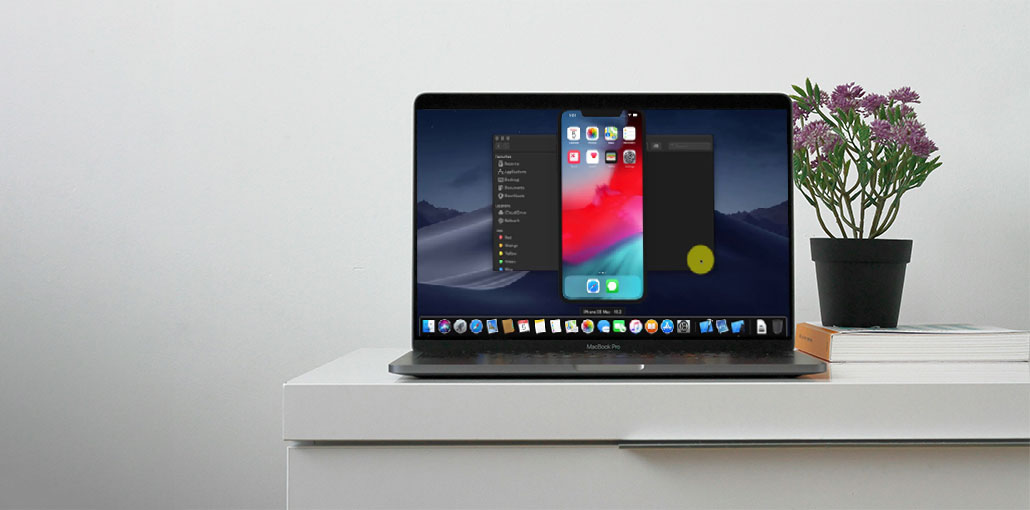
This is a thorough analysis of the well-known iOS Emulator for PC. Compare the top iOS Emulators to run iOS Apps on PC:
Android and Windows users often try to access iOS games and applications on Android phones or Windows devices. However, they don’t achieve the desired results.
However, there are applications available on the market known as mobile emulators that allow users to access the iOS apps on their phones regardless of whether they belong to a different environment.
In this article, we’ll discuss the best iOS emulator for PC to run iOS apps and games.
What is an iOS Emulator for Windows PC
There are some applications and software specifically designed for a particular Operating System, but various users would like to use these on different platforms, and emulators can do that specifically for users.
Emulators offer a platform that lets you set up Application Packages on their system, after which you can play these APKs through these emulators. Through these emulator devices, you can play any game on a phone or a computer, which is totally different from the device on which the game belongs.
iOS Emulator vs iOS Simulator: What’s the Difference?
iOS emulators and iOS simulators accomplish identical tasks and allow applications to run on a system. There’s a slight distinction in the way they operate.
iOS emulators designed for PC trick the program run on the system and use the system hardware and storage. They also allow users to run all applications on his/her system.
The iOS simulator creates an environment for applications to run seamlessly on the system, but sometimes, it does not work effectively with various applications.
Also read: Real Devices Vs. Emulator/Simulator: Which App Testing is for You?
Best iOS Emulator for PC
1. Smartface
Smartface has a wide range of features for users, allowing them to function efficiently on the platform, which is why it’s the most popular. Smartface is the best iOS emulator for PC for creating and testing apps.
Features:
- It lets cross-platform development.
- This is a great option for a debugger on Windows.
- An application that is easy to use for developing applications.
Supported Platforms: Windows
Verdict: This application has an interactive user interface and is ideal for testing apps and development.
Price: Starting from $99.
2. Appetize.io
Appetize is the most affordable iOS Emulator for PC as it permits its users to operate in a sophisticated iOS environment that offers a range of functions and cross-platform app development. The software is compatible with basic configurations. Additionally, it is focused on cloud-based work and can be used for most Windows versions.
Features:
- Ideal choice for the creation of cross-platform apps.
- It works with all Windows versions.
- It uses the smallest amount of resources, and therefore it is light.
Supported Platform: Windows
Verdict: This application requires fewer resources and fact processing, making it an excellent option.
Price: Free 100 minutes, after which $0.05/minute
3. Corellium
Corellium is a web-based iOS emulator that provides users with access to all iOS devices. It was previously only used by researchers and experts; however, it can be used by regular users.
Enterprises typically use this program to develop iOS development and other services in the browser. Nowadays, users can play with their games and apps on this platform.
Features:
- It is compatible with every operating system because it’s browser-based.
- Gaming-compatible and application development.
- Useful for core work and for development.
Supported platforms: Browser-based working
Verdict: This software is browser-based and is better suited for development and gaming.
Price: $99/month
4. Xcode
Xcode software development has the tools for developing code and testing in the iOS environment. It also provides the ideal environment for users, as well as other devices and user interfaces.
It also mimics various user interfaces, such as scrolling, rotation, and more. To date, Xcode remains the most accessible and user-friendly system for iOS development.
Features:
- Professional application for development on various iOS devices.
- Working on various devices, including iPhone, iPad, etc.
- Allows access to Safari via Xcode.
Supported platform: Mac
Verdict: This software is the most popular choice for developers, as it permits them to use code on a variety of iOS devices.
Price: Free
5. Test Flight
Test Flight remains the most reliable iOS emulator for PC, which gives users satisfactory and improved services, and continues to serve its users with a high level of care. The emulator offers the latest update from its server to allow users access the most recent features.
This application allows users to use direct beta versions, provide valuable feedback, and report any issues to the developer at any time during the update.
Users are required to create an account share to work on the profile, and if the application stops working, a notice is sent to developers about the problem, following which they attempt to fix the error.
Features:
- It is accessible on the App Store and is easy to use.
- Runs apps that work for iOS 8.0 or higher.
- Best suited for iOS development.
Supported platforms: Windows, Mac
Verdict: This application is easy to use, and lets you deploy code with ease and testing. It’s the best iOS emulator for PC.
Price: Free
Also read: 10 Best Android Emulators for Gaming and App Testing
6. Delta
The first emulator that launched on iOS, the Delta Emulator, is the simplest and easiest to use among the options. It is the most comprehensive selection of Nintendo consoles, which allows Gen-Z and millennials alike to play their favorite games once more.
Concerning the setup process, Users can convert their game cartridges to ROMs using specific tools or download game ROMs. After installation, users can then import the games into their Delta Emulator.
Features:
- It is easy to control and save cheat codes.
- Compatible with the native iOS framework.
- Enables iCloud sync
Supported Platforms: Android, iOS, Windows.
Verdict: This software is considerably suitable for gaming.
Price: Free
7. PPSSPP
Although many millennials were raised playing Nintendo consoles, a lot of young adults like me, for instance, the PSP was the pinnacle of technology, allowing gamers to play their favorite games from anywhere. Although we haven’t seen any PSP refresh in a long time, many people still want to play their favorite kids’ games.
The PPSSPP Emulator is exactly what you need and brings back the joy and thrill that comes with engaging in PSP games. The interface is identical to the one on Android, which allows gamers to download game ROMs on the internet and then import these into their interface.
Features:
- The most enjoyable gaming experience, with simple controls.
- Includes a range of sophisticated features and graphics for gaming.
- Compatible with many systems and devices.
Supported Platforms: Windows
Verdict: This is a very excellent simulator for playing online games on your computer.
Cost: Free (open source)
8. Eclipse
Although the term “Eclipse” certainly points to the IDE, its name is actually a reference to one of the free iOS emulators for PC. Eclipse is a basic emulator that is used to operate mobile apps designed to run on iOS. If you’re a test user, you won’t likely gain from this. If it is necessary to incorporate it into a specific domain that is working, I’d suggest keeping it in the gaming section due to the capabilities it offers.
Features
- Web-based emulator with no installation required
- Supports ROM and URL-based app loading
- Integrates with Google Drive and Dropbox
Supported Platform: Windows, macOS (via web browser)
Verdict: Eclipse is a lightweight iOS emulator for PC, best suited for casual use and gaming.
Price: Free
9. Electric Mobile Studio
Electric Mobile Studio makes it easy for people to use iPhones and iPads in their systems. The iOS emulator for PC is in high demand for developers because it comes with an integrated WebKit that simplifies work and offers users Chrome tools for debugging.
At first, you can test the software with seven days free trial, and if you are satisfied with its capabilities, you can then purchase the paid version with advanced and upgraded features.
Features:
- Fast and advanced tools for testing apps.
- Offers additional tools to help debug.
- It is simple to use.
Supported platform: Windows
Verdict: This application has a basic UI with additional debugging tools, making it the best iOS emulator for PC.
Price: $39.99/month
Also read: Best Windows Emulator for Mac (7 Free & Paid Options)
10. QEMU
QEMU is an open-source iOS emulator for PC. Although it’s far from being a complete product, its open-source character allows you to download it for free. QEMU iPhone emulator’s software is available for free download. You can download it from the webpage linked below.
At the writing time, QEMU includes many features such as S8000 secure ROM emulation, USB, SPRR, and GFX Emulation. If you want to use a free iOS emulator for PC, it is the best iPhone emulator for PC. Remember, you’ll need a Mac to use this.
Features:
- Open-source and free to use
- Supports hardware-level system emulation
- Works with multiple CPU architectures
Supported platform: Mac
Verdict: Suitable for experimentation, not regular users
Price: free
Conclusion
We look for the best iOS emulator for PC to run iOS apps on desktops running Windows and macOS. We attempted to keep the variety across all domains for all users. We hope this post will help you looking right iOS emulator for PC. Thanks for sharing this article with your valuable time.
FAQs: iOS Emulator for PC
Are there free iOS emulators for PC?
Yes, some iOS emulators for PC offer free plans or open-source access, such as Appetize.io (limited minutes) and QEMU.
Can I play iOS games on PC using an emulator?
Yes, gaming-focused emulators like Delta and PPSSPP allow users to play iOS-supported games on a PC.
Which iOS emulator is best for developers?
For developers, Smartface, Xcode Simulator, and Electric Mobile Studio are the best iOS emulator options for PC and Mac.
Do iOS emulators support all iPhone apps?
No, not all apps work perfectly. Some iOS apps rely on Apple hardware features that emulators may not fully support.
Is using an iOS emulator safe?
Yes, as long as you download iOS emulators from official or trusted sources and avoid fake “iOS emulator” apps.






Leave a comment