

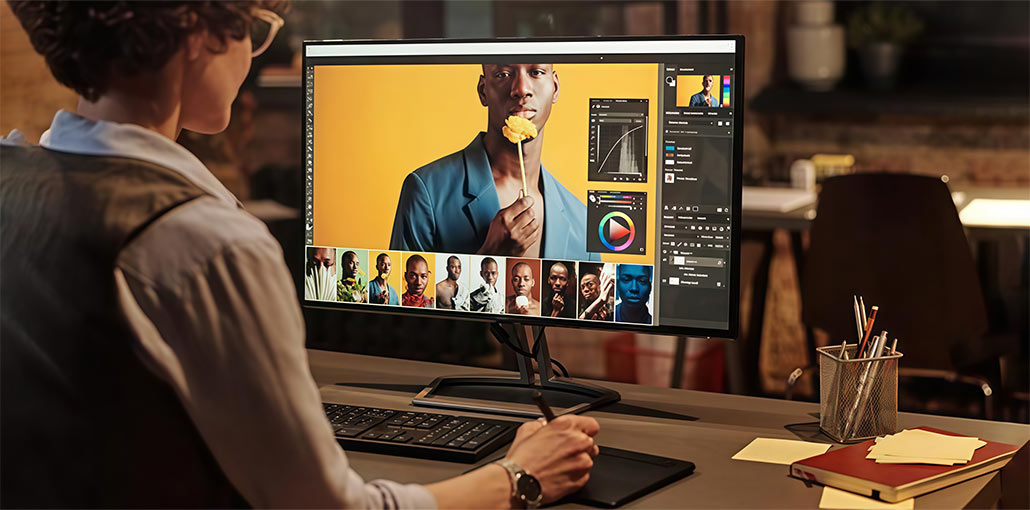
Do you work mostly with images? If so, your photos will undergo several changes after you have taken them. This is known as post-processing. Sometimes, you can alter the type of file in particular, when you want to transform the image into something that resembles an illustration. You can also create an illustration to transform it into a photograph or reverse the process!
Interestingly, each file type is unique in its characteristics and applications. This is why, when working with raster images (which are the type of image photos are). In this scenario, you must choose the best photo editing software for the task.
So…you should explore the best raster graphics editing software for this season. In the following sections, we will provide an overview of the best raster graphics editing software based on your needs. We hope this comprehensive guide will be helpful.
Best Raster Graphics Editing Software
This list of raster graphics editing software has options for everyone, regardless of level. There’s something for you, regardless of whether you’re just starting, a pro, or have a limitless or a limited budget. Based on feedback from Q&A communities and online forums, these raster graphics editing software are best for graphic designers or photo editors.
1. Affinity Photo
Affinity Photo is an excellent raster graphics editing software compared to Adobe Photoshop. It 100% stands out as a powerful competitor when you’re searching for new software.
In addition, its reasonable price can be a huge help. In addition, Affinity Photo is the best choice for its simple interface and easy layer-based editing features, which save you time.
Price:
- $34.99 (Mac & Windows)
- $9.29 (iPad)
- $82.99 (All platforms)
Pros:
- Easy-to-use, workspace-based interface
- Supports PSD/PSB file import and PSD export
- Includes 360° editing, non-destructive editing, batch processing, retouching, layer compositing, and lighting filters
- Works with many Photoshop plugins
Cons:
- Mobile version only for iPad
- Highlight/shadow and layer controls need improvement
- Some tools run slowly (tone mapping, background removal, masking, panorama stitching)
Also read: Affinity vs Adobe: The Most Notable Differences
2. Pixlr Express
Pixlr Express is a great option if you’re looking for an easy photo editing tool for raster graphics files. This is the case even when you’re just starting. Pixlr focuses on being both convenient and simple to use, especially when you have to edit photos quickly. Fortunately, Pixlr Express operates entirely online. It is accessible through Pixlr Express using your web browser rather than installing an application.
Price:
- Free version available
- Paid plans: start at $0.99/month, $4.90/month, $9.91/month
Pros:
- Simple and user-friendly dashboard
- Auto-saves work automatically
- Can edit images directly from Dropbox
- Free 6-month trial with 25 GB Dropbox storage
- Mobile app available for iOS and Android
Cons:
- Works only online (web or mobile)
- Some features are still in beta
- Web version may require Flash player to be enabled
3. Pixelmator Pro
Pixelmator Pro is a simple-to-use raster graphics editor software. However, it is important to note that ease comes with previous knowledge. This is why Pixelmator Pro is an excellent alternative for an experienced photographer with high-quality raster graphics skills who wants to save money. It’s definitely superior to other expensive software applications on our list, such as Photoshop or Illustrator.
Pixelmator Pro offers an extensive collection of AI tools that significantly improve the user experience. It includes tools like the Generative Layer for AI Generative Fill and an advanced distraction Removal software (Repair Tool) for effortlessly cleaning up images. In addition, the program can read and process EXIF metadata included in photographs.
Price: $49.99
Pros:
- Easy raster layer editing with simple vector rasterizing
- Clean interface with toolbars and menus
- Includes filters, brushes, effects, and drawing tools
- Uses machine learning for auto-layer naming and image upscaling
- Supports Sidecar and Apple Pencil
- ML Denoise removes noise and compression artifacts
- Arrange Tool resizes and rotates without damaging images
Cons:
- Only available for macOS
- Beginners may face a learning curve
- No non-destructive adjustment layers
- No history panel for revisiting edits
4. Artweaver
Artweaver is distinct from other Raster graphics editing software we’ve reviewed. It’s more of a painting tool than a program that you employ to adjust an image. However, Artweaver has a price if you aim to create raster-based graphics of an artistic nature. It is also accessible to users at any level of expertise.
The integration of the software of the command line interface is limited, and users may have limited customization options, for example, altering the default size of the font used by the application. While it is not offered in a Snap package, Artweaver’s default UI system may be challenging for users on high-resolution displays due to the small font size.
Price:
- Free
- 34€ (paid version)
Pros:
- Highly customizable brush system with many presets
- Supports plugins for extra features
- Includes layers, tools, and essential filters
- Can record and replay the painting process
- 64-bit support with multi-CPU performance
- Provides common editing tools (fill, crop, selection)
- Supports pen tablets with pressure sensitivity
- Works with common formats like TIFF, JPEG, GIF, PCX, and BMP
Cons:
- Mainly focused on painting, not advanced photo editing
- The interface looks outdated
- Only supports Windows 7, 8, and 10
- Can lag with large or high-resolution files
- Supports only TrueType fonts, not OpenType fonts
5. GIMP
GIMP is an open-source raster graphics editing software on our list. If you are proficient in programming, you will be able to fully customize the software to meet your particular requirements and workflow.
On the other hand, GIMP can be a bit difficult to navigate for an inexperienced user. But GIMP is certainly worth exploring due to its versatility for beginner to advanced users.
GIMP is a shining illustration of FOSS digital content creation tools. It has core contributors like Simon Budig, but it is not designed to function as a cloud-based image editor. The community is active with resources such as tutorials on creating things, such as polka dot patterns, and organizing a community meetup.
Price: Free
Pros:
- Open-source and regularly updated
- Supports third-party plugins
- Includes layers, brushes, filters, animation, and enhancement tools
- Compatible with most image file formats
- Strong color management for digital and print projects
Cons:
- Advanced customization may require programming knowledge
- Steep learning curve for beginners
- No native CMYK support for professional printing
Also read: 6 Best Logo Design Software and Tools
6. Paint.NET
Paint.NET offers a crowded interface compared with the latest software. But you should not ignore its features and tools specifically for working with raster graphics. Paint.NET is a fantastic tool to get started when you’re just starting the “Story of Your Life” journey. You can quickly learn, edit, and modify those Renderer graphics efficiently.
It’s best for raster graphics editing software and doesn’t allow vector conversion or more advanced procedural workflows, such as the node graph. Since it is created in Visual Basic and other high-level languages, the performance is superb. However, its structure is fundamentally different from software that is directly compiled into highly efficient assembly code.
Price: Free
Pros:
- Fast and responsive performance
- Includes effects like blur, sharpen, red-eye removal, distortion, and 3D rotate/zoom
- Strong drawing tools for curves, gradients, coloring, and text
- Uses layer technology similar to Photoshop
- Active online community with tutorials and plugins
- Regular free updates and bug fixes
Cons:
- Not ideal for professional use; lacks advanced and AI tools
- Text editing is not very smooth
- Plugin system can feel disorganized
- Some plugins are outdated or hard to find
7. Photoshop
If you’re an experienced user and have the budget to invest, Photoshop is the most effective raster graphics editing software on the market. Certain of its features are truly unmatched in the market. It is possible to anticipate the latest and most innovative capabilities to be added frequently. In addition, having the capability to sync your iPad’s new feature will benefit people who are constantly.
Its raster-based capabilities provide the essential preparation for files used with 3D printers, such as a Vinyl cutter or Laser engraver. Vector-focused programs such as CorelDRAW and Illustrator are usually used for output that is solely vector-based. While Photoshop isn’t considered a primary CAD application, its powerful image manipulation is often used to post-process and enhance visuals produced by these programs.
Price: $9.99/month (Lightroom without Creative Cloud)
Pros:
- A large number of tutorials and online support
- Versatile for painting, photography, animation, and graphic design
- Popular professional photo editing tool
- Offers tools like object selection and transform warp for retouching
- Unlimited layers and masks with text support
- Syncs between desktop and iPad
Cons:
- Works only on desktop or iPad
- Not ideal for heavy text editing
- Hard for beginners to learn
- More expensive than many alternatives
8. Corel Painter
Corel Painter is the top raster graphics editing software on our list. We believe it is an outstanding digital painting program. It’s remarkable due to its massive amount of brushes and deeply customizable options.
Furthermore, let’s also congratulate the creators on an extremely modern interface and useful tools. It’s perfect to use with a stylus. In addition, Corel Painter offers many powerful features that save you time.
Price:
- $429 (Full program)
- $229 (Upgrade)
- $199/year (Subscription – recommended)
Pros:
- 900+ realistic brushes in 36 categories
- Tools like color harmonies, perspective guides, and mirror painting
- Responds well to stylus and canvas textures
- Many brush customization options (size, shape, angle, flow)
- Automatic performance optimization
Cons:
- Mainly designed for digital painting, not photography
- Takes time to adjust to new updates
- Requires newer devices for smooth performance
- More expensive than many alternatives
Also read: Top 10 Graphic Design Apps
Raster Graphics Editing Software Comparison
Selecting the best raster graphics editing software. It will help you create more creativity. The choices we’ve provided provide distinct features. Each is suitable for different needs and skills. Professionals and beginners will discover their ideal raster graphics editing software. Take into consideration your project’s needs and budget.
Take a few minutes and see which is most appropriate. The right tool can enhance your work. It makes designing fun and effective. Stay up to date on the latest raster graphics editing software. This helps you use the most efficient tools available. Explore these options and begin making.
FAQs: Raster Graphics Editing Software
What is a raster graphic file?
A raster graphic file is an image made up of tiny pixels arranged in a grid. Each pixel contains color information, allowing detailed and realistic images, such as photographs and digital artwork. Common formats include JPEG, PNG, BMP, and TIFF.
Which is the best raster graphics editing software for beginners?
For beginners, free tools like GIMP or Pixlr Express are ideal because they offer essential editing features, a simple interface, and tutorials to get started without a financial commitment.
Are there free raster graphics editing software options?
Yes! GIMP, Paint.NET, and Pixlr Express offer free versions with robust editing tools. Some paid software like Artweaver also offers limited free versions for personal use.
What’s the difference between free and paid raster graphics editing software?
Free raster graphics editing software provides essential editing tools but may lack advanced features, AI capabilities, or plugin support. Paid software often includes professional-grade tools, AI enhancements, cloud syncing, and better performance.






Leave a comment