

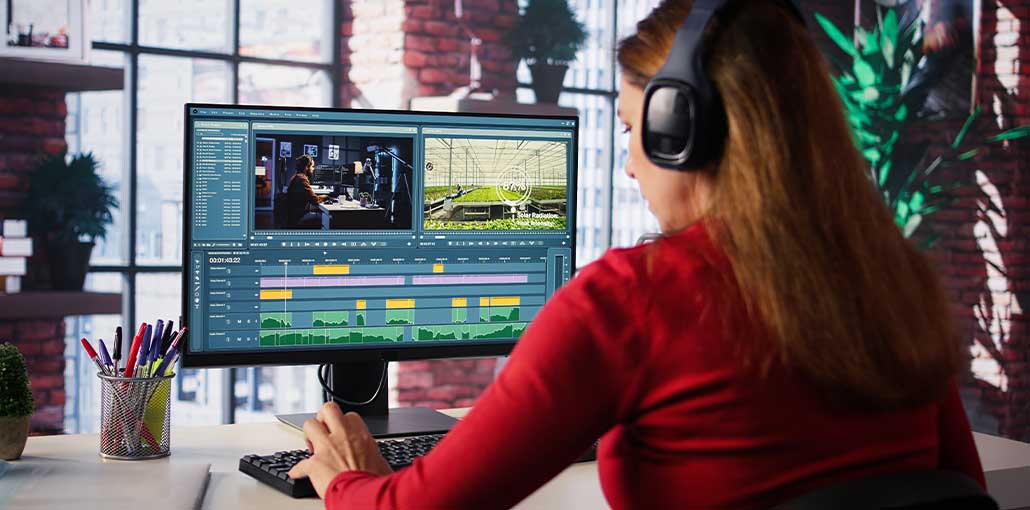
We’ve assembled a list of free MP4 editors to help you choose the right solution for your budget and needs. We’ll also guide you on how edit MP4 video files, and we’ve also included a compatibility chart of our MP4 video editors and their capabilities.
Read on to find out more about the most effective free MP4 editors available today.
10 Best Free MP4 Editors
1. PowerDirector
If you’re looking for a free, user-friendly MP4 video editor that includes professional features and filtering, then PowerDirector is your ideal choice. PowerDirector is a completely free MP4 editor that comes with a vast range of functions allowing you to cut, convert, and edit MP4 videos with the precision of a professional.
If you require an edit quickly, you can use PowerDirector. Trim or join cut, pan and zoom, convert, and more, all within two or three minutes. This free MP4 editor comes with an extensive collection of titles and transitions, animation graphics, sticker videos templates, and more that you can incorporate into your videos. Enhance your editing one step further by using PowerDirector’s artificial intelligence tools, which include sky replacement and object detection.
Pros
- AI-powered features (motion tracking, effects)
- Fast rendering and smooth timeline
- Professional-quality MP4 output
Cons
- Some features are locked behind premium plans
- Watermark on certain exports
- Requires a moderately powerful PC
Best for: Advanced users, YouTubers
Platform: Windows, macOS
Also read: Top 10 Free Online AI Photo Editors
2. Promeo
Promeo is the most efficient MP4 video editor for creating social media ads. It includes more than 27,000 templates for graphics and video for each platform, with new ones added each day.
Professionals and amateurs alike can produce advertisements, product mockups, posts, and much more using Promeo’s straightforward 3-step process and batch processing features. Simply choose a template, modify it, and then share it. Templates can be customized with high-resolution media, including brand colors, fonts, music, your own photos, and MP4s.
We also love this free MP4 editor due to its AI-powered features. These include the ability to generate AI. You can create AI templates and backgrounds from the text prompt, or upload pictures to create your own template. You can change and remove your video’s backgrounds by using a solid color image or AI backgrounds. You can also use your MP4 editor to reduce the blur and emphasize your object. The other AI tools include object removal and one-click enhancements to images, such as blurring and scaling.
Pros
- Ready-made templates for ads & promos
- Very beginner-friendly
- Ideal for short-form MP4 videos
Cons
- Limited manual timeline control
- Not suitable for long videos
- Many templates require an upgrade
Best for: Social media marketers
Platform: Windows, macOS
3. VideoPad
VideoPad is a completely free MP4 editor that is simple enough for an editor. It’s a great MP4 video editor for personal use, particularly when you require multiple export options. Upload your video directly onto YouTube, Vimeo, or Flickr and include your video’s metadata before publishing. You can also upload it to Google Drive, Dropbox, or OneDrive, or share it with others, burn a DVD, or save it to your phone or desktop. Exporting is possible in a wide variety of resolutions and formats, including HD and 4K.
The Free MP4 editor is simple to use with a minimalist interface that will be appealing to beginners. It also includes tools that allow for fast and simple video creation. It comes with pre-designed designs for animation titles, intros, outros, and themes. There are more than 50 effects that can be used in just a few clicks. Additionally, the sound effects library is free for use.
Pros
- Simple and intuitive interface
- Works well on older PCs
- Basic editing tools included
Cons
- Dated interface design
- Limited advanced effects
- The free version has export restrictions
Best for: Beginners, low-end PCs
Platform: Windows, macOS
4. OpenShot
OpenShot is a completely free, open-source, cross-platform MP4 video editing software. Most open-source programs have a steep learning curve; however, OpenShot is best for novices and suitable for those with an income. The no-cost MP4 editor integrates with the user’s desktop, allowing users to effortlessly move and drag MP4 videos onto the interface. It’s a fantastic tool to help you learn how edit MP4 videos in timelines, since it provides a variety of ways to modify the clips, including trimming, scaling, rotating alpha, snapping, and changing X and Y places.
There are over 400 different transitions that can be easily modified using keyframes and 40 vector templates for titles. Turn any text or graphics into animated 3D effects, and let them fade or bounce, slice, and much more. This MP4 editor comes with digital effects for video, such as a chroma key for changing backgrounds and even removing objects.
Pros
- 100% free with no watermark
- Unlimited tracks and layers
- Cross-platform compatibility
Cons
- Can crash on large projects
- Slower performance with 4K videos
- Basic audio editing
Best for: Open-source users
Platform: Windows, macOS, Linux
5. iMovie
iMovie is a free MP4 video editor that comes with all Apple laptops and desktop devices. It’s among the most effective editors for iPhone footage since it supports Cinematic Mode, allowing you to change the depth of field in your video and create or remove focus points. You can edit ProRes videos and add Apple ProRAW images to your videos. The free MP4 editor can also work with other Apple applications, like iTunes as background music and GarageBand for audio editing.
Although iMovie does not come with the most advanced editing features It allows you to edit MP4 videos using basic tools. It also has a clear and user-friendly interface, which even the latest editors can navigate easily. It lets you add the effects of transitions, effortlessly cut clips, add subtitles to your videos, record voice-overs, and even stabilize shaky video footage.
Pros
- Completely free, no watermark
- Clean and easy-to-use interface
- High-quality MP4 exports
Cons
- Apple-only ecosystem
- Limited professional tools
- Not suitable for complex timelines
Best for: Mac & iPhone users
Platform: macOS, iOS
Also read: Top 10 AI Video Upscalers for Upscaling Video to 4K & 8
6. Shotcut
Shotcut is a fantastic Free MP4 editor for home editor who wants to move beyond basic software. We found that it is slightly more difficult to master than the other editors that we have reviewed, but far outperforms most of them concerning advanced features. Anyone with some editing experience can master it quickly, and it will continue to grow their skills as they advance.
The MP4 video editor comes with sophisticated features that are not often offered in free software, like 360-degree video filters and pitch compensation for audio when the video speed changes. Shotcut offers a wide variety of audio and video effects, and advanced features for editing timelines like append and ripple, insert, overwrite, and more.
Pros
- No watermark or time limits
- Supports 4K and wide formats
- Advanced filters and keyframes
Cons
- Steep learning curve
- Technical-looking interface
- Can be resource-intensive
Best for: Advanced free editing
Platform: Windows, macOS, Linux
7. Clipchamp
We were impressed with its free edition of the program. The MP4 editor free version permits unlimited, watermark-free exports up to 1080p. It comes with pictures, audio, video, and also a variety of filters and effects. The premium version includes effects and premium stock, branding kits, and exports in 4K and content backup.
Clipchamp was a web-based start-up company that was purchased by Microsoft in 2025. Windows 11 users will find it integrated into the operating system. Windows 10 users can download it through the Microsoft Store. Microsoft Store, and non-Windows users can access the online version of the program on the Edge and Chrome browsers. We’ve seen it grow from a basic, simple MP4 editing tool to a high-tech software loaded with AI-powered features.
Pros
- No installation required
- Easy social media exports
- Free HD MP4 exports
Cons
- Requires stable internet
- Limited advanced editing tools
- Some assets are paid
Best for: Online editing
Platform: Web, Windows
8. VSDC Free Video Editor
VSDC Free Video Editor is a multimedia freeware program that edits MP4 videos, increases audio quality, record screen, and more. It supports MP4s and all of the most popular audio and video formats. The free MP4 editor offers a variety of stylish filters and effects, including transitions and effects that are ideal for use on social media.
It’s a light MP4 video editor that meets the smallest system requirements and is compatible with older and obsolete PCs. VSDC allows editing of multiple layers, in addition to split-screen and picture-in-picture effects.
Pros
- Advanced non-linear editing
- No watermark on exports
- Supports masking & visual effects
Cons
- Complex UI for beginners
- Windows-only
- High CPU usage on heavy projects
Best for: Advanced Windows users
Platform: Windows
9. Windows Photos Legacy
MP4 video editor concentrates on simple-to-use tools to create and edit videos. Use music, motion, text, or 3D effects to create your story. It comes with basic editing tools like trimming, adjusting audio, and splitting clips. It also comes with a theme selection and filters for your MP4s to apply. You can export your video to an MP4 format to enjoy the advantages of this file type and share it easily on social networks.
Pros
- Pre-installed on Windows
- Extremely easy to use
- Lightweight and fast
Cons
- Very limited features
- No advanced timeline
- Not suitable for serious editing
Best for: Quick MP4 trims
Platform: Windows
Also read: How to Extract Music from Video in 2025: Top Tools & Methods
10. MiniTool Movie Maker
MiniTool Movie Maker is a simple and enjoyable way to edit MP4 videos for beginners. Updates are pretty regular, and the latest version features a new design and music. The most important thing is that the free MP4 editor finally separated video effects and the filters tab, and has added overlay glitch, distortion, and effects.
While we are pleased to see that MiniTool Movie Maker can remove watermarks from videos, any videos after the initial 3 are limited to two minutes or less. MiniTool Movie Maker does not change as you improve your skills. So, if you want to improve editing, we suggest PowerDirector, a free MP4 editor for beginners that comes with advanced features.
Pros
- Easy drag-and-drop editing
- Templates and transitions included
- No watermark on short videos
Cons
- Limited advanced tools
- Export limits in the free version
- Windows-only
Best for: Beginners
Platform: Windows
Best Free MP4 Editors: Comparison Table
| Tool | Best For (User Intent) | Platforms | Watermark (Free) | Skill Level | Performance |
|---|---|---|---|---|---|
| PowerDirector | Advanced editing, YouTube videos | Windows, macOS | Limited | Intermediate–Advanced | Fast |
| Promeo | Social media ads & promos | Windows, macOS | Limited | Beginner | Smooth |
| VideoPad | Low-end PCs, simple edits | Windows, macOS | Limited | Beginner | Very Light |
| OpenShot | Open-source, no-watermark editing | Windows, macOS, Linux | No | Beginner–Intermediate | Moderate |
| iMovie | Apple users, quick MP4 edits | macOS, iOS | No | Beginner | Very Smooth |
| Shotcut | Advanced free editing & 4K | Windows, macOS, Linux | No | Intermediate–Advanced | Heavy |
| Clipchamp | Online MP4 editing | Web, Windows | No | Beginner | Internet-dependent |
| VSDC Free Editor | Windows power users | Windows | No | Intermediate | CPU-Heavy |
| Windows Photos Legacy | Quick trims & slideshows | Windows | No | Beginner | Very Light |
| MiniTool Movie Maker | Beginners & casual users | Windows | Limited | Beginner | Smooth |
Conclusion
Choosing the best free MP4 editor depends on your needs and skill level. PowerDirector, Shotcut, and VSDC suit advanced users, while MiniTool Movie Maker, VideoPad, and Windows Photos Legacy are perfect for beginners. iMovie works best for Apple users, and Clipchamp is ideal online. These tools edit MP4 videos fast, free, and with professional quality.
FAQs: Best MP4 Editor
What is the best free MP4 editor with no watermark?
OpenShot, Shotcut, iMovie, and VSDC Free Video Editor allow watermark-free MP4 exports, making them ideal for professional-quality videos.
Which free MP4 editor is best for beginners?
MiniTool Movie Maker, VideoPad, and Windows Photos Legacy are beginner-friendly, easy to use, and ideal for quick MP4 edits.
Which free MP4 editor supports 4K videos?
Shotcut, PowerDirector, iMovie, and VSDC support 4K MP4 editing and exports.
Are there free online MP4 editors without installation?
Yes, Clipchamp and Promeo allow online editing of MP4 files without any installation, making them convenient for fast projects.
Which free MP4 editor is best for Mac users?
iMovie is the best free MP4 editor for Mac and iOS devices, providing easy editing, high-quality export, and beginner-friendly templates.







Leave a comment