

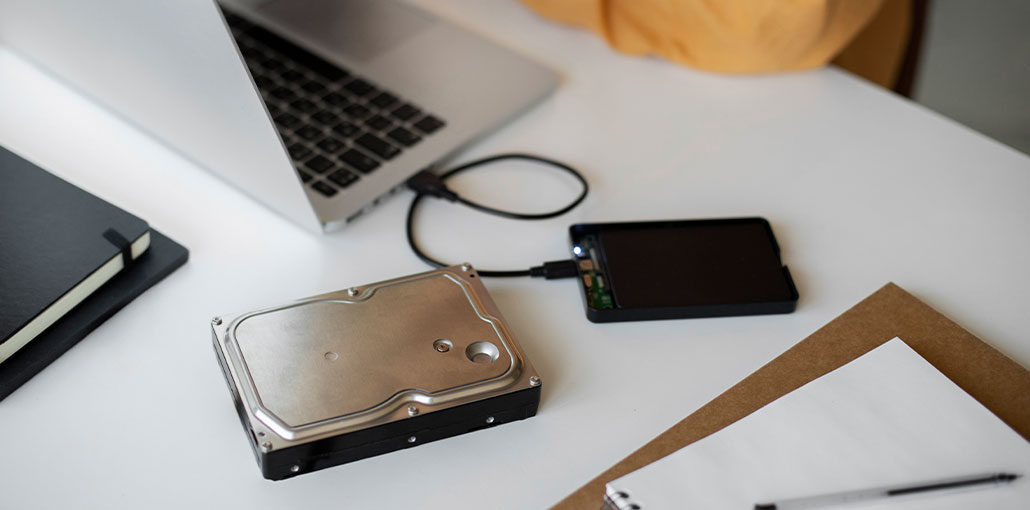
What should you do if the hard disk suddenly ceases to function in the way you expect? What can you do to determine whether it’s just a simple error in the file system or a sector that’s failing, or something more grave? In light of the number of software programs that claim to be the most effective hard drive repair tool, how do you know which ones are truly reliable?
Be assured that certain software solutions can perform hard drive repair. While no software can fix the most physical damage, the right hard drive repair tools can fix corrupted files, recover lost partitions, restore access to unbootable drives, repair damaged sectors, and even secure your data for the future.
10 Best Hard Drive Repair Software
The following list of the best hard drive repair software for Windows and macOS, which means you can analyse, prevent problems, and resolve virtually all common hard drive issues.
1. Disk Drill
Disk Drill is a professional and user-friendly hard drive recovery tool for retrieving deleted or lost data, even from the most difficult drives.
It employs an all-in-one scan that uses signature and metadata scanning to uncover data from the drive in question as it can. It also includes an original Advanced Camera Recovery (ACR) module that allows the reconstruction of fragmented video files from damaged media. You can even include virtual disks and drives, which allow for retrieval without using the actual drive. Additionally, it can be used for cross-platform scanning between Windows and macOS.
Beyond recovering, Disk Drill comes with some free features to protect and monitor your drives. It comes with active S.M.A.R.T. monitoring, which runs in the background to notify you of anticipated failures. The advanced byte-to-byte backup software uses a multipass backup technique to efficiently deal with failed drives and visually shows and highlights damaged areas.
Pros
- Recovers data from corrupted, RAW, crashed, or unbootable drives
- Supports internal, external, RAID, NAS, and virtual drives
- Byte-to-byte backup for failing disks
- Works with disk images and virtual drives
- Pause and resume scan option
- S.M.A.R.T. drive health monitoring
- File preview, search, and filters
- Free recovery up to 100 MB
Cons
- No partition or bad sector repair
- No phone support
- No built-in photo/video repair
- Scanning is slow for large drives
Also read: How to Clone Hard Drive to New SSD Without Reinstalling?
2. DiskWarrior
DiskWarrior is among the most reliable diagnostic and hard drive repair tools available for Mac. Unlike standard utilities, DiskWarrior focuses on repairing and rebuilding the directory structure, which is frequently the cause of problems with file access, slow performance, and inaccessible drives. It can repair damaged directories, enhance the drive’s performance, and recover any data lost due to destruction.
The non-destructive method it employs protects your data when it’s scanning, repairing, and rebuilding directories. Additionally, it produces clear, visual reports of the drive health, making the process of identifying and fixing potential issues simple. Although the program doesn’t provide full service to APFS as of this editing, its reliability on HFS or HFS Plus formatted drives has made it a reliable choice for a long time.
Pros
- Designed specifically for macOS HFS+
- Rebuilds directories without overwriting data
- Recovers files from damaged or inaccessible drives
- Improves drive performance by optimizing the directory structure
Cons
- Mac-only software
- No free or trial version
- Limited APFS support (version 5.3)
3. Clonezilla
Clonezilla is among the most effective options for creating backup images of your partitions or drives. If you encounter any issue that affects the drive and leads to data loss, due to it making a backup of your drive is the first step. Why? because it keeps your disk’s current state to prevent further loss while allowing recovery in the future.
The program supports a broad array of file systems, including those used by Windows, macOS, and Linux. It also allows you to compress disk images and carry out simple hard drive repairs to fix non-bootable systems. We chose Clonezilla to be our pick due to its unparalleled ability to adapt and its reliability when compared to similar open-source software. It’s especially useful in situations where multiple machines must be cloned, such as when migrating to new hardware or making a secure backup before making any risky changes to the system.
Pros
- Free and open-source
- Supports multiple file systems (Windows, macOS, Linux, BSD, VMware)
- Backup encryption and compression available
- Restores boot loaders (MBR & GPT)
Cons
- Requires bootable CD/DVD/USB
- Not beginner-friendly
- Partitions must be unmounted before imaging
4. DiskGenius
DiskGenius is a Hard disk repair tool that blends elements of partition control, data recovery, and basic disk utilities in one package. Although it isn’t as thorough in specific features as some of the tools we’ve discussed, its strengths lie in its flexibility. For those who don’t want to manage their own technology stack for hard drive repair, DiskGenius is a straightforward solution to common disk issues without switching between different applications.
The program can retrieve lost partitions and files, fix specific disk errors, and repair bad sectors. It can also resize or create partitions and backup files. It also supports editing at the hex level for more advanced troubleshooting and makes it an incredibly flexible choice for a general-purpose tool. If you’ve got a broken RAID array, the tool will practically rebuild and reconstruct it as needed.
Pros
- All-in-one tool for recovery, partitioning, and backup
- Supports RAID recovery and virtual disks
- Secure data wiping for HDDs
- Runs outside the operating system
- Built-in hex editor
Cons
- Requires bootable external media
- Does not support SSD wiping
5. CrystalDiskInfo
CrystalDiskInfo is a very useful disk monitoring tool that’s best employed as a preventative method rather than a last-resort solution. It’s able to read S.M.A.R.T. (Self-Monitoring Analysis and Reporting Technology) files from HDDs. S.M.A.R.T. information includes such things as the reading error rate (read), the seek errors, and the spin-up times. Your S.M.A.R.T. is a reliable indicator that warns you of imminent failure. This is what makes CrystalDiskInfo an indispensable tool for daily use.
It also lets you configure custom alerts to ensure that you’re notified when thresholds are reached. Since it is primarily focused on monitoring, it’s missing many extra features similar to hard drive repair software we’ve mentioned. It does historic temperature charts, AAM/APM control to adjust power and noise settings, and the ability to run on portable devices without installation.
Pros
- Free and lightweight
- Real-time S.M.A.R.T. monitoring
- Temperature tracking and health status
- Custom alerts for potential drive failure
- Portable version available
Cons
- No repair or recovery features
- Limited to monitoring only
- Not useful for fixing existing disk problems
Also read: Stellar Repair for QuickBooks: An Excellent Tool to Repair Corrupt QBW Files
6. GParted
GParted is a no-cost graphical partition editor you can use to alter the size or copy and move partitions without loss or corruption of files. This is a great choice for shrinking your partition to make space for a new OS or backup partition or to change the layout of your disk, without wiping the drive.
The main reason we decided to use GParted is that it’s cross-platform. It is compatible with Linux, macOS, and Windows-based systems via a USB drive or CD/DVD. It’s regarded by many IT experts as one of the top HDD repair software programs available. It restores partitions that have been rendered inaccessible, fixes boot issues by controlling partition flags, and verifies the integrity of the file system with the built-in repair option.
GParted is included in popular hard drive repair software like Partclone and Clonezilla, and you can download the program as a light bootable GNU/Linux distribution designed for computers running x86. The ability to hold multiple changes before applying makes it adaptable and flexible, thereby marking it as a distinct upgrade over Windows ‘ default Disk Management tool and similar third-party alternatives.
Pros
- Free and open-source
- Resize, move, and repair partitions without data loss
- Works across Windows, macOS, and Linux (via bootable media)
- Can fix partition and boot-related issues
- Allows multiple operations before applying changes
Cons
- Requires bootable USB/CD
- Interface may be confusing for beginners
- No direct file recovery feature
7. HDD Regenerator
Although Windows has an integrated HDD repair program that is capable of repairing the file system’s logical errors, it does not attempt to fix physical issues. On the other hand, HDD Regenerator is a special HDD repair tool designed to detect physical bad sectors on the surface of a hard disk drive and then attempt to repair them using its own Hysteresis loops generator technique created by Dmitriy Primochenko.
The most recent version of HDD Regenerator supports Windows and the latest storage devices, such as SSDs and NVMe drives. The program can be started via bootable media, which allows it to work on any device regardless of the OS. In addition to hard drive repair, the most recent version offers all S.M.A.R.T. support, real-time monitoring of hard drives, and recovery of corrupted data
Pros
- Detects and repairs physical bad sectors
- Works from bootable media (independent of OS)
- Supports HDD, SSD, and modern storage devices
- Includes S.M.A.R.T. monitoring
Cons
- Full version is paid
- Long scanning time for large drives
- Limited features beyond bad sector repair
- Effectiveness varies depending on the damage level
8. AOMEI Partition Assistant
Despite its name, AOMEI Partition Assistant’s name suggests that it’s another tool for moving, resizing, or creating partitions. It’s a full-featured hard disk manager capable of solving almost all problems encountered with hard drives. It is a great external hard drive repair tool, OS migration to a new drive, or changing from MBR to GPT without losing data. The program can safely shred sensitive files and prevent recovery even through Disk Drill.
The queue system allows you to create multiple changes before applying them, reducing the risk of mistakes when performing complex tasks. AOMEI Partition Assistant can run before the OS boots, allowing it to access drives that would otherwise be inaccessible and even retrieve data from an external hard drive. The interface is simple and provides all the data you require without depriving yourself of the capability to carry out precise repair and disk management tasks.
Pros
- Easy-to-use interface
- Complete disk and partition management
- OS migration to SSD/HDD
- Convert MBR to GPT without data loss
- Bootable recovery environment
Cons
- Many advanced features require a paid version
- Not focused on deep data recovery
- Some operations require a system restart
9. SpinRite
If you consider that the most recent version of SpinRite software, a program to recover lost files from magnetic storage devices, such as hard disks, was launched in 2004, you may be surprised to see it included in this list. The reason we chose to include it on the list is quite simple. It is still the best hard drive repair tool for older computers. SpinRite operates at a lower level and can access the magnetic information stored on the disk rather than the system for file access. It can retrieve information from drives that aren’t readable, have intermittent errors, or fail slowly.
Since it runs within an active version of FreeDOS, it is possible to utilize it to scan every machine, including ones that are no longer functioning properly. It supports not just Windows file systems, but also DOS FAT, all Linux file systems, Novell, Macintosh, and many more. Apart from recovery options, SpinRite can detect weak sectors before they fail, so you’re aware that they exist. Although its interface could be similar to Windows XP, its low-level scanning and repair capabilities are a distinct solution.
Pros
- Low-level disk scanning and recovery
- Recovers data from weak or failing sectors
- Works on very old and legacy drives
- Prevents future sector failure
Cons
- Outdated interface
- Paid software
- Runs in DOS environment (not beginner-friendly)
- Slow operation on large drives
Also read: 10 Free Disk Cloning Software for PC & Laptop Users
10. Victoria for Windows
Victoria for Windows is a hard disk drive informational and diagnostic tool that allows users to access specific information regarding their hard drives and resolve hard drive-related issues. One of its best capabilities is the capability to search your hard disks for problematic sectors and then remap them to functional ones. Bad sectors are an indication of a corrupted hard drive, and remapping them could help you restore your hard drive to its original condition to retrieve all data. While its outdated interface could discourage certain users, there is no doubt that it’s an amazing hard drive repair tool with many practical applications. The best part is that it’s totally free hard drive repair software.
Pros
- Free advanced disk diagnostic tool
- Detects and remaps bad sectors
- Detailed drive performance and health information
- Supports deep surface testing
Cons
- Outdated and technical interface
- Not suitable for beginners
- Limited data recovery features
- Windows-only
Best Hard Drive Repair Software – Quick Comparison
Final Thoughts
Hard drive issues can be difficult at times, but the right hard drive repair software can help recover lost data, fix hard drive errors, and safely manage your drives. From the various options we’ve reviewed here, we’ve selected the best tools within their respective solutions.
FAQs: Hard Drive Repair
What is the best hard drive repair software in 2026?
Disk Drill, DiskGenius, and HDD Regenerator for Windows; DiskWarrior for Mac.
How can I repair a corrupted hard drive safely?
Use read-only recovery tools, back up files first, then repair partitions.
Is there free hard disk repair software that really works?
Yes, GParted, Clonezilla, and CrystalDiskInfo are reliable free options.
Which software is best for recovering lost partitions?
DiskGenius and AOMEI Partition Assistant are top choices.









Leave a comment