

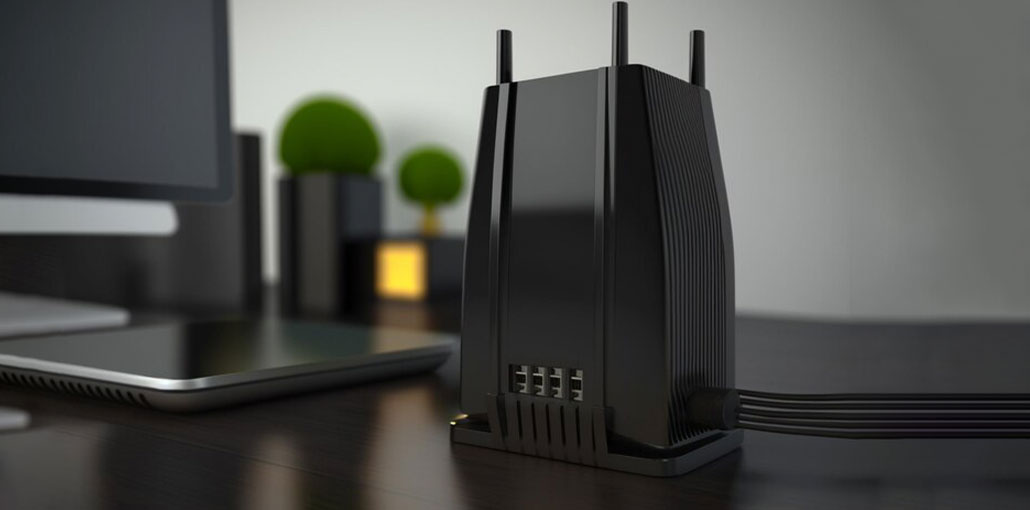
Due to the ever-increasing speed of broadband today, it is easy to overlook the fact that selecting the right modem router combo can be as crucial as the performance of the internet speed.
Speed is not the only element in determining a good connection. It is also important to think about the signal strength/range, channel bonding, upload speeds, and the number of devices it can handle simultaneously. What we’re trying to say is that there’s more to purchasing the best modem router combo than what meets the eye.
Quick Comparison of the Best Modem Router Combo
| Model | Max Speed | Best For | Key Feature |
|---|---|---|---|
| TP-Link Archer CR1900 | Up to 1 Gbps | Overall Performance | AC1900 dual-band Wi-Fi, 24×8 DOCSIS |
| NETGEAR Nighthawk C7000 | Up to 800 Mbps | Gaming & Streaming | Powerful processor, AC1900 Wi-Fi |
| ARRIS Surfboard | Up to ~600 Mbps | Reliability | Stable mid-range performance |
| Motorola MG7550 | Up to 686 Mbps | Best Value | Affordable AC1900 dual-band Wi-Fi |
| NETGEAR C3000 N300 | Up to 300 Mbps | Budget | Basic entry-level single-band Wi-Fi |
5 Best Modem Router Combo 2026
If you have an older or stock router and are constantly having numerous problems, there’s the possibility that you’ll have to upgrade it. It is assumed, of course, that your technicians did not find any problems with your network in the first place.
That being said, let’s take a look at some of the best Modem Router Combos.
1. TP-Link Archer CR1900
If money isn’t an issue and your internet connection is as fast as it gets for consumers, this could be the best modem router combo for gaming.
It offers the complete package. Many channels support up to 1000Mbps download speeds, dual-band support, excellent range, and compatibility with the Spectrum ISP.
If downsides are the matter, the only thing that needs to be mentioned is the price, which is evidently expensive. In addition, there are some complaints about TP-Link’s customer support. However, it’s a router that’s great.
Key Features
- AC1900 dual-band Wi-Fi (600 Mbps on 2.4GHz + 1300 Mbps on 5GHz)
- DOCSIS 3.0 with 24×8 channel bonding for faster speeds
- Supports cable plans up to 1 Gbps
- Beamforming technology for stronger and targeted Wi-Fi signals
- 4 Gigabit Ethernet ports + USB ports for media/printer sharing
- Easy management via TP-Link Tether app
- Guest network and parental controls
Why You Should Buy
- Great for heavy streaming, gaming, and multiple devices
- Strong coverage for medium to large homes
- Saves ISP rental fees long-term
- Reliable performance for high-speed cable plans
Why You Shouldn’t Buy
- Only works with cable internet (DOCSIS), not fiber/DSL
- No DOCSIS 3.1 (not fully future-proof for gigabit+ plans)
- Slightly expensive compared to basic models
Price: $69 at Walmart
Also read: Best Modem For Xfinity: 7 Xfinity-Compatible Modems
2. NETGEAR Nighthawk C7000
This is a different alternative that focuses more on range than speed. But, with that mentioned, most users can’t even get half of the speeds that this router’s modem can offer.
All things considered, it’s a premium option, with the only disadvantage being that it’s a bit on the expensive side. It gets worse for those who want a higher speed with the AC2200 or 3200.
Of course, if you can access the gigabit network, we presume that spending another 100 or 200 dollars isn’t an enormous expense.
Key Features
- AC1900 dual-band Wi-Fi for high-speed wireless performance
- DOCSIS 3.0 (24×8 channel bonding)
- Supports internet plans up to ~800 Mbps
- Powerful processor for smooth gaming and 4K streaming
- Four Gigabit Ethernet ports
Why You Should Buy
- Excellent for gaming and heavy streaming
- Stable performance with multiple connected devices
- Trusted brand with strong reliability
- Good balance of speed and coverage
Why You Shouldn’t Buy
- Not ideal for gigabit+ or DOCSIS 3.1 plans
- Higher price than mid-range alternatives
- Overkill for basic or low-speed internet users
Price: ₹149 at NETGEAR
3. ARRIS Surfboard
If you’re looking for a mid-priced to budget options router, this Surfboard is among the first choices you must consider. It’s considerably less expensive than other choices without sacrificing much.
It indeed has smaller channels, but it’s missing some Ethernet ports, and its range isn’t quite as wide. However, it’s not geared to those who require this kind of thing. It is more suited to an intimate family with a decent connection, or for a single enthusiast. We’ll leave it to you.
If there’s a drawback at this price, the most likely reason is that the router comes with two Ethernet ports. Therefore, if you’re in the market for an item with 4 Ethernet ports at as low a price as, you can check out our second option.
Key Features
- Dual-band AC1900 Wi-Fi
- DOCSIS 3.0 with 16×4 channel bonding
- Supports speeds up to ~960 Mbps
- Coverage up to 1,900 sq. ft.
- Four Gigabit Ethernet ports and beamforming
- Easy plug-and-play setup
Why You Should Buy
- Reliable and stable performance
- Easy setup for non-technical users
- Good choice for medium to large homes
- Compatible with most major cable ISPs
Why You Shouldn’t Buy
- Best suited for plans up to ~300–600 Mbps
- No USB ports for storage sharing
- Lacks advanced features compared to premium models
Price: Starting at $219
4. Motorola MG7550
Many modem routers that come with four Ethernet ports (Decent routers) can easily exceed 200 dollars. But not this one.
For under $150, you’ll get four Ethernet ports, up to 375Mbps download speeds good range, and dual-band connectivity. It’s not a bad price for the best modem router combo for your home.
Who might consider the 16×4 channel configuration slightly unsatisfactory in terms of value. However, it’s likely the price to pay for the additional LAN connectivity and good network speed.
Key Features
- AC1900 dual-band Wi-Fi
- DOCSIS 3.0 (16×4 channel bonding)
- Supports speeds up to ~686 Mbps
- Power Boost and beamforming for improved coverage
- Compact and energy-efficient design
Why You Should Buy
- Best value for mid-speed internet plans
- Reliable performance for streaming and work-from-home
- Good coverage for apartments or small homes
- Affordable compared to high-end models
Why You Shouldn’t Buy
- Not suitable for gigabit plans
- Limited future-proofing (no DOCSIS 3.1)
- May struggle in very large homes
Price: $99.99 at Walmart
5. NETGEAR C3000-100NAS N300
The price of a product doesn’t necessarily mean it’s good, and this router is a perfect illustration of this. Sure, the price of $85 (Depending on the date when you purchase) isn’t the smallest amount to shell out. But when compared with routers that easily exceed $200? This is as low as we could be.
The great thing about C3000 is that its highest allowed speed is 300Mbps. At the opposite end of the scale, there’s no dual-band support, and you’re confined to an 8×4 channel configuration.
However, given these speeds and the somewhat limited range, you can leave the frequency on 2.4 GHz. If there’s a downside, the poor customer assistance (According to all the purchasers at least).
Key Features
- N300 single-band Wi-Fi (up to 300 Mbps)
- DOCSIS 3.0 with 8×4 channel bonding
- Compact and easy to install
- Basic security and parental controls
Why You Should Buy
- Very budget-friendly option
- Ideal for basic browsing, email, and HD streaming
- Good for small homes or single users
- Simple setup and low power consumption
Why You Shouldn’t Buy
- Limited speed and coverage
- Single-band Wi-Fi (no 5GHz)
- Not suitable for gaming, 4K streaming, or multiple devices
- Not future-proof for faster internet plans
Price: $95 at Walmart
Also read: Best Travel Routers in 2025: Top Picks for Every Traveler
Best Modem Router Combo 2026: How We Test and Review
Testing the products that we recommend is a major component of the decision-making process that we cover in our most comprehensive guides for top modem router combos. This method is used to ensure that the product we recommend is certainly the most effective option in the particular category.
Our evaluation process focuses on multiple factors, including:
- Speed and connection stability
- Coverage and signal strength
- Hardware quality and durability
- Ease of setup and management
- Feature set and long-term usability
- Price-to-performance value
Most of the products we recommend go through a testing process that includes everything from cost and performance to high-end construction quality, efficiency, and design. Every product is tested beyond its limits to test what it can do under extreme stress to ensure that it is worthy of our top position.
This allows us to provide the most precise evaluation of the way in which the product works and, ultimately, whether it’s worth the money you’ve spent.
Things to Consider When Choosing the Best Modem Router Combo
As we’ve mentioned before, selecting the best modem and router combo in the technology sector requires experience, research, and knowledge. The only thing left for you to do is apply the knowledge you have gained to pick the best modem router combo that suits you.
There isn’t no such modem router that functions for everyone. The most expensive choice may be the most effective, but if you’re unable to use it, you’re spending money in vain.
Compatibility
Always make sure the modem router works with your cable ISP (like Xfinity, Spectrum, Cox, etc.). No compatibility = no internet.
Speed Support
Match the device to your internet plan.
- Basic plans → Entry-level models
- Mid-speed plans → 16×4 channel devices
- High-speed plans → 24×8 models
Dual-Band Wi-Fi
- 2.4GHz = Better range
- 5GHz = Faster speeds
- Most modern combos offer both.
Range
Choose based on your home size. Bigger homes need stronger coverage.
Channel Bonding
- 16×4 = Good for most homes
- 24×8 = Better for heavy users
Connectivity
Gigabit Ethernet ports are important for gaming consoles, PCs, and smart TVs.
Wrap Up: Select the Best Modem Router Combo
This is all we have for you today. We hope that this article has helped you make the right choice for buying the best modem router combo for gaming. We hope that you now have a better idea of the best modem router combo.
FAQs: Best Modem Router Combo
What is the best modem router combo for home use?
The best modem router combo depends on your internet plan, home size, and usage. For most homes, the TP-Link Archer CR1900 or NETGEAR Nighthawk C7000 are top picks due to their speed, dual-band Wi-Fi, and wide coverage.
Can I use a modem router combo for fiber internet?
No. Most modem router combos are designed for cable internet. If you want fiber connectivity, you’ll need a separate router or ONT. Choosing the best modem router combo is essential for cable users, but it won’t work for fiber connections.
How do I choose the best modem router combo for gaming?
Look for a device with AC1900 or higher Wi-Fi, DOCSIS 3.0 (24×8), and low latency. The NETGEAR Nighthawk C7000 is considered one of the best modem router combos for gaming because it handles multiple high-speed streams without lag.
How do I know if a modem router combo is the best for my internet speed?
The best modem router combo should match or exceed your ISP’s speed. For example, AC1900 devices like the TP-Link Archer CR1900 support high-speed plans up to 1 Gbps, ensuring your connection runs at full capacity without slowdowns.









Leave a comment