

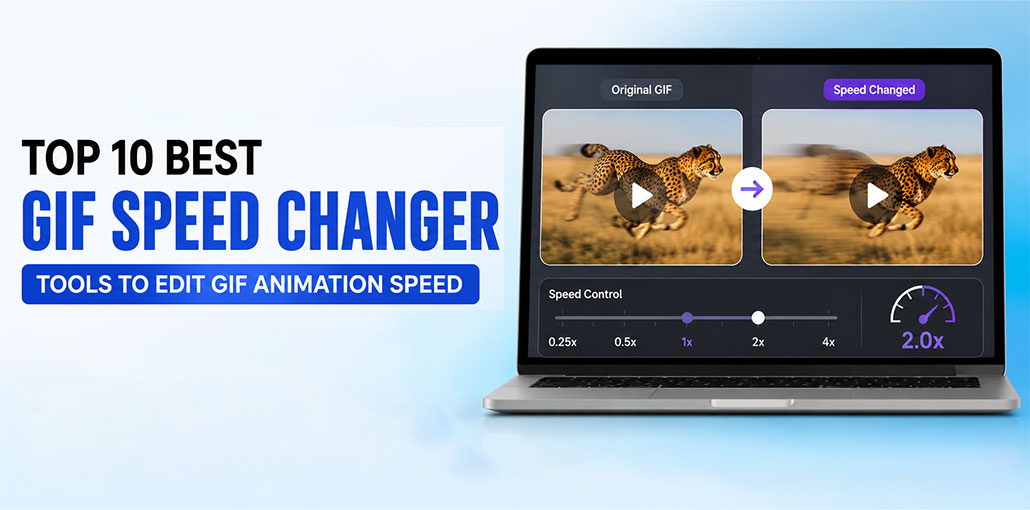
Unlike static images, like JPEG or PNG, GIF lets you create animated images and share them in messages. GIFs behave similarly to videos but without sound and repeatedly. Today, GIFs may contain an animation that is either too slow or too rapid. As more video creators use GIFs to communicate with their target audience, it is sensible to optimize or speed up GIFs so that the main point is conveyed effectively.
Understanding that each GIF has different needs, it is essential to choose the right software to increase or decrease animated GIF speed. We’ve provided the best GIF speed changer tools, both offline and online tools that are simple to use and change GIF speed.
GIF Speed Changer Comparison Table
| GIF Speed Changer | Platform | Free Version | Best For | Speed Control | Extra Editing Features |
|---|---|---|---|---|---|
| GIMP | Windows, macOS, Linux | ✅ Yes | Professional GIF editing | ✅ Yes | Crop, resize, filters, color correction, frame editing |
| Easy GIF Animator | Windows | ✅ Trial | Creating and editing animated GIFs | ✅ Yes | Text, effects, optimization, animation tools |
| GiftedMotion | Windows, macOS, Linux (Java) | ✅ Yes | Lightweight GIF editing | ✅ Yes | Rearrange, duplicate, delete frames |
| TunesKit AceMovi | Windows, macOS | ✅ Trial | Beginners and content creators | ✅ Yes | Video editing, filters, transitions, text, effects |
| Gifntext.com | Online | ✅ Yes | Quick browser-based editing | ✅ Yes | Crop, resize, add text |
| IMGFlip | Online | ✅ Yes | Meme creators and social media | ✅ Yes | Captions, crop, rotate, resize |
| EZgif | Online | ✅ Yes | Free all-in-one GIF editing | ✅ Yes | Reverse, optimize, resize, split, merge, convert |
| VEED.io | Online | ✅ Limited | Professional online editing | ✅ Yes | Timeline editor, subtitles, filters, effects |
| GifGit | Online | ✅ Yes | Basic GIF editing | ✅ Yes | Crop, draw, resize, text |
| Online GIF Tools | Online | ✅ Yes | Fast GIF speed changes | ✅ Yes | Basic GIF utilities |
Best GIF Speed Changer Apps and Online Tools
1. GIMP
GIMP is a great video editor that allows you to change your GIF framerate. This tool can also be used to edit the animation GIF. In addition, GIMP lets you rotate or adjust the size, crop, and make adjustments to the color of your GIF, and numerous other things with any GIF. It is a free tool for changing GIF speed or speed up a GIF.
Key Features
- Change GIF frame delay and playback speed
- Edit individual animation frames
- Crop, resize, and rotate GIFs
- Apply filters and color corrections
- Completely free and open source
- Available for Windows, macOS, and Linux
Pros
- Completely free with no watermark
- Powerful editing capabilities
- Supports advanced frame-by-frame editing
- Works offline
- Regularly updated by the community
Cons
- Beginner interface can feel overwhelming
- Speed adjustment requires editing frame delays manually
- Not ideal for quick one-click edits
Also read: 5 Best Twitter GIF Downloader: Download GIFs from Twitter
2. Easy GIF Animator
Simple GIF Animator is true to its name. Blumental created this GIF editor tool, and it’s powerful enough to speed up or slow down any GIF. You can download the tool for free, but you’ll need to purchase the full version to gain access to all options.
Key Features
- Speed up or slow down GIF animations
- Frame-by-frame editor
- Add visual effects and transitions
- Insert text and animated objects
- GIF optimization for smaller file sizes
- Export in multiple animation formats
Pros
- User-friendly interface
- Excellent animation editing tools
- Quick speed adjustment
- Supports animated banners and icons
- Good optimization options
Cons
- Free version has limited features
- Requires a paid license for full functionality
- Windows only
3. GiftedMotion
GiftedMotion is a reliable open-source, portable, and open source GIF speed changer that lets you alter the rate of any GIF quickly. The user interface is easy to use, and its use is surprisingly simple. It is simple to adjust frames, and you can position frame and image order and much more.
Key Features
- Portable application
- Change GIF playback speed
- Rearrange animation frames
- Delete or duplicate frames
- Open-source and free
- Lightweight and fast
Pros
- Completely free
- No installation required
- Extremely lightweight
- Easy frame management
- Fast performance
Cons
- Outdated interface
- Limited editing tools
- No advanced effects or filters
4. TunesKit AceMovi
If you’re in search of an easy-to-use yet robust GIF speed converter, TunesKit AceMovi Video Editor is the best option. It’s a video editing software for professionals that lets you increase or decrease the speed of media files, including GIFs, videos, and audio files. Drag your targeted GIF files onto the timeline, then click on the Speed icon in the toolbar, or right-click the file and choose the option Speed and Duration. Then you can change GIF speed to meet your requirements.
Key Features
- One-click GIF speed adjustment
- Timeline-based editing
- Video, audio, and GIF editing
- Add transitions, filters, and effects
- Export high-quality GIFs
- Supports multiple file formats
Pros
- Modern and intuitive interface
- Very easy speed adjustment
- Rich editing features
- Suitable for beginners
- Supports both videos and GIFs
Cons
- Premium features require payment
- Free version exports with a watermark
- More features than needed for simple GIF edits
5. Gifntext.com
If you’re looking to modify GIF speed online, instead of downloading any GIF speed-changing software, try Gifntext.com. It is a great tool, and all you have to do is upload the GIF image you want to edit, and the program will provide you with all the editing options you can use.
Key Features
- Online GIF speed changer
- No software installation
- Add text to GIFs
- Resize and crop animations
- Simple browser-based interface
- Free to use
Pros
- Works in any modern browser
- No registration required
- Fast editing process
- Easy for beginners
- Free basic features
Cons
- Requires an internet connection
- Limited advanced editing tools
- Large GIFs may upload slowly
6. IMG Flip
Another online tool that’s simple to use is IMG Flip. As with all GIF speed changers, IMG Flip also has some cons; however, it provides a wide variety of editing options and customization options. IMG Flip is ideal for people who just need to make a few edits to their GIF and want to change the speed.
Key Features
- Speed up or slow down GIFs
- Upload GIFs from your device or via URL
- Crop, resize, and rotate animations
- Add text and meme captions
- Browser-based editor
- Supports multiple image formats
Pros
- Easy-to-use interface
- No software installation required
- Fast GIF processing
- Includes meme creation tools
- Works on Windows, macOS, Linux, and mobile devices
Cons
- Free version may add a watermark
- File size limits for free users
- Advanced features require a Pro subscription
7. EZgif.com
If you’re looking for a free GIF speed changer on the internet, EZgif.com is the best option. This tool is free and lets you set your frame rates for the GIF file and then convert it to MP4. In addition to changing the speed of the GIF, it can also be used to join several GIFs.
Key Features
- Change GIF animation speed
- Optimize GIF file size
- Crop, resize, rotate, and reverse GIFs
- Split and merge animations
- Convert GIFs to MP4 and vice versa
- Completely browser-based
Pros
- Completely free
- No registration required
- Wide range of editing tools
- Supports large GIF files
- Simple and clean interface
Cons
- Interface looks outdated
- Upload speed depends on your internet connection
- Lacks advanced visual effects
8. Veed.io
Veed.io is an excellent option to change speed of GIF video. There are only the basic steps to follow, and you’ll be done with the speed-changing process. There is no need to sign up for accounts or install any programs. Upload the file, and then you’re done.
Key Features
- Adjustable GIF playback speed
- Cloud-based editing
- Add text, subtitles, and effects
- Timeline editor
- Export GIFs in high quality
- Supports various media formats
Pros
- Modern and intuitive interface
- Beginner-friendly
- Excellent editing features
- Accessible from any browser
- Frequent updates and improvements
Cons
- Free version includes a watermark
- Some premium features require a subscription
- Uploading large files can take time
9. GifGit
Editing a GIF using GifGit is incredibly simple. Since it’s an online GIF speed changer, you don’t have to be concerned about downloading an app. Upload the file, change GIF speed, and that’s about it. This free tool will aid you in changing the speed of your GIF by providing the most effective solution.
Key Features
- Change GIF animation speed
- Crop and resize GIFs
- Add text and simple effects
- Draw directly on GIF frames
- Browser-based editing
- Free to use
Pros
- No installation required
- Easy for beginners
- Free online editor
- Includes basic editing tools
- Quick processing
Cons
- Limited advanced features
- Older interface design
- Not suitable for professional editing projects
Also read: 10 Best GIF Compressor for Discord to Reduce GIF Size
10. Online GIF tool
This Online GIF tool is exceptionally user-friendly. Drag or drop a GIF onto your desktop, or choose it manually. After the speed is changed or speed up GIF, you’ll get a preview of the new speed.
Key Features
- Speed up or slow down GIFs
- Instant preview before downloading
- Drag-and-drop upload
- Browser-based editor
- No installation required
- Simple one-page interface
Pros
- Extremely easy to use
- Fast processing
- Free for basic usage
- No account required
- Works on any operating system
Cons
- Limited editing capabilities beyond speed adjustment
- Requires an internet connection
- Not designed for advanced GIF creation
How to Choose the Best GIF Speed Changer
| Factor | What to Look For |
|---|---|
| Platform | Choose an online tool for quick edits or desktop software for advanced editing. |
| Speed Control | Ensure it can easily speed up or slow down GIFs with frame delay or speed settings. |
| Editing Features | Look for tools with crop, resize, text, optimize, reverse, and conversion options. |
| Free vs. Paid | Free tools are great for basic edits, while paid versions offer advanced features and no watermarks. |
| Output Quality | Pick a tool that maintains GIF quality while adjusting playback speed. |
Final Thoughts
These are the best GIF speed changer tools we’ve got to offer you. Be aware that each comes with its own advantages and disadvantages, but they all work flawlessly. They are largely online, so you don’t need to download software. We suggest that our readers visit each site individually and then try to speed up a GIF or slow down an animation. Consider whether there are pros or cons of each and determine which one best suits your GIF speed changer needs.
FAQs: GIF Speed Changer
What is a GIF speed changer?
A GIF speed changer is a tool that lets you adjust the playback speed of an animated GIF. You can speed up or slow down a GIF by changing its frame delay or animation rate.
Which is the best GIF speed changer?
The best GIF speed changer depends on your needs. EZgif is ideal for free online editing, GIMP is best for advanced desktop editing, and VEED.io offers professional cloud-based editing features.
Is there a free online GIF speed changer with no watermark?
Yes. EZgif, GifGit, and Online GIF Tools let you change GIF speed for free and generally do not add watermarks to the exported GIFs.
Can I reverse, crop, or resize a GIF while changing its speed?
Yes. Many GIF speed changers include additional editing tools such as cropping, resizing, rotating, reversing animations, adding text, optimizing file size, and converting GIFs to other formats.







Leave a comment