
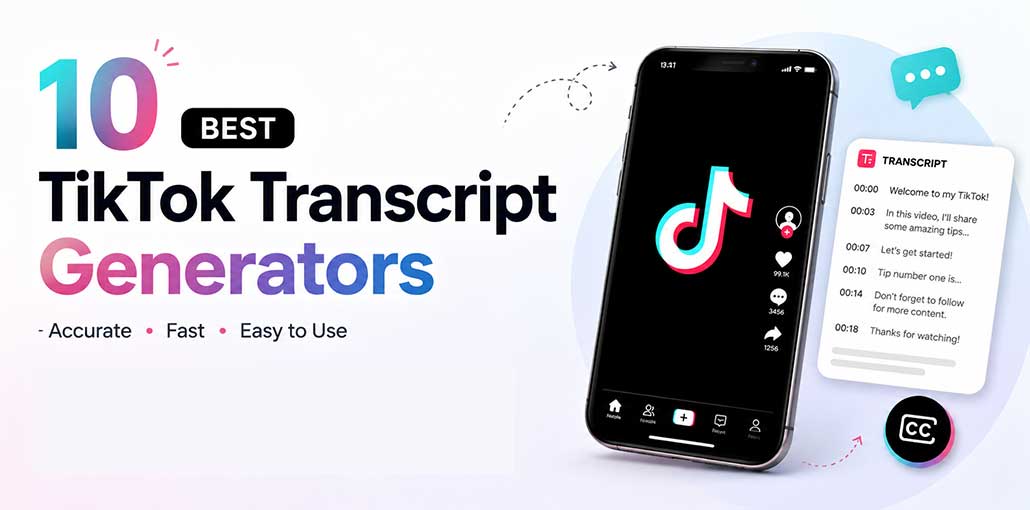
Many people want to convert video content to text for use as subtitles or for uploading to other platforms. Content becomes much simpler to comprehend for readers who prefer reading. At the same time, a TikTok transcript generator will save time when reusing content for tweets or blogs. However, the official app does not let you download or copy complete captions straight from within the app.
For this reason, people nowadays are searching for tools that quickly convert TikTok videos to readable text. It is good to know that some quick, free tools are now available to help anyone tackle this. This article will provide you with the best TikTok transcript generators for getting transcripts from smartphones, mobile applications, or APIs.
Can You Transcribe TikTok Videos Natively?
TikTok allows creators to add captions to videos, yet there’s no easy way to copy or download generated caption text as a transcript. If you need the full text saved or edited outside TikTok, then its options might not be enough. As such, many users rely on external transcription tools or the TikTok Transcript Generator to convert TikTok videos to shareable, readable text.
Also read: TikTok Voice Generator: Add AI Voices to Your Videos Easily
10 Best TikTok Transcript Generators
Here are some of the best TikTok transcript generator tools to consider in 2026.
1. TikoTranscript — Best for TikTok-Focused Transcription
TikoTranscript is a TikTok transcript generator built specifically around TikTok transcription. You can paste a public TikTok URL and generate text without manually downloading and processing the video. It supports timestamps and TXT or SRT downloads.
One useful feature for creators is its AI-powered analysis. In addition to transcription, it offers tools designed to identify viral hooks, analyze script structures, and help turn transcript ideas into new scripts. It also supports bulk processing and claims support for more than 100 languages.
Best for: TikTok creators, marketers, and content researchers
Pros:
- TikTok-focused workflow
- TXT and SRT export
- Bulk processing
- AI-powered content analysis
- Supports 100+ languages
Cons:
- Advanced features may require paid credits
- Works primarily with public TikTok content
2. Transcript365 — Best for Multilingual Transcripts
Transcript365 is another useful TikTok Transcript Generator if you want to turn a public TikTok URL into text. The service supports transcripts and subtitle formats such as TXT, SRT, and WebVTT.
Its website says it supports more than 100 languages and can process many videos within seconds. It also offers a browser extension for supported public TikTok pages.
Best for: Multilingual creators and marketers
Pros:
- Supports 100+ languages
- TXT, SRT, and WebVTT output
- No login required to start
- Fast processing
- Useful for subtitle workflows
Cons:
- Some features may depend on credits
- Accuracy can vary with audio quality
3. Descript — Best for Transcript-Based Video Editing
Descript is more than a basic TikTok Transcript Generator. It combines transcription with audio and video editing, allowing creators to work with their content through text.
This can be especially useful when you want to turn a transcript into an editable video workflow rather than simply copying the words from a TikTok.
Best for: Content creators and video editors
Pros:
- Transcript-based editing
- Video and audio editing features
- Useful for repurposing content
- Good for professional workflows
Cons:
- More complex than a simple transcript tool
- Some advanced features require a paid plan
4. Kapwing — Best for Transcription and Editing
Kapwing is a browser-based video editing platform that also offers transcription features. It’s a good choice for users who want to create text from video and then continue working on the content in the same environment.
It’s particularly useful if your goal is to turn a transcript into captions or edit short-form videos rather than simply save plain text.
Best for: Social media creators
Pros:
- Online workflow
- Transcription and video editing
- Useful caption tools
- Beginner-friendly interface
Cons:
- Free features may have limitations
- Better suited to broader video workflows than simple transcription
5. VEED — Best for Captions
VEED is an online video editing platform with AI-powered transcription and subtitle features. Instead of stopping after generating text, you can use the transcript as part of a larger captioning and editing workflow.
For creators who regularly publish TikToks, Reels, Shorts, and other social videos, having transcription and editing features together can save time.
Best for: Creators who need captions and editing
Pros:
- Transcription and caption tools
- Online video editor
- Useful for short-form content
- Supports broader social video workflows
Cons:
- Some features require a paid plan
- More features than necessary for users who only need text
6. Maestra — Best for Multilingual Content
Maestra is designed for transcription, captions, and multilingual media workflows. It can be useful when your TikTok content involves different languages or when you need to turn spoken content into subtitles.
Best for: Multilingual creators and businesses
Pros:
- Transcription features
- Subtitle support
- Translation-focused workflow
- Useful for international content
Cons:
- May be more advanced than casual users need
- Pricing can be higher for frequent use
7. TokTranscript — Best for Viral Content Analysis
TokTranscript combines TikTok transcription with tools aimed at creators who want to understand why certain videos perform well.
Its current feature set includes timestamped transcripts, TXT downloads, hook analysis, viral breakdowns, and script remixing. The platform says its free tier allows users to try transcript extraction without signing up.
Best for: Creators researching viral TikTok formats
Pros:
- TikTok-specific
- Timestamped transcripts
- TXT downloads
- Hook analysis
- Script remix features
Cons:
- Some AI features are paid
- More useful for creators than casual viewers
8. TokTranscripts — Best for Simple Transcripts
TokTranscripts offers a straightforward way to create a TikTok video transcript without adding unnecessary complexity. The basic process involves providing a TikTok link, generating the transcript, and then copying or downloading the resulting text.
This makes it worth considering if you don’t need advanced video editing or extensive AI analysis.
Best for: Users who want a simple TikTok-to-text workflow
Pros:
- Simple interface
- No signup required
- Copy transcript quickly
- Download text
- Beginner-friendly
Cons:
- Fewer advanced features
- Transcript quality depends on the source video’s audio
Also read: 5 TikTok Watermark Remover: Easy Way to Remove Watermarks
9. ElevenLabs — Best for AI-Powered Speech Tools
ElevenLabs offers powerful AI audio and speech-to-text capabilities that can be useful for generating a TikTok video transcript. Unlike TikTok-specific services, it works as part of a broader AI audio ecosystem.
Instead of using a dedicated TikTok-only service, you may prefer a broader AI platform if you work with different types of video and audio content.
Best for: AI-focused creators and audio workflows
Pros:
- Advanced AI audio ecosystem
- Speech-to-text capabilities
- Useful beyond TikTok
- Suitable for broader content workflows
Cons:
- Not specifically designed around TikTok
- May be more than casual users need
10. Submagic — Best for Short-Form Content
Submagic is designed for short-form creators who need a TikTok video transcript along with engaging captions and video-editing features. It can help transform spoken content into social-ready text while giving creators additional tools for improving their TikTok videos.
Best for: Short-form video creators
Pros:
- Designed for social content
- Caption-focused workflow
- Useful for short-form videos
- Helps streamline content creation
Cons:
- Better suited to creators than researchers
- Advanced capabilities may require payment
Quick Comparison of the Best TikTok Transcript Generators
| TikTok Transcript Generator | Best For | Main Strength | Free Option |
|---|---|---|---|
| TikoTranscript | TikTok creators | TikTok transcription + AI analysis | Yes |
| Transcript365 | Multilingual users | 100+ languages and subtitle formats | Yes |
| Descript | Video editors | Transcript-based editing | Limited |
| Kapwing | Social creators | Transcription + video editing | Yes |
| VEED | Caption creators | Captions and editing | Yes |
| Maestra | Multilingual content | Transcription and subtitles | Limited |
| TokTranscript | Viral content research | Hook and script analysis | Yes |
| TokTranscripts | Simple transcription | Easy TikTok-to-text workflow | Yes |
| ElevenLabs | AI audio users | Speech-to-text ecosystem | Yes/Limited |
| Submagic | Short-form creators | Social captions | Limited |
How to Choose the Best TikTok Transcript Generator
Not every transcription tool is designed for the same user. Consider these factors before choosing a TikTok transcript generator.
Transcription Accuracy
Look for a tool that can handle accents, background noise, fast speech, slang, and multiple speakers. Always review the transcript before publishing or quoting it.
TikTok URL Support
If you don’t want to download videos manually, choose a service that supports direct processing of public TikTok URLs.
Export Formats
TXT is useful for notes and research, while SRT and VTT are better suited to subtitles and caption workflows.
Language Support
Creators with international audiences should look for tools that support the languages they regularly encounter.
Batch Processing
If you’re analyzing many videos, batch processing can save considerable time compared with transcribing each video individually.
AI Features
Advanced platforms may offer summaries, hook analysis, script analysis, translation, or content repurposing features.
Price
Free tools can be enough for occasional transcription. If you’re processing videos regularly, compare monthly limits, credits, export options, and paid features.
Conclusion: Choose the Best TikTok Transcript Generator
TikTok Transcript Generator makes it simple and user-friendly to transform spoken content into accessible text for learning, research, captions, or content repurposing. With so many free and AI-powered options readily available to you, transcribing TikTok videos quickly can save time while making valuable video content more understandable, accessible, and shareable.
FAQs: TikTok Transcript Generator
What is the best TikTok Transcript Generator?
The best option depends on your needs. TikTok-focused tools are convenient for extracting transcripts directly from public videos, while platforms such as Descript, Kapwing, and VEED are better if you also need video editing and caption features.
Is there a free TikTok Transcript Generator?
Yes. Some transcription services offer free usage or limited free credits. However, features such as batch processing, higher usage limits, premium exports, and advanced AI analysis may require payment.
Can I convert a TikTok video to text?
Yes. Many transcription tools can convert the spoken audio in a supported TikTok video into written text. The process usually involves pasting the video URL or uploading the video, depending on the service.
Can I transcribe TikTok videos in other languages?
Yes. Some transcription platforms support dozens or even more than 100 languages. If multilingual transcription is important, check whether the specific language you need is supported before choosing a tool.






Leave a comment