

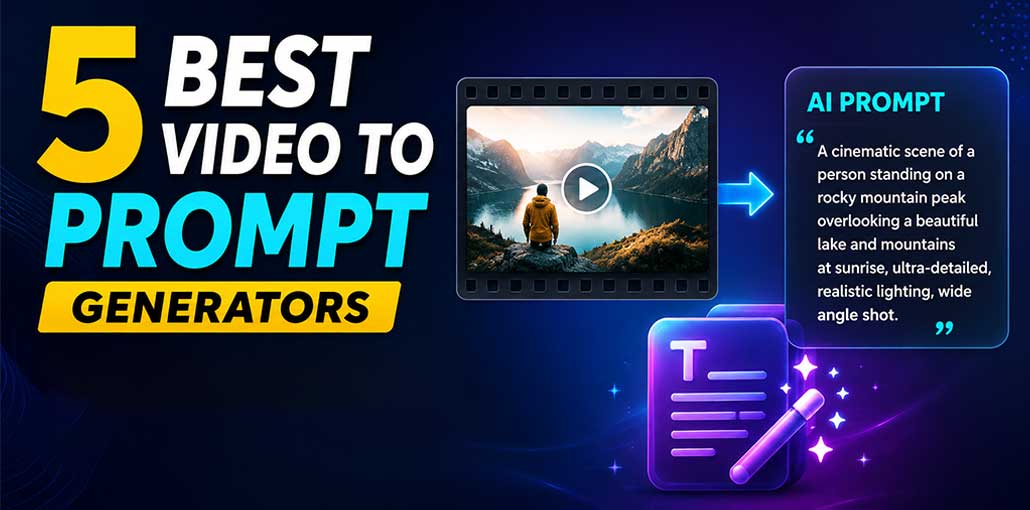
Creating an AI video prompt can take time. You need to describe a scene, characters, camera movement, lighting conditions, color mood, and actions of interest before beginning. A Video to Prompt tool makes this task far easier.
These tools analyze an existing video and turn its visual details into a text prompt. You can then edit the prompt and use it with AI video generators to create something new.
In this guide, we’ll look at 5 of the best Video to Prompt generators, their main features, pros and cons, and how to choose the right one.
What Is a Video to Prompt Generator?
A video to prompt generator is an AI tool that analyzes video footage to provide written descriptions of what happens within.
Assuming you upload a video showing someone walking through an urban environment at night in rainy conditions, the AI might describe features like wet streets, neon lights, camera movement, lighting, and overall mood.
The generated prompt can then be edited and utilized with AI video-generation tools.
How Does Video to Prompt Work?
Most Video to Prompt tools follow a simple process:
- Upload a video: Add the video you want the AI to analyze.
- AI analyzes the footage: The tool looks at scenes, objects, people, movements, and other details.
- Important details are identified: It may recognize camera angles, lighting, colors, actions, and the environment.
- A prompt is generated: The tool turns those details into a text description.
- Edit the prompt: You can add or remove details to make it more useful.
- Generate a new video: Use the prompt with a compatible AI video generator.
Also read: What Is a Drawing Prompt Generator? A Complete Guide for Beginners
5 Best Video to Prompt Generators
Here are five tools worth considering if you want to turn a video into an AI prompt.
1. Filmora Video to Prompt
Filmora is a popular video editing software offering AI-powered creative features. Its Video to Prompt feature allows users to understand a video’s visual elements and turn them into usable prompts.
It can be helpful when you want to study the style of an existing clip and create a detailed description for AI video generation.
Best for: Beginners and video creators
Pros:
- Easy to understand
- Designed for creative workflows
- Useful for analyzing video ideas
- Works well with other video-editing features
Cons:
- Some features may require a paid plan
- AI-generated prompts may still need editing
2. VideoToPrompt
VideoToPrompt is a free video to prompt generator designed to transform video footage into AI-ready prompts. Instead of manually describing every aspect of an episode or clip, you can use AI to analyze footage and generate descriptions for you automatically.
Save yourself time when including specific details such as subject, environment, camera movement, lighting or visual style in your prompts.
Best for: AI video creators
Pros:
- Focused on video-to-prompt conversion
- Can create detailed descriptions
- Useful for studying video styles
- Saves manual prompt-writing time
Cons:
- Output quality can depend on the source video
- Generated prompts may need customization
3. VideoPrompt
VideoPrompt is another option for creators who want to analyze video clips and turn them into structured AI prompts.
It can be useful when you want to understand how a video is built visually. Instead of only describing the main subject, a good prompt can include the environment, movement, camera work, lighting, and mood.
Best for: Cinematic prompt ideas
Pros:
- Useful for creative video analysis
- Can help describe visual style
- Makes prompt creation faster
- Helpful for experimenting with AI video
Cons:
- Results can vary between videos
- You may need to rewrite parts of the prompt
4. Video2Prompt
Video2Prompt focuses on extracting useful information from videos and converting it into text prompts.
This can be helpful if you’re trying to recreate a similar visual idea with an AI video generator. The generated description can give you a starting point instead of forcing you to write everything manually.
Best for: Detailed video descriptions
Pros:
- Simple concept
- Useful for analyzing scenes
- Can identify important visual elements
- Helps speed up prompt writing
Cons:
- AI may miss small details
- Complex scenes can be harder to describe accurately
5. PixMind
PixMind provides AI-powered creative tools for image and video workflows. With its Video to Prompt capabilities, creators can transform visual ideas into detailed prompts for AI content creation.
If you regularly work with AI images and videos, having all their creative features in one place may make your workflow easier.
Best for: AI content creators
Pros:
- Useful for creative projects
- Supports AI-powered workflows
- Can help develop visual ideas
- Beginner-friendly approach
Cons:
- Some features may be limited
- Generated prompts can require manual improvements
Also read: How to Write Effective Prompts for ChatGPT: A Guide for Essay Writing
How to Use a Video to Prompt Generator
Using a Video to Prompt tool is usually simple.
Step 1: Choose Your Video
Start with a video that clearly shows the scene you want to analyze. A short clip with good image quality can make the process easier.
Step 2: Upload the Video
Open your chosen tool and upload the video. Some services may have limits on video length or file size.
Step 3: Let AI Analyze It
Give the tool some time to process the video. The AI will look for important visual information.
Step 4: Get Your Prompt
Once the analysis is complete, the tool will provide a text description of the video.
Step 5: Improve the Prompt
Don’t simply copy the result and stop there. Read it carefully and add details that the AI missed.
Step 6: Use It With an AI Video Generator
You can then use the improved prompt with an AI video-generation tool that supports text prompts.
Limitations of Video to Prompt Generators
These AI video to prompt generator tools are useful, but they aren’t perfect.
AI might misunderstand a person’s action, miss a small object, or describe a camera movement incorrectly. Complex scenes with many people and objects can also be difficult to analyze.
The generated prompt should therefore be treated as a starting point, not a perfect copy of the original video.
You should also make sure you have the right to use any video you upload or recreate.
How to Choose the Best Video to Prompt Generator
Before choosing a tool, consider these factors:
- Ease of use: Pick a tool that doesn’t make the process confusing.
- Video support: Check the supported file types, video length, and file size.
- Prompt quality: Look for tools that describe more than just the main subject.
- Video analysis: Camera movement, lighting, action, and style can make a prompt more useful.
- AI model compatibility: Check whether the generated prompts work well with the AI video tools you plan to use.
- Price: Free tools can be useful for testing, while paid tools may offer more advanced features.
Final Verdict
A Video to Prompt generator can make AI video creation much easier, especially if you don’t know how to describe a scene in detail. Instead of starting from an empty prompt box, you can upload a video and let AI create a useful starting point.
Filmora is a good choice for beginners who want video analysis alongside creative editing tools, while dedicated platforms such as VideoToPrompt, VideoPrompt, and Video2Prompt can be useful for experimenting with AI prompts.
FAQs: Video to Prompt Generator
Can I convert a video into an AI prompt?
Yes. Video-to-prompt tools can analyze a video and create a written description that you can edit and use for AI content creation.
Can I use a generated prompt to create another video?
Yes. You can edit the generated prompt and use it with an AI video generator that accepts text prompts.
Are Video to Prompt generators accurate?
They can be useful, but they aren't always perfect. AI may miss small details or misunderstand complicated scenes, so reviewing and editing the prompt is recommended.
What makes a good Video to Prompt?
A strong prompt clearly explains the subject, action, environment, camera movement, lighting, visual style, and mood.









Leave a comment