
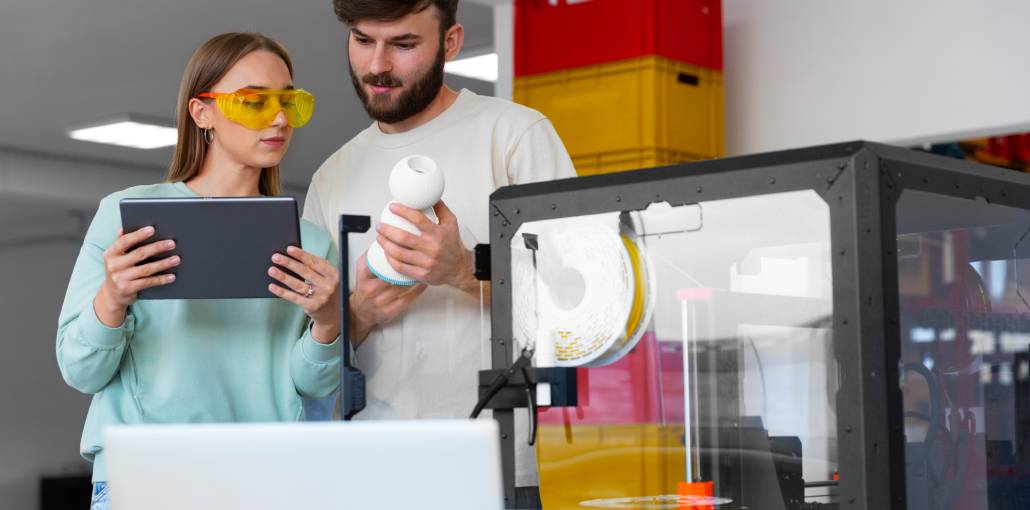
Whether you want to turn your 3D designs into real-world objects or create prototypes for a new product, choosing the right 3D printing software is essential. But with so many tools available, how do you know which one is right for your project? Let’s explore the best 3d printing software to help you get started.
In this guide, we’ll explore some of the best 3D printing software for different needs, from slicing and printer control to STL editing, mesh repair, and 3D modeling. Whether you’re designing your first model or working on a complex project, you’ll find useful 3D printing software to bring your ideas to life. Let’s find the right software for you!
What Is 3D Printing Software?
3D printing software helps users create, modify, repair, and prepare digital models for 3D printing. It generally includes two main categories: 3D modeling software and slicing software.
Modeling tools let you design objects from scratch, while slicers convert digital models into printable layers and generate machine instructions, usually G-code for FDM printers. Together, these tools help turn digital designs into physical objects.
Also read: What is 3D Printing and How Does It Work?
Top 10 3D Printing Software
1. UltiMaker Cura
Best for: Beginners and general-purpose FDM printing
UltiMaker Cura is free, open-source slicing software that converts 3D models into printable instructions. Its simple interface suits beginners, while customizable settings help experienced users improve print quality and control material usage.
Key features:
- Adjustable layer height and print speed.
- Customizable infill density.
- Automatic support generation.
- Printer profiles and plugin marketplace.
Pros:
- Free and open-source.
- Beginner-friendly interface.
- Extensive slicing controls.
- Large user community.
Cons:
- Advanced settings can confuse beginners.
- Slicing may be demanding for complex models.
- Printer compatibility varies by profile.
2. PrusaSlicer
Best for: Advanced slicing and flexible print settings
PrusaSlicer is free, open-source 3D printing software developed by Prusa Research. It provides detailed control over print preparation and supports compatible third-party printers. Its customizable settings make it suitable for users who want greater control over printing results.
Key features:
- Multiple interface modes.
- Custom support structures.
- Adjustable infill and layer settings.
- Multi-material printing workflows.
Pros:
- Free to use.
- Detailed slicing controls.
- Supports multiple printer configurations.
- Regular software development.
Cons:
- Advanced settings require learning.
- The interface may feel complex initially.
- Printer profiles require careful selection.
3. Bambu Studio
Best for: Bambu Lab printers and multicolor printing
Bambu Studio is slicing software designed for the Bambu Lab ecosystem. It helps users arrange models, configure printing settings, manage materials, and prepare print jobs. Compatible hardware enables multicolor and multimaterial printing through supported workflows.
Key features:
- Printer and filament profiles.
- Multicolor printing support.
- Print-plate arrangement tools.
- Compatible printer connectivity.
Pros:
- Convenient printing workflow.
- Strong integration with Bambu Lab printers.
- Useful multicolor capabilities.
- Streamlined print preparation.
Cons:
- Best suited to its supported ecosystem.
- Some features require additional hardware.
- Beginners may need time to optimize settings.
4. OrcaSlicer
Best for: Printer calibration and advanced FDM printing
OrcaSlicer is free, open-source slicing software based on Bambu Studio. It offers detailed print controls and calibration tools that help users fine-tune printer performance. Its flexibility makes it particularly useful for experienced makers who want consistent results.
Key features:
- Built-in calibration tests.
- Customizable printer profiles.
- Adjustable support settings.
- Detailed print parameter controls.
Pros:
- Free and open-source.
- Useful calibration features.
- Extensive customization.
- Supports compatible third-party printers.
Cons:
- Advanced controls require experience.
- Profile setup can take time.
- Compatibility depends on printer configuration.
5. Simplify3D
Best for: Detailed slicing and complex print jobs
Simplify3D is commercial 3D printing software designed for model preparation and slicing. It provides detailed control over supports, print processes, and printer settings. It may suit users with specialized requirements who need greater control over individual printing operations.
Key features:
- Customizable support generation.
- Multiple print process controls.
- Model preparation tools.
- Configurable printer profiles.
Pros:
- Detailed slicing customization.
- Flexible support placement.
- Useful for complex models.
- Integrated preparation workflow.
Cons:
- Requires a paid license.
- Has a learning curve.
- Free alternatives may meet similar needs.
6. Autodesk Fusion
Best for: Engineering parts and precise CAD modeling
Autodesk Fusion is CAD software for designing mechanical components, enclosures, brackets, and functional prototypes. Its parametric modeling tools help users create dimensionally accurate designs that can be exported for 3D printing. It is particularly useful for engineering and product development projects.
Key features:
- Parametric modeling.
- Dimension-driven sketches.
- Mechanical design tools.
- 3D model export options.
Pros:
- Excellent dimensional accuracy.
- Supports iterative design changes.
- Suitable for engineering projects.
- Combines multiple product design tools.
Cons:
- Takes time to master.
- Some features require a paid plan.
- Not primarily a slicing application.
7. FreeCAD
Best for: Free parametric CAD design
FreeCAD is free, open-source 3D CAD software for creating technical models and dimensionally accurate parts. Its parametric workflow allows users to modify designs by changing dimensions and constraints. It is a practical choice for hobbyists, students, and engineers working on functional 3D-printed components.
Key features:
- Parametric modeling.
- Sketch-based design.
- Dimensional constraints.
- STL and other export formats.
Pros:
- No software license fee.
- Open-source development.
- Suitable for technical components.
- Supports editable design workflows.
Cons:
- Interface takes time to learn.
- Workflow may confuse new users.
- Complex projects can require additional setup.
8. Blender
Best for: Artistic models and digital sculpting
Blender is free, open-source 3D creation software used for modeling, sculpting, animation, and rendering. For 3D printing, it works especially well for figurines, characters, decorative objects, and organic shapes that are difficult to create using conventional CAD tools.
Key features:
- Polygon modeling.
- Digital sculpting.
- Complex shape creation.
- Export options for printable models.
Pros:
- Free and open-source.
- Powerful artistic tools.
- Suitable for organic designs.
- Large learning community.
Cons:
- Interface can overwhelm beginners.
- Precise mechanical modeling may be less convenient.
- Mesh errors may require repair.
Also read: Top 10 AI 3D Object Generators
9. Tinkercad
Best for: Beginners, students, and simple models
Tinkercad is a browser-based free 3D printing software from Autodesk. Users can combine basic shapes to create simple printable objects without extensive CAD experience. Its straightforward workflow makes it ideal for educational projects, household designs, and learning the fundamentals of 3D modeling.
Key features:
- Shape-based modeling.
- Simple alignment tools.
- Object grouping and resizing.
- Export options for 3D printing.
Pros:
- Easy for beginners.
- Runs in a web browser.
- Available without a paid subscription under applicable terms.
- Quick for simple designs.
Cons:
- Limited advanced modeling tools.
- Less suitable for complex engineering.
- Requires internet access for browser-based use.
10. Meshmixer
Best for: Editing and repairing existing 3D meshes
Meshmixer is a mesh-editing application associated with Autodesk. It has been used to inspect, modify, combine, and repair existing 3D models, particularly STL files. Its usefulness depends on the task and whether a suitable version remains available for your system.
Key features:
- Mesh editing tools.
- Model inspection.
- Mesh combining and modification.
- Repair-oriented functions.
Pros:
- Useful for existing STL models.
- Supports mesh modification.
- Can address certain geometry problems.
- Helpful for specific print-preparation tasks.
Cons:
- Not a complete CAD application.
- Current availability may be limited.
- Long-term support should be verified.
Quick Comparison: Best 3D Printing Software
| 3D Printing Software | Best For | Main Features | Pricing |
|---|---|---|---|
| UltiMaker Cura | Beginners and FDM printing | Slicing, support generation, print settings | Free |
| PrusaSlicer | Advanced slicing | Custom supports, infill, layer control | Free |
| Bambu Studio | Bambu Lab printers | Multicolor printing, printer integration | Free |
| OrcaSlicer | Calibration and print optimization | Calibration tests, advanced settings | Free |
| Simplify3D | Detailed slicing control | Custom supports, print process management | Paid |
| Autodesk Fusion | Engineering and CAD design | Parametric modeling, precise dimensions | Free limited option and paid plans |
| FreeCAD | Mechanical CAD | Parametric design, technical modeling | Free |
| Blender | Artistic 3D modeling | Sculpting, mesh modeling, complex shapes | Free |
| Tinkercad | Beginners and students | Shape-based modeling, simple designs | Free |
| Meshmixer | STL editing and mesh repair | Mesh modification, model inspection | Availability varies |
How to Choose the Best 3D Printing Software
The right 3D Printing design software depends on your experience, project requirements, and printer compatibility.
- Beginners: Choose Tinkercad for modeling and Cura for slicing.
- Advanced FDM users: Compare PrusaSlicer and OrcaSlicer.
- Bambu Lab owners: Consider Bambu Studio.
- Engineering projects: Use FreeCAD or Autodesk Fusion.
- Artistic designs: Explore Blender.
- Specialized slicing: Evaluate Simplify3D against free alternatives.
Remember that modeling software and slicing software serve different purposes. You can design a part in FreeCAD, export it as an STL file, and prepare it for printing with a compatible slicer.
Summing Up
Choosing the right 3D printing software can save you time, reduce failed prints, and make designing much easier. Whether you’re just starting or working on complex projects, the right tool depends on your needs and printer. Compare the 10 3D printing software options in this guide, choose the one that matches your project, and download it today to start designing your first model or improve your next print.
FAQs: 3D Printing Software
What is G-code in 3D printing?
G-code is a set of instructions that tells a compatible 3D printer how to move, extrude material, and perform other operations. Many FDM slicers generate G-code from a 3D model, but the exact output depends on the printer and its firmware.
Which 3D printing software is best for beginners?
Tinkercad is ideal for beginners who want to create simple 3D models. UltiMaker Cura is a good starting point for preparing models for compatible FDM printers.
What is the best free 3D printing software?
UltiMaker Cura, PrusaSlicer, FreeCAD, Blender, and Tinkercad are excellent free options. The best choice depends on whether you need to design models, edit meshes, or prepare files for printing.
What is the difference between 3D modeling software and slicer software?
3D modeling software helps you create or edit digital objects, while slicer software converts a compatible model into printable layers and generates instructions for the 3D printer.




Leave a comment