


There is a notebook computer for everyone, whether you like Windows, Mac, Linux, or Chrome OS, family size or ultraportable. When searching for a laptop, keep in mind that size and performance aren’t the only factors to consider. Finding the appropriate model to meet your demands and budget entails a slew of additional factors, which is where we come in.
Laptops of many sorts
As a broad description, the terms laptop and notebook are often used interchangeably. However, they may be subdivided into smaller sub-categories, which are not necessarily mutually exclusive. An ultraportable, for example, may also be a convertible (2-in-1) device that functions as both a laptop and a tablet. In addition, many tablets may be converted into cheap laptops by attaching a keyboard. Some, such as Microsoft’s Surface line, are expressly built for this purpose.
Also read: Why You May Need Bluetooth Earbuds?
Is your laptop entry-level, mid-range, or high-end?
Entry-level
If you just need a laptop for simple activities and infrequent or light usage and aren’t bothered with performance, weight, or battery life, there are sub-$500 budget laptops that will suffice. These low-cost laptops on sale are rather low-powered, although they can do common computer functions such as web surfing, email, and word processing. They are best suited to casual users and younger students and can do most basic multimedia activities (e.g., standard definition video streaming).
Mid-range
If you’re going to be carrying your laptop about a lot, you’ll want something small, light, and portable. Mid-range laptops for sale are designed for typical computer users, families, students, and business people. They can run most applications and games but may struggle with high-end tasks such as video editing and games that demand quick graphics processing.
High-end
If you want all the power of a desktop computer while being portable, search for a strong CPU and lots of RAM (particularly those promoted as gaming machines), as well as a powerful graphics card and a high-resolution screen. These are not inexpensive laptops, but they are designed for dedicated computer enthusiasts and professionals who want to push their computers to their limits with heavy processing activities such as video and audio editing, programming, 3D rendering, and high-end gaming.
Which operating system do you prefer: Windows, Mac, Linux, Android, or Chrome OS?
Operating systems have a tendency to divide people. If you ask experts whether to buy a Linux, Mac, Windows, Chrome OS, or Android laptop, you’ll spark a lengthy argument in which no one will win (though everyone will insist that they’re correct).
All systems have advantages and disadvantages, but it is critical that you choose a side since it will influence your software and perhaps your hardware selections.
Also read: Top 9 Price Tracking Tools You should know
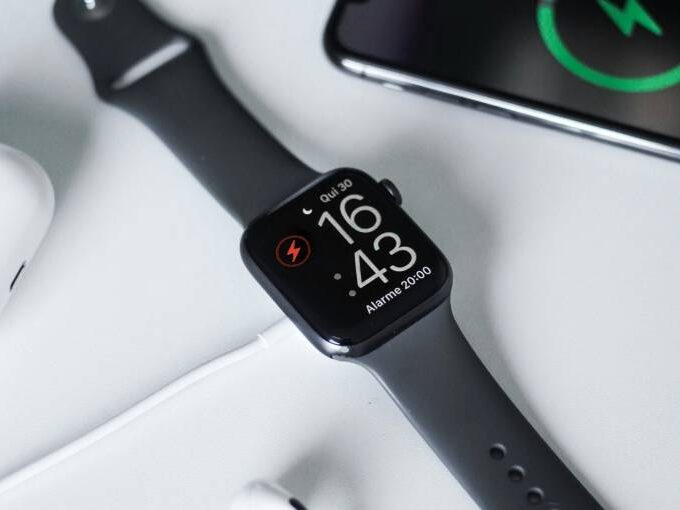
Apple’s macOS (previously known as OS X) only runs on Apple’s computers, whereas iPadOS only runs on iPads, although both are meant to function in tandem with Apple’s other operating systems: iOS (iPhones), tvOS (Apple TV), and watchOS (Apple Watch).
Chrome OS is designed to operate on pocket-friendly laptops, tiny PC desktops, and PC sticks that are particularly developed for it, with a reasonably lightweight setup that is intended to be internet-connected most of the time.
Even outside of the workplace, Windows offers various editions, with Home being the consumer version, Pro for more serious users, and Windows 10 in S mode for lightweight laptops targeted at competing with Chromebooks.
Android is also expanding beyond its phone-centric beginnings to be seen as a stand-alone operating system for tablets, most notably by Samsung and Lenovo.





Leave a comment