

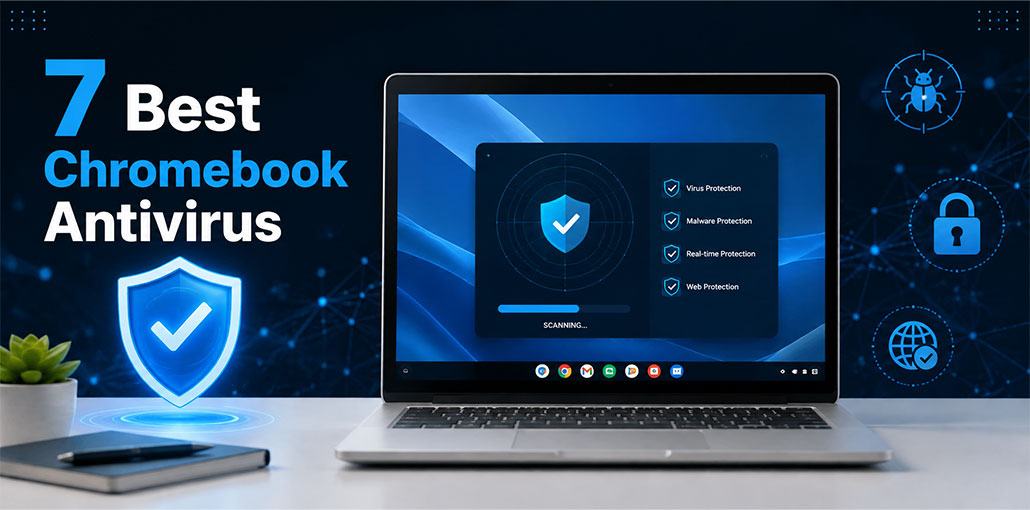
Chromebooks are based on ChromeOS and, unlike Windows and macOS, the system doesn’t support all traditional antivirus software. But, as ChromeOS is built on the Android operating system, many Android antivirus programs can run seamlessly on it, providing greater protection options.
This is why I personally tested various antivirus services for protection against phishing, malware removal, and performance speed, and additional features such as included VPNs and password managers that improve the privacy of online users and ensure their safety. After testing, we provide the best Chromebook antivirus software. They all offer greater security for streaming, torrenting, and everyday browsing.
Do Chromebooks Need Antivirus?
Yes, Chromebooks can benefit from antivirus software, even though ChromeOS is generally more secure than Windows and macOS. Built-in features like automatic updates, sandboxing, and Verified Boot provide strong protection, but they cannot stop every threat. Malware, phishing scams, malicious extensions, and security vulnerabilities can still pose risks, making trusted Chromebook antivirus software a useful extra layer.
7 Best Chromebook antivirus in 2026
1. Norton 360 — Best Overall Antivirus for Chromebook
Norton 360 is a strong Chromebook Antivirus protection who want more than basic malware detection. Instead, it combines security and privacy features into one comprehensive package.
Norton 360 provides comprehensive protection from malware, web security threats, VPN functionality, password-management tools, and additional privacy features, depending on your plan.
Why choose Norton 360?
- Broad security feature set
- Malware and online-threat protection
- VPN included with eligible plans
- Useful privacy features
- Suitable for users with multiple devices
Pros
- Comprehensive security package
- Useful privacy extras
- Easy option for users who want several tools in one subscription
Cons
- Some features require higher-tier plans
- May be more than a basic Chromebook user needs
Best for: People who want an all-around security and privacy package.
Also read: Who is Better For Security: VPNs vs. Firewalls vs. Antivirus
2. Bitdefender — Best Lightweight Option
Bitdefender is a popular Chromebook antivirus option for users who want security software designed to provide strong protection without unnecessarily getting in the way of everyday device use.
For Chromebook users, it can be an attractive option if you want security features while keeping the experience relatively simple.
Why choose Bitdefender?
Bitdefender offers security-focused tools and privacy features depending on the product or plan. Reputable security makes this app well worth considering for those seeking simple protection solutions.
Pros
- Security-focused approach
- Generally lightweight
- User-friendly
- Offers free and paid options depending on the product
Cons
- Feature availability depends on the plan
- Some advanced features require a subscription
Best for: Chromebook owners looking for a balance between protection and performance.
3. Surfshark Antivirus — Best for Antivirus + VPN
Surfshark can be particularly valuable to individuals seeking an all-in-one antivirus and privacy toolkit. As a Chromebook antivirus option, it can provide an additional layer of protection using VPN functionality.
Rather than purchasing separate services for security and VPN protection, eligible Surfshark plans can bring several privacy and security features together.
Why choose Surfshark?
A VPN can protect your internet connection and improve privacy. Antivirus features provide another layer of defense against malicious software and other potential threats
Pros
- Antivirus and VPN in one ecosystem
- Strong focus on online privacy
- Convenient for users who already want a VPN
- Useful for protecting multiple devices depending on the plan
Cons
- Not the best choice if you only want basic antivirus
- Requires a paid subscription for the full feature set
Best for: Users who want both antivirus protection and a VPN.
4. TotalAV — Best for Beginners
TotalAV is designed with simplicity in mind, making it worth considering for users who do not want to deal with complicated security settings. As a beginner-friendly Chromebook antivirus, it offers a straightforward approach to additional device protection.
Its security tools are packaged into a straightforward interface, which can make it easier for less technical users to understand their device’s security status.
Why choose TotalAV?
A simple interface can be valuable when you’re looking for basic security rather than a long list of advanced settings.
Pros
- Easy-to-use interface
- Beginner-friendly approach
- Includes additional security features
- Free and paid options may be available
Cons
- Advanced features may require a subscription
- Some users may prefer a more specialized security product
Best for: Chromebook users who prioritize simplicity.
5. Avira — Best Free Antivirus Option
Avira is a popular Chromebook antivirus option for users who want to improve their security without immediately paying for a subscription.
Its free offering can be useful for basic security needs, although some advanced privacy and security features may be restricted or limited.
Why choose Avira?
If your main priority is getting additional security tools without committing to a paid plan, Avira is worth considering.
Pros
- Free option available
- Useful security tools
- Privacy-focused features
- Good choice for budget-conscious users
Cons
- Free plans can have limitations
- Advanced features may require payment
Best for: Users looking for free Chromebook security tools.
6. Malwarebytes — Best for Malware-Focused Protection
Malwarebytes is another recognizable name in the cybersecurity space. Its focus on identifying and dealing with malware makes it a Chromebook antivirus option worth considering for people who are particularly concerned about malicious applications, files, and other threats.
Its product availability and features depend on the operating system and subscription.
Pros
- Strong focus on malware
- Straightforward security approach
- Additional privacy/security products available
Cons
- Features vary by platform
- Some tools require a paid plan
Best for: Users who want a security product with a strong malware-focused reputation.
7. ESET — Best for Security-Focused Users
ESET offers a range of cybersecurity products and is another provider worth considering when comparing Chromebook antivirus solutions.
Its products tend to appeal to users who want security features without necessarily choosing a large all-in-one suite.
Before choosing ESET for a Chromebook, check the provider’s current ChromeOS compatibility and the specific features offered by the relevant product.
Pros
- Established cybersecurity provider
- Security-focused products
- Range of security tools
Cons
- Product availability varies by platform
- Some users may find its range of products confusing
Best for: Users who want a security-focused provider and are willing to compare product details.
Also read: 5 Best Antivirus for Mac in 2025
Chromebook Antivirus Comparison: Features at a Glance
| Antivirus | Best For | Free Option | VPN | Standout Feature |
|---|---|---|---|---|
| Norton 360 | Overall protection | Limited | Yes | Comprehensive security suite |
| Bitdefender | Lightweight security | Available | Available | Low system impact |
| Surfshark Antivirus | VPN + antivirus | No | Yes | Privacy-focused package |
| TotalAV | Beginners | Limited | Available | Simple interface |
| Avira | Free protection | Yes | Yes / Limited | Useful free security tools |
| Malwarebytes | Malware-focused protection | Yes / Limited | Available | Malware scanning |
| ESET | Advanced users | Varies | Varies | Security-focused tools |
Note: Features, compatibility, and pricing can vary by plan and may change over time. Check the provider’s current product page before purchasing.
What Should You Look for in Chromebook Antivirus Software?
If you decide that additional protection is worthwhile, don’t choose a Chromebook antivirus product simply because it has the biggest feature list.
Look for features that actually match your needs.
1. ChromeOS Compatibility
First, make sure the product supports your Chromebook and the specific ChromeOS features you use.
2. Malware Protection
Look for protection against malicious applications, files, websites, and other common threats.
3. Web and Phishing Protection
Phishing is a major security risk. A good security solution should help identify suspicious websites and links.
4. Performance
A security application shouldn’t make your Chromebook unnecessarily slow or drain the battery excessively.
5. Privacy Features
A VPN, tracker protection, or other privacy tools may be useful if you regularly use public Wi-Fi or care about reducing online tracking.
6. Ease of Use
For most Chromebook users, a simple interface is preferable to complicated security controls.
7. Price
Compare the actual features included with free and paid plans.
Final Thoughts
Although Chromebooks come with a few security features to protect your data and device from threats, those features are not perfect. So, there are many possibilities that threats can target you. So, it is essential to install a reliable Chromebook antivirus to protect your device from cyber threats.
FAQs: Chromebook Antivirus
What is the best Chromebook antivirus?
For an all-around security package, Norton 360 is a strong option. Bitdefender, Surfshark, TotalAV, and Avira may be better suited to users with different priorities.
Is there a free antivirus for Chromebook?
Yes. Some security providers offer free products or free tiers. However, features can be limited compared with paid subscriptions.
Does ChromeOS have built-in virus protection?
ChromeOS includes multiple security features such as sandboxing, automatic updates, Verified Boot, and other protections. Supported Android applications can also benefit from Google Play Protect.
Can I install Windows antivirus software on a Chromebook?
Not generally in the same way you would install it on a Windows PC. Chromebook users should look for security products that specifically support ChromeOS or the relevant Android environment.







Leave a comment