

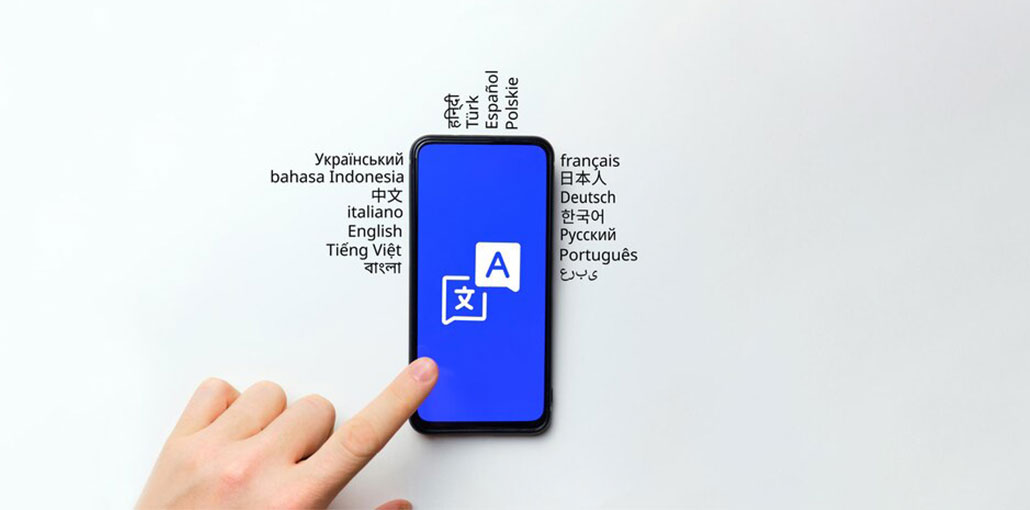
Translator applications help people understand and translate in multiple languages. They translate written or spoken text into a new language in real-time. For iPhone users, they have become the standard tool for work, travel, and learning. They have eliminated the friction of conversations, documents, and global collaboration.
Apple already provides an integrated Translate application on iPhone. It can be used for voice and text with limited offline translation. Apple Intelligence expands this by incorporating AI-powered features and live translation across applications.
In this article, we’ll take a look at the best translation app for iPhone in 2026. We’ll also examine their strengths, features, and best use cases, starting with the native alternatives.
How We Chose the Best Translation App for iPhone
We chose the best translation app for iPhone using these key points:
- Translation Accuracy: Ensures context and meaning are preserved, not just words.
- Language Support: More languages mean more versatility for travel and business.
- Offline Capability: Works without internet — essential for travelers.
- Speech & Conversation Features: Real-time voice translation for smooth communication.
- Camera & Image Translation: Translate signs, menus, and documents instantly.
- Ease of Use: Clean, intuitive interfaces for fast, stress-free translations.
- Privacy & Security: Protects your data and sensitive information.
Also read: How to Learn Languages by Yourself?
Best Translation App for iPhone
It’s 2026, and the Apple App Store is filled with innovative iPhone translation apps based on the latest technology. Here’s a list of the best translator app for iPhone:
1. Speak & Translate
An advanced speech translator with the capability to translate text. Speak & Translate is the best translation app for iPhone. It’s a powerful application capable of performing text translations in 117 different languages and translating speech into 54 languages.
It is equipped with Apple’s exclusive speech recognition technology, which allows it to detect languages, making it faster and more precise in handling speech recognition. Additionally, it comes with iCloud integration, allowing users to save the transcripts of their previous translations and sync them across all devices. If you’re not sure of the language you want to translate, Speak and Translate’s text-to-text translation function determines the language for you.
Pros
- Automatic voice detection
- Supports many languages
- Cloud sync for translation history
- Good voice recognition accuracy
Cons
- Daily translation limits in the free version
- Offline mode requires a subscription
2. Google Translate
Google Translate is the most advanced and modern free translation app for iPhone users. The advanced technology is the reason Google Translate is one of the most widely used translation apps worldwide, as it can be used to translate both informal and formal speech. It’s the result of years of research and development, the most current technological advances.
They are evident in the wide variety of features that it offers. This best translation app for iPhone translates text into over 100 languages, and offers offline translation in multiple languages (59 to be precise). It can also translate numbers and text captured by a camera or through photograph analysis or image uploaded to the application (not captured from the camera).
Pros
- Supports over 100 languages
- Offline translation packs available
- Camera and voice translation supported
- Completely free and easy to use
Cons
- Literal translations can miss context
- Struggles with idioms and slang
- Not suitable for professional documents
3. SayHi
SayHi is known as”the voice translator for everyone” and can be used to translate formal and informal speech. It’s one of the most popular free translation apps for iOS or Android. It’s been featured in a variety of major online and traditional media, including The NBC Today Show, TechCrunch, Lifehacker, and Gizmodo. The app is compatible with fifty languages.
It can translate images using the camera that can be used for the most popular Asian dialects (Japanese, Korean, and Chinese). This makes it one of the top translation applications available on the Asian market. It can translate voice messages, text messages, and other conversational content. It also has the transcribing and sharing translated text via email, SMS, PDF files, and social media.
Pros
- Very simple and user-friendly interface
- Great for real-time voice conversations
- No ads in basic usage
- Good accuracy for common languages
Cons
- Limited advanced features
- No document translation
- Requires an internet connection
4. iTranslate
It is among the top iOS translator apps available to download on Google Play and iTunes. It’s one of the top free translation apps and dictionary applications that can translate text messages, voice-to-voice, and text-to-voice. With over 100 languages supported, iTranslate is a handy communication tool that you can use travel around different regions of the globe. Its user-friendly interface means that the program is simple to use on even smaller devices such as your Apple Watch.
Pros
- Supports more than 100 languages
- Built-in dictionary and phrasebook
- Clean and modern interface
- Translation history available
Cons
- Many features are locked behind the premium plan
- Offline mode is paid
- The free version is limited
5. TripLingo
The company claims to be the best translation app for iPhone for international business travelers. TripLingo is like an interactive phrasebook, which comes with a real-time speech translator. It’s designed to cover the majority of what a person needs when traveling to a place with a different dialect.
Apart from the ability to translate into 19 different languages, the app also provides a phrasebook, which has thousands of entries across 13 languages. The app offers professionally produced translation audio and a regular written pronunciation guide. The app offers an online dictionary and audio language lessons, flashcards, and quizzes.
Pros
- Designed specifically for travelers
- Includes cultural tips and slang
- Offline phrasebooks available
- Extra tools like a currency converter
Cons
- Supports limited languages
- Best features require a subscription
- Not ideal for long text translations
Also read: Brainrot Translator Guide: How to Use It + 4 Best Alternatives
6. Microsoft Translator
Unlike other best translation app for iPhone, Microsoft Translator is a free translation app for iPhone that can translate voice, text conversations, images, and text. It allows offline and online translations in over 60 languages. Similar to Google Translate, though, you will need to download language packs for offline usage.
The app’s image translation feature can analyze images captured by the device camera, images added to the app, and screenshots to identify text and generate the desired translations. It also includes its exclusive multi-person conversation feature, allowing up to 100 individuals who are fluent in different languages to interact via the app, having their voices automatically translated.
Pros
- Supports text, voice, and image translation
- Offline translation available
- Multi-person conversation mode
- Good integration with the Microsoft ecosystem
Cons
- Fewer languages than Google Translate
- The interface may feel complex
- Translation speed can lag occasionally
7. Naver Papago Translate
Papago is a translation application for travelers who travel abroad for studies or business. It is only compatible with 13 languages currently (English, Japanese, Korean, Spanish, French, Thai, Vietnamese, Indonesian, Russian, Italian, German, Simplified Chinese, and Traditional Chinese). But it has fascinating functional features that are worth trying.
It’s capable of real-time voice translation. It can also translate conversations, text, and images. It also includes the ability to create a phrasebook and a dictionary. The app has three modes, including offline, conversation, and automated currency conversion. This app is for children to start learn language using flashcards. Furthermore, Papago has an interesting method of solving situations in which there are multiple possible translations. It shows images, so the user can choose the appropriate context.
Pros
- Excellent accuracy for Asian languages
- Supports text, voice, and image translation
- Clean and modern design
- Offline translation supported
Cons
- Limited language selection
- Less effective for European languages
- Best suited for Asian regions
8. Linguee
Linguee is a dictionary app for iOS or Android devices. It is available for download from the Apple App Store (great for your Apple watch!) But it appears to have been removed by Google Play. It’s nevertheless one of the top mobile translation apps to look into.
With inputs from over 400 lexicographers, Linguee is notable for its ability to be an efficient and reliable free language translation app.
Linguee offers a Quick Search feature similar to the Google auto-suggest function, which is where the application anticipates the terms and phrases you’re searching for as you type the initial letters into the search box. Linguee also detects spelling mistakes and recommends the “correct” term or phrase you’re trying to find.
Pros
- Provides real-world example sentences
- Very accurate word meanings
- Offline dictionary support
- Ideal for students and professionals
Cons
- No voice conversation translation
- Limited number of languages
- Not suitable for live translation
9. Yandex Translate
It was developed by the Russian counterpart to Google, Yandex. Translate is the best translation app for iPhone that supports 95 languages. The app is beneficial for offline use as it can perform translations from English into French, German, Italian, Russian, Spanish, and Turkish.
The app for translations with a lot of features for smartphones that run Android and iOS (and perhaps an Apple watch) can also be used for making image or camera translations to 12 languages, including English, French, Czech, German, Russian, Spanish, Portuguese, Chinese, Turkish, Polish, and Ukrainian.
Pros
- Supports many languages for free
- Website and image translation included
- Offline mode available
- Automatic language detection
Cons
- Speech translation is limited
- Accuracy varies by language
- Privacy concerns for some users
10. Day Translations
If you’re looking for quick and reliable translations, the Day Translations app is the best translation app for iPhone. What makes it distinct is that it’s a translation app that works with both human and machine translation.
The free iOS and Android app was updated recently and gained the ability to translate. The application is now capable of performing voice-to-speech transcriptions and the Human Translations feature. The app you have on your smartphone can be like having a personal interpreter that you can carry with you everywhere you travel.
Pros
- Combines machine translation with professional human translators
- High accuracy for legal, business, and official documents
- Supports speech-to-speech translation
- Video Remote Interpreting (VRI) is available
Cons
- Human translation services are paid
- Not ideal for casual, everyday translations
- Internet connection required for advanced features
Also read: Brainrot Translator Guide: How to Use It + 4 Best Alternatives
Quick Comparison of the Best Translation App for iPhone
| App Name | Best For | Languages | Offline Mode | Document Support | Price |
|---|---|---|---|---|---|
| Speak & Translate | iPhone users & voice translation | 117 text, 54 speech | ✅ Premium | ❌ No | Freemium |
| Google Translate | Every day use & travel | 103 text, 32 speech | ✅ Yes (59 languages) | ✅ Yes | Free |
| SayHi Translate | Casual conversations | 90 text & speech | ❌ No | ❌ No | Free |
| iTranslate | Travelers & multi-language use | 100+ text, 40 speech | ✅ Paid | ✅ Yes (premium) | Freemium |
| TripLingo | International business travelers | 19 text & speech | ✅ Yes | ❌ Limited | Freemium (premium features) |
| Microsoft Translator | Group conversations & business | 64 text, 21 speech | ✅ Yes | ✅ Limited | Free |
| Naver Papago | Asian languages & travel | 13 text & speech | ✅ Yes | ❌ Limited | Free |
| Linguee | Learning & professional reference | 10 text | ✅ Yes | ❌ No | Free |
| Yandex Translate | Website, text & casual translation | 95 text, 4 speech | ✅ Limited | ❌ Limited | Free |
| Day Translations | Professional & official translations | 104 text, 33 speech | Partial (paid human translation) | ✅ Yes | Freemium (paid human translation) |
Wrapping up
Due to the vast array of options available, finding the best translation app for iPhone is a difficult task. In this blog, we have compiled a list of the best translation app for iPhone users that deliver exceptional results.
If, however, you’re searching for an online and professional translation tool you can easily access, try Microsoft Translator or iTranslate.






Leave a comment