

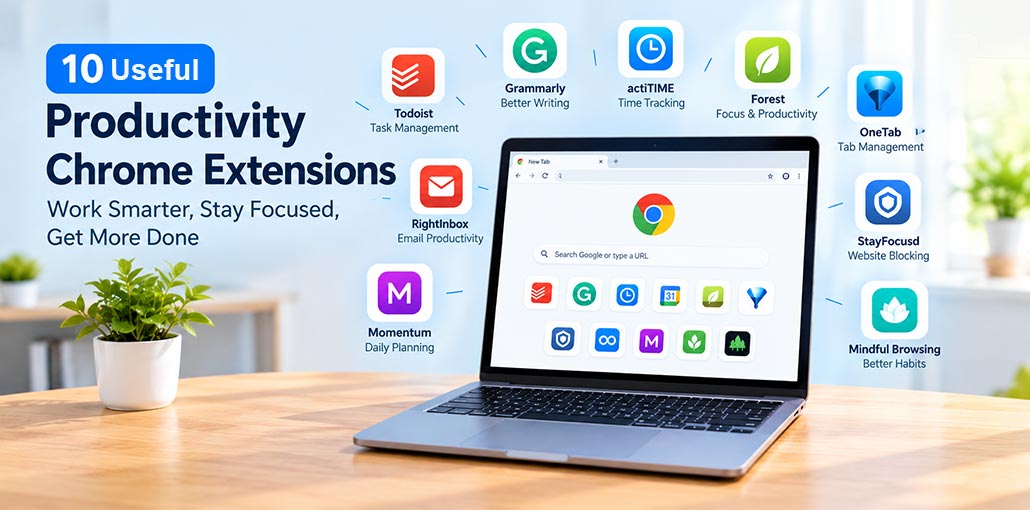
Every Chrome extension featured in this guide was checked on the Chrome Web Store in 2026 to ensure it was still available and actively maintained.
Why does that matter? Because many productivity extension roundups still recommend tools that have been discontinued, abandoned, or removed from the Chrome Web Store. Some were excellent options, but outdated articles continue to send readers to dead links and unreliable recommendations.
This guide takes a more practical approach. You’ll discover 10 productivity Chrome extensions that are still available, learn which once-popular productivity tools are no longer worth considering, and understand the permissions you should review before installing any extension.
10 Best Productivity Chrome Extensions
To make choosing easier, the extensions are organized by their primary purpose, from task management and focus to note-taking and workflow automation. This approach helps you find the Best productivity Chrome extensions for your needs without installing multiple extensions that perform the same function.
1. actiTIME — Best for Time Tracking
actiTIME helps users track working hours and understand how they spend their time. Its productivity Chrome extension connects time tracking with tasks and projects, making it useful for freelancers, consultants, and teams that need accurate work records.
Tracked time can be used with actiTIME’s reporting and timesheet features, depending on the account and plan.
Pros
- Track working hours from your browser.
- Connect time entries with tasks and projects.
- Review timesheets and productivity reports.
Cons
- Requires an actiTIME account for broader functionality.
- Some features may require a paid plan.
- Check the latest update history before installation.
Also read: Top 5 Text to Speech Chrome Extensions in 2026 (Tested & Reviewed)
2. Todoist — Best for Task Management
Todoist makes it easy to capture tasks while browsing. You can save webpages, add tasks, and organize reminders without interrupting your current work.
For professionals, students, and researchers, it provides a convenient way to turn information into actionable tasks. Among Productivity Chrome extensions, Todoist is a practical option for people who want to keep their responsibilities organized.
Pros
- Quickly save webpages as tasks.
- Organize priorities and deadlines.
- Sync tasks across supported devices.
Cons
- Works best if you already use Todoist.
- Advanced features may require a subscription.
- May overlap with your existing task manager.
3. Strict Focus — Best for Focus Sessions
Strict Focus helps reduce distractions by blocking selected websites during dedicated work sessions. Some versions support Pomodoro-style intervals, allowing users to alternate focused work with short breaks.
This productivity Chrome extension can be helpful if you frequently visit distracting websites while completing important tasks. Check the exact Chrome Web Store listing because similarly named extensions may have different features and ratings.
Pros
- Blocks selected distracting websites.
- Encourages structured focus sessions.
- Helps establish consistent work habits.
Cons
- Blocking can interrupt legitimate browsing.
- Strict restrictions may not suit every schedule.
- Features vary by listing.
4. RightInbox — Best for Gmail Productivity
RightInbox adds email productivity features to Gmail, including scheduled sending and follow-up reminders. These tools help professionals manage unanswered messages and maintain consistent communication with clients and colleagues.
It is particularly useful for sales teams, recruiters, freelancers, and anyone who relies heavily on email. If email takes up a large part of your day, RightInbox can help you manage communication more systematically.
Pros
- Schedule emails for later.
- Set reminders for follow-ups.
- Reduce manual email tracking.
Cons
- Primarily useful for Gmail users.
- Some features may require a paid plan.
- Review the permissions requested during installation.
5. Momentum — Best for Daily Planning
Momentum transforms Chrome’s new-tab page into a personalized dashboard. Depending on the features enabled, it can display scenic backgrounds, daily focus prompts, shortcuts, and to-do lists.
These Productivity Chrome extensions can make your priorities more visible whenever you open a new tab, encouraging you to start the day with a clearer plan.
Pros
- Encourages daily goal-setting.
- Offers a clean, customizable dashboard.
- Provides quick access to useful links.
Cons
- Some features require a subscription.
- Daily prompts can become repetitive.
- A dashboard alone cannot guarantee better productivity.
6. Grammarly — Best for Writing
Grammarly checks writing in supported browser-based applications, helping identify spelling mistakes, grammatical errors, and unclear phrasing. Its writing assistance can be useful for emails, reports, documents, and professional messages.
For people who communicate online daily, it can reduce editing time and improve clarity. Its productivity Chrome extension is especially helpful when you want your writing to sound clear and professional without spending too much time proofreading.
Pros
- Checks grammar and spelling.
- Helps improve clarity and tone.
- Works across many supported websites.
Cons
- Advanced features may require a paid plan.
- Suggestions may not always fit the context.
- Review suggestions before accepting them.
7. StayFocusd — Best for Website Restrictions
StayFocusd helps users control time spent on distracting websites. You can set daily limits, restrict specific websites, and configure blocking schedules to reduce unnecessary browsing.
Among Productivity Chrome extensions, it is a practical choice for users who want stronger restrictions instead of simple reminders. It can be particularly useful during study sessions, remote work, or other tasks that require sustained concentration.
Pros
- Sets limits on distracting websites.
- Supports scheduled restrictions.
- Encourages more disciplined browsing.
Cons
- Restrictions may interfere with legitimate tasks.
- Initial setup takes time.
- Blocking settings may need regular adjustments.
8. OneTab — Best for Tab Management
OneTab converts open browser tabs into a list of links. Instead of keeping dozens of pages open, you can save them and reopen them when needed.
This productivity Chrome extension is particularly helpful for researchers, students, writers, and anyone who regularly works with multiple sources. Reducing the number of open tabs may also lower browser resource usage, depending on the pages involved.
Pros
- Organizes multiple tabs quickly.
- Reduces visual clutter.
- Keeps saved webpages accessible.
Cons
- Reopening pages requires extra steps.
- Saved lists can become cluttered.
- It is not a complete task-management solution.
Also read: Top 13 Free Google Chrome Extension for Your Website SEO
9. Mindful Browsing — Best for Gentle Reminders
Mindful Browsing encourages more intentional internet use. When you visit a website you have flagged as distracting, it displays a reminder that gives you a moment to reconsider your decision.
Unlike strict website blockers, it encourages awareness rather than preventing access entirely. This approach may suit people who want to change their browsing habits gradually.
Pros
- Encourages intentional browsing.
- Provides reminders without strict restrictions.
- Offers a simple approach to distraction management.
Cons
- Reminders can be ignored.
- It provides less control than website blockers.
- Effectiveness depends on individual habits.
10. Forest — Best for Gamified Focus
Forest uses a visual reward system to encourage focused work. During a focus session, a virtual tree grows, giving users a visual representation of their progress.
This approach may appeal to people who enjoy gamification and progress-based motivation. However, it is not equally effective for everyone, so it is worth checking whether the focus system suits your routine before committing to it.
Pros
- Makes focus sessions more engaging.
- Provides visual progress.
- Encourages consistent work routines.
Cons
- Gamification may not suit everyone.
- Motivation can decrease with repeated use.
- Check the current listing for maintenance and compatibility information.
Quick Compare: Productivity Chrome Extensions
| Chrome Extension | Best For | Main Feature | Ideal Users |
|---|---|---|---|
| actiTIME | Time tracking | Tracks working hours and projects | Freelancers, teams |
| Todoist | Task management | Organizes tasks and deadlines | Students, professionals |
| Strict Focus | Focus sessions | Blocks distracting websites | Students, remote workers |
| RightInbox | Email productivity | Email scheduling and follow-up reminders | Sales teams, freelancers |
| Momentum | Daily planning | Personalized new-tab dashboard | Professionals, students |
| Grammarly | Writing assistance | Grammar, spelling, and clarity suggestions | Writers, professionals |
| StayFocusd | Distraction control | Limits time on selected websites | Students, office workers |
| OneTab | Tab management | Saves open tabs in a list | Researchers, multitaskers |
| Mindful Browsing | Mindful internet use | Reminds users to reconsider distracting browsing | Everyday users |
| Forest | Focus motivation | Uses virtual tree growth to encourage focus | Students, remote workers |
How to Get Better Results from Productivity Tools
Installing several Productivity Chrome extensions will not automatically make you more efficient. Start by identifying your biggest challenge, such as missed deadlines, excessive browsing, email overload, or too many open tabs.
Choose one extension that addresses that problem and use it consistently for a few weeks. Evaluate whether it saves time, improves concentration, or makes routine tasks easier. Adding too many tools at once can create unnecessary complexity, so keep your setup simple.
Summing Up
Productivity Chrome extensions can help reduce distractions, manage tasks, and improve focus, but they’re only part of the solution. Blocking distracting websites is useful, yet it doesn’t show whether your productivity has genuinely improved. After a month, review your progress, identify what works, and keep the tools that make a measurable difference.
FAQs: Productivity Chrome Extensions
What are the best Productivity Chrome extensions?
Some useful Productivity Chrome extensions include Todoist for task management, Grammarly for writing, OneTab for organizing browser tabs, StayFocusd for blocking distracting websites, and actiTIME for time tracking. The best choice depends on your daily workflow and productivity needs.
Are Productivity Chrome extensions free to use?
Many Chrome extensions offer free versions, while some provide premium plans with additional features. Before installing an extension, check its Chrome Web Store listing to understand which features are free and which require payment.
Which Chrome extensions are useful for remote workers?
Remote workers may benefit from actiTIME for time tracking, Todoist for task management, RightInbox for email follow-ups, and StayFocusd for reducing distractions. These tools can help organize work and maintain a more consistent routine.
What should I check before installing a Chrome extension?
Review the extension's publisher, user reviews, recent update history, requested permissions, and privacy information. Confirm that it offers the features you need and avoid installing multiple tools that perform the same task unnecessarily.








Leave a comment