

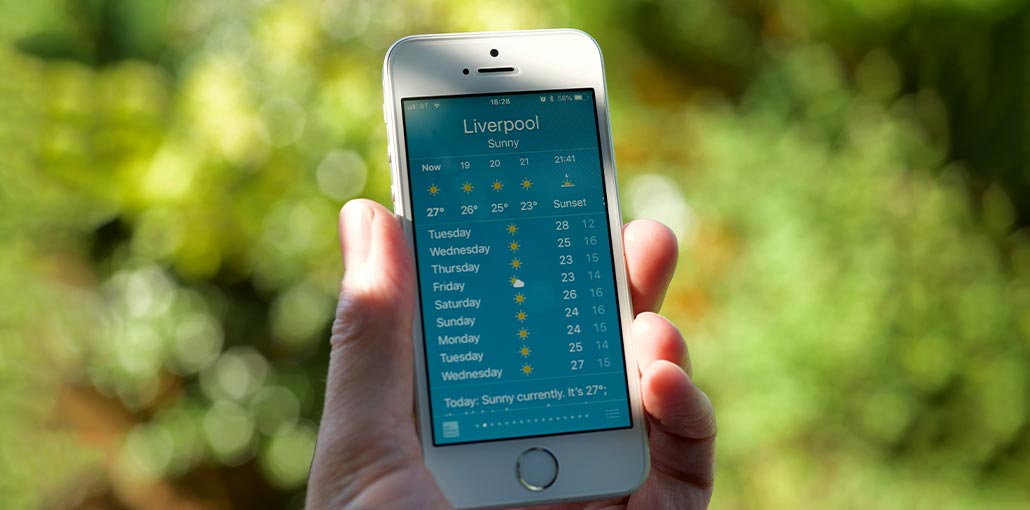
Accurate weather apps for iPhone will ensure you don’t get caught off guard by what nature throws throughout the day. The last thing anyone would want is an abrupt rainstorm or a sudden gust of wind to arrive and ruin the rest of the day.
The standard iPhone weather app may be fine at the moment, but it’s always checking out other options. Some weather apps offer different features, including extended forecasts and AI capabilities, that can help you determine what type of weather to prepare for.
We’ve spent much time researching and analyzing these different weather apps to figure out which is the best weather app for iPhone and which highly specialized features are suitable for you. Here is the list of top weather apps for iPhone.
Quick Comparison of the Best Weather App for iPhone
| App | Best For | Free Version | Radar Maps | Severe Weather Alerts |
|---|---|---|---|---|
| Carrot Weather | Overall Best | Yes | Yes | Yes |
| The Weather Channel | Detailed Forecasts | Yes | Yes | Yes |
| Emergency | Emergency Preparedness | Yes | No | Yes |
| Clime | Real-Time Radar Tracking | Yes | Yes | Yes |
| RadarScope | Weather Enthusiasts & Professionals | No | Yes | Yes |
| 1Weather | Everyday Forecasts | Yes | Yes | Yes |
| Weather on the Way | Road Trips & Travel | Yes | Limited | Yes |
| Windy | Outdoor Activities & Wind Tracking | Yes | Yes | Yes |
| AccuWeather | Hyperlocal Forecasts | Yes | Yes | Yes |
| Flowx | Advanced Weather Analysis | Yes | Yes | Yes |
Here’s the Best Weather App for iPhone
1. Carrot Weather
Carrot Weather has long crossed the divide between platforms, and now the evil AI-controlled Carrot can provide Android users with a weather forecast and a bit of humor and snark. iOS users are still enjoying features such as the ability to include the Carrot Weather widget on their lock screen and support live Activities. However, periodic updates include additional features and extras for subscribers who pay a premium, including tide information and forecasts up to 5 locations.
The app offers daily, hourly, and seven-day forecasts, laced with sarcastic humor that can soften even the darkest of forecasts. Infographics provide useful information reach, and more in-depth meteorological information is accessible when you tap and swipe. You can set Carrot’s sense of humor to be friendly or snarky and even determine how politically snarky the AI’s jokes are.
Pros
- Excellent forecast accuracy
- Highly customizable interface
- Lock Screen widgets and Live Activities
- Multiple weather data sources
Cons
- Advanced features require a subscription
- Humor may not appeal to everyone
Also read: Best Translation App for iPhone 2026: Top 10 Picks
2. The Weather Channel
The free version of the Ad-supported Weather Channel is available for download on iOS. The TWC app gives you access to a wealth of meteorological information like visibility, temperature, and wind on a daily or hourly basis. There is also a 10-day forecast. Interactive maps display the latest radar data to show rainfall and weather events and severe weather warnings.
The Weather Channel also includes social sharing tools that allow users to upload photos, tweets, videos, and even live video.
Pros
- Detailed weather information
- Excellent radar maps
- Trusted forecasting source
- Strong severe weather alerts
Cons
- Ads in the free version
- Premium subscription required for advanced features
3. Emergency
It’s an app that you hope you don’t need; however, if disaster strikes, you’ll be grateful to have the Emergency Severe Weather app by the American Red Cross on your iPhone or Android device. Since it monitors everything from floods and hurricanes to extreme temperatures and winter storms, Emergency: Severe Weather App is an excellent app to have on your smartphone at all times, and not just during hurricane season.
Not only can Emergency keep track of the area you reside in, but you can also check in on cities and individuals that have a significant importance to you. To reflect the reality of changing climate conditions, the app has upgraded to provide 40 distinct kinds of personalized alerts and step-by-step instructions to help you prepare for any weather-related emergency.
Pros
- Comprehensive emergency alerts
- Tracks multiple weather hazards
- Useful preparedness resources
- Completely free
Cons
- Limited everyday forecasting features
- Basic user interface
4. Clime
Now dubbed Clime, the app was previously called NOAA Radar Pro, and continues to stand out from the rest with real-time radar delivered directly to your phone, showing changing weather conditions around you. iOS users take advantage of lock screen widgets available in the app.
You’ll receive the usual daily and hourly forecasts along with alerts for severe weather. The reason you should use this best weather app for iPhone is satellite-based weather imagery that gives a full picture of precipitation, temperature, and other weather information.
Pros
- Excellent weather radar
- Detailed satellite imagery
- Real-time weather tracking
- User-friendly interface
Cons
- Some advanced features require payment
- Frequent premium upgrade prompts
5. RadarScope
The most serious weather enthusiasts are advised to use RadarScope to get detailed satellite views that incorporate NEXRAD Level 3 and Super-Resolution radar data. If you’ve got RadarScope in place, you will be able to track everything from tornadoes and severe thunderstorms, to Flash floods and marine advisories. It also allows you to follow the path of storms using data provided by the U.S. National Weather Service.
The RadarScope makers claim that the imagery within this application is based on native radar data rendered in its original radial format. This gives RadarScope an incredible amount of detail compared to the typical weather apps.
Pros
- Professional-grade radar tools
- Exceptional storm tracking
- Highly detailed weather data
- Trusted by meteorologists
Cons
- Paid app
- Not beginner-friendly
6. 1Weather
1Weather includes everything you’d want from the best weather app on iPhone, such as the 10-day forecast and live radar maps, severe weather warnings, and much more. However, it also uses widgets to ensure the most important weather days see the home screen, regardless of whether you’re running iOS.
We also like 1Weather’s minute-by-minute and hourly forecasts of temperatures and rainfall. Since these forecasts extend up to 48 hours, you can use the app to make plans.
Pros
- Clean and simple interface
- Useful widgets
- Accurate hourly forecasts
- Good free version
Cons
- Contains advertisements
- Some premium features are locked behind a subscription
7. Weather on the Way
The app’s name has changed between Weather on the Way and simply On the Way; however, the basic concept is the same, no matter what it is called. The weather can drastically change when you travel. So, having this information on your phone could make your trip enjoyable.
Weather on the way is the best weather app for iPhone. You have navigation options, along with severe weather alerts, so you are aware of the likelihood of rain, snow, or other dangerous conditions on the journey from Point A to Point B.
Pros
- Route-based weather forecasts
- Excellent for road trips
- Navigation support
- Travel-focused weather alerts
Cons
- Limited use outside travel
- Premium features require payment
8. Windy
Sometimes it’s best to view the weather in your area as a visual on your phone’s screen. Windy provides high-quality maps that let you watch the weather forecast play out before your eyes.
Windy is the best weather app for iPhone at wind patterns; however, the app also has 40 maps showing temperatures, humidity, and more. Additionally, you have satellite and Doppler information at your fingertips as well as a hurricane-tracking feature that can be useful during storms.
Pros
- Beautiful weather visualizations
- Extensive weather layers
- Excellent hurricane tracking
- Popular among outdoor enthusiasts
Cons
- Interface can feel overwhelming
- Learning curve for beginners
9. AccuWeather
AccuWeather is the one you should use for hyperlocal forecasts that allow you to delve deeper to find the information you need. AccuWeather’s daily forecasts factor in everything from rainfall probabilities to air quality, cloud coverage, wind, and the UV index. You track storms, ice, snow, and temperature variations, making this the best weather app for iOS users.
Users who are more will appreciate AccuWeather’s MinuteCast and its minute-by-minute rainfall updates. The WinterCast feature provides you with early snowfall probabilities, and an update includes an Ice Forecast Map layer.
Pros
- Accurate hyperlocal forecasts
- Excellent MinuteCast feature
- Detailed weather metrics
- Reliable severe weather alerts
Cons
- Ads in the free version
- Best features require a subscription
Also read: Top 10 Money Transfer Apps for iPhone
10. Flowx
If geeking out over graphs, maps, and forecasts, then check out Flowx. Formerly known as Weatherbomb, the app gives users an extensive range of forecasts, charts, and weather maps displayed in a movable forecast timeline. Users can request that the app centre their current location or create custom places.
Flowx can display a variety of data overlays, including clouds, precipitation, and wind direction arrows, using data from NOAA/NWS and Environment Canada. The best weather app for iPhone is ad-supported with an optional subscription, which removes ads and rewards the creator.
Pros
- Highly detailed weather data
- Interactive maps and charts
- Multiple weather models
- Great for advanced users
Cons
- Complex interface
- Not ideal for casual users
Our Pick for the Best Weather App for iPhone
It’s difficult to determine which is the best weather app for iPhone. We use different apps in various ways, especially those devoted to providing up-to-date weather forecasts for the next week or daily.
In this regard, the following are the best weather apps for iPhone. They offer a variety of special features to satisfy different requirements. The Weather Channel is ideal for detailed forecasts, RadarScope is perfect for weather enthusiasts, and Weather on the Way stands out for travelers.
FAQs: Best Weather App for iPhone
What is the best weather app for iPhone?
Carrot Weather is widely considered the best weather app for iPhone thanks to its accurate forecasts, customizable interface, Lock Screen widgets, and support for multiple weather data sources. However, apps like AccuWeather, Windy, and The Weather Channel may be better suited for specific needs.
Which are the most accurate weather apps for iPhone?
AccuWeather, Carrot Weather, and The Weather Channel are among the most accurate weather apps for iPhone. These apps provide detailed forecasts, real-time weather updates, radar maps, and severe weather alerts.
What is the best free weather app for iPhone?
The Weather Channel, 1Weather, and Windy are some of the best free weather apps for iPhone. They offer weather forecasts, radar maps, severe weather alerts, and useful weather-tracking features without requiring a paid subscription.
Is Apple Weather better than third-party weather apps?
Apple Weather is accurate and easy to use, but third-party weather apps often provide more advanced features such as hyperlocal forecasts, route-based weather tracking, professional radar data, and customizable widgets.








Leave a comment