

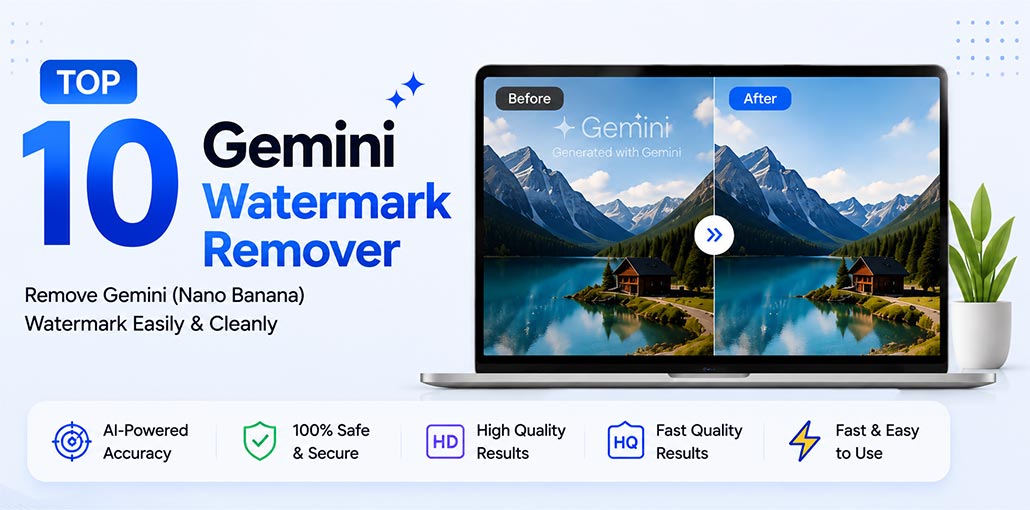
Google Gemini has become one of the most popular AI image generation tools for users to create stunning images from simple text instructions. But many users realize that Gemini adds visible watermarks to generated images. This can be a hassle if you need professional, clean outcomes.
If you’re looking for a way to remove Gemini watermarks from your images or videos, this comprehensive guide is for you.
In this guide, we’ll look at 10 Gemini watermark remover tools, compare their main features, and explain which type of user each tool is best suited for.
10 Best Gemini Watermark Remover Tools
1. GeminiWatermark.io
GeminiWatermark.io is a dedicated watermark-removal tool designed specifically for Gemini and other Google AI-generated content.
One of its notable features is that it supports both images and videos. The website also states that processing takes place locally in the browser, meaning files are not uploaded to its servers.
Key Features
- Supports both images and videos
- Automatic watermark detection
- Browser-based local processing
- Supports Gemini, Veo, Imagen, Nano Banana, and Google Flow
- Supports common image and video formats
Pros
- Handles both image and video watermarks
- No signup required to start
- Local browser processing
- Supports multiple Google AI-generated media types
Cons
- Primarily designed for Google AI watermarks
- File-size limits apply
- Video processing requires a separate workflow
Best for: Users who want a dedicated Gemini watermark remover that also supports video.
Also read: Remove ChatGPT Watermark: 4 Easy Ways to Clean AI-Generated Text
2. GeminiWatermarkRemover.io
GeminiWatermarkRemover.io is another specialized tool focused on removing visible watermarks from Gemini-generated images.
The platform emphasizes privacy because its online image processing happens locally in the browser. It also provides options for users who need more advanced workflows.
Key Features
- Browser-based local processing
- Batch image processing
- JPG, PNG, and WebP support
- ZIP download for processed images
- CLI and SDK options
Pros
- Supports batch processing
- No signup required
- Provides developer-oriented CLI and SDK options
- Local processing is useful for privacy-focused workflows
Cons
- The main online interface focuses primarily on images
- CLI/SDK features may be unnecessary for casual users.
- Video processing requires the advanced workflow.
Best for: Developers, power users, and anyone who needs batch processing.
3. GeminiWatermark.com
GeminiWatermark.com offers a straightforward way to remove visible Gemini and Nano Banana watermarks from images.
The platform provides two approaches: Quick Crop and AI Smart Removal.
Quick Crop is useful when you simply want to remove the watermark area by cropping the image. AI Smart Removal is designed to reconstruct the affected area while maintaining the original image dimensions.
Key Features
- Quick Crop removal
- AI Smart Removal
- Supports JPEG, PNG, and WebP
- 10 MB maximum file size
- Browser-based processing
Pros
- Simple workflow
- Offers two removal methods
- AI Smart Removal can preserve the full image composition
- No software installation required
Cons
- 10 MB file-size limit
- Focused on image processing
- Quick Crop changes the image composition.
Best for: Beginners looking for a simple image-focused solution.
4. Gradually.ai Gemini Watermark Remover
Gradually.ai provides a dedicated Gemini watermark removal tool that uses reverse alpha blending to reconstruct areas affected by the watermark.
The service supports common image formats and offers browser-based processing. It also provides bulk processing for users who need to work with multiple images.
Key Features
- 100% free
- Local browser processing
- Single-image processing
- Bulk image processing
- PNG, JPG, JPEG, and WebP support with a 10 MB limit
Pros
- Bulk processing is available
- Images are processed locally
- No server upload
- Supports four common image formats
Cons
- 10 MB maximum file size
- Focused on images
- No video-removal feature
Best for: Users who need to process several Gemini-generated images.
5. VisualGPT Gemini Watermark Remover
VisualGPT offers an online Gemini watermark remover designed to automatically process AI-generated images.
The tool is focused on simplicity, allowing users to upload an image and remove the visible watermark without installing photo-editing software.
Key Features
- Free online tool
- PNG and JPG support
- No account required
- No installation required
- Designed for Gemini and Nano Banana watermarks
Pros
- Simple three-step workflow
- No login required
- Designed specifically for Gemini/Nano Banana images
- Removes the watermark without cropping
Cons
- Primarily image-focused
- Only PNG and JPG support.
- No dedicated batch-processing feature
Best for: Users who want a quick online solution without complicated editing tools.
6. LogoRemover.ai
LogoRemover.ai provides a Gemini watermark removal page as part of its broader image-cleanup service.
Unlike tools that only target Gemini watermarks, LogoRemover.ai can also be used for other logos, text, and unwanted objects.
The platform provides both automatic and brush-based approaches, giving users more control over the area they want to remove.
Key features
- Supports images and videos
- Auto Mode
- Brush Mode
- JPG, JPEG, PNG, and WebP image support
- Designed for Gemini-generated images
Pros
- Supports image and video use cases
- Offers both automatic and manual removal
- Works on desktop and mobile
- Can remove text and logos in addition to Gemini watermarks
Cons
- Manual Brush Mode may require user selection
- Auto Mode is described separately from Brush Mode
- Detailed file-size limits are not clearly stated
Best for: Users who want a more general-purpose logo and watermark remover.
7. EaseMate AI Gemini Watermark Remover
EaseMate AI provides a dedicated Gemini watermark remover that uses AI-based processing to remove visible watermarks.
The tool supports common image formats and is designed to work directly in the browser.
According to its current information, free use is available with limitations, including a daily free-use allowance.
Key Features
- Free Gemini watermark removal
- No signup required for the stated free daily use
- JPG, JPEG, PNG, and WebP support
- Up to 20 MB
- Reverse alpha blending technology
Pros
- Supports images up to 20 MB
- No signup required for the stated free use
- Automatically detects the Gemini watermark
Cons
- Free use is limited
- Dedicated Gemini page focuses on images
- No video feature is listed on the dedicated page
Best for: Users who want an AI-powered tool with a simple interface.
8. Media.io Gemini Watermark Remover
Media.io offers a Gemini watermark remover as part of its wider collection of AI image and video tools.
Its workflow differs from some fully automatic Gemini-specific tools. Users can upload an image, use the brush to select the watermark or unwanted area, and then generate the cleaned image.
This approach gives users control over exactly which part of an image should be processed.
Key Features
- Gemini Star watermark removal
- Brush-based selection
- Natural background restoration
- Can remove text, objects, and stickers
- Free credits after signup/login
Pros
- Gives users manual control through the brush
- Can remove more than just Gemini watermarks
- Natural background restoration is included in its workflow
- Free credits are available for new users
Cons
- Signup/login is required for the free credits
- The workflow requires manually brushing the watermark area
- The dedicated tool is image-focused
Best for: Users who want manual control over the area being removed.
Also read: 6 Best Sora Watermark Remover Tools (Free & No Install Needed)
9. RemoveMark.io Gemini Watermark Remover
RemoveMark.io provides a dedicated Gemini watermark-removal tool that focuses on automatic detection and browser-based processing.
The service supports common image formats and emphasizes privacy by processing images in the browser.
It can also be useful for removing other types of visible marks from images.
Key Features
- Free online tool
- No signup required
- Browser-side processing
- AI watermark detection
- JPG, JPEG, PNG, and WebP support
Pros
- Local browser processing
- No signup required
- Supports common image formats
- Specifically detects Gemini Star and Nano Banana watermarks
Cons
- Dedicated page focuses on images
- No video-removal feature is listed
- Batch-processing information is inconsistent
Best for: Users seeking a straightforward, browser-based watermark remover.
Important: Its current page contains mixed information about batch processing, so users should verify whether bulk processing is available before relying on it for large batches.
10. Unwatermark.ai Gemini Watermark Remover
Unwatermark.ai provides a dedicated Gemini watermark remover using AI-based image processing.
The service focuses on removing visible Gemini-related watermarks while supporting commonly used image formats.
It also describes browser- and local-processing options, which can be useful for users concerned about uploading private images.
Key Features
- Free browser-based tool
- Automatic watermark detection
- JPG, PNG, and WebP support
- Reverse alpha blending
- Local browser processing
Pros
- No server processing
- Supports common image formats
- Automatic detection simplifies the workflow
- Uses reverse alpha blending for Gemini watermarks.
Cons
- Only supports images
- Professional AI features are separate from the free tool
Best for: Users who want a dedicated and simple AI watermark-removal tool.
Gemini Watermark Remover Tools Comparison
| Tool | Best For | Image | Video | Batch Processing | Free | Signup |
|---|---|---|---|---|---|---|
| GeminiWatermark.io | Images & videos | ✅ | ✅ | — | ✅ | No |
| GeminiWatermarkRemover.io | Batch & advanced users | ✅ | ✅* | ✅ | ✅ | No |
| GeminiWatermark.com | Beginners | ✅ | ❌ | ❌ | ✅ | No |
| Gradually.ai | Bulk image removal | ✅ | ❌ | ✅ | ✅ | No |
| VisualGPT | Simple image removal | ✅ | ❌ | ❌ | ✅ | No |
| LogoRemover.ai | Images & videos | ✅ | ✅ | ❌ | — | — |
| EaseMate AI | Larger image files | ✅ | ❌ | ❌ | ✅* | No |
| Media.io | Manual editing | ✅ | ❌ | ❌ | ✅* | Yes |
| RemoveMark.io | Browser-based removal | ✅ | ❌ | ⚠️ | ✅ | No |
| Unwatermark.ai | Simple image removal | ✅ | ❌ | ❌ | ✅ | — |
Does Removing a Gemini Watermark Reduce Image Quality?
It can.
Watermark removal requires the software to reconstruct or alter pixels in the affected area. If the watermark covers important details, fine textures, faces, text, or complex backgrounds, some tools may produce visible artifacts.
For the best result:
- Use the original image whenever possible.
- Choose a tool that preserves the original dimensions.
- Avoid repeatedly compressing the photo.
- Compare the processed image with the original.
- Use manual selection when automatic detection produces poor results.
Final Thoughts
A Gemini Watermark Remover can be useful when you need to clean up a Gemini-generated image or video that you are authorized to edit.
The right choice depends on your requirements. For video support, GeminiWatermark.io is worth considering. For batch processing and developer workflows, GeminiWatermarkRemover.io offers more advanced options. For simple image editing, GeminiWatermark.com provides an easy starting point, while Media.io can be useful when you want brush-based control.
FAQs: Gemini Watermark Remover
Is Gemini Watermark Remover free?
Yes, several Gemini watermark remover tools offer free use. However, some may have limits on file size, daily usage, credits, or available features.
Can I remove a Gemini watermark online?
Yes. Many tools work directly in your browser, so you can remove a visible watermark without installing image-editing software.
Do I need to install software to remove a Gemini watermark?
No. Many online Gemini watermark remover tools work directly in a web browser without requiring software installation.
Does removing a Gemini watermark reduce image quality?
It can. The result depends on the watermark's size, location, background, and the removal technology used by the tool.





Leave a comment