

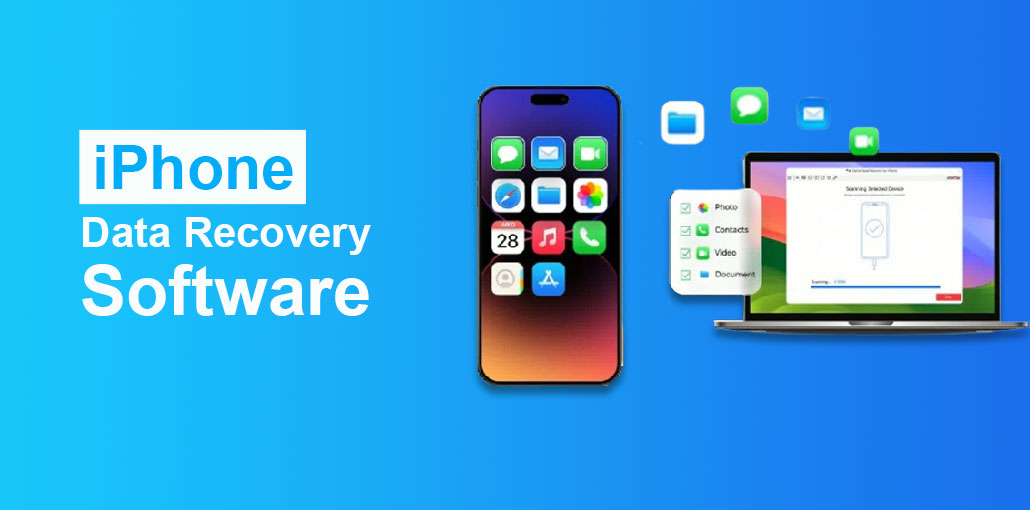
Although iOS is equipped with lots of security measures to protect your data (e.g., iCloud), “irreversible” data loss could still occur because of accidents, viruses, or other causes. In such instances, the best DIY option is to use an iPhone data recovery software that uses advanced algorithms to recover deleted files straight from your device (or backups).
There are hundreds of iPhone recovery software available; some are extremely efficient, but most are junk. To assist you in making the best choice, we tried all the apps we could and then compiled the top iPhone data recovery software. We highlighted each program’s crucial information so that you don’t have to go through the pages of information about the app by yourself. Learn more!
7 Best iPhone Data Recovery Software
The following iPhone data recovery software list was compiled by considering the factors mentioned above and my personal experiences with each one. Based on these experiences, I was able to come up with the ranking you’ll find below.
In short, you cannot be disappointed using any of the iPhone data recovery software on this list. Certain factors make certain choices more effective than other options.
1. Disk Drill iPhone Data Recovery
Disk Drill is extremely user-friendly and powerful iPhone data recovery software that allows you to restore data from iPhones, iPads, iPods (when relevant), and even Android devices.
The iPhone data recovery software offered many options for data types and recovery attempts. It can restore files from an iTunes backup that you have created, preventing the need to roll back your device. Even if it was not able to create backups, Disk Drill can still restore your files through the creation of its individual iTunes backup (circumventing iOS’ strict restrictions).
Pros
- Very easy-to-use interface
- Recovers data from iPhone, iTunes, and iCloud backups
- No need to restore your entire device from a backup
- Creates its own local backup to improve recovery chances
- Supports a wide range of file types
Cons
- macOS-focused (Windows version has limited iOS features)
- Full recovery requires a paid license
Also read: 7 Best iPhone Unlockers to Unlock Your Device Quickly and Safely
2. iMobie PhoneRescue
The iMobie PhoneRescue software is a contemporary iOS data recovery software featuring an intuitive user interface that allows you to retrieve lost files in only three steps. Select the recovery mode, then scan your device, choose the files that you’d like to recover, and then complete the procedure.
The thing we liked about iMobie PhoneRescue was that it includes a variety of additional tools to solve every kind of iOS problem—from the black/white/blue/white screen to frozen devices or devices in DFU or Recovery Mode.
Our primary focus was data recovery, and that’s why we found that it wasn’t as efficient as some of the other applications we tried. Although it’s extremely efficient, speed isn’t its best feature compared to other competitors.
Pros
- Clean, beginner-friendly interface
- Simple 3-step recovery process
- Includes iOS system repair tools
- Can restore data directly back to the iPhone
Cons
- Slower scan speed compared to competitors
- Data recovery success rate is slightly lower for large datasets
- Paid version required for full recovery
3. Dr.Fone iPhone Data Recovery
If you need to recover lost contacts or text messages, photos, or voice memos, Wondershare Dr.Fone can do it all. This recovery tool can recover directly from your iOS smartphone and can also retrieve information via iTunes backup files and iCloud. Whatever method you choose to retrieve your files, you’ll be able to do everything from beginning to end in only a few clicks.
The free version of Wondershare Dr.Fone allows you to scan your iPhone without any cost. But don’t expect it to recover your data, as that is not within its capabilities. It’s still useful to be able to verify that the application works before you spend $69.95 on a lifetime subscription or $59.95 for an annual license.
Pros
- Supports recovery from device, iTunes, and iCloud
- Wide range of recoverable data types
- Free version allows scanning and previewing.
- Trusted brand with regular updates
Cons
- Recovery is not available in the free version
- Higher pricing than some alternatives
- The interface can feel heavy on older systems
4. iMyfone D-Back
Do you want to recover deleted pictures, notes, videos, messages, contacts, Safari history, voice memos, and more using any iPhone? If yes, iMyfone D-Back is an excellent choice for iPhone data recovery software, as you can complete iPhone recovery without requiring any special expertise or knowledge.
We are impressed by our experience with iMyfone D-Back, which can solve a variety of problems, like instances where iPhones are stuck on the black Apple logo. The only thing we do not like is how expensive it is to purchase the lifetime unlimited subscription.
Pros
- Recovers many data types including messages, photos, and notes
- Easy to use with no technical knowledge required
- Handles iOS system issues like Apple logo freeze
- Good success rate for deleted files
Cons
- Expensive lifetime license
- Some advanced features are locked behind higher-tier plans
- Scanning can take longer on large devices
5. EaseUS MobiSaver
EaseUS MobiSaver is a popular iPhone data restore software with an extensive set of features that are specifically tailored for iOS recovery. It’s a straightforward interface that only requires a couple of steps to launch and is capable of restoring your data from your iPhone, and it can also restore your iTunes backup, and an iCloud backup
Notable features we wanted to highlight include support data recovery software for iPhone, such as communication logs and attachments from messaging applications (including WhatsApp, Kik, and Line), recorded audio files, contacts, Safari history, and others. It also lets you preview your files before attempting to recover them, like being able to read the actual conversations from the messages you want to recover.
Pros
- Simple and intuitive interface
- Strong support for app data recovery (WhatsApp, Kik, Line, etc.)
- Allows preview of files before recovery
- Works with device, iTunes, and iCloud backups
Cons
- Free version has very limited recovery options
- Scan results may include fewer files than competitors
- Performance slows on older PCs
6. Tenorshare UltData
Tenorshare UltData has offered iPhone data recovery software for nearly 10 years. It’s among the first apps to offer recovery from devices, iTunes backups, and iCloud backups. Similar to EaseUS MobiSaver, it comes with an extensive toolkit designed specifically for iPhone app data, such as Safari bookmarks and contacts, FaceTime diary entries, logs, reminders, and more. It comes with a bigger toolkit designed specifically for social media apps, which includes WhatsApp, Line, Instagram, KakaoTalk, KiK, Viber, Facebook, and WeChat.
UltData recently underwent a needed visual overhaul, making it easier to use than it was previously. But we feel it is a bit overwhelming when compared with other options that are on the list.
Pros
- Excellent support for social media and messaging apps
- Works with device, iTunes, and iCloud backups
- Modern, redesigned interface
- Supports recovery of 35+ data types
Cons
- Interface may feel overwhelming for beginners
- Full recovery requires a paid plan
- The scanning process can be time-consuming
7. iBeesoft iPhone Data Recovery for Mac
iBeesoft iPhone Data Recovery is another well-rounded company in the software field that creates data recovery tools not just for smartphones but also to be used on Windows and Mac computers. It’s not an all-in-one application, and you’ll have to first download and install this iPhone Data Recovery tool individually. However, in this particular article, the company is offering a discount bundle that includes iPhone recovery and macOS recovery for $59.90.
It comes with three standard recovery options Recover data from Device, Recover from iTunes Backup, and Recover via iCloud Backup. There was nothing extraordinary in its performance; it’s able to do the job.
Pros
- Simple and lightweight recovery tool
- Supports all standard iOS recovery modes
- Affordable bundle with macOS recovery software
- Good performance for basic recovery needs
Cons
- Lacks advanced features found in premium tools
- Mac-only support
- No standout features compared to top competitors
Also read: How to Remove Virus from iPhone: 7 Easy and Effective Tips
How We Test iPhone Data Recovery Software
We test iPhone data recovery software using real-world data loss scenarios, including accidental deletion, iOS update failures, and app data loss. Each data recovery software for iPhone is tested on multiple iPhone models and iOS versions to verify compatibility and stability.
We evaluate recovery success rate, supported file and app data types, scan speed, and ease of use. Special attention is given to whether files can be previewed and selectively recovered without restoring the entire device.
Pricing, free trial limitations, and privacy practices are also reviewed. Only tools that deliver reliable results, clear previews, and good overall value are recommended.
Comparison Table– iPhone Data Recovery Software
Final word
Here is the list of best iPhone data recovery software that aim to achieve the same goal—recover lost iOS data—and each one does it fairly well. While some tools stand out in speed, interface, or app-specific recovery, none of these options would be a bad choice.
The good news is that some iPhone recovery tools offer free trials, allowing you to scan and preview recoverable files before purchasing. Choose the one iPhone recovery software that best matches your needs, budget, and operating system, and you’ll be well-equipped to recover lost iPhone data when disaster strikes.
FAQs: iPhone Data Recovery Software
Can iPhone data really be recovered after deletion?
Yes, deleted iPhone data can often be recovered if it hasn’t been overwritten. Recovery software scans your device or backups to locate recoverable files.
Do these tools work on both Mac and Windows?
Most tools, like Dr.Fone and Disk Drill, offer both Mac and Windows versions. Some, like iBeesoft, may have Mac-only versions. Check compatibility before purchasing.
What should I consider when choosing iPhone data recovery software?
Focus on compatibility with your iOS version, supported data types, ease of use, recovery speed, pricing, and the ability to preview files before restoring.
Do these tools work on the latest iOS versions?
Most data recovery software for iPhone supports the latest iOS versions, including iOS 18. However, newer Apple security updates may limit recovery of some files, so always check compatibility before use.





Leave a comment